Finch onboarding

A self-care app where you look after a pet bird by setting and ticking off your own daily goals.

Finch

A pet to care for before a single question

Finch opens with no sign-up: you pick an egg, name the bird and give it a trait. It thanks you with its first stat and a reminder ask before the questions start.

MobileB2ConboardingNov 2026

01

Choose your Finch Egg!

The first screen is a choice, not a sign-up form: six eggs around a preview of the bird.
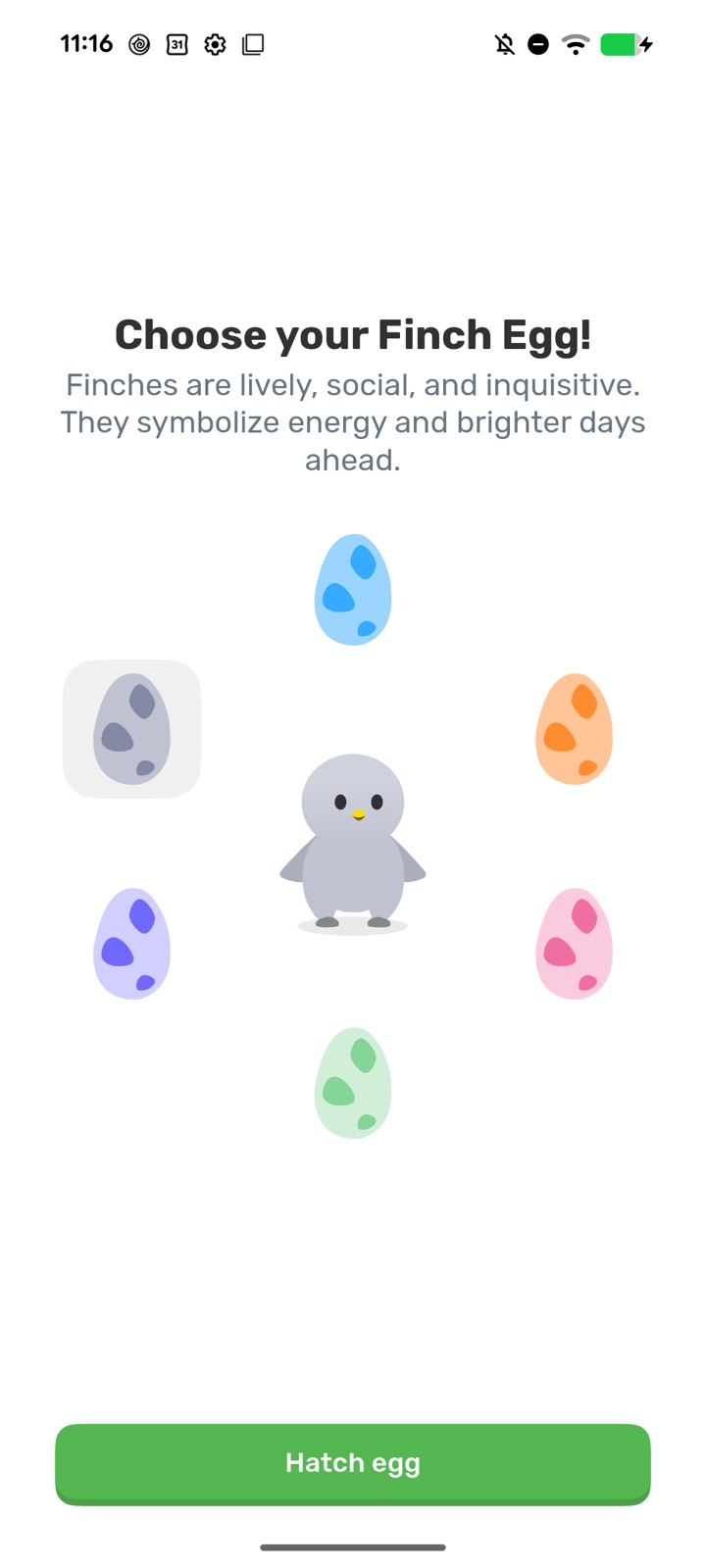
Finch: Choose your Finch Egg!
  1. 1

    No account wall (working)

    The app opens straight on a choice. There is no sign-up, email or login before the pet hatches.

    Reduce friction

  2. 2

    Yours from the first tap (working)

    Picking an egg makes the bird feel owned before it exists, and the rest of onboarding leans on that.

    Endowment effect

  3. 3

    Mood, not features (working)

    "They symbolize energy and brighter days ahead" sells a feeling instead of a habit tracker.

    Framing

02

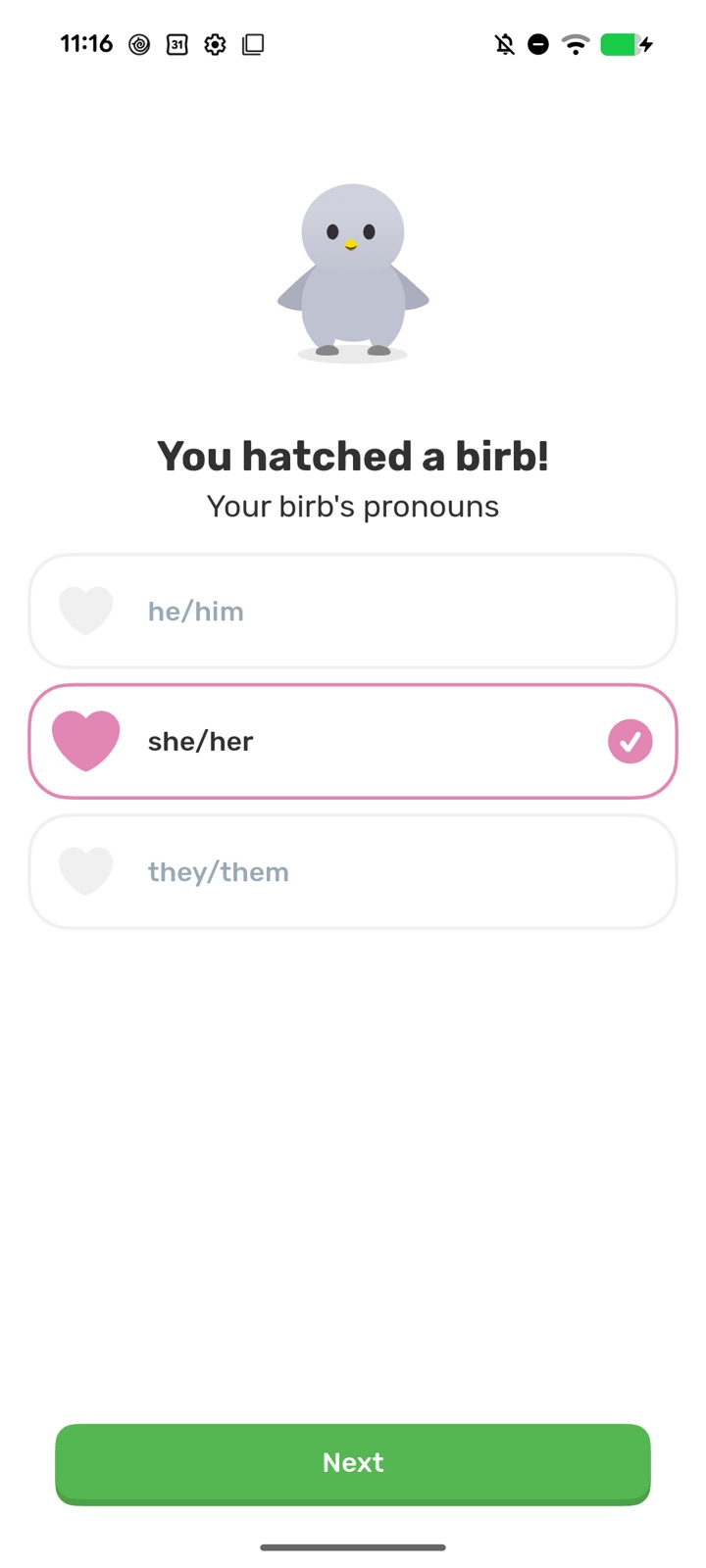
You hatched a birb!

The bird hatches on the spot, and the first question is about it: its pronouns.
Finch: You hatched a birb!
  1. 4

    Instant payoff (working)

    One tap on Hatch egg and the bird is there, with "You hatched a birb!" in the same playful voice.

    Voice and personality

  2. 5

    Easy questions first (working)

    Pronouns for the bird are a low-stakes first answer; the personal questions about you come later.

    Progressive disclosure

  3. 6

    Other options look disabled (not working)

    Once one option is picked, the other two fade to pale grey and read as switched off.

    Clarity

03

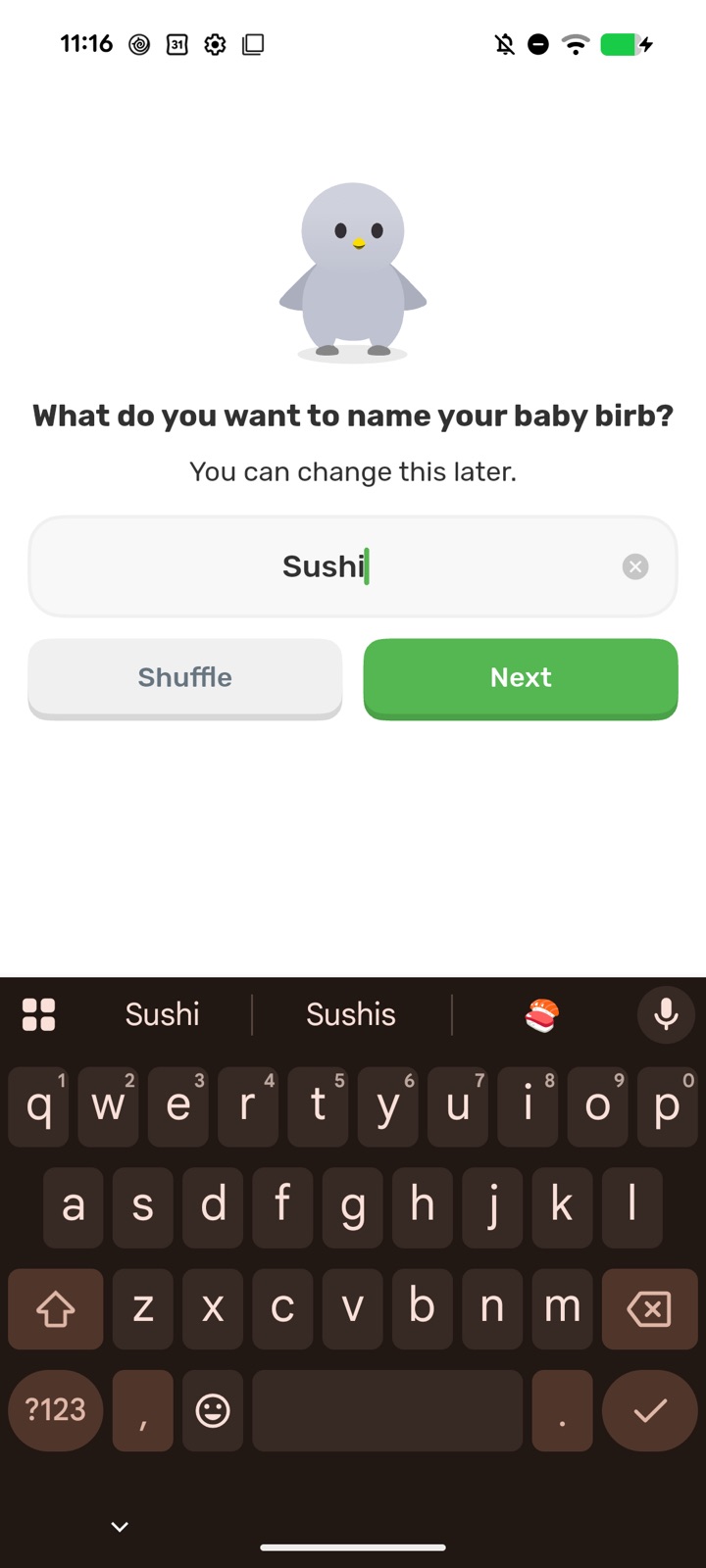
What do you want to name your baby birb?

Naming comes with a suggested name, a Shuffle button and a promise that it can change later.
Finch: What do you want to name your baby birb?
  1. 7

    Prefilled name (working)

    "Sushi" is already in the field, so Next works without typing.

    Default effect

  2. 8

    Low-stakes promise (working)

    "You can change this later" takes the pressure off picking the perfect name.

    Risk reversal

  3. 9

    Shuffle for ideas (working)

    Shuffle offers another name in one tap for people who don't want Sushi.

    Flexibility and efficiency of use

04

Choose a trait for Sushi

The bird gets one of six traits, each with an emoji.
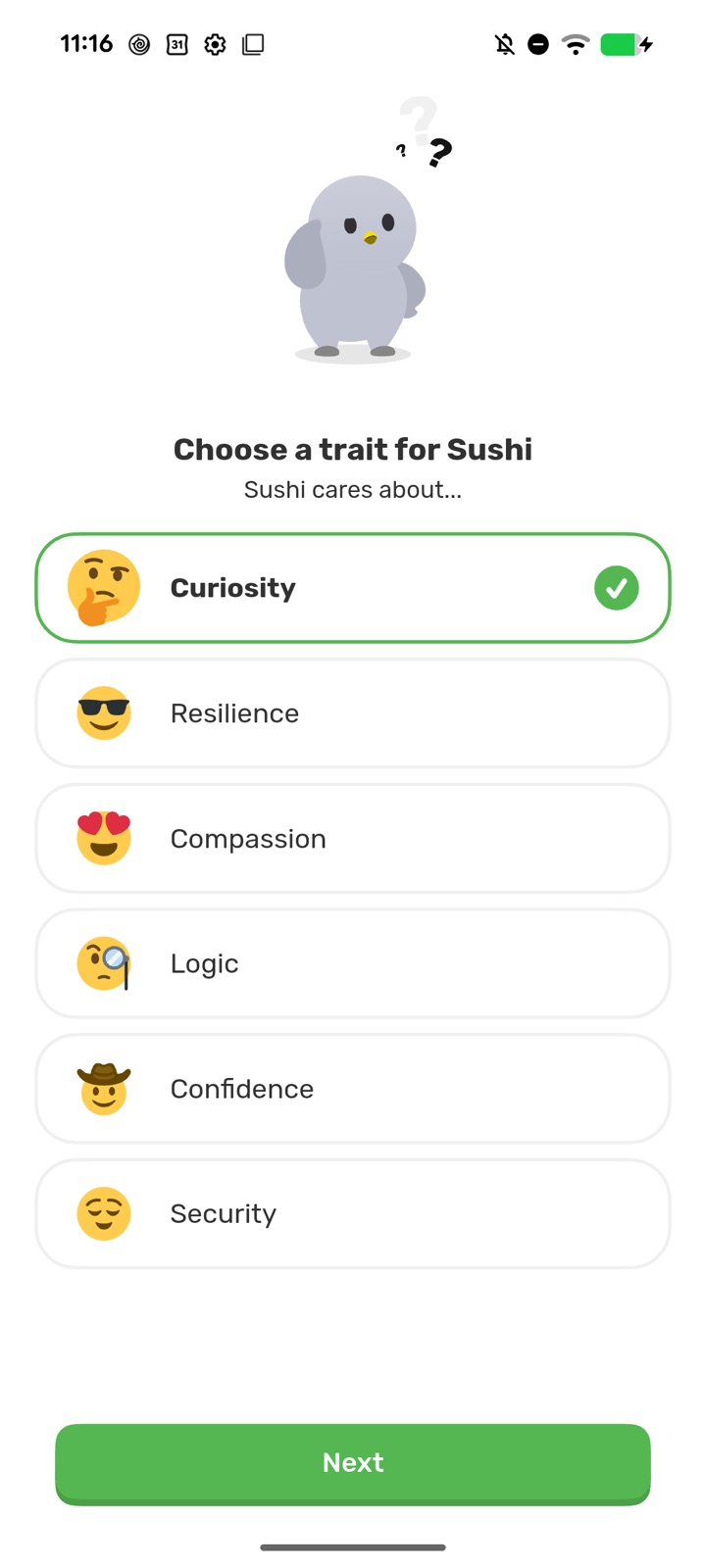
Finch: Choose a trait for Sushi
  1. 10

    Name used right away (working)

    "Choose a trait for Sushi" and "Sushi cares about..." reuse the name from the last screen.

    Personalization

  2. 11

    Trait with no effect shown (not working)

    Nothing says what Curiosity or Logic changes for the bird or the goals, so the choice feels arbitrary.

    Expectation setting

05

Cheep cheep, thanks for hatching me

The bird asks for your name in a speech bubble instead of a form label.
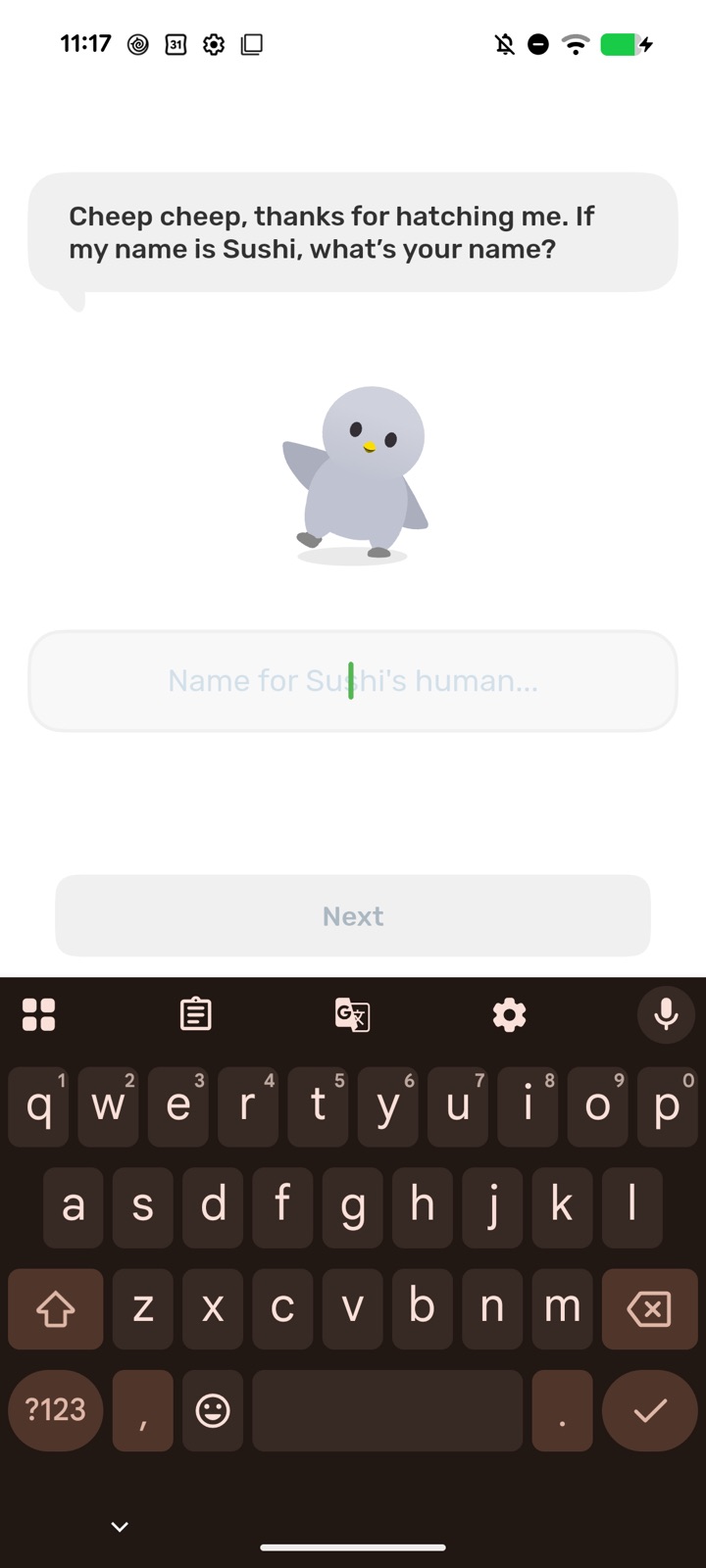
Finch: Cheep cheep, thanks for hatching me
  1. 12

    The pet asks, not a form (working)

    "If my name is Sushi, what's your name?" turns a data field into a conversation.

    Voice and personality

  2. 13

    Placeholder in character (working)

    "Name for Sushi's human..." says what the name is for: the bird will use it.

    Reason-giving

  3. 14

    Name is required (not working)

    Next stays greyed out until something is typed, and there's no skip.

    User control and freedom

06

Nice to meet you, Test!

A quiz about what self-care means, where both answers are right.
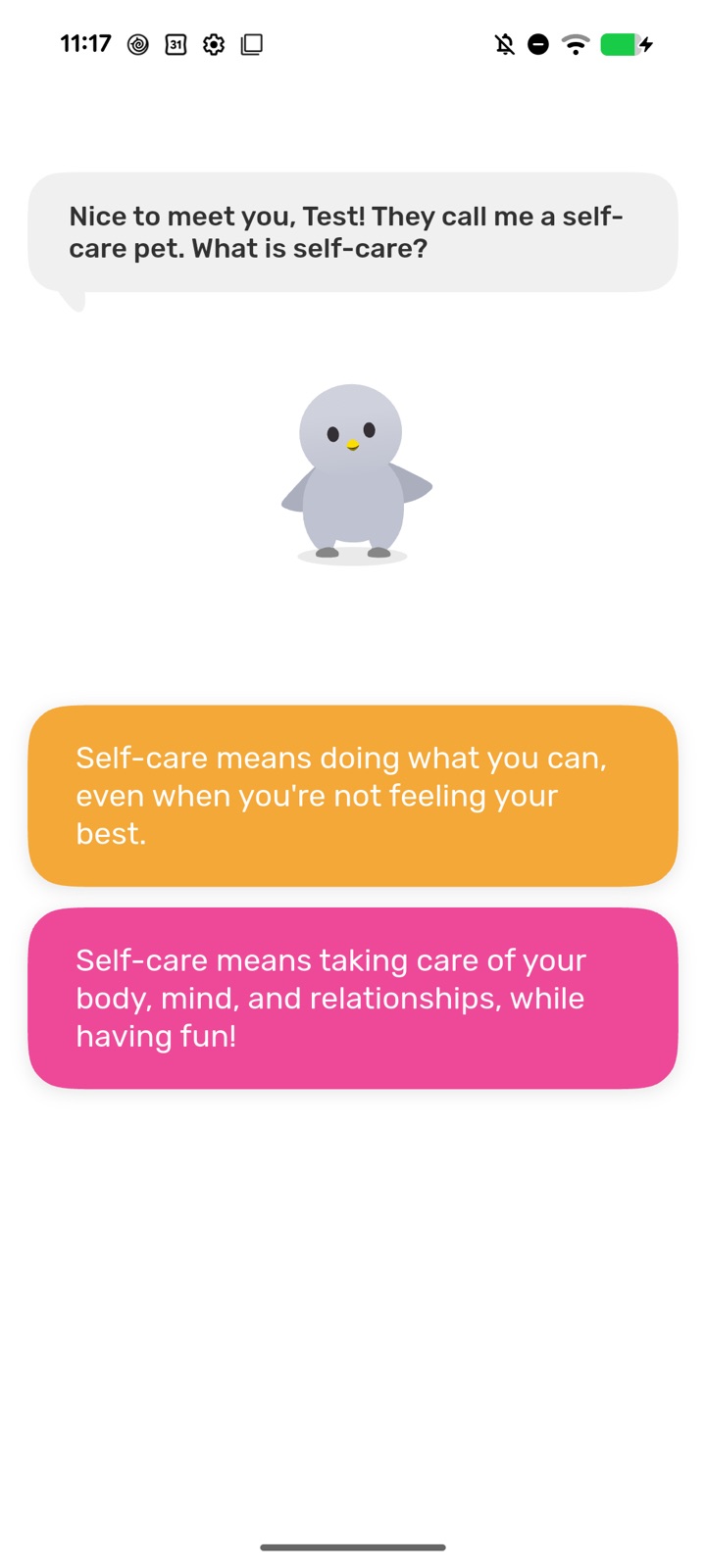
Finch: Nice to meet you, Test!
  1. 15

    Name played back (working)

    "Nice to meet you, Test!" confirms the name was heard, the way a person would.

    Personalization

  2. 16

    A quiz with no wrong answer (working)

    Both cards are true definitions, so whichever you tap, you learn what Finch means by self-care.

    Mental models

  3. 17

    White on light orange (not working)

    The first card's white text on light orange is hard to read.

    Clarity

07

When you take care of yourself, you take care of me

Answering earns the bird its first stat, before any goal exists.
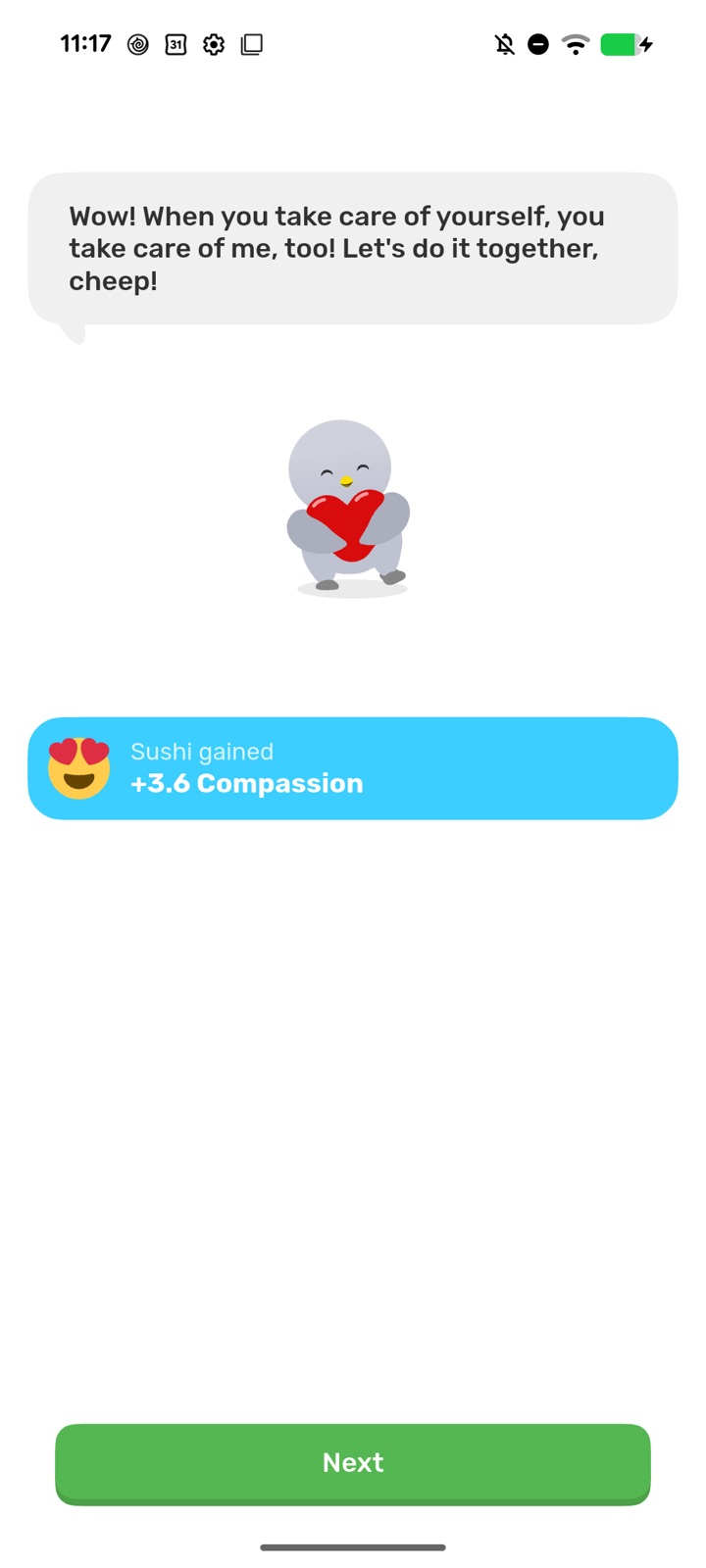
Finch: When you take care of yourself, you take care of me
  1. 18

    The core loop in one line (working)

    "When you take care of yourself, you take care of me, too!" explains the whole product: your habits feed the pet.

    Mental models

  2. 19

    First reward for one tap (working)

    Sushi gains +3.6 Compassion just for answering, so progress starts above zero.

    Endowed progress effect

  3. 20

    A stat with no scale (not working)

    Nothing says what Compassion does or what 3.6 is out of, and the light text on blue is hard to read.

    Clarity

08

Get reminders from Sushi

A notification primer in the bird's voice, with Maybe later as a real option.
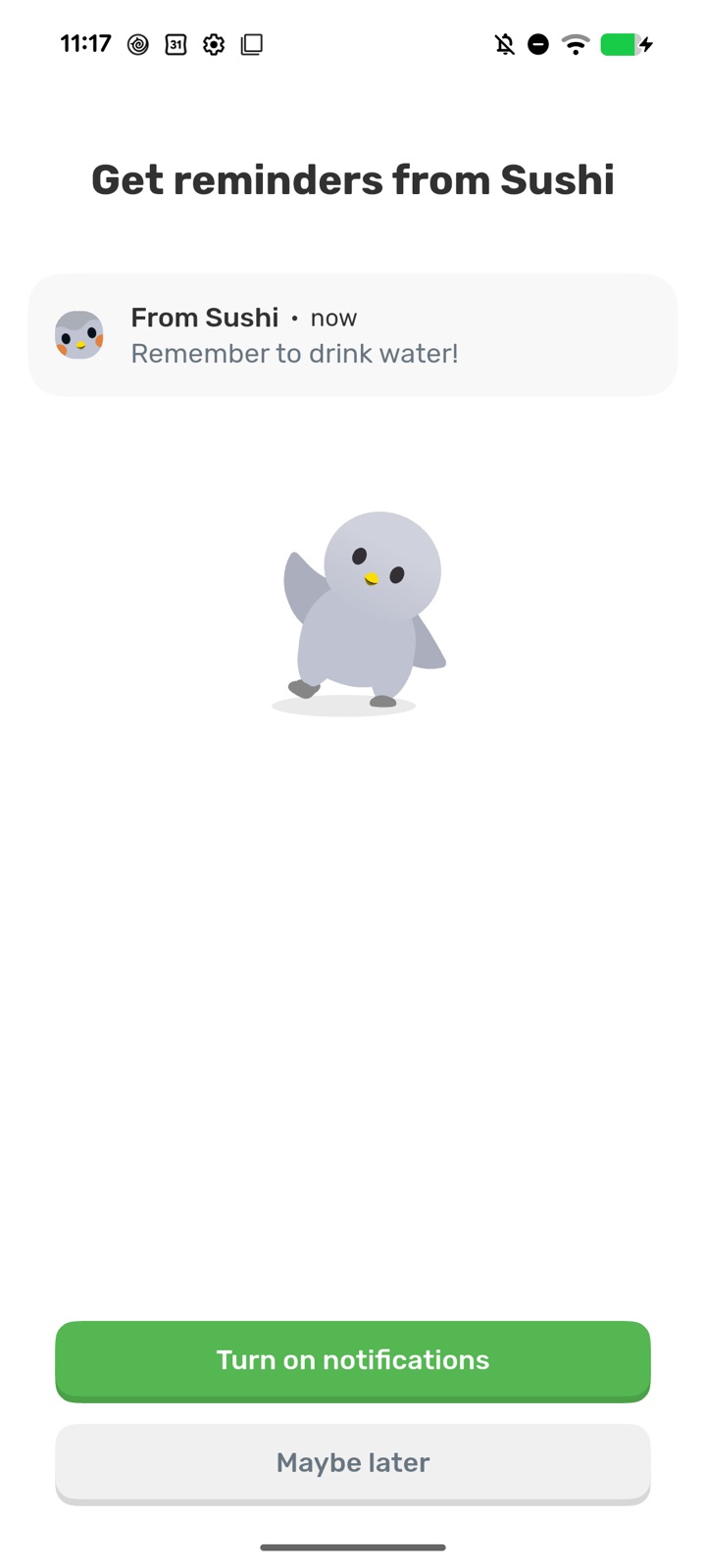
Finch: Get reminders from Sushi
  1. 21

    Preview of the reminder (working)

    A sample notification from Sushi, "Remember to drink water!", shows what saying yes means.

    Show, don't tell

  2. 22

    Soft ask first (working)

    This screen comes before the Android prompt, so a Maybe later here doesn't use up the system one.

    Informed consent

  3. 23

    Reminders before any goals (not working)

    It asks to remind you before you've picked a single goal, so there's nothing yet to be reminded about.

    Contextual timing

09

Let's learn a bit about you!

A pause before the questions, framed as the bird's curiosity.
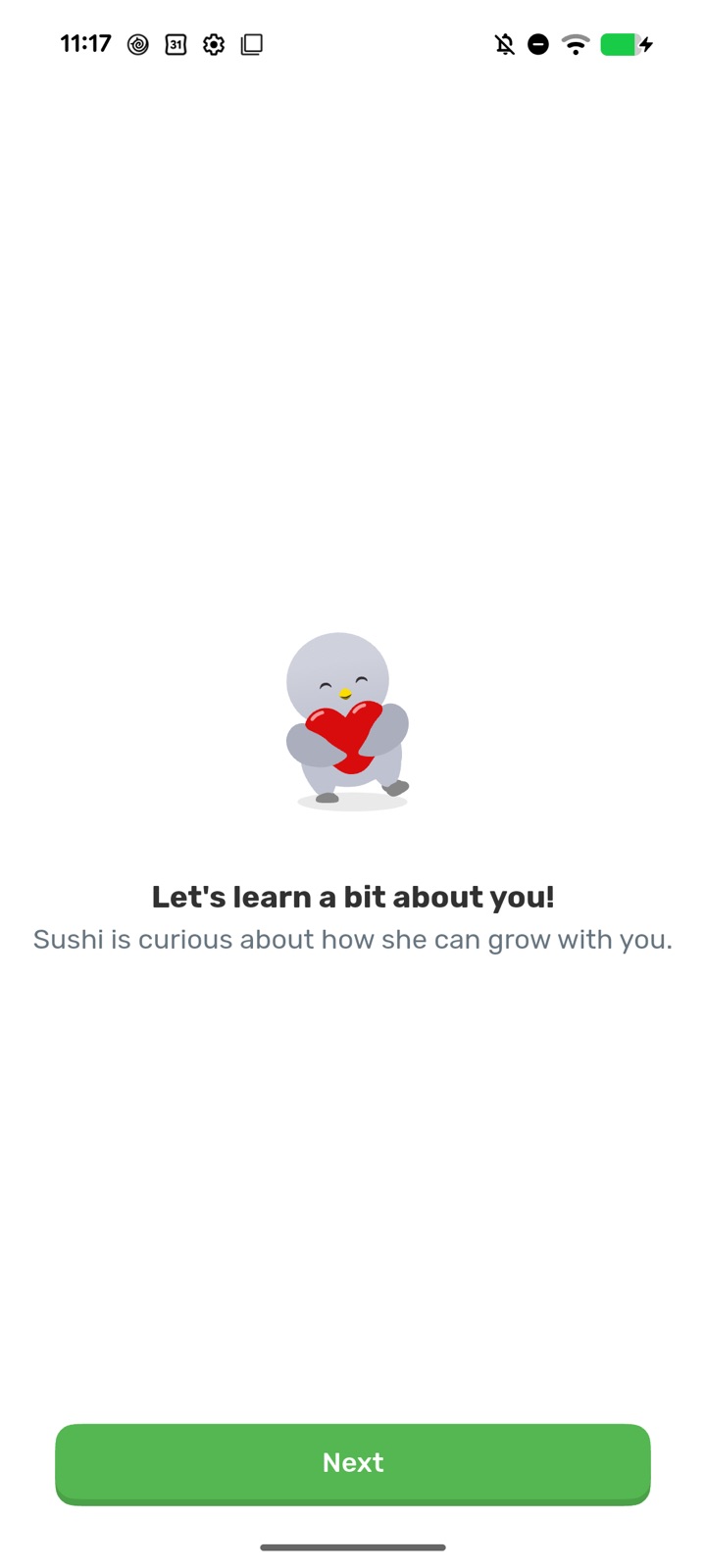
Finch: Let's learn a bit about you!
  1. 24

    Questions framed as the pet's (working)

    "Sushi is curious about how she can grow with you" makes personal questions feel like getting to know each other.

    Framing

  2. 25

    No sense of length (not working)

    It doesn't say how many questions follow: more than a dozen, in four sections.

    Expectation setting

Takeaways from Finch

  1. Let people own something before you ask about them: an egg, a name and a trait take seconds and make every later question feel like it's for the pet.
  2. Put the product's loop in one sentence early. "When you take care of yourself, you take care of me" explains the energy bar before it appears.
  3. Ask for notifications once there's something to remind about, and say how many questions are coming before the questionnaire starts.
Finch

More than a dozen questions for a seven-goal plan

Finch asks about age, sleep, stress, support and mental health in four short sections, then turns the answers into a starter plan of seven easy goals.

MobileB2ConboardingactivationNov 2026

01

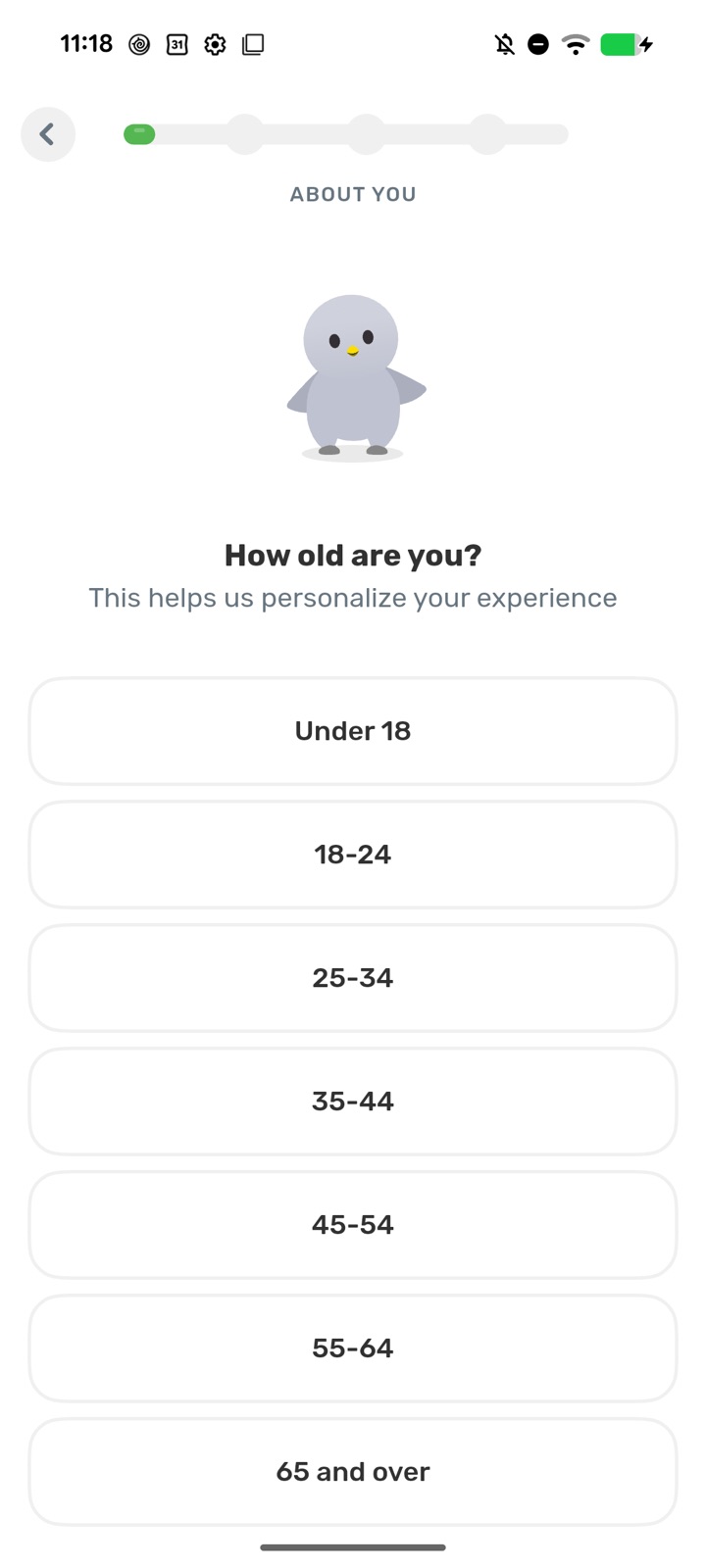
How old are you?

The questions open with a sectioned progress bar and one tap per answer.

Finch: How old are you?
  1. 1

    Progress by section (working)

    The bar is split into four parts with an ABOUT YOU label, so you can see where you are.

    Visibility of system status

  2. 2

    Reason under the question (working)

    "This helps us personalize your experience" says why age matters.

    Reason-giving

  3. 3

    Tap to advance (working)

    Each answer moves on by itself, with no Next button to find.

    Reduce friction

02

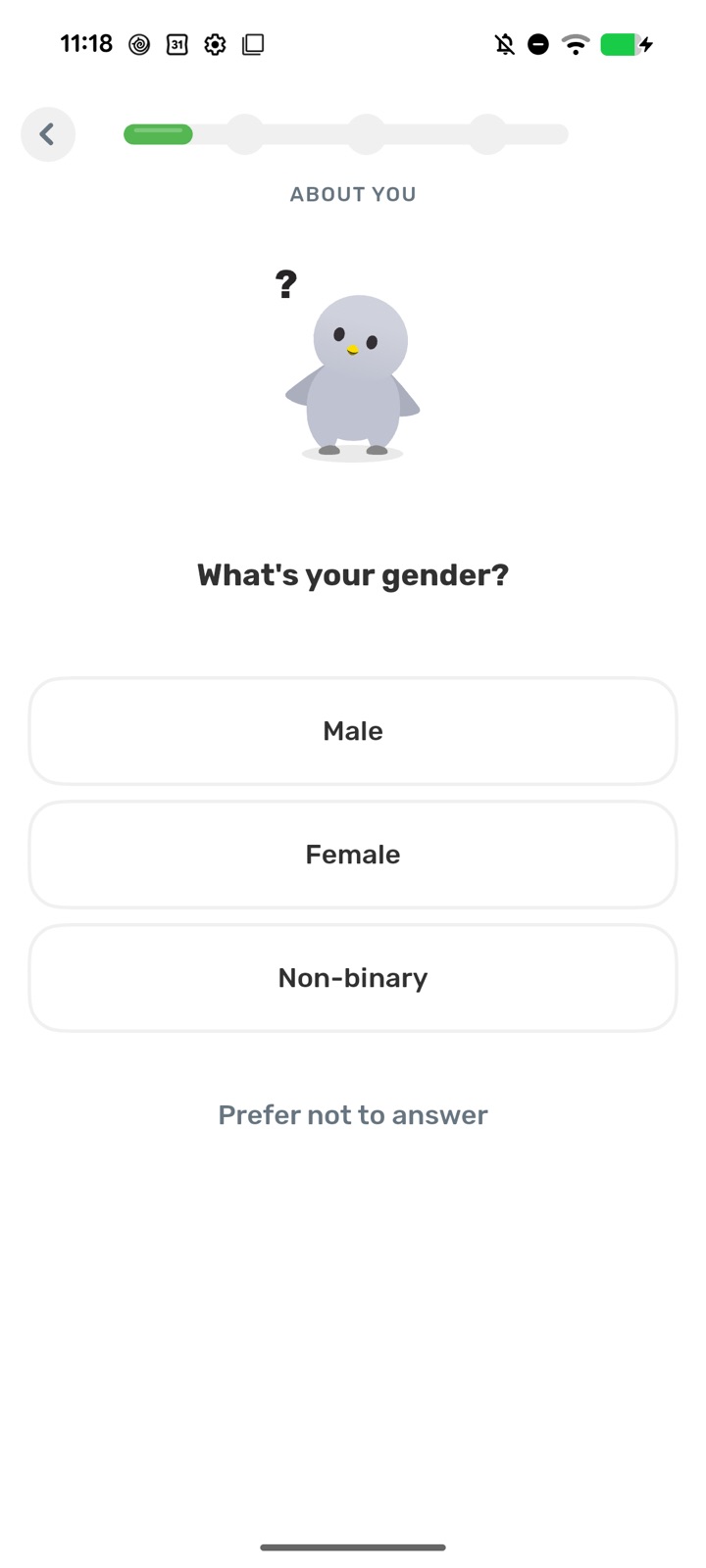
What's your gender?

The same layout, with a way out for people who'd rather not say.

Finch: What's your gender?
  1. 4

    Opt-out offered (working)

    "Prefer not to answer" sits right under the options.

    User control and freedom

  2. 5

    No reason this time (not working)

    Unlike age, gender comes with no line on why it helps, though it's the more personal question.

    Reason-giving

03

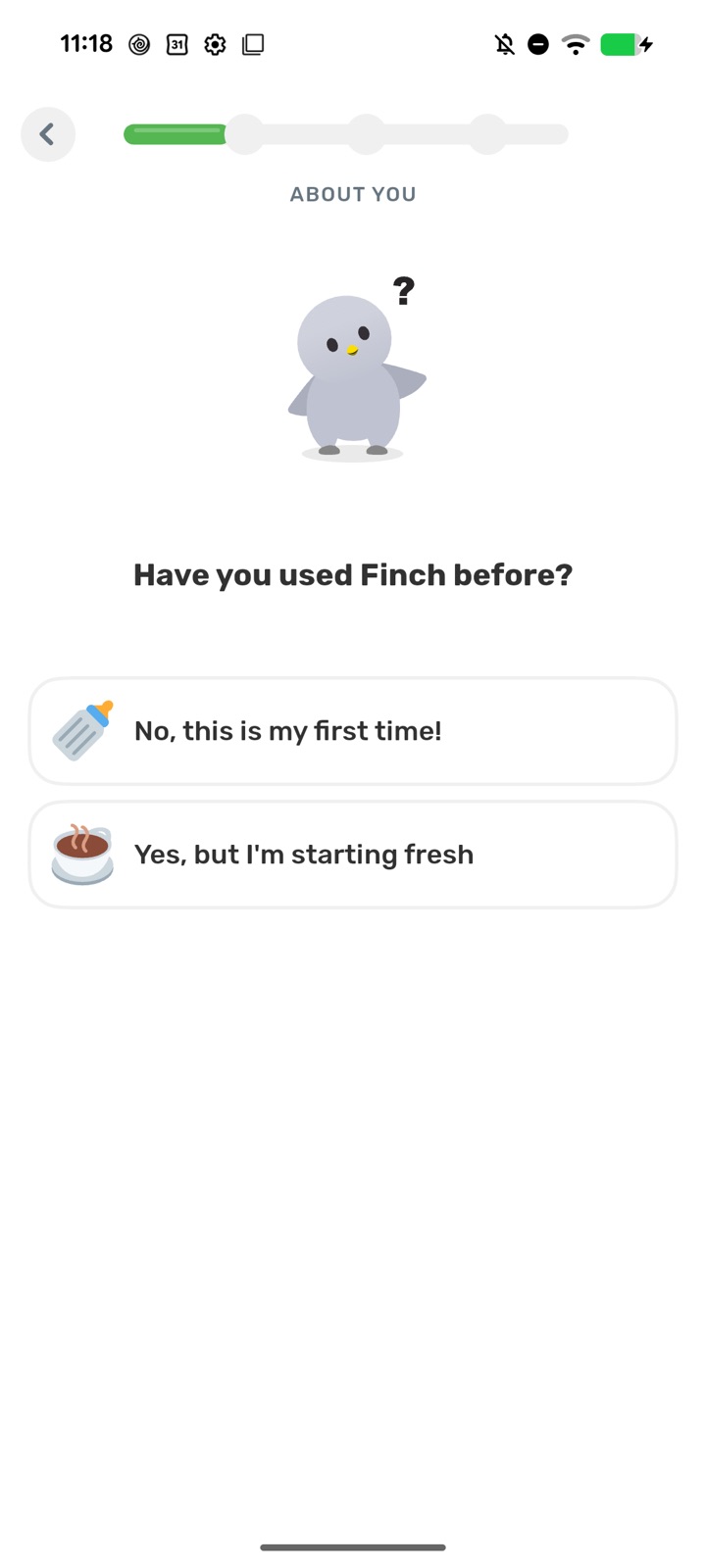
Have you used Finch before?

Asked on screen twelve, after the pet has been made.

Finch: Have you used Finch before?
  1. 6

    Too late for returning users (not working)

    Someone who used Finch before has already hatched and named a new bird, and neither answer offers to sign in and restore the old one.

    User control and freedom

  2. 7

    Coming back is normal (working)

    "Yes, but I'm starting fresh" treats a second try as normal, not as failure.

    Framing

04

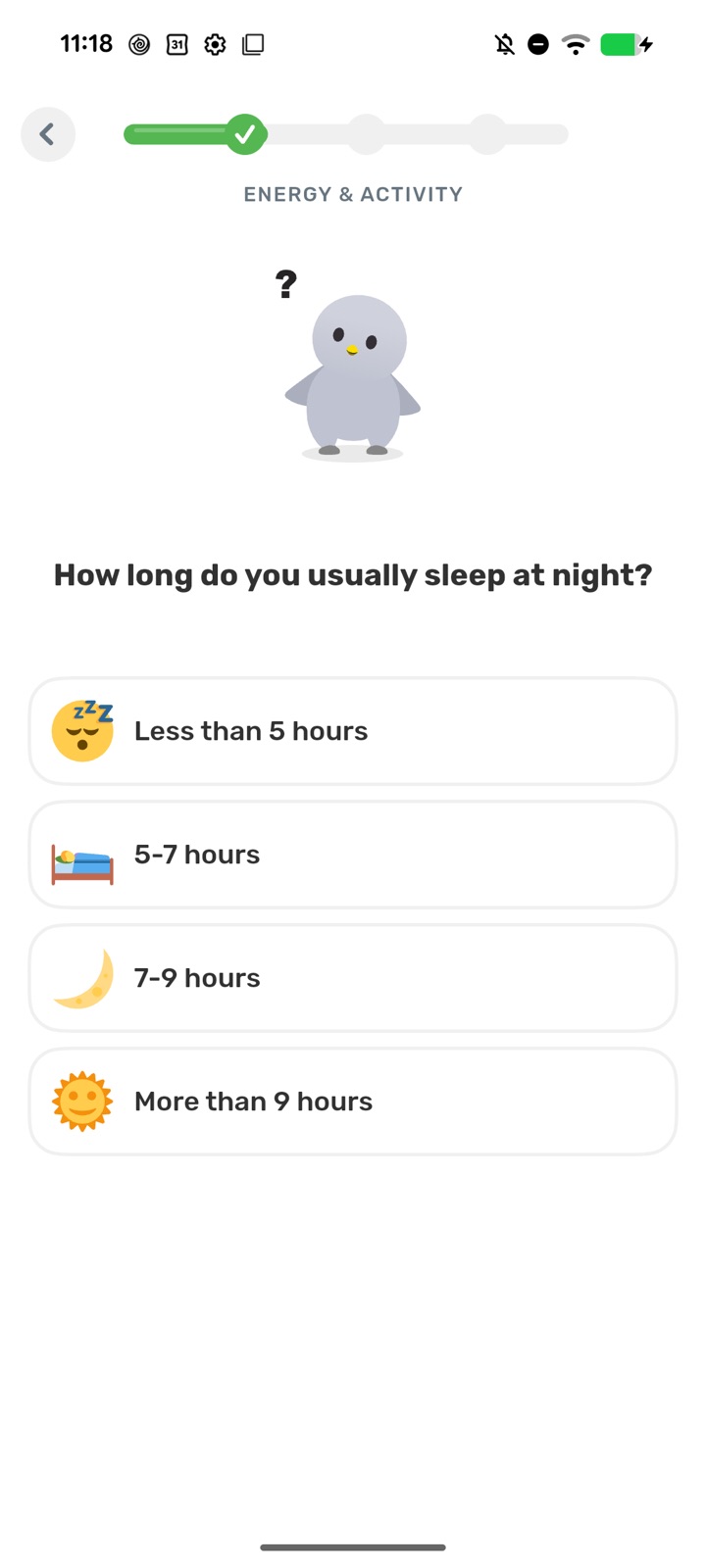
How long do you usually sleep at night?

The first section is ticked off on the progress bar and ENERGY & ACTIVITY starts.

Finch: How long do you usually sleep at night?
  1. 8

    Section ticked off (working)

    A check closes ABOUT YOU and the label changes, a small win between sections.

    Goal-gradient effect

  2. 9

    Icons that scan (working)

    Each range has an emoji, from a sleepy face to a sun, so the options read at a glance.

    Recognition over recall

05

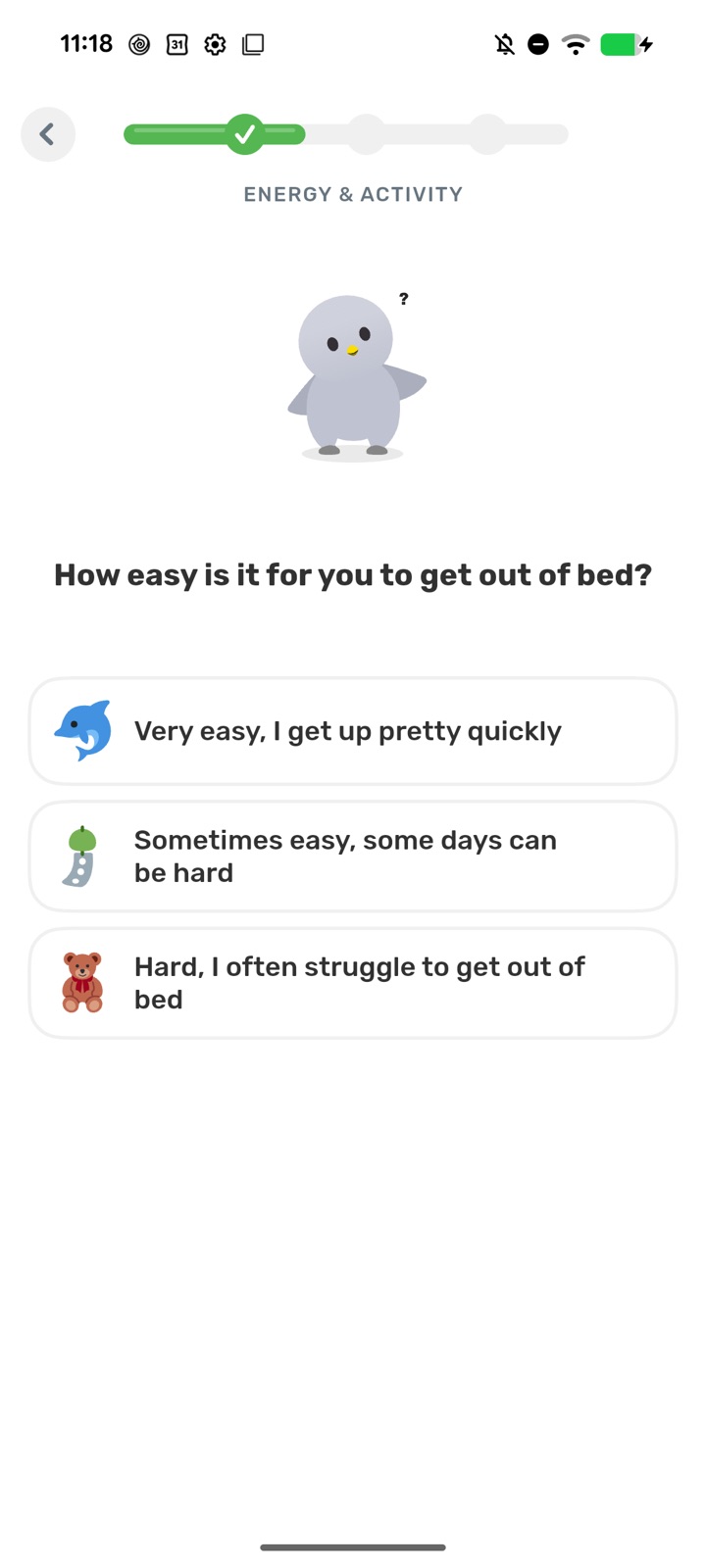
How easy is it for you to get out of bed?

The answers are written the way people talk about themselves.

Finch: How easy is it for you to get out of bed?
  1. 10

    Answers in first person (working)

    "Sometimes easy, some days can be hard" sounds like something you'd say, so picking one is quick.

    Framing

  2. 11

    The bird reacts (working)

    Sushi's pose and question mark change from screen to screen, so the questions don't feel copy-pasted.

    Aesthetic-usability effect

06

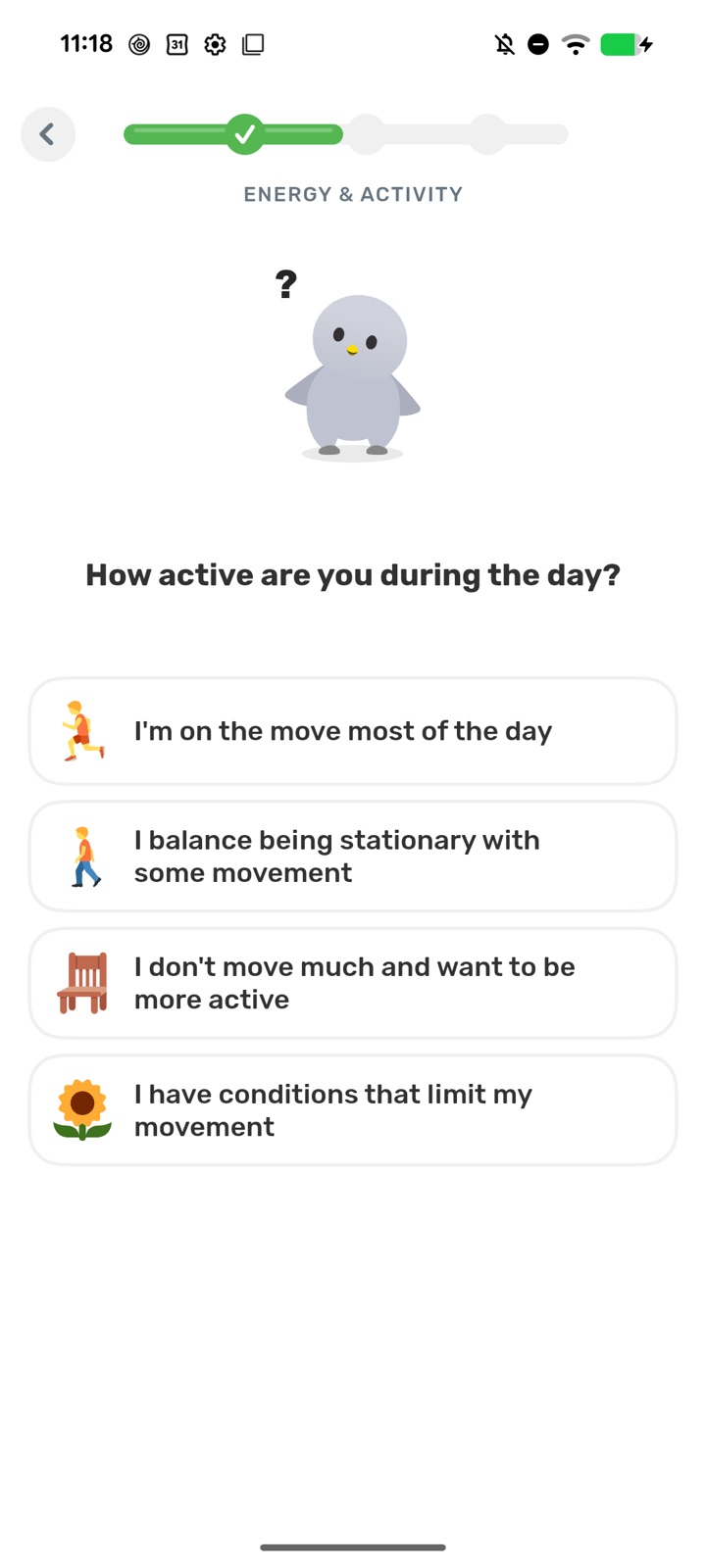
How active are you during the day?

One answer is for people whose bodies limit what they can do.

Finch: How active are you during the day?
  1. 12

    Room for limits (working)

    "I have conditions that limit my movement" means nobody is handed a step goal they can't meet.

    Personalization

  2. 13

    Two questions in one (not working)

    "I don't move much and want to be more active" mixes a fact with a wish, unlike the other answers.

    Clarity

07

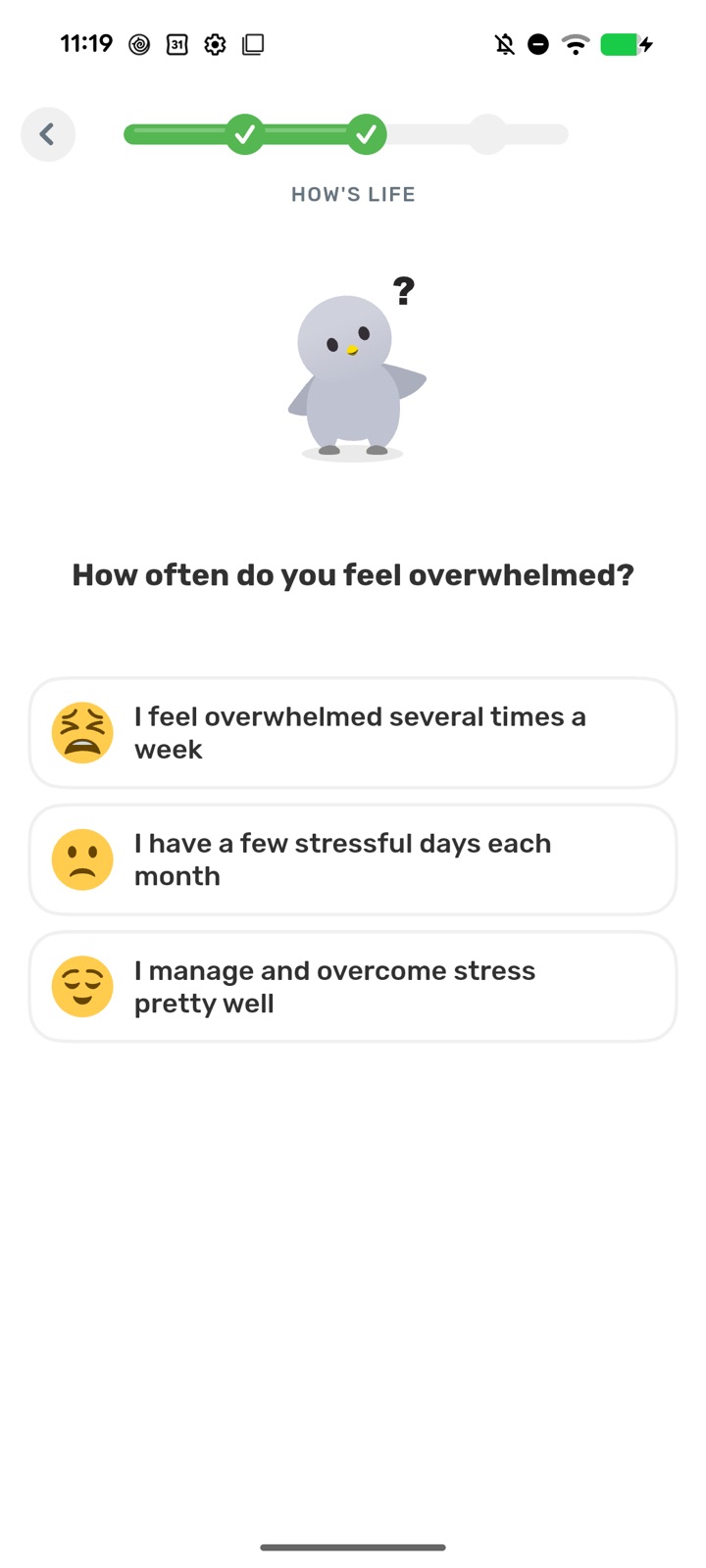
How often do you feel overwhelmed?

HOW'S LIFE opens with stress.

Finch: How often do you feel overwhelmed?
  1. 14

    Frequency, not a diagnosis (working)

    The answers ask how often, from several times a week to rarely, rather than asking people to label themselves.

    Framing

08

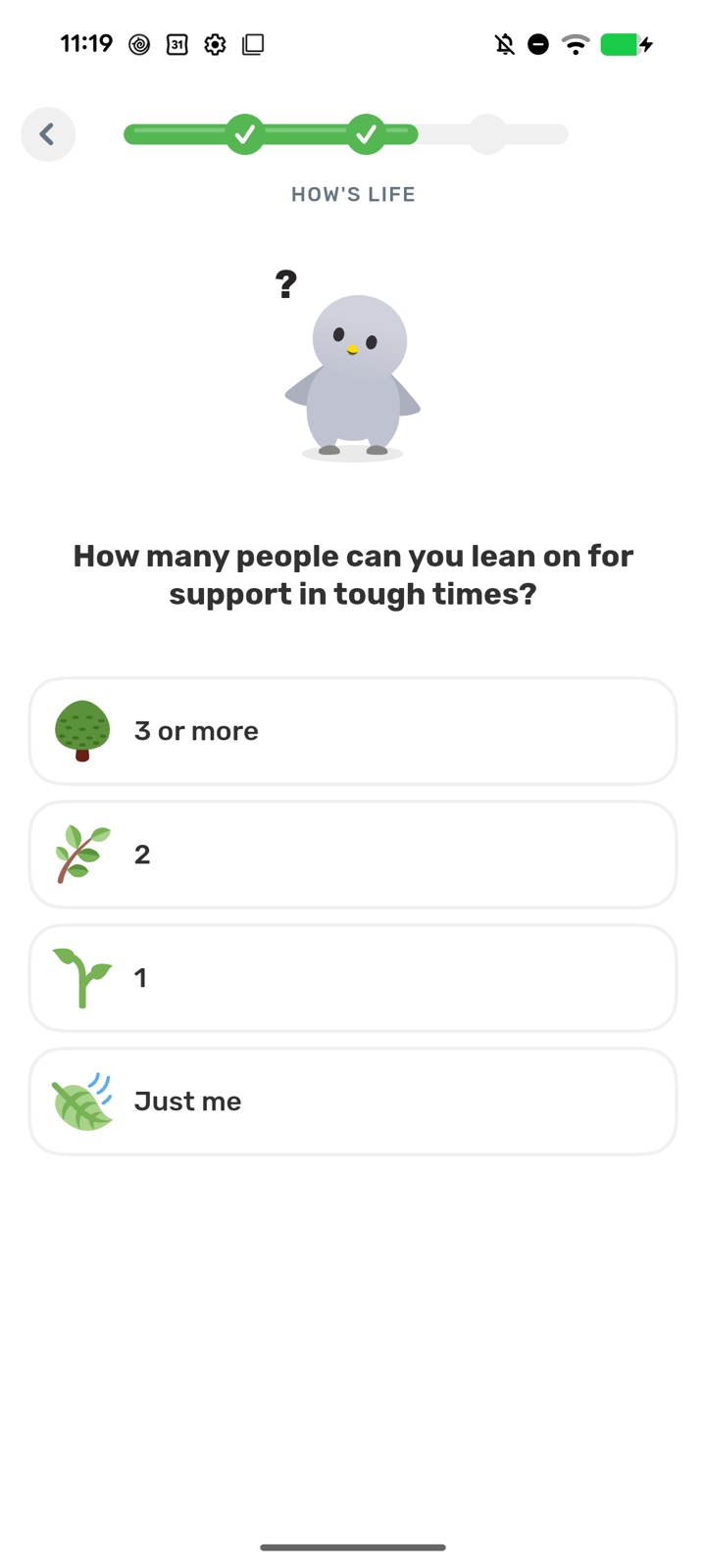
How many people can you lean on for support in tough times?

Support as a scale from a tree down to a single leaf.

Finch: How many people can you lean on for support in tough times?
  1. 15

    A gentle scale (working)

    A tree, a branch, a sprout and a leaf make "Just me" a valid answer, not a sad one.

    Framing

09

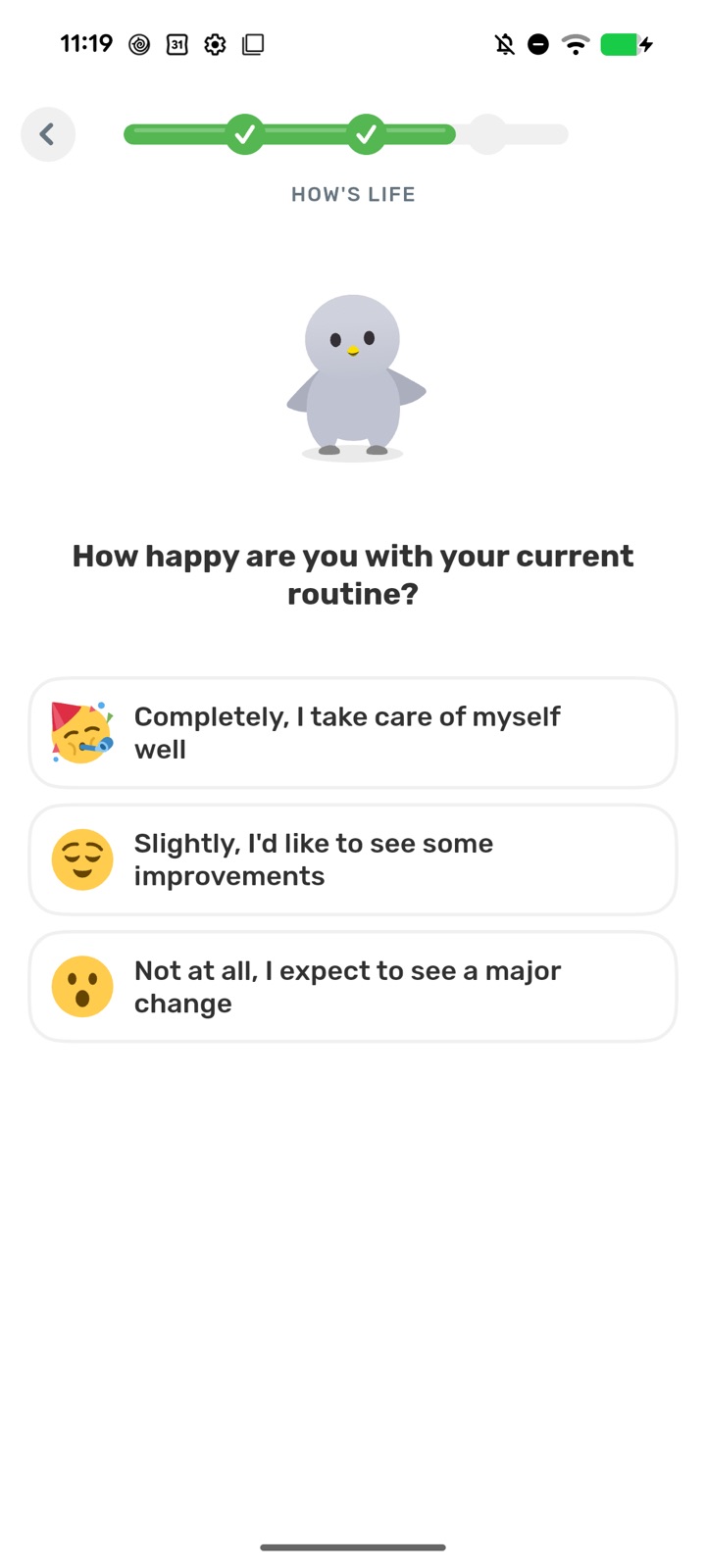
How happy are you with your current routine?

The last HOW'S LIFE question is about change.

Finch: How happy are you with your current routine?
  1. 16

    A promise in the answer (not working)

    "Not at all, I expect to see a major change" puts an expectation in the user's mouth shortly before the paywall.

    Expectation setting

  2. 17

    The end in sight (working)

    Two sections ticked and the third nearly full.

    Goal-gradient effect

10

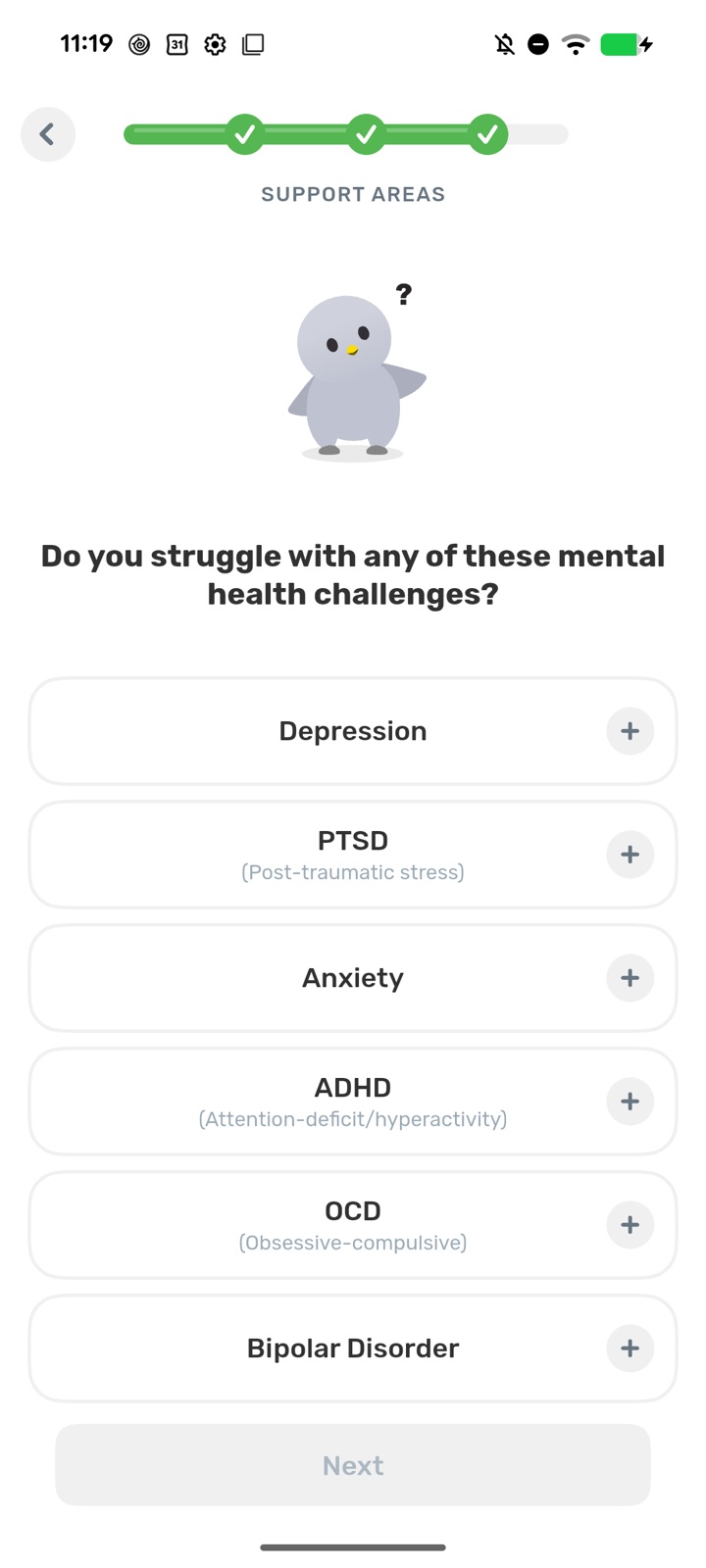
Do you struggle with any of these mental health challenges?

A multi-select of conditions, each spelled out in plain words.

Finch: Do you struggle with any of these mental health challenges?
  1. 18

    Terms explained (working)

    PTSD, ADHD and OCD get their full names underneath, so nobody has to guess.

    Clarity

  2. 19

    Plus means pick several (working)

    The + on each row says you can add more than one, unlike the single-tap screens before.

    Affordance

  3. 20

    No word on privacy (not working)

    Health conditions are the most sensitive data in the flow, and nothing says who sees them or how they're used.

    Transparency

  4. 21

    Opt-out below the fold (not working)

    Prefer not to answer sits under the list, out of view, while Next stays disabled until something is picked.

    Discoverability

11

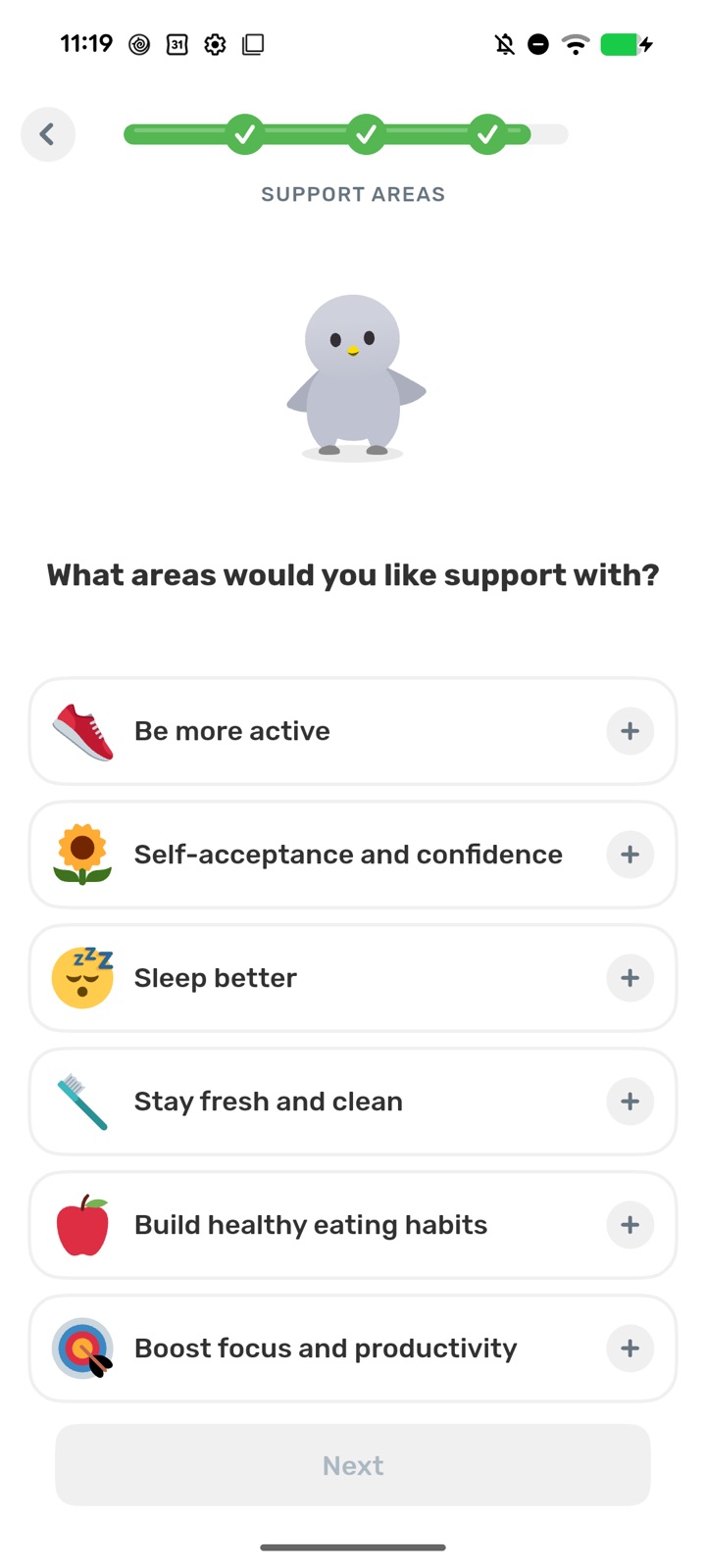
What areas would you like support with?

SUPPORT AREAS: the answers that become goals.

Finch: What areas would you like support with?
  1. 22

    Outcomes, not features (working)

    "Sleep better" and "Stay fresh and clean" are things people want, in their words.

    Personalization

  2. 23

    Six options on one screen (working)

    The whole list fits without scrolling, so choosing stays quick.

    Choice overload

12

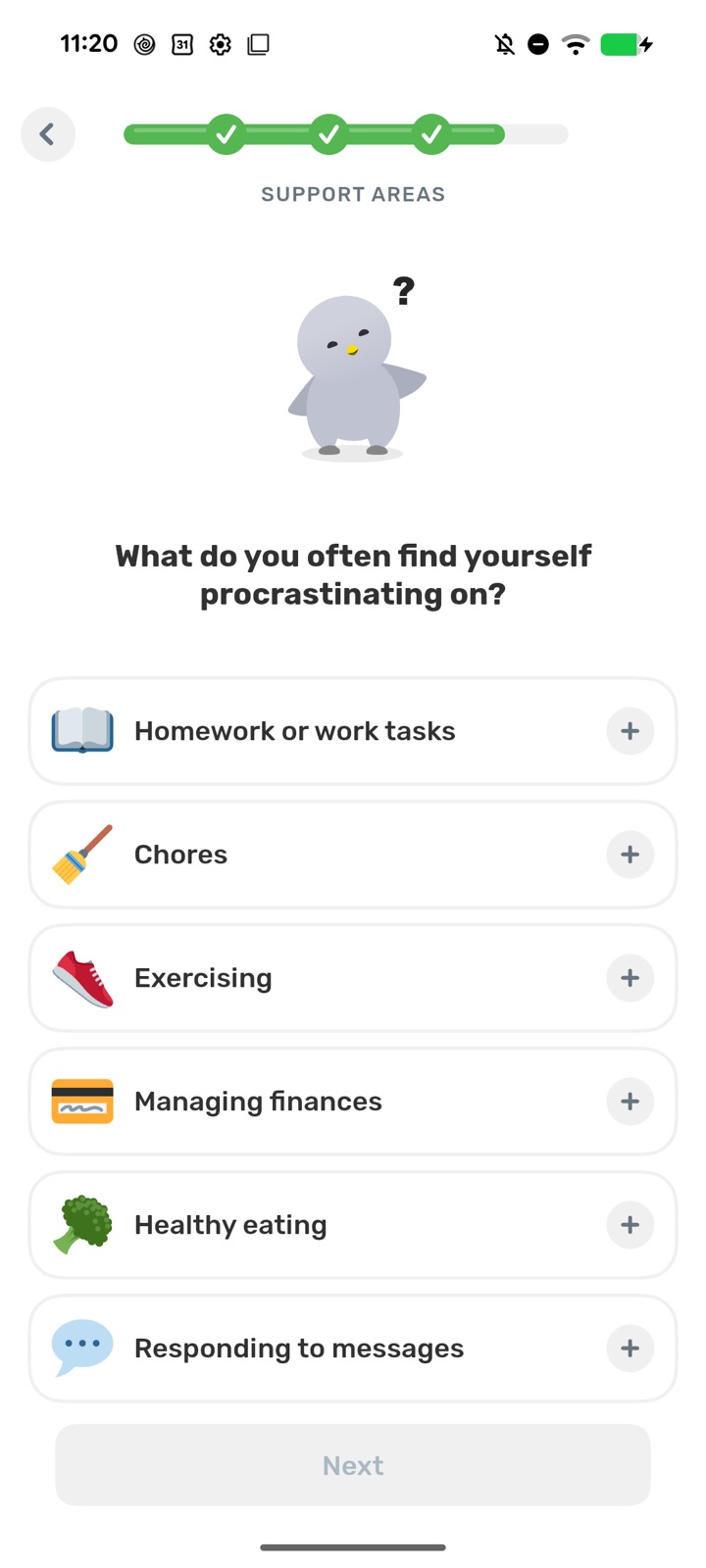
What do you often find yourself procrastinating on?

The progress bar has been redrawn: more segments, checks in new places.

Finch: What do you often find yourself procrastinating on?
  1. 24

    The progress bar moves (not working)

    The checks shift left compared with the last screen as the bar gains segments, so progress seems to slip back.

    Visibility of system status

  2. 25

    Everyday tasks (working)

    "Managing finances" and "Responding to messages" show Finch knows procrastination is about ordinary chores.

    Specificity

13

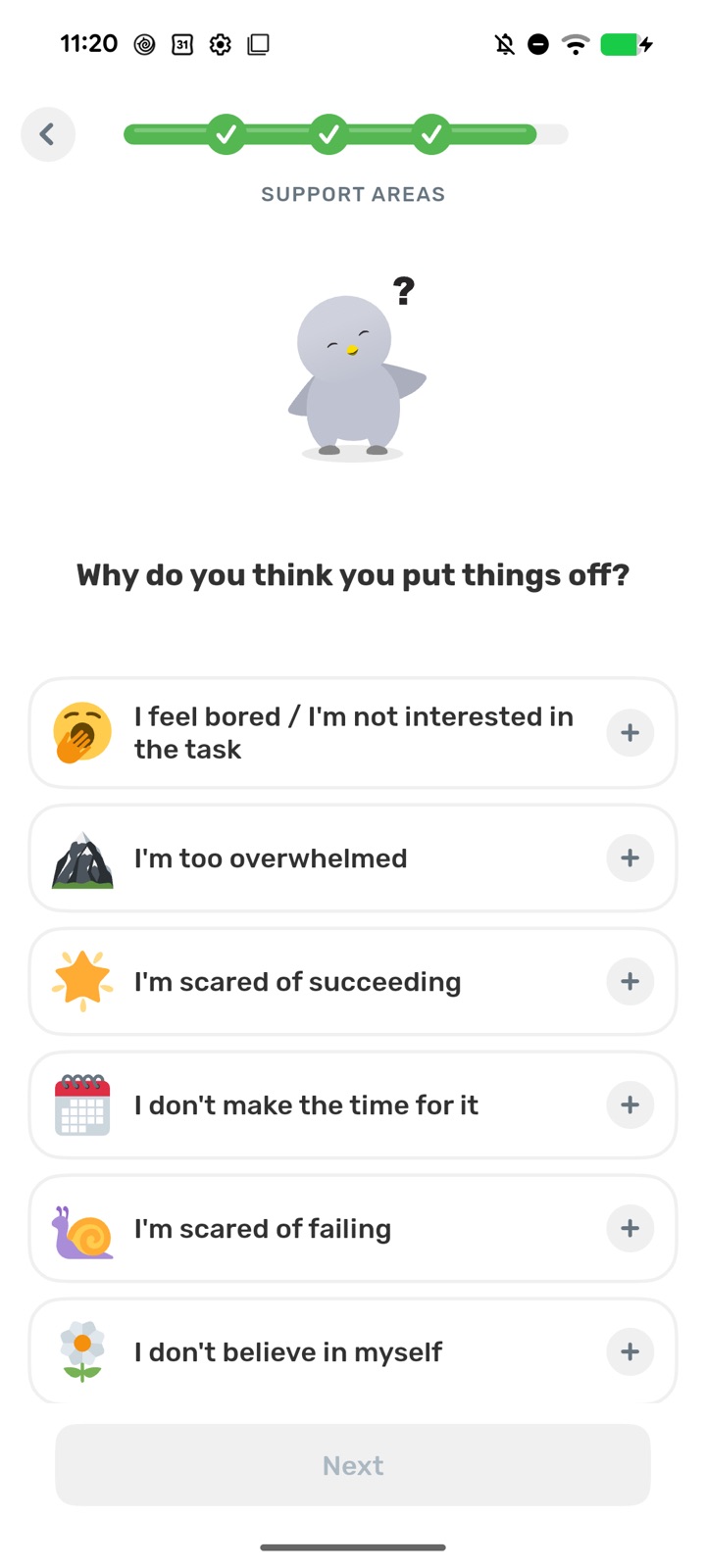
Why do you think you put things off?

The last question asks for reasons, including fear of failing and of succeeding.

Finch: Why do you think you put things off?
  1. 26

    Honest reasons, no judgement (working)

    "I'm scared of failing" and "I don't believe in myself" are offered as ordinary options, which makes honest answers easier.

    Framing

  2. 27

    Questions before any value (not working)

    This is the last of more than a dozen questions; so far the user has a named bird and nothing else.

    Time to value

14

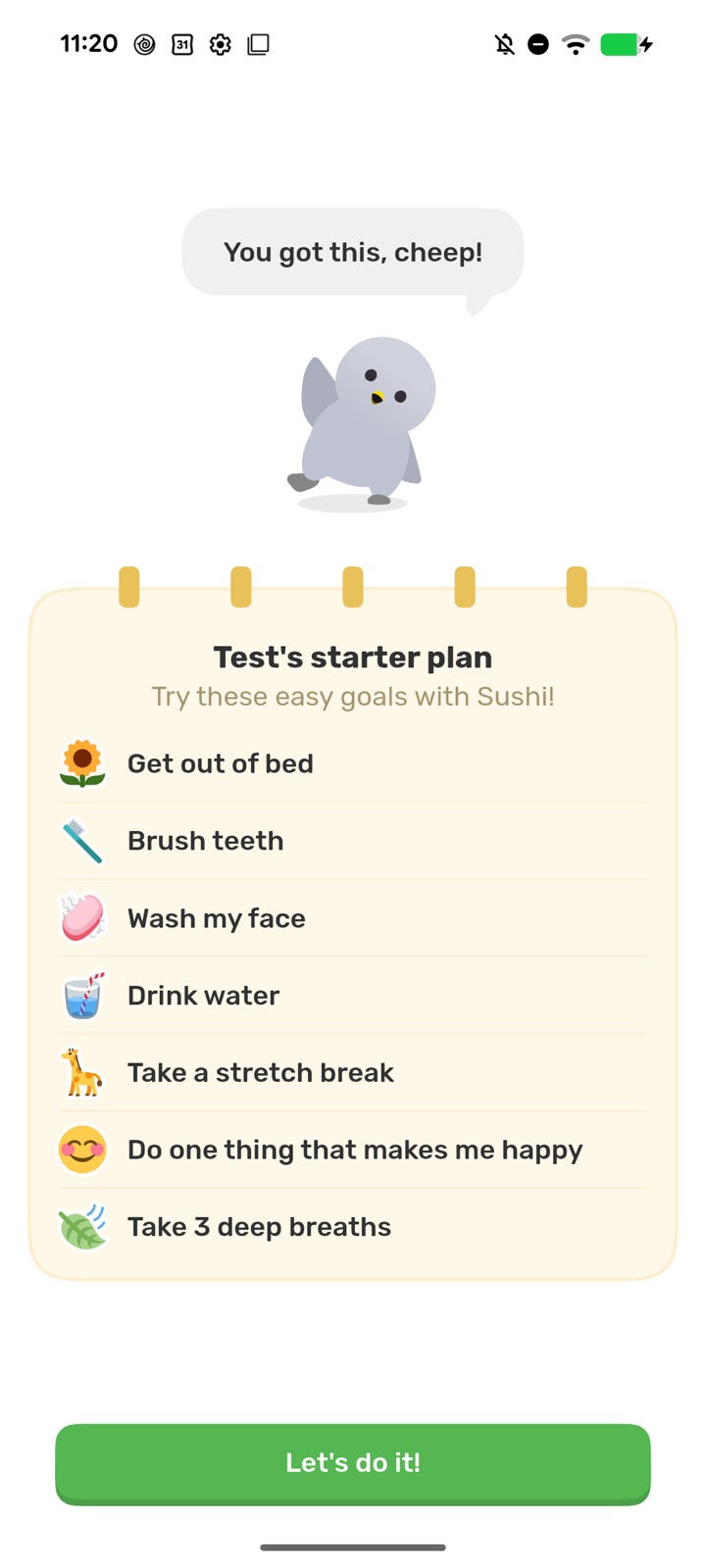
Test's starter plan

Seven easy goals, with the user's name on top, as the payoff for the questions.

Finch: Test's starter plan
  1. 28

    A plan with your name on it (working)

    "Test's starter plan" makes the list feel made for you.

    Personalization

  2. 29

    Goals nobody can fail (working)

    Get out of bed, brush teeth, drink water: tiny goals, so day one can end in success.

    Habit formation

  3. 30

    No link to the answers (not working)

    The plan doesn't say which answer led to which goal, so the questions feel unconnected to it.

    Reason-giving

  4. 31

    "Let's do it!" opens a paywall (not working)

    The button reads like accepting the plan, but the next screen is the Finch Plus pitch.

    Expectation setting

Takeaways from Finch

  1. Section a long questionnaire and tick each section off, but keep the bar stable: when segments move, progress looks like it went backwards.
  2. Give every sensitive question a reason and an opt-out in view; the mental health screen needs a privacy line more than the age screen does.
  3. Show how the answers shaped the plan ("because mornings are hard") so a dozen questions feel worth it, and don't let "Let's do it!" open a paywall.

Finch

Day one: a streak before the first goal

After the paywall Finch asks how you heard about it, opens day 1 with a single target, starts a streak, asks for a streak goal and pitches a widget, all before the goals list.

MobileB2ConboardingretentionNov 2026

01

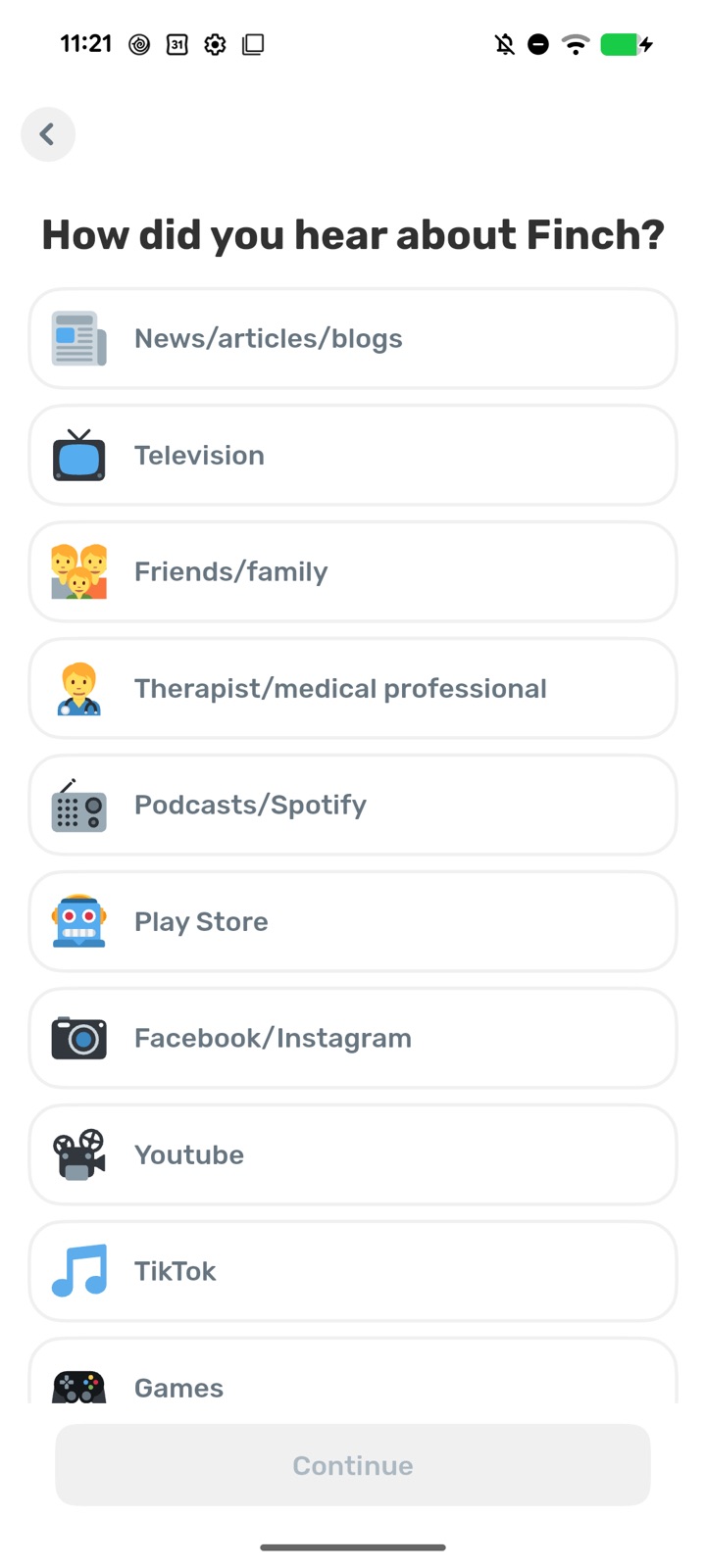
How did you hear about Finch?

An attribution question right after the paywall.

Finch: How did you hear about Finch?
  1. 1

    After the pitch, not before (working)

    The marketing question waits until after the paywall, so it doesn't sit between the plan and the offer.

    Contextual timing

  2. 2

    Therapist as a channel (working)

    "Therapist/medical professional" is a channel most apps wouldn't list, and a telling one for a self-care app.

    Specificity

  3. 3

    Long list, no skip (not working)

    Ten channels and more below, with Continue disabled and no Skip for people who don't remember.

    User control and freedom

02

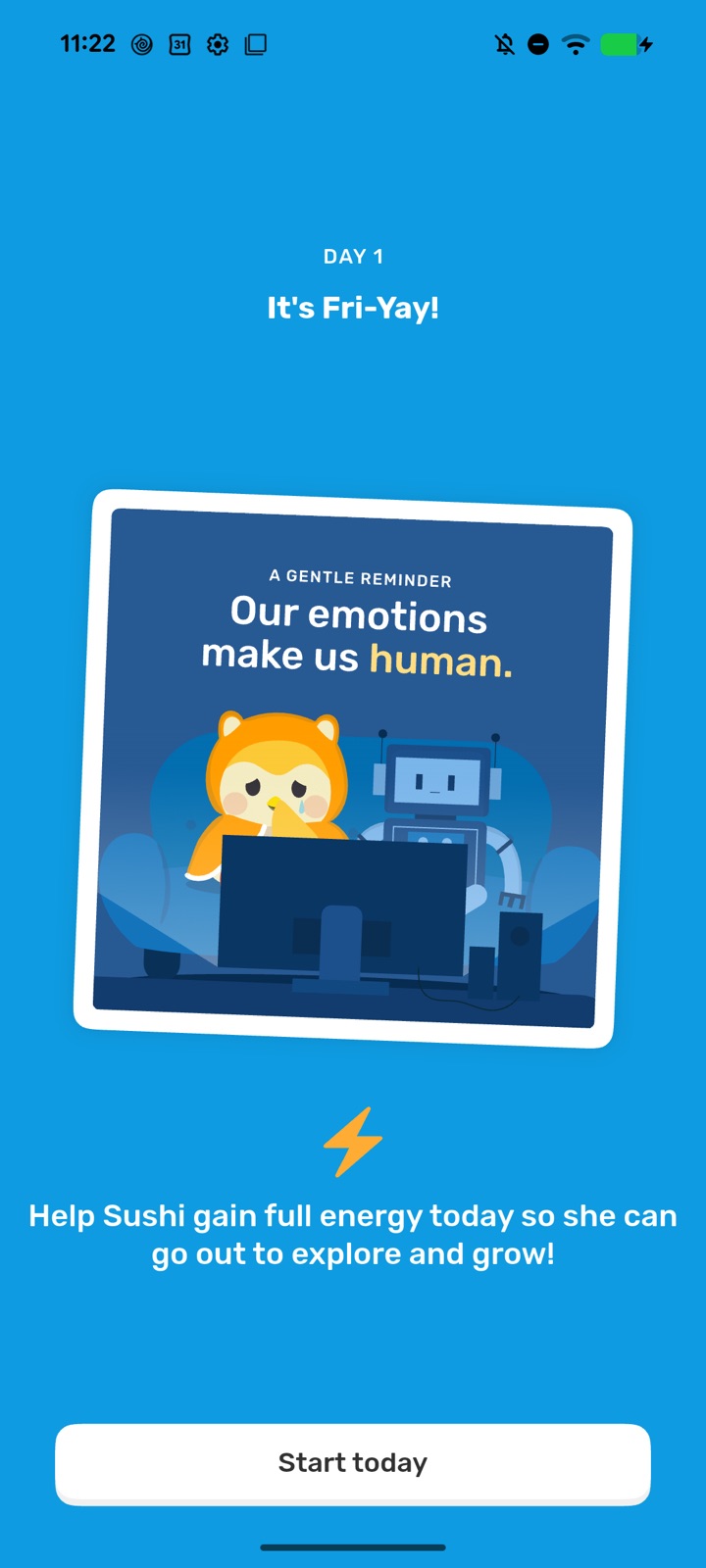
Day 1: It's Fri-Yay!

A full-screen card for day one sets one goal for the day: fill Sushi's energy.

Finch: Day 1: It's Fri-Yay!
  1. 4

    One target for today (working)

    "Help Sushi gain full energy today so she can go out to explore and grow!" gives the day one clear goal.

    Clear call to action

  2. 5

    Knows the day (working)

    "It's Fri-Yay!" matches the real weekday, so the app feels live.

    Personalization

  3. 6

    Off-topic card (not working)

    A crying character and "Our emotions make us human" don't connect to the goals the user is about to see.

    Signal vs noise

03

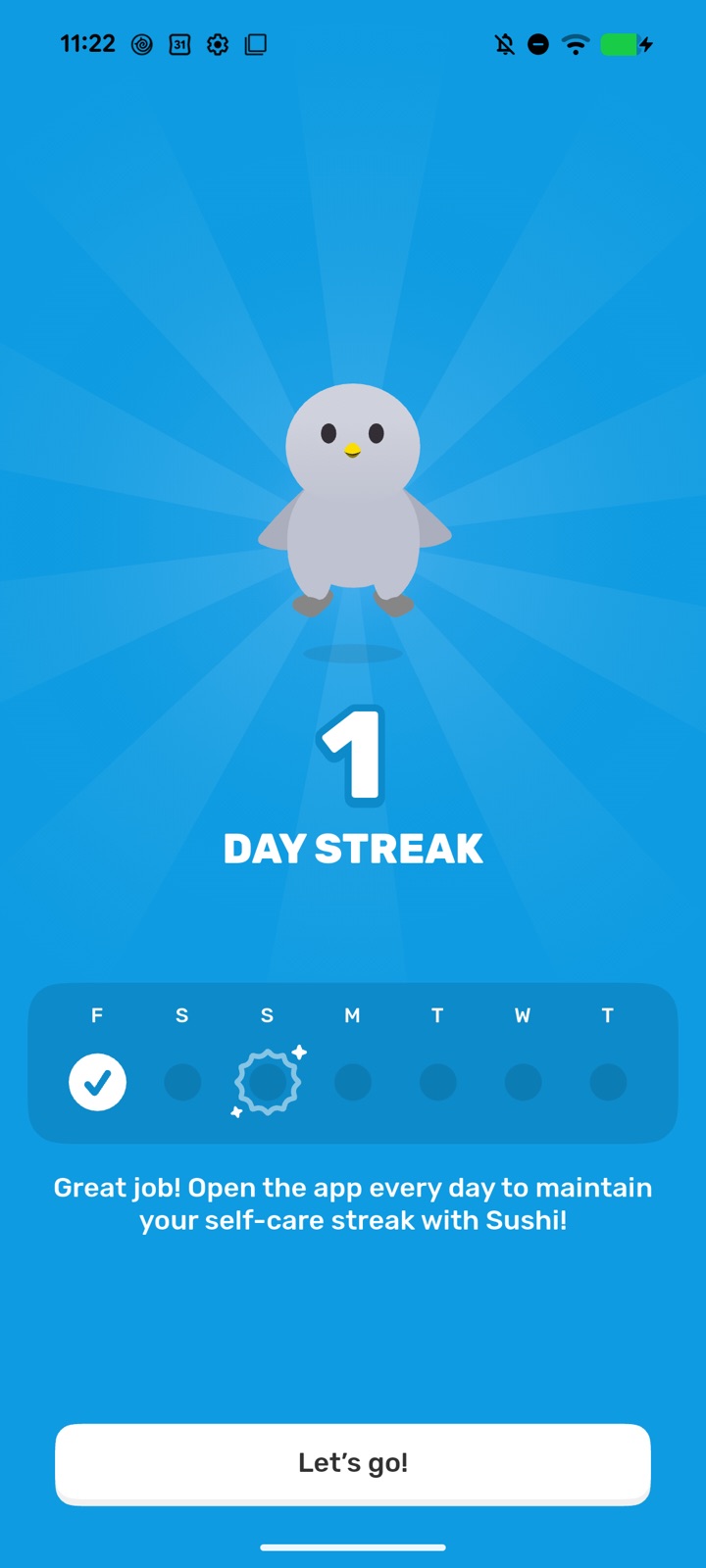
1 Day streak

The streak starts at 1 before any goal is ticked.

Finch: 1 Day streak
  1. 7

    Streak from the start (working)

    Day one already counts, so there's a streak to protect tomorrow.

    Endowed progress effect

  2. 8

    The week as empty slots (working)

    F to T in one row shows the days ahead as gaps to fill.

    Zeigarnik effect

  3. 9

    Streak for opening the app (not working)

    "Open the app every day to maintain your self-care streak" rewards opening the app, not taking care of yourself.

    Habit formation

04

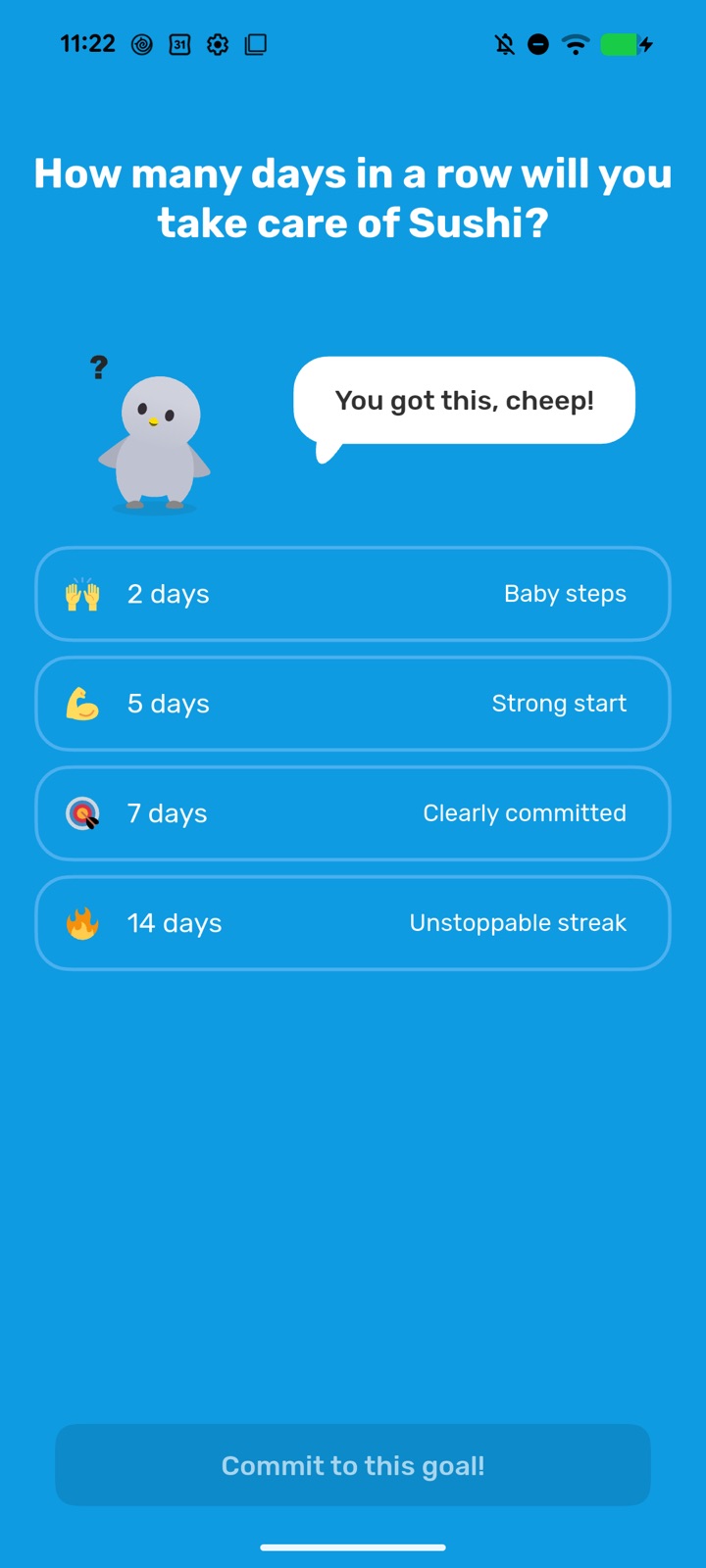
How many days in a row will you take care of Sushi?

A streak goal to commit to, from 2 to 14 days.

Finch: How many days in a row will you take care of Sushi?
  1. 10

    Small goal first (working)

    "2 days, Baby steps" leads the list, so the easiest commitment is the first one seen.

    Goal-gradient effect

  2. 11

    Every option is praise (working)

    Strong start, Clearly committed, Unstoppable streak: each length is named as a compliment.

    Framing

05

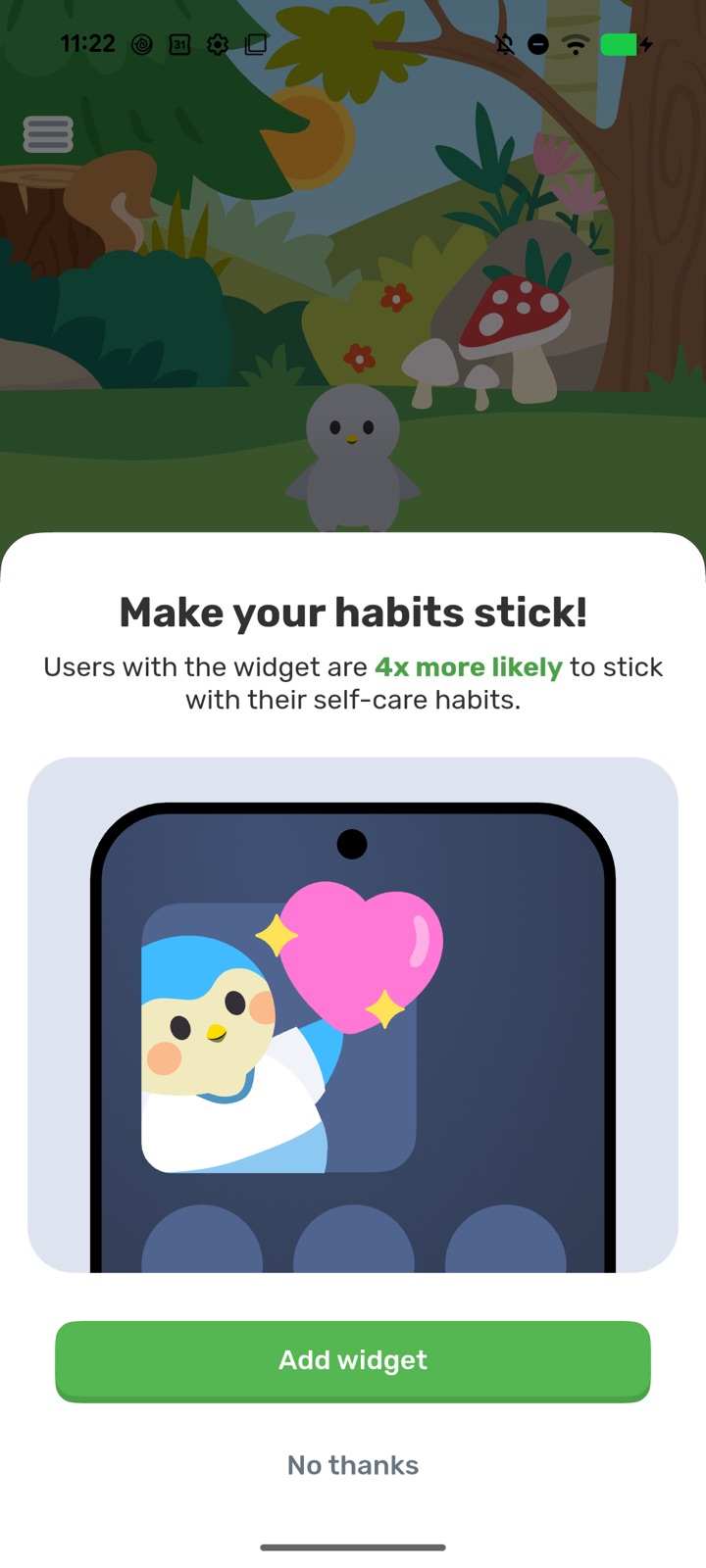
Make your habits stick!

A widget pitch slides up over Home before the user has used it.

Finch: Make your habits stick!
  1. 12

    Another ask before Home (not working)

    Attribution, a streak goal, now a widget: Home is covered again before the first goal.

    Contextual timing

  2. 13

    A number, not an adjective (working)

    "4x more likely to stick" is a specific claim, which lands harder than "helps you stay on track".

    Specificity

  3. 14

    Widget preview (working)

    A phone with the bird widget shows exactly what will be added.

    Show, don't tell

  4. 15

    No thanks is easy (working)

    "No thanks" is plain text under the button, with no guilt in it.

    User control and freedom

Takeaways from Finch

  1. Count the streak from real self-care, not app opens, or the habit you build is opening the app.
  2. Stack fewer asks between the paywall and Home: attribution, a streak goal and a widget all land before the first goal is ticked.
  3. Keep the day card's single target, full energy, and tie its illustration to the goals so it reads as part of the plan.