Starter kits, sample data and in-place feature intros
Tinybird lets you start a workspace from a starter kit, introduces features over sample charts, offers streaming sample sources, and validates CSV uploads before import.
Create Workspace
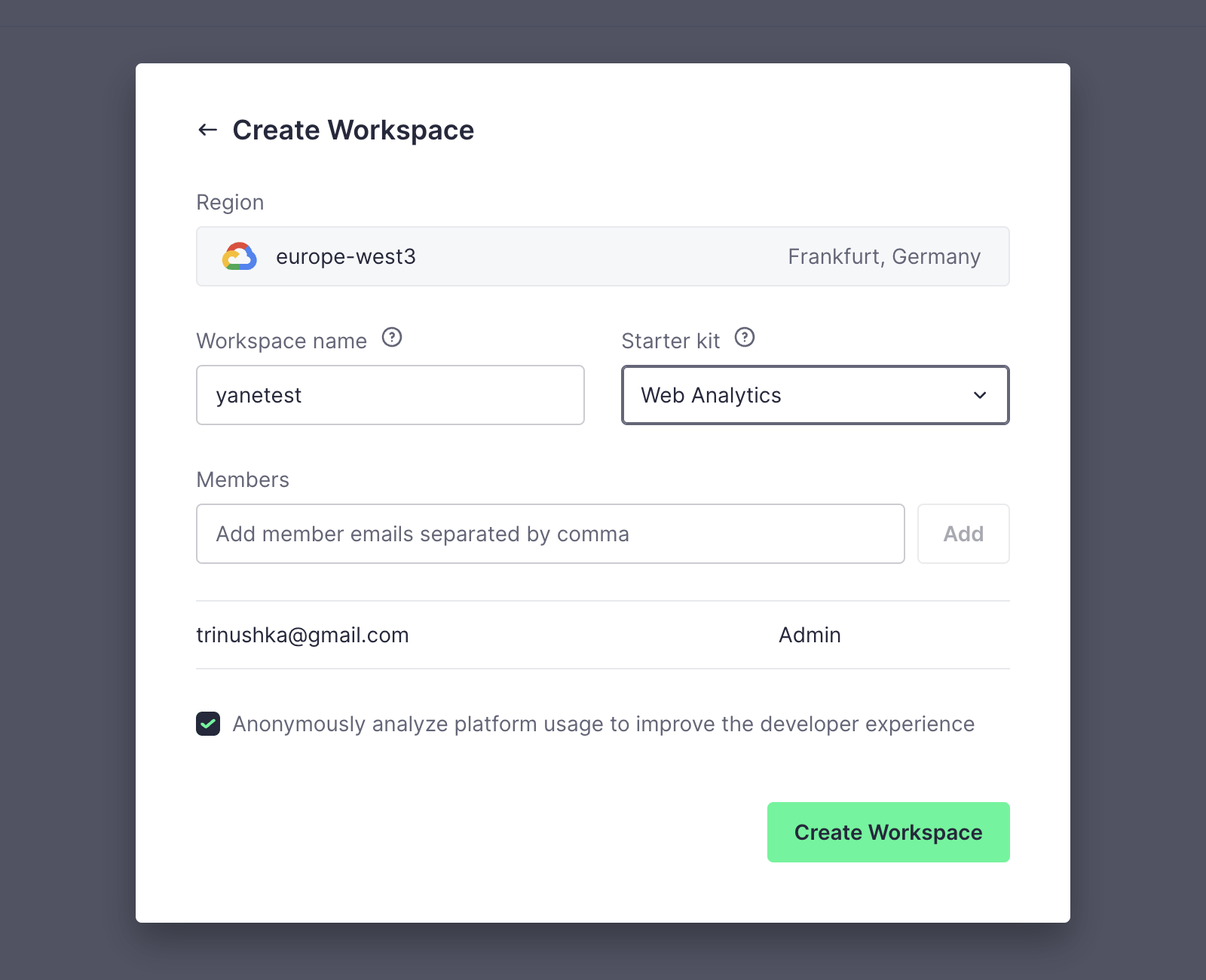
The welcome step picks a region, a name and a starter kit.
-
1
Region filled in (working)
europe-west3 is preselected, so there's nothing to research.
-
2
Starter kit picker (working)
"Web Analytics" starts the workspace with ready-made pipes instead of empty.
- 3
-
4
Pre-ticked usage tracking (not working)
"Anonymously analyze platform usage" is checked by default.
Time Series intro
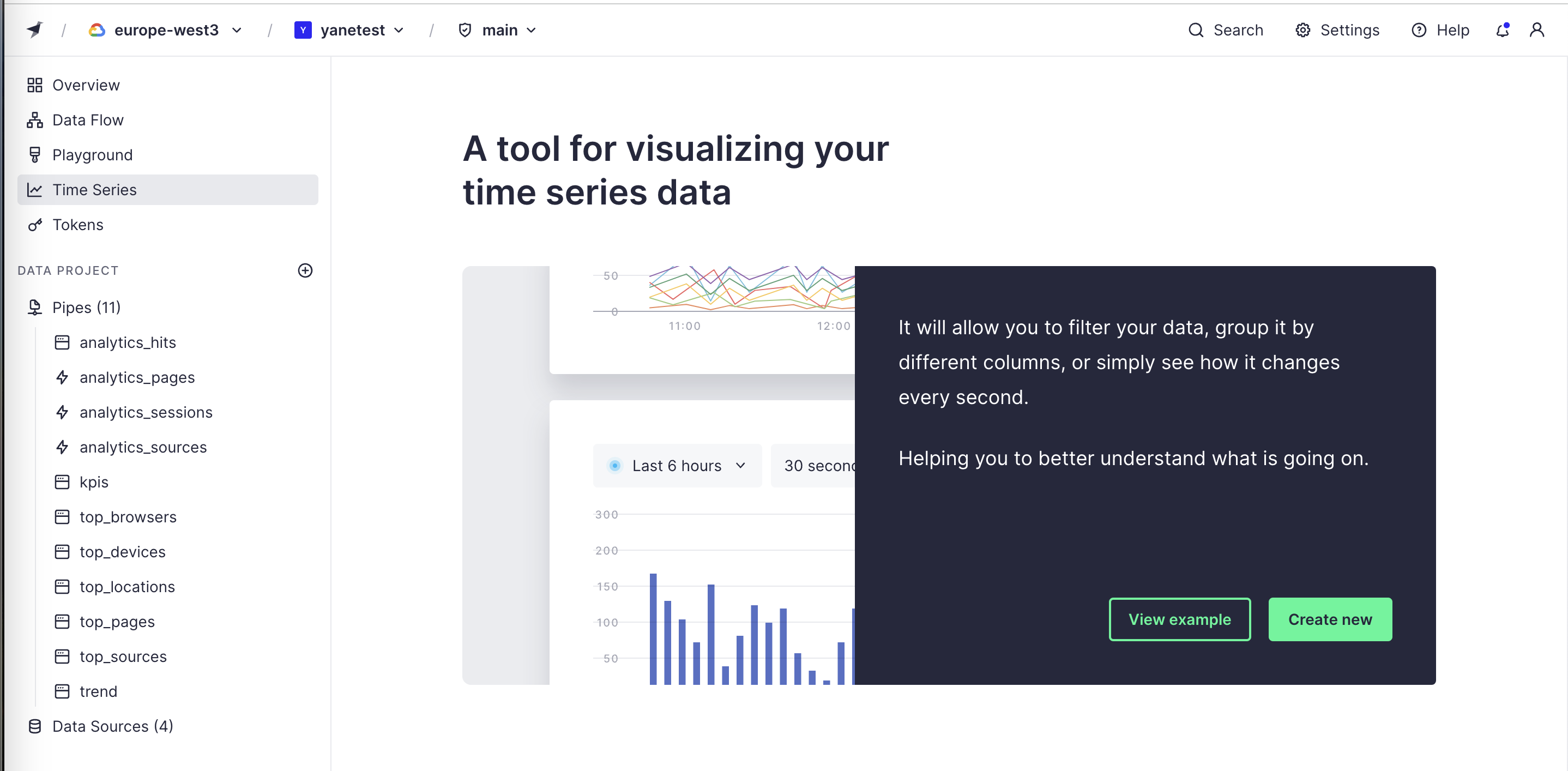
An unused feature opens on an explainer over sample charts, not an empty page.
- 5
-
6
Sample charts behind (working)
Line and bar charts show what you'll get before you build anything.
-
7
Filler sentence (not working)
"Helping you to better understand what is going on" adds nothing to the line above it.
-
8
Try or build (working)
"View example" next to "Create new" lets you explore before committing.
Ingest some data
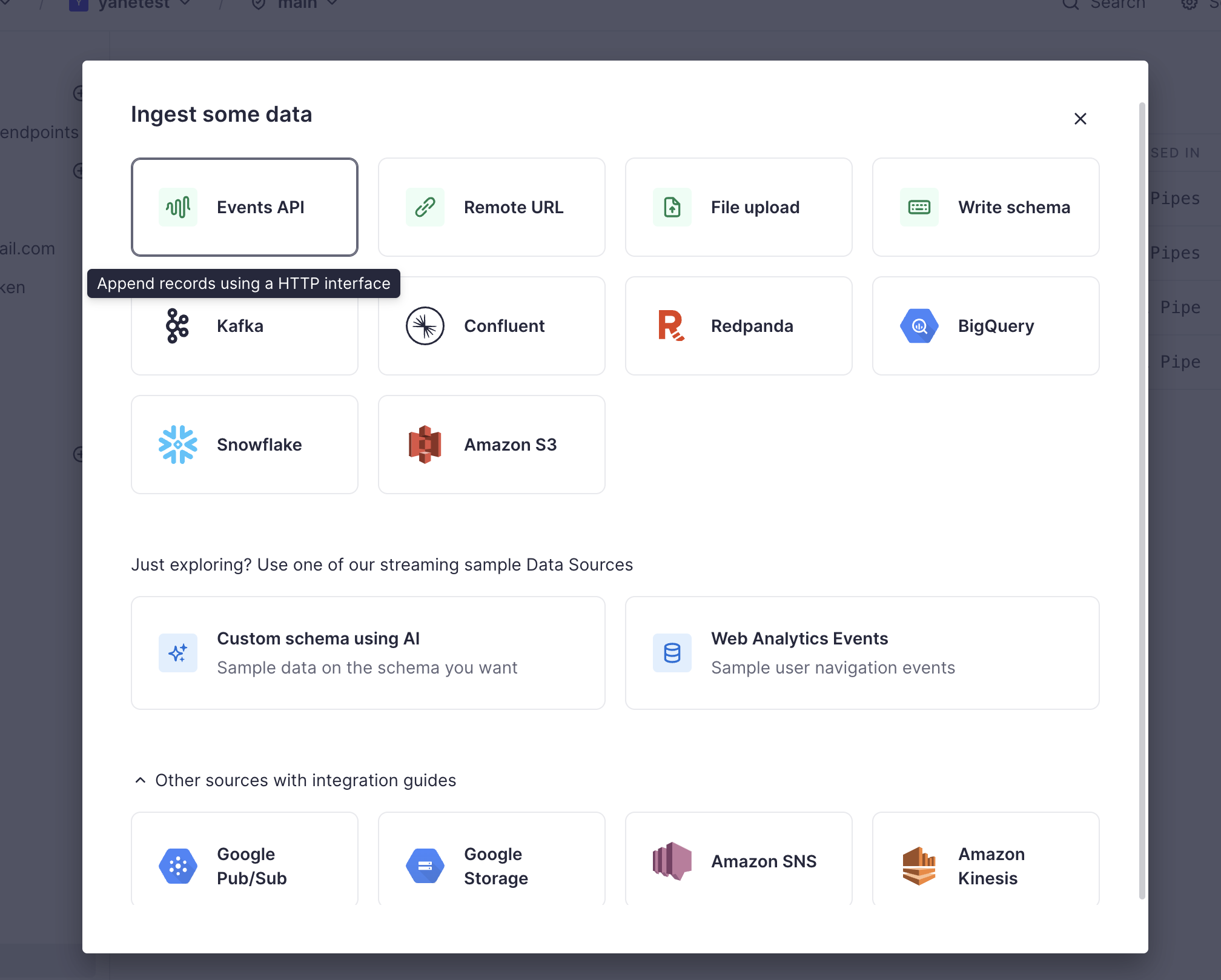
Every way to bring data in, plus sample sources for people who are just exploring.
-
9
Sources as tiles (working)
APIs, files and connectors in one grid with logos.
-
10
Hover explains (working)
"Append records using a HTTP interface" explains Events API without leaving the modal.
-
11
"Just exploring?" (working)
Streaming sample data sources, including a custom schema made with AI, for people with no data yet.
-
12
Long list, no search (not working)
Sixteen-plus sources and an expanded guides section, with no search or filter.
Upload file settings
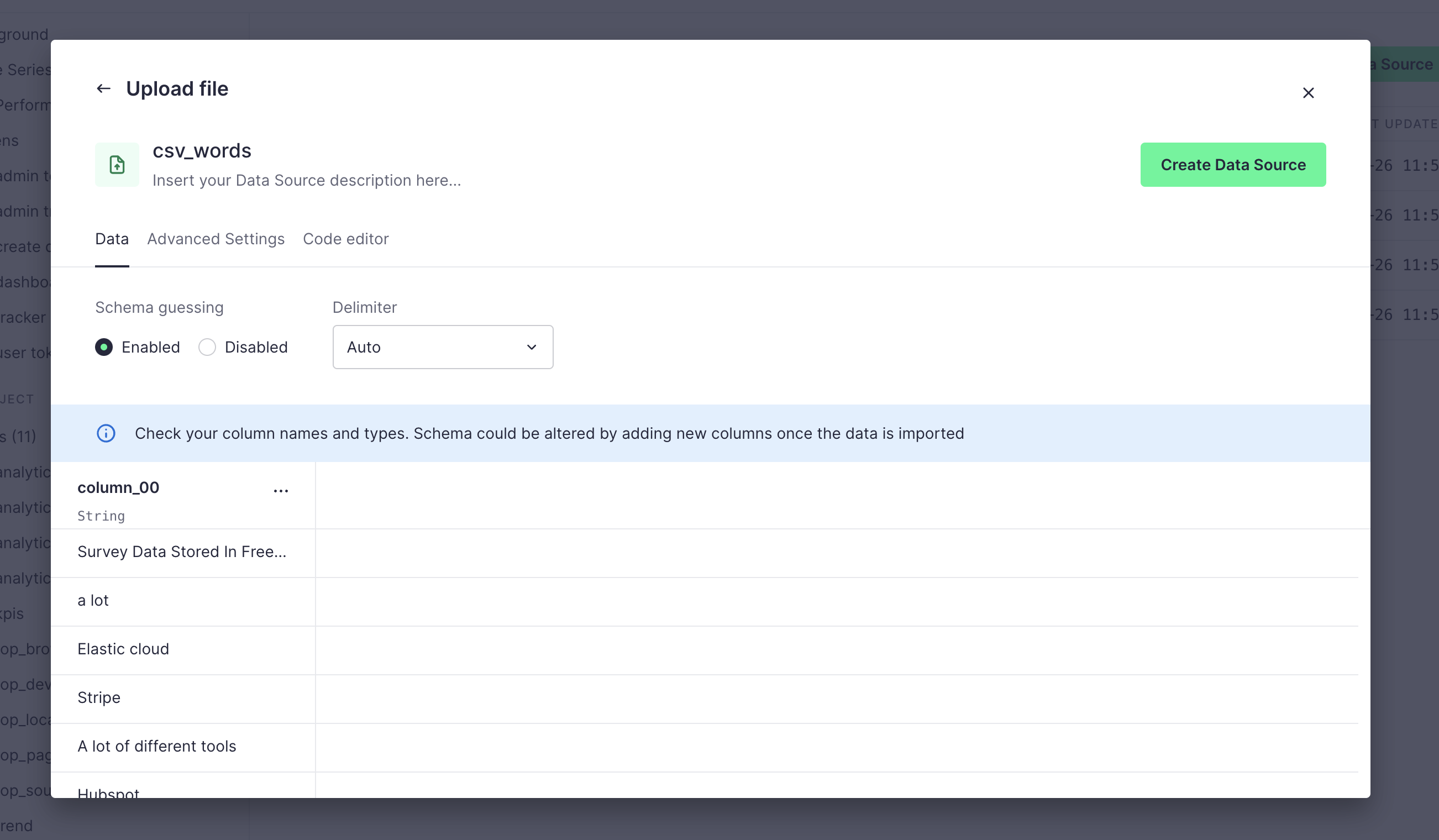
Before a CSV is imported, you can check the guessed schema and settings.
-
13
Placeholder looks like content (not working)
"Insert your Data Source description here..." reads like text that needs editing.
-
14
Advanced settings tucked away (working)
Advanced Settings and Code editor sit in tabs behind the simple Data view.
-
15
Auto-detect by default (working)
Schema guessing on and delimiter "Auto", so most files just work.
-
16
Check before import (working)
"Check your column names and types" warns before the schema is locked in.
-
17
Preview of the data (working)
The first rows appear under the guessed column and type.
Upload files from local disk
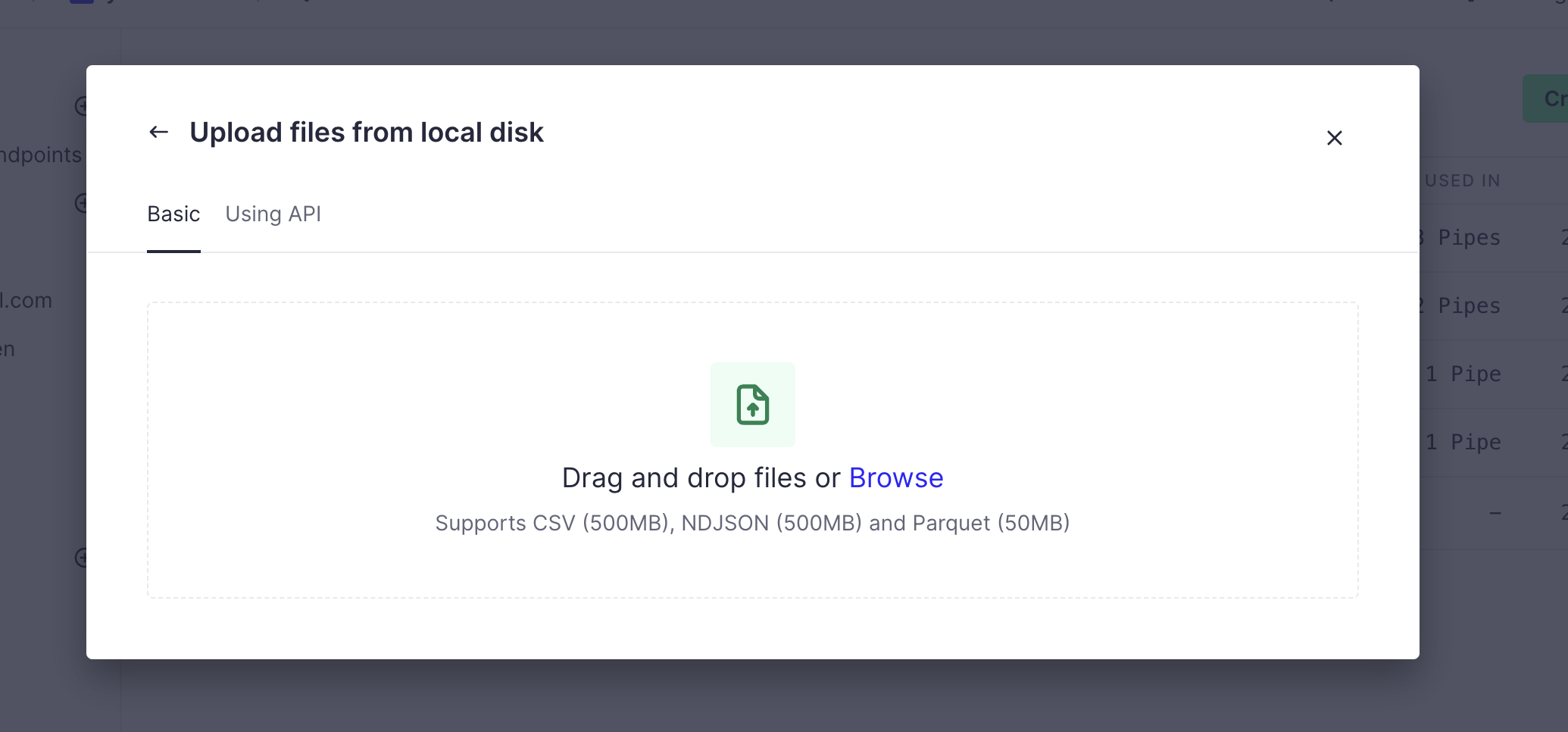
A plain drag-and-drop dialog with an API tab for developers.
-
18
UI or API (working)
"Basic" and "Using API" tabs serve both clickers and scripters.
- 19
-
20
Limits up front (working)
"Supports CSV (500MB), NDJSON (500MB) and Parquet (50MB)" before you pick a file.
Pricing
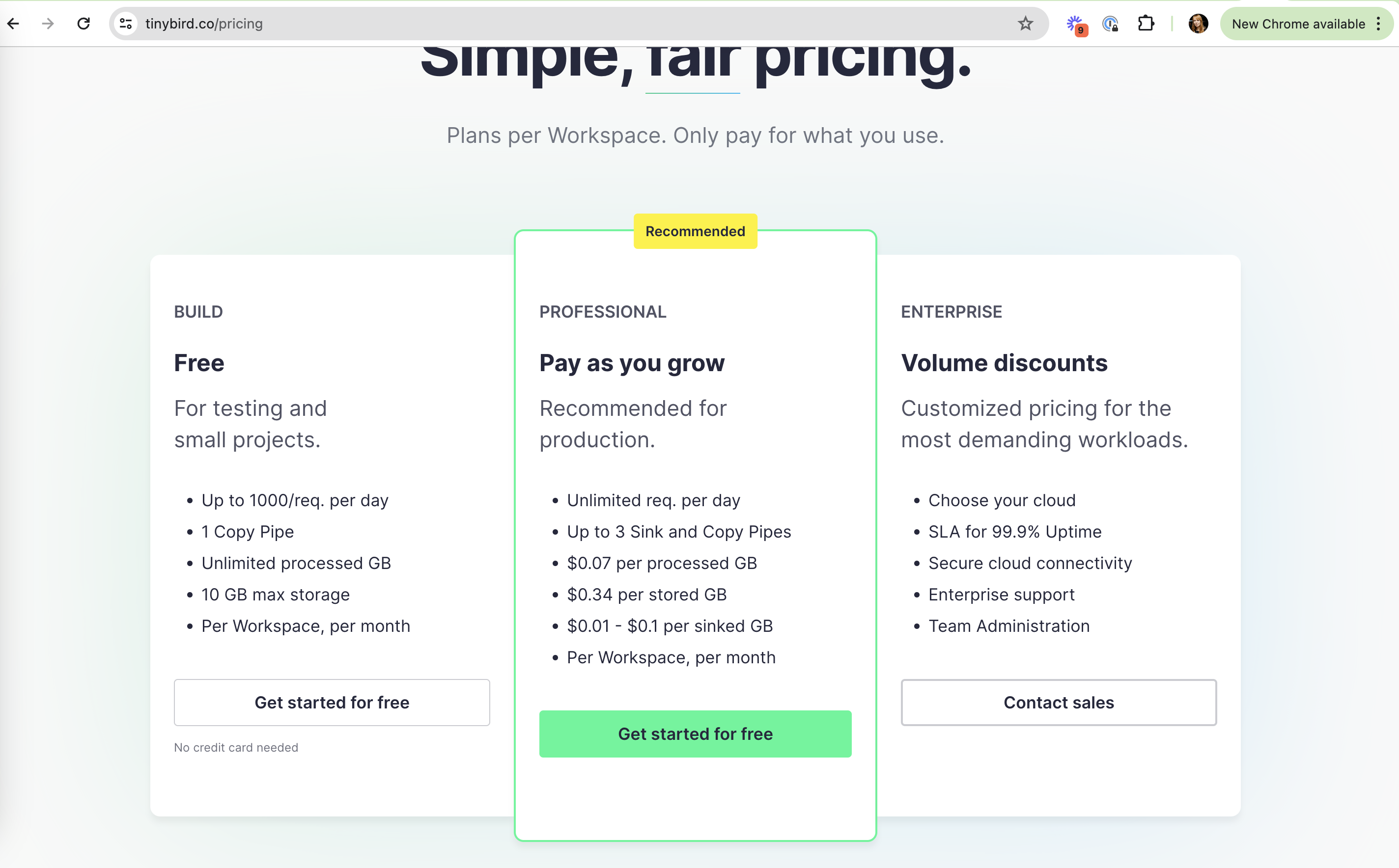
Three plans: free Build, usage-based Professional and Enterprise.
- 21
- 22
-
23
Unit prices in plain sight (working)
$0.07 per processed GB, $0.34 per stored GB, listed on the card.
- 24
-
25
Same CTA on two plans (not working)
Both Build and Professional say "Get started for free", so it's unclear what you sign up for.
Takeaways from Tinybird
- Let new users start from a starter kit or sample data so the first screen is never empty.
- Introduce unused features over sample output with a "view example" path.
- Show the guessed schema and file limits before import, not after it fails.