Three ways in: your data, sample data or a demo
Peaka's empty project offers three paths, and its data source catalog leads with native options before 300+ integrations, with a branded OAuth connect step.
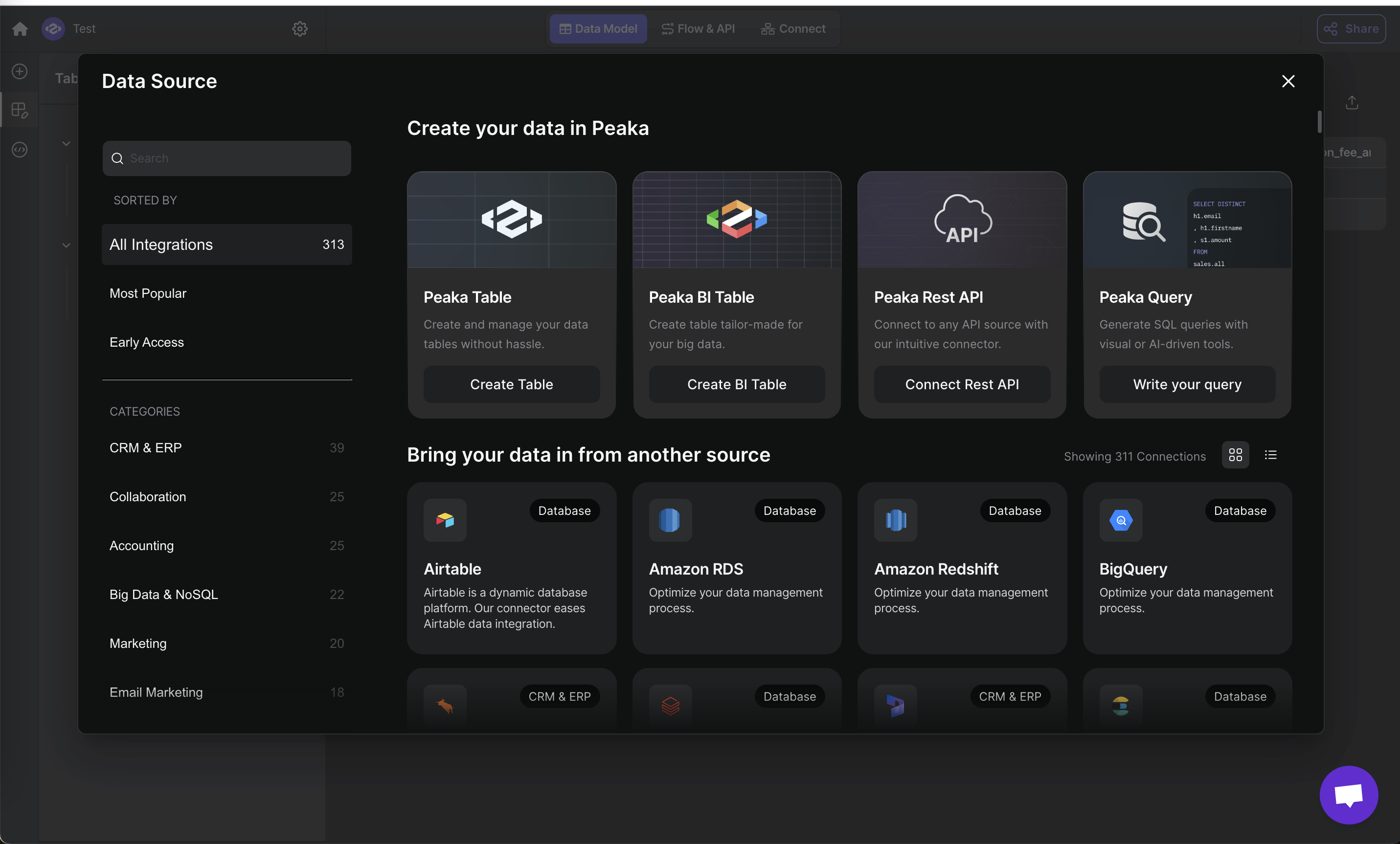
Data Source catalog
A modal with Peaka-native sources on top and 300+ third-party connectors below.
-
1
Native options first (working)
Peaka Table, BI Table, Rest API and Query come before integrations.
-
2
Categories with counts (working)
"All Integrations 313" and per-category counts help browse a long list.
-
3
Counts don't match (not working)
Sidebar says 313, grid says "Showing 311 Connections".
-
4
Copy-pasted descriptions (not working)
RDS, Redshift and BigQuery all say "Optimize your data management process."
Connect HubSpot via OAuth
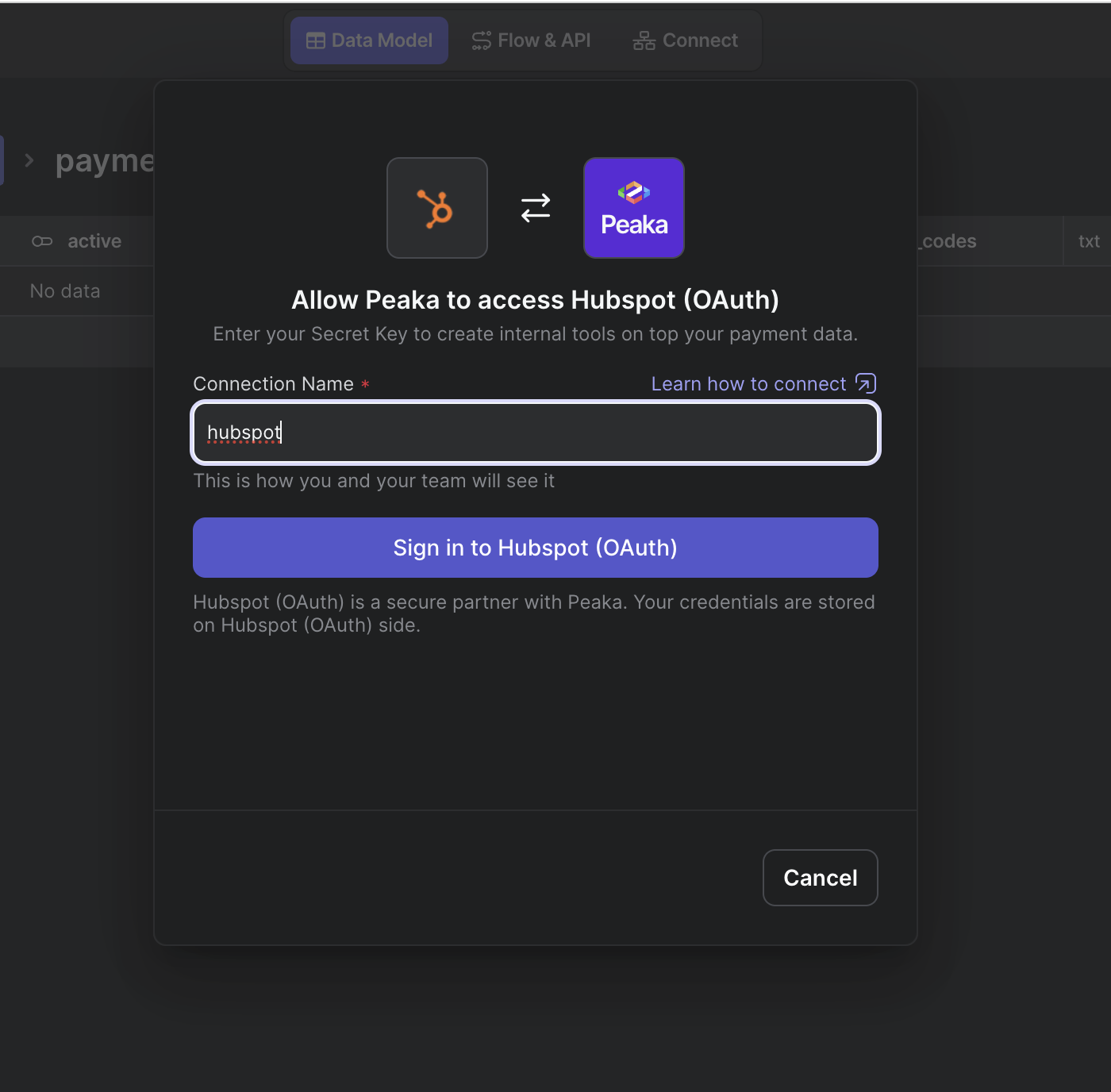
A connect step showing both logos, a name field and an OAuth button.
-
5
Two logos, one arrow (working)
HubSpot and Peaka side by side make the connection obvious.
-
6
Wrong subtitle (not working)
"Enter your Secret Key to create internal tools on top your payment data" is copy from another connector.
-
7
Name it for the team (working)
"This is how you and your team will see it" explains why the field exists.
-
8
Security note under the button (working)
"Your credentials are stored on Hubspot side" answers the obvious worry.
Ready for a new project?
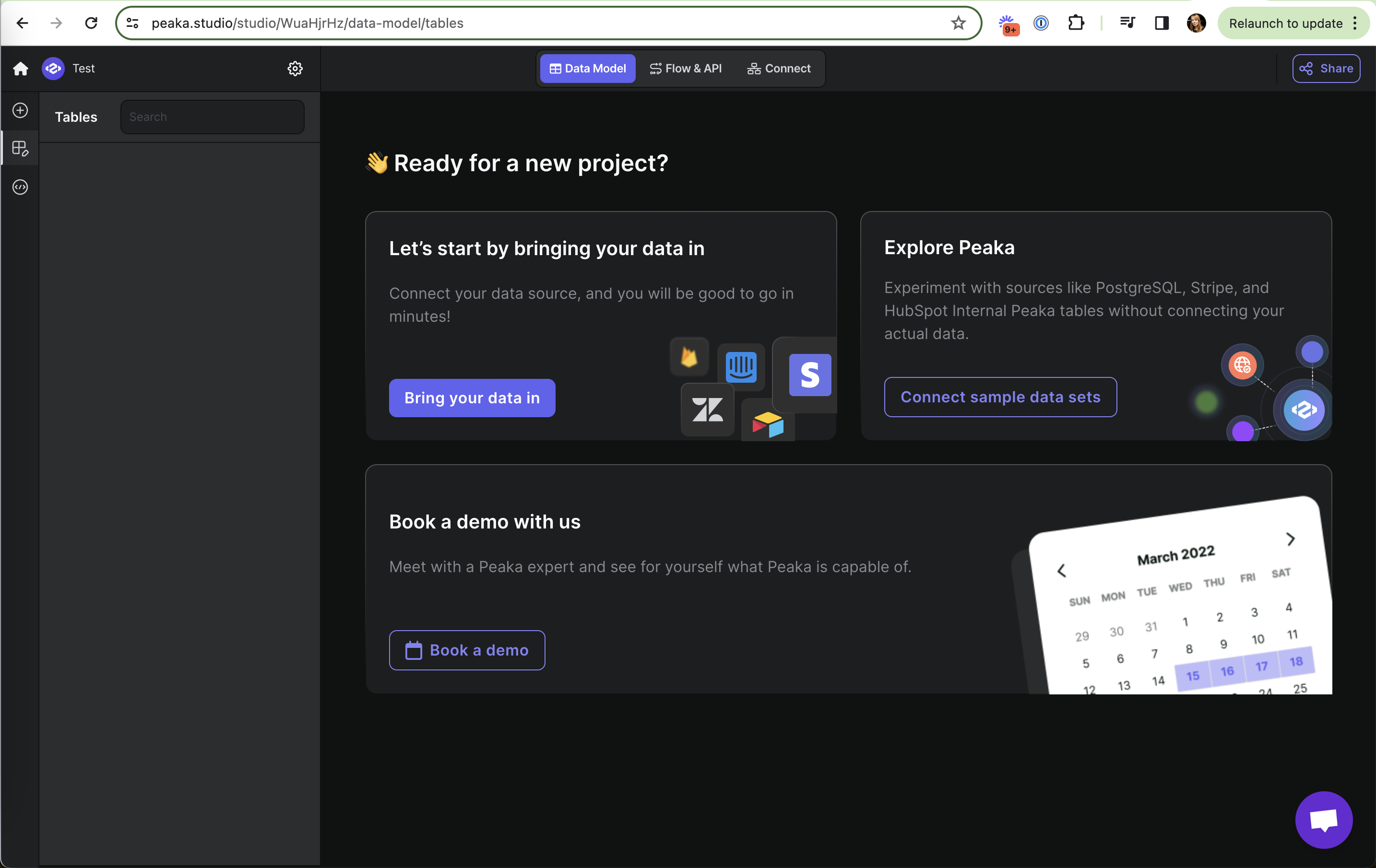
The empty project offers your data, sample data or a demo.
-
9
Bring your own data (working)
Primary CTA with familiar source logos (Stripe, Zendesk, Airtable).
-
10
Sample data to explore (working)
"Experiment ... without connecting your actual data" lets you try before committing.
-
11
Demo for high-touch buyers (working)
"Book a demo" is a third path, lower on the page.
-
12
Stale calendar (not working)
The illustration shows "March 2022", which makes the product look unmaintained.
Takeaways from Peaka
- Offer sample data next to "connect your own" so users can see value before a long setup.
- Proofread connector copy; one wrong subtitle undermines trust at the credential step.