Join by email domain, and how duplicate orgs happen
Retool lists existing orgs on your email domain and asks before you create a new one, but leaves domain joining off by default, which is how three one-person orgs ended up there.
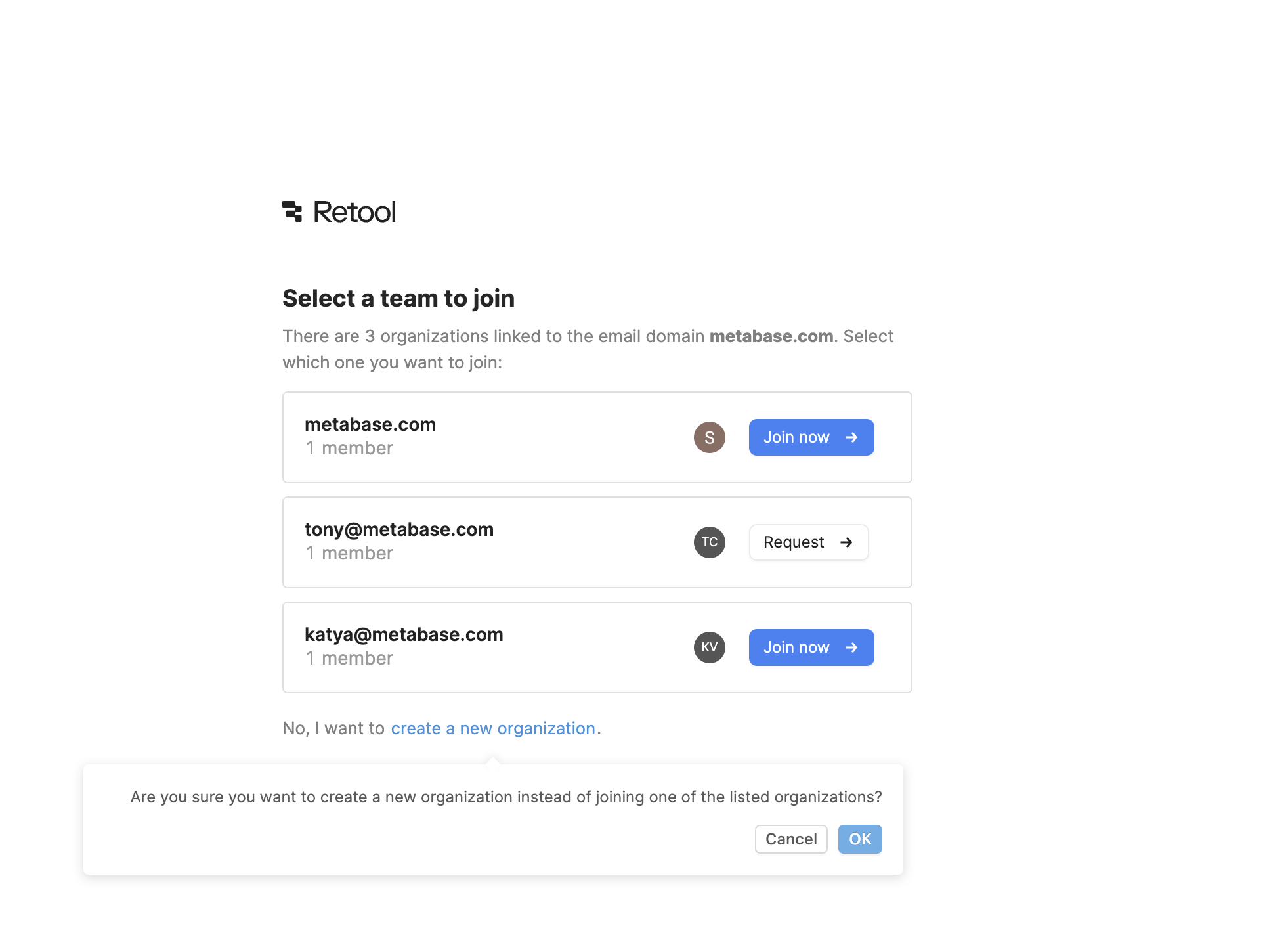
Select a team to join
Signing up with a work email shows every org already linked to that domain.
-
1
Domain match up front (working)
"There are 3 organizations linked to the email domain metabase.com" points you to your colleagues first.
-
2
Three one-person orgs (not working)
Each org has "1 member" and two are named after a personal email, so it's unclear which is the real team.
-
3
Join vs Request (working)
Open orgs say "Join now", locked ones say "Request", so the access rule is visible.
-
4
New org is a quiet link (working)
"create a new organization" is plain text below, not a competing button.
-
5
Speed bump before a duplicate (working)
"Are you sure you want to create a new organization instead of joining..." adds a pause at the right moment.
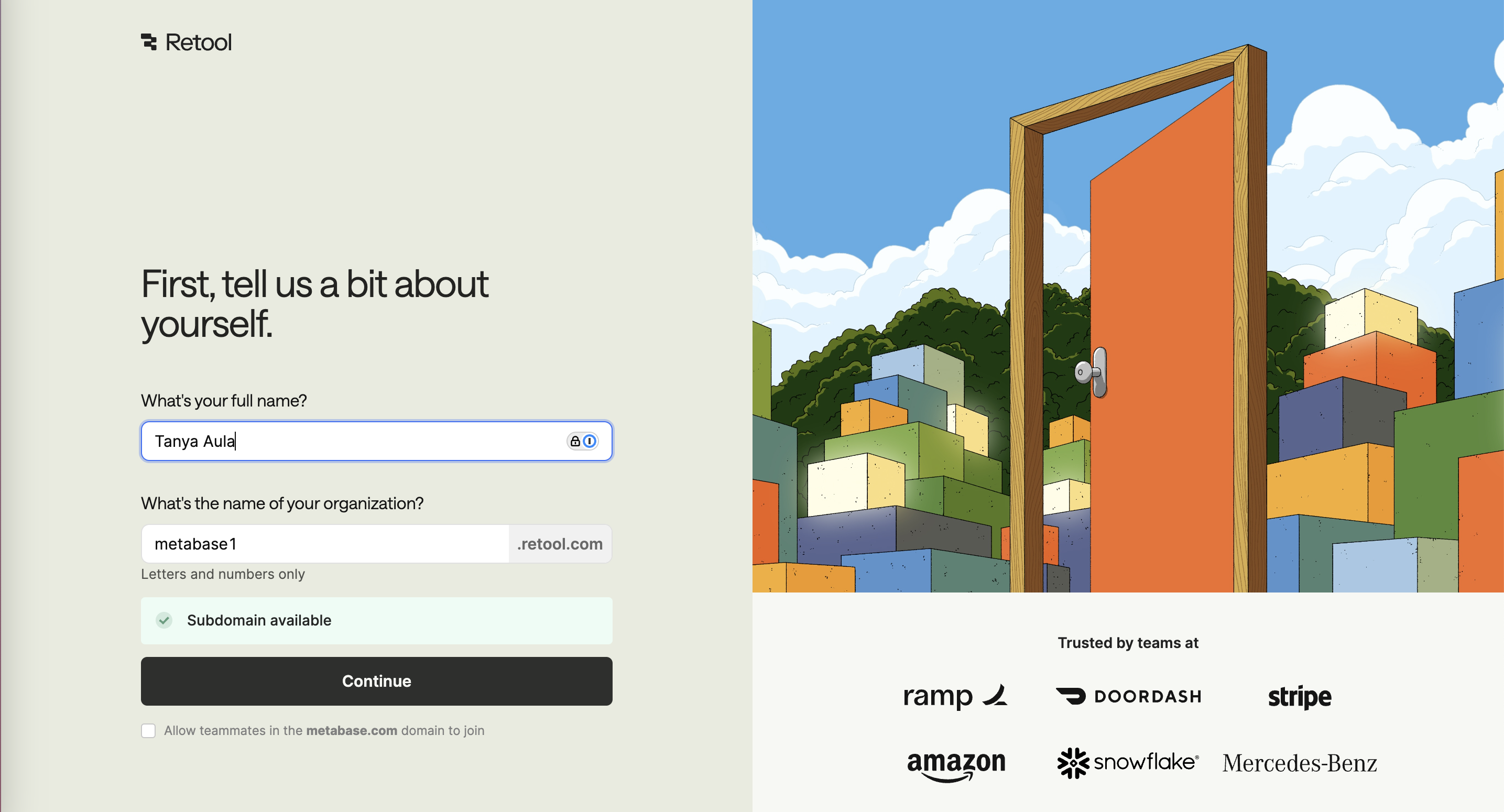
Tell us about yourself
Creating the org anyway: name, subdomain and an option to let domain teammates join.
-
6
Live subdomain check (working)
"Subdomain available" confirms the choice before you hit Continue.
-
7
Domain joining off by default (not working)
"Allow teammates in the metabase.com domain to join" is a small unchecked box, which creates the next one-person org.
-
8
Logos next to the form (working)
"Trusted by teams at" Ramp, DoorDash, Stripe and Amazon reassures at the commit point.
Takeaways from Retool
- Match new sign-ups to existing workspaces on their email domain before letting them create a new one.
- Default domain joining to on for work domains, or new orgs will keep splitting the same company.
- Show enough about each org (members, admins) for people to pick the right one.