Agentic platform upsell and a demo path in the database step
Cube Cloud promotes its D3 agentic platform from the empty state and the AI Assistant nav item, and offers a demo deployment for users without a database.
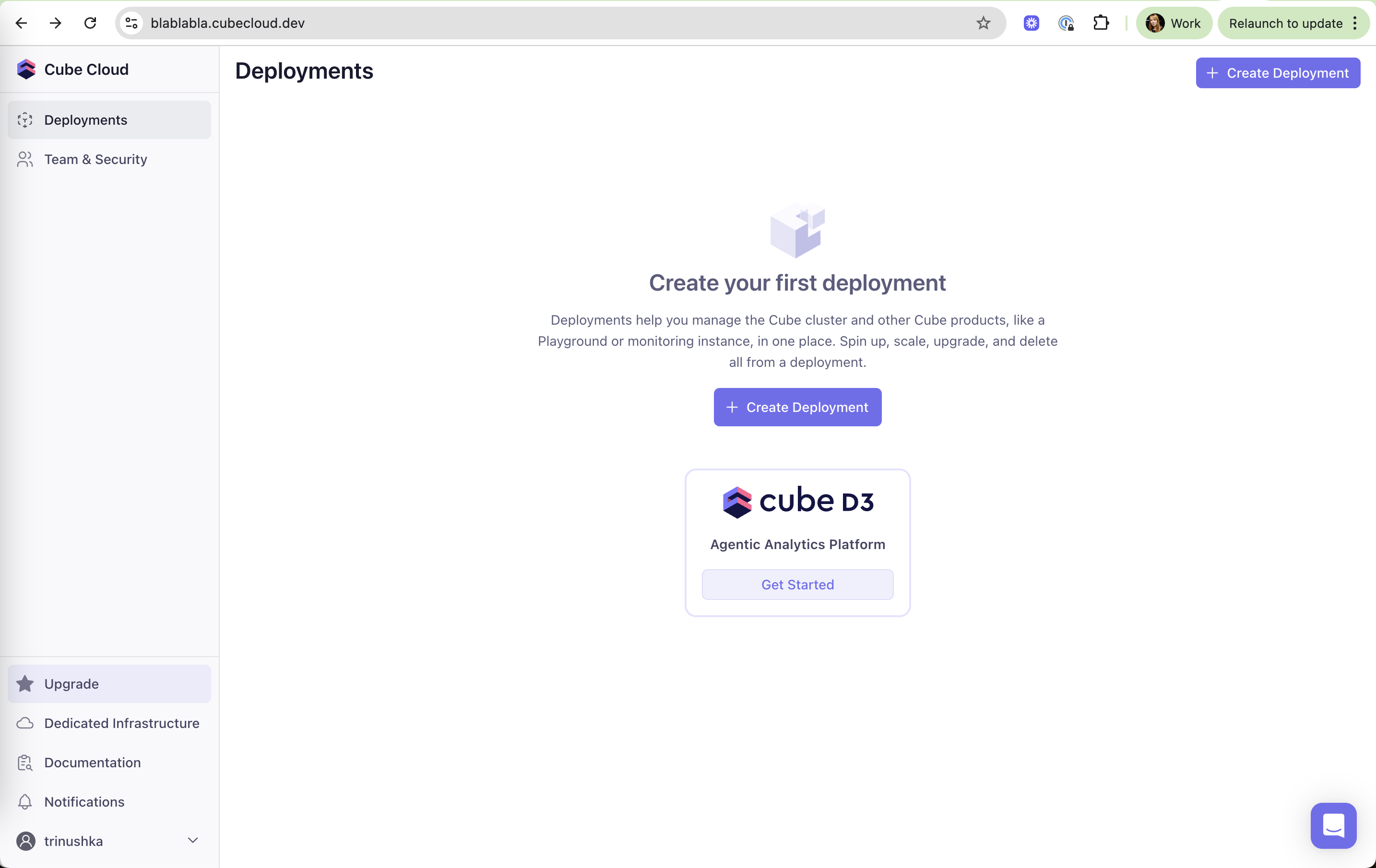
Create your first deployment
The empty Deployments page explains the concept and places a D3 card under the main call to action.
-
1
Empty state that explains (working)
Says what a deployment is and what you can do with it before asking you to create one.
-
2
One clear first step (working)
"Create Deployment" is the only filled button in the content area.
-
3
New product in the empty space (working)
The cube D3 logo card uses the quietest page for the newest product.
-
4
Label without a promise (not working)
"Agentic Analytics Platform" and "Get Started" don't say what you'd get.
-
5
Upgrade always in reach (working)
A highlighted Upgrade item sits at the bottom of the sidebar.
Cube D3 landing
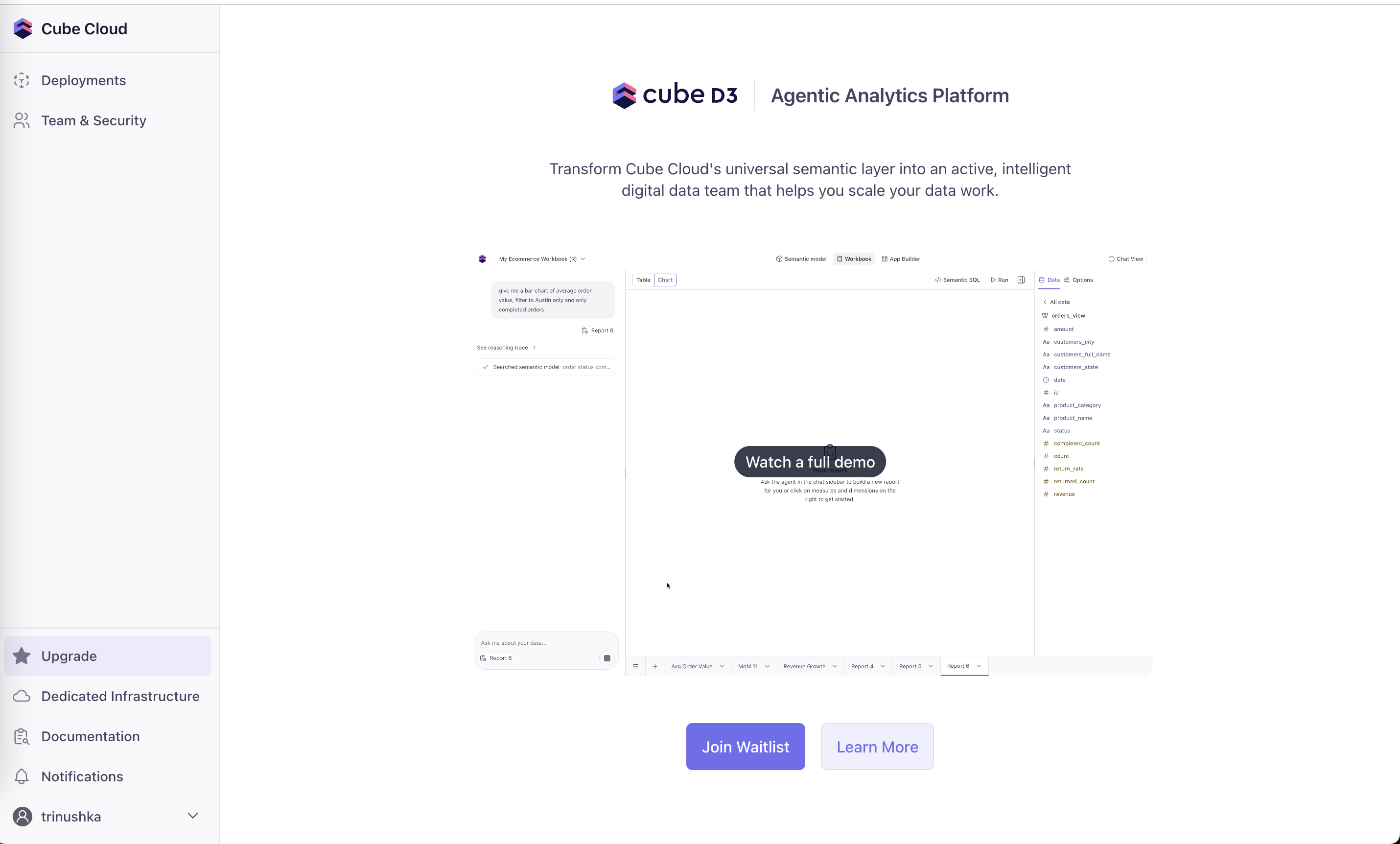
Get Started leads to an in-app landing page with a product preview and a waitlist.
-
6
Jargon headline (not working)
"An active, intelligent digital data team" is abstract next to a concrete demo.
-
7
Real prompt in the preview (working)
The screenshot shows a typed question and "See reasoning trace", so the agent's job is visible.
-
8
Demo video on the image (working)
"Watch a full demo" sits on the preview for those who want more.
-
9
Get Started ends in a waitlist (not working)
After clicking "Get Started", the main action is "Join Waitlist".
Set up a database connection
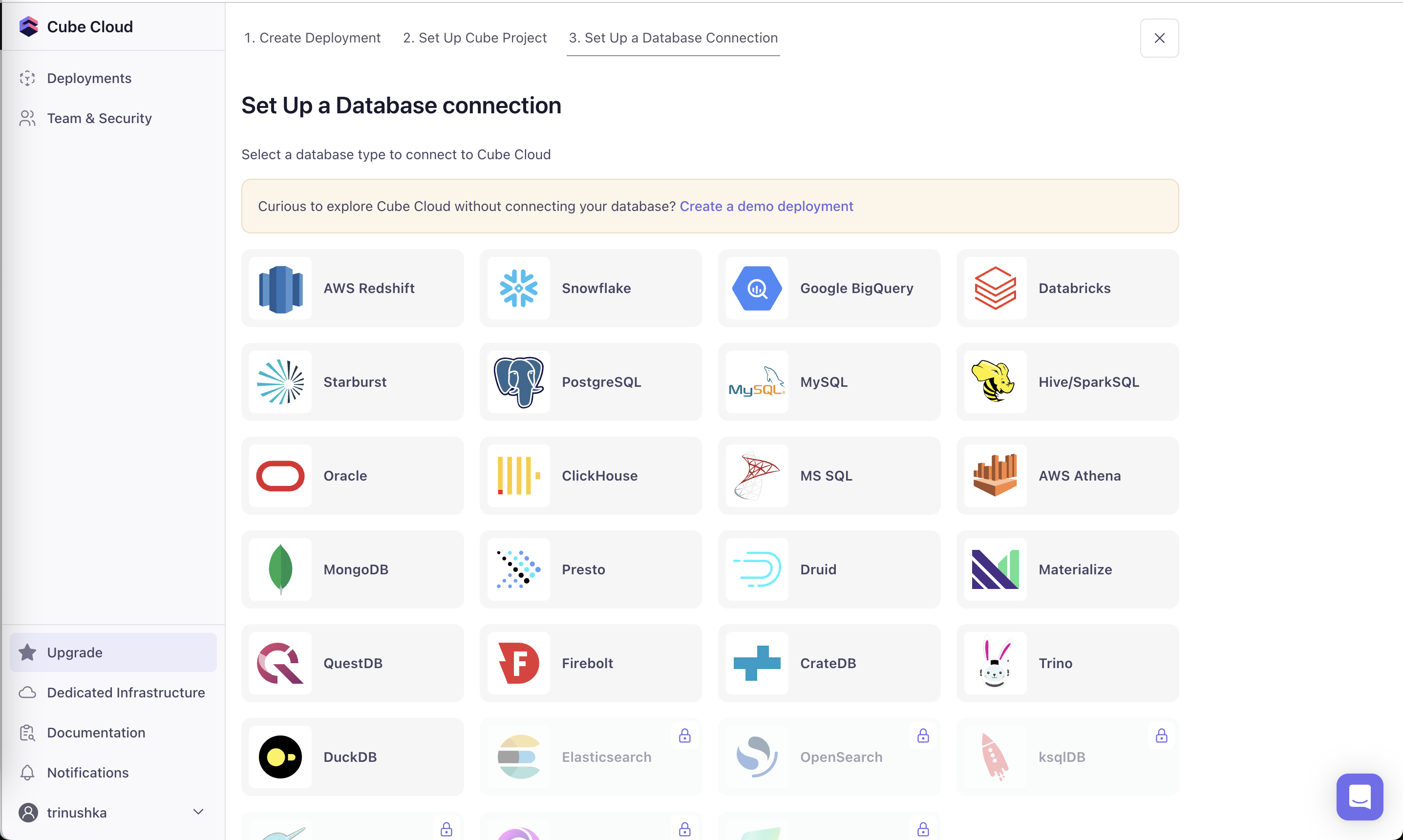
Step 3 of creating a deployment lists 20+ databases and offers a demo deployment for those not ready to connect.
-
10
Demo offered at step 3 (not working)
The demo option appears only after two setup steps are done.
-
11
Demo as an escape hatch (working)
"Curious to explore Cube Cloud without connecting your database?" keeps hesitant users moving.
-
12
Logos for recognition (working)
Each database is a big logo tile, quick to scan for your own stack.
-
13
Unexplained locks (not working)
Elasticsearch, OpenSearch and ksqlDB show a lock with no hint of what plan unlocks them.
AI Assistant inside a deployment
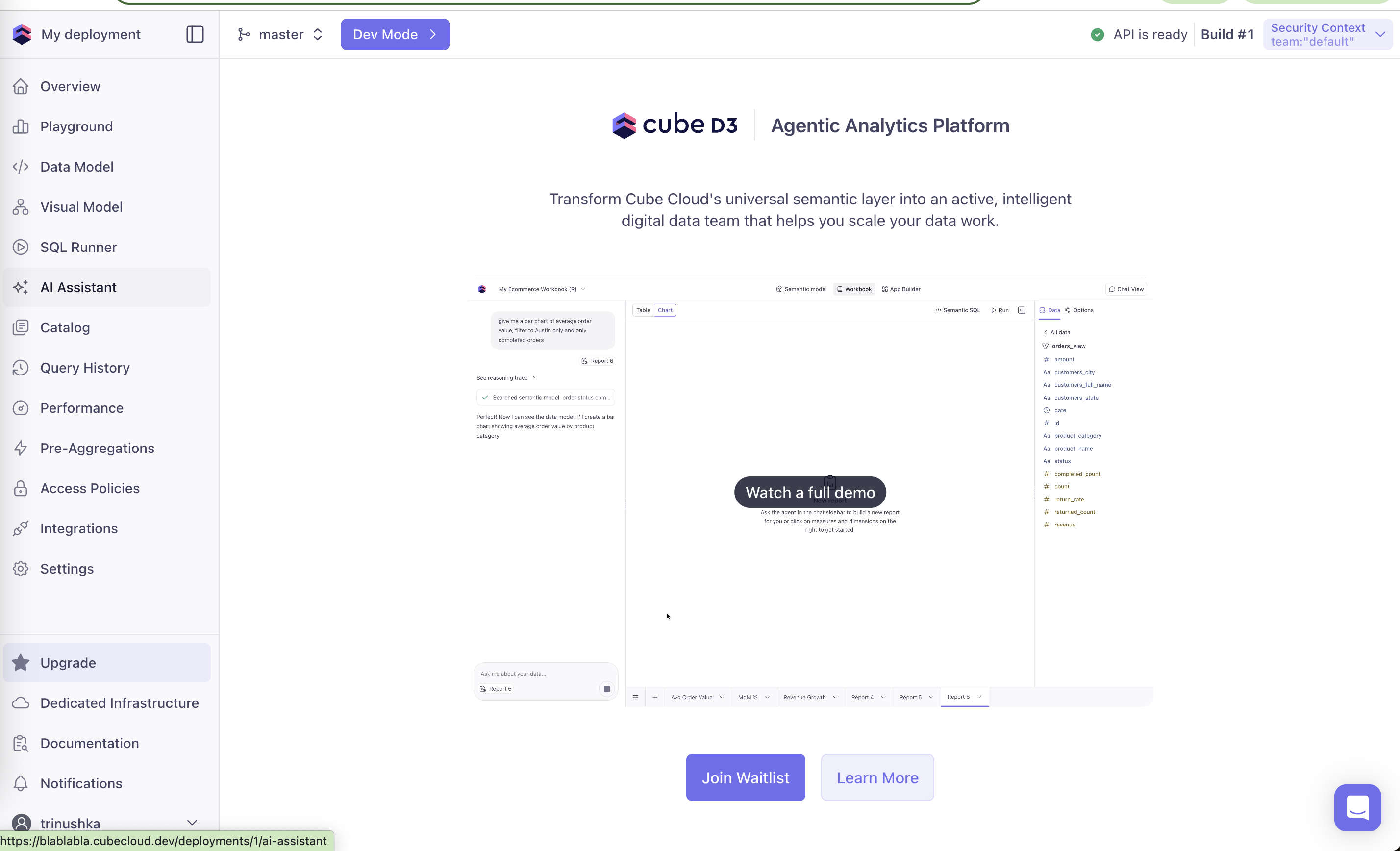
Clicking AI Assistant in the deployment's nav opens the same D3 waitlist page.
-
14
Nav item as a fake door (working)
"AI Assistant" sits among real tools and measures interest by routing to the waitlist.
-
15
Deployment is live (working)
"API is ready" and "Build #1" confirm setup worked before the pitch.
-
16
Generic pitch in your own space (not working)
Inside a working deployment, the page still shows a sample ecommerce workbook, not your data.
Takeaways from Cube Cloud
- Offer a demo path at the first step where users might stall, not at the last.
- If a nav item leads to a waitlist, say so on the button, not after the click.
- Explain locked options with the plan that unlocks them.