Trial dashboard with a checklist and tailored connectors
Fivetran's trial home combines a countdown, a four-step trial checklist with progress, and connector cards labelled by why they're shown.
Welcome back
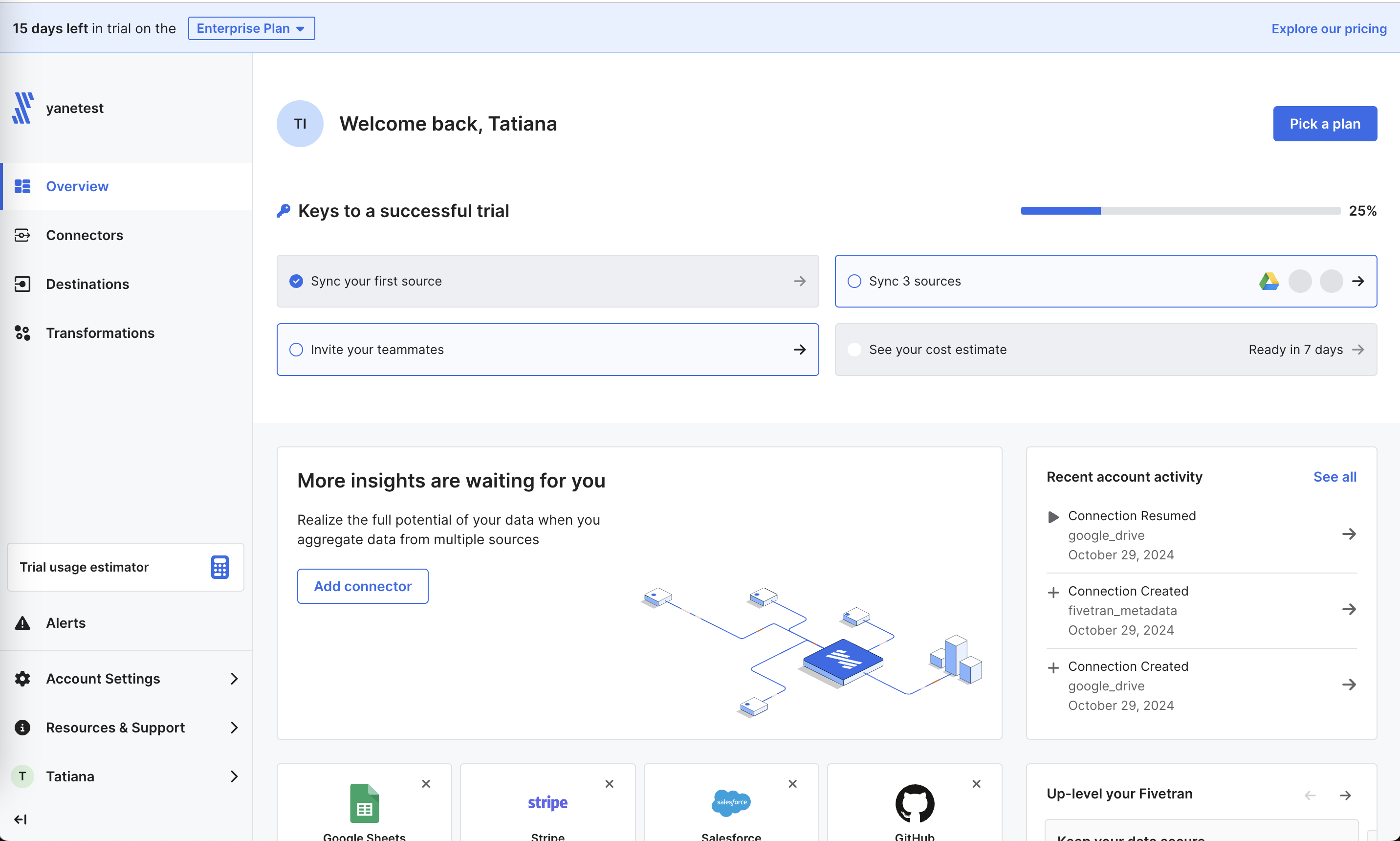
The overview leads with trial status and "Keys to a successful trial".
-
1
Countdown with plan (working)
"15 days left in trial on the Enterprise Plan" keeps both the deadline and the tier in view.
-
2
Progress already started (working)
One task done shows 25%, so the checklist feels underway.
-
3
Sync 3 sources, visually (working)
A Google Drive icon fills one of three slots, showing how many are left.
-
4
Invite teammates (working)
Inviting is one of four trial keys, treated as part of success.
-
5
Cost estimate unlocks later (working)
"Ready in 7 days" gives a reason to come back and previews price before you pay.
-
6
Repeated ask (not working)
"More insights are waiting for you" asks for another connector again in a large card, repeating the checklist.
Connector suggestions
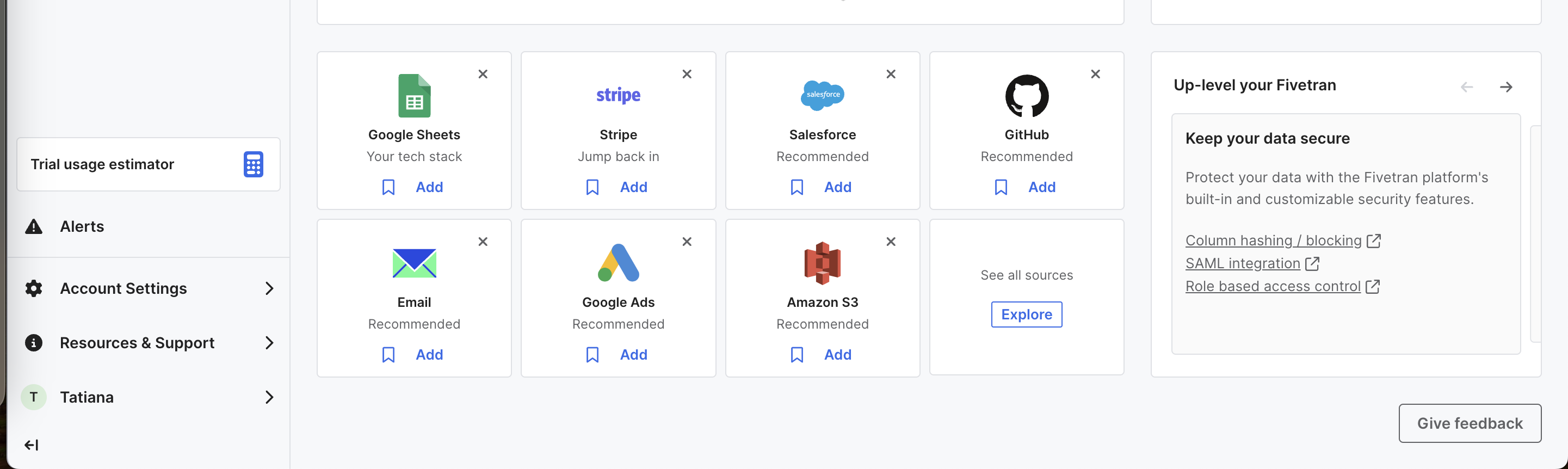
Below the fold, connector cards each explain why they're suggested.
- 7
-
8
"Jump back in" (working)
Stripe is flagged as a setup you started and didn't finish.
-
9
Everything is Recommended (not working)
Five of seven cards say "Recommended", so the label stops meaning anything.
-
10
Security for buyers (working)
"Keep your data secure" links SAML and access control for the person who has to approve the purchase.
Takeaways from Fivetran
- Start the trial checklist with one item already done so progress is visible from day one.
- Label suggestions with the reason ("Your tech stack", "Jump back in") and use "Recommended" sparingly.
- Tell users when the cost estimate will be ready so they come back before the trial ends.