Pre-filled signup, then pick your first product
PostHog pre-fills the org form, keeps qualifying questions optional, and starts onboarding by letting you pick one product out of four, each card cross-selling the rest.
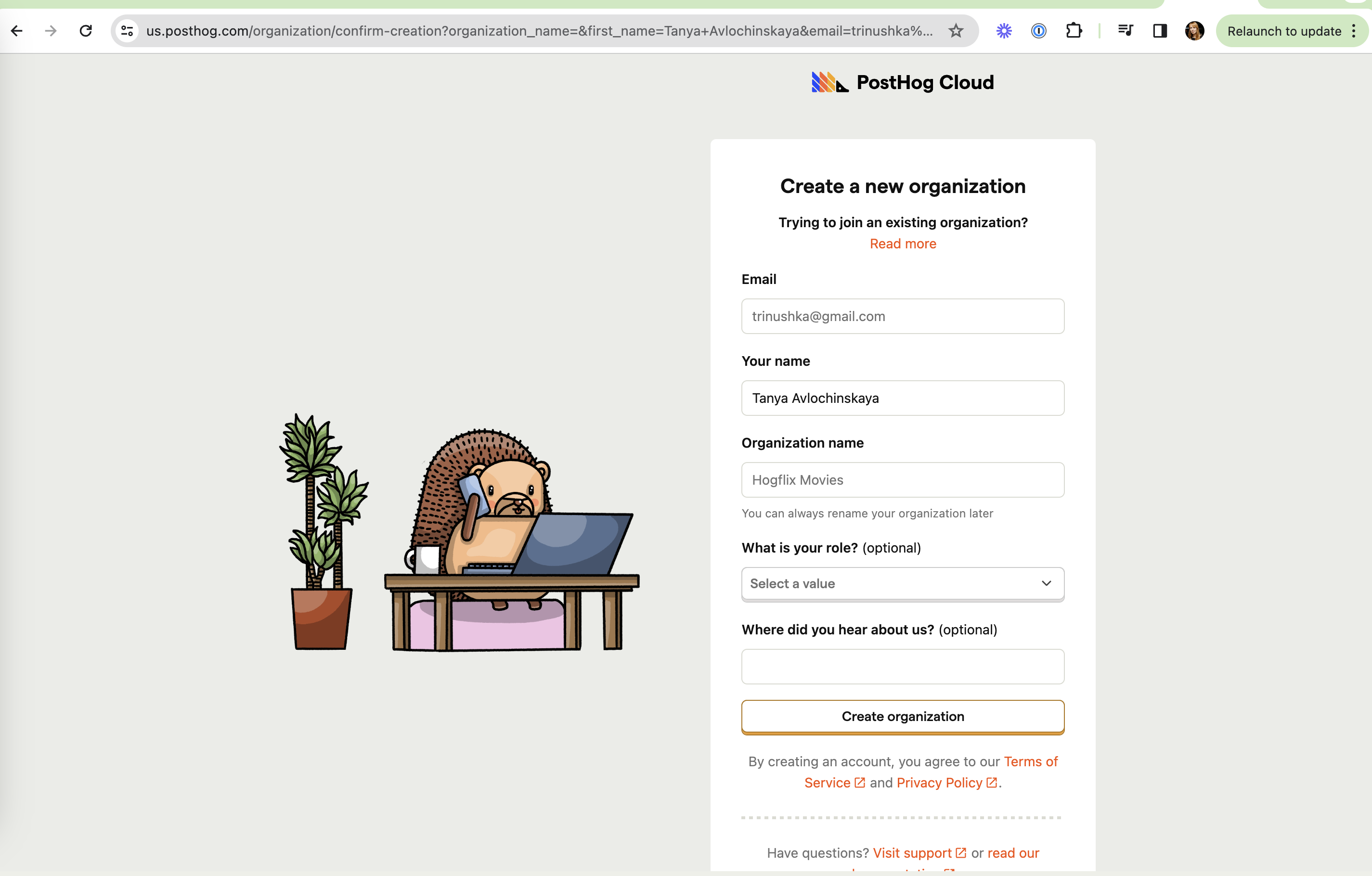
Create a new organization
The signup form with a hedgehog mascot on the left.
-
1
Name and email pre-filled (working)
Carried over from the previous step, so only the org name is new.
-
2
Email in the URL (not working)
Name and email are passed as query parameters, visible in the address bar.
-
3
Low-stakes org name (working)
"You can always rename your organization later" under a sample "Hogflix Movies".
-
4
Qualifying questions are optional (working)
Role and "Where did you hear about us?" are clearly marked (optional).
-
5
Mascot with personality (working)
A hedgehog on the phone at a desk makes a dry form feel like PostHog.
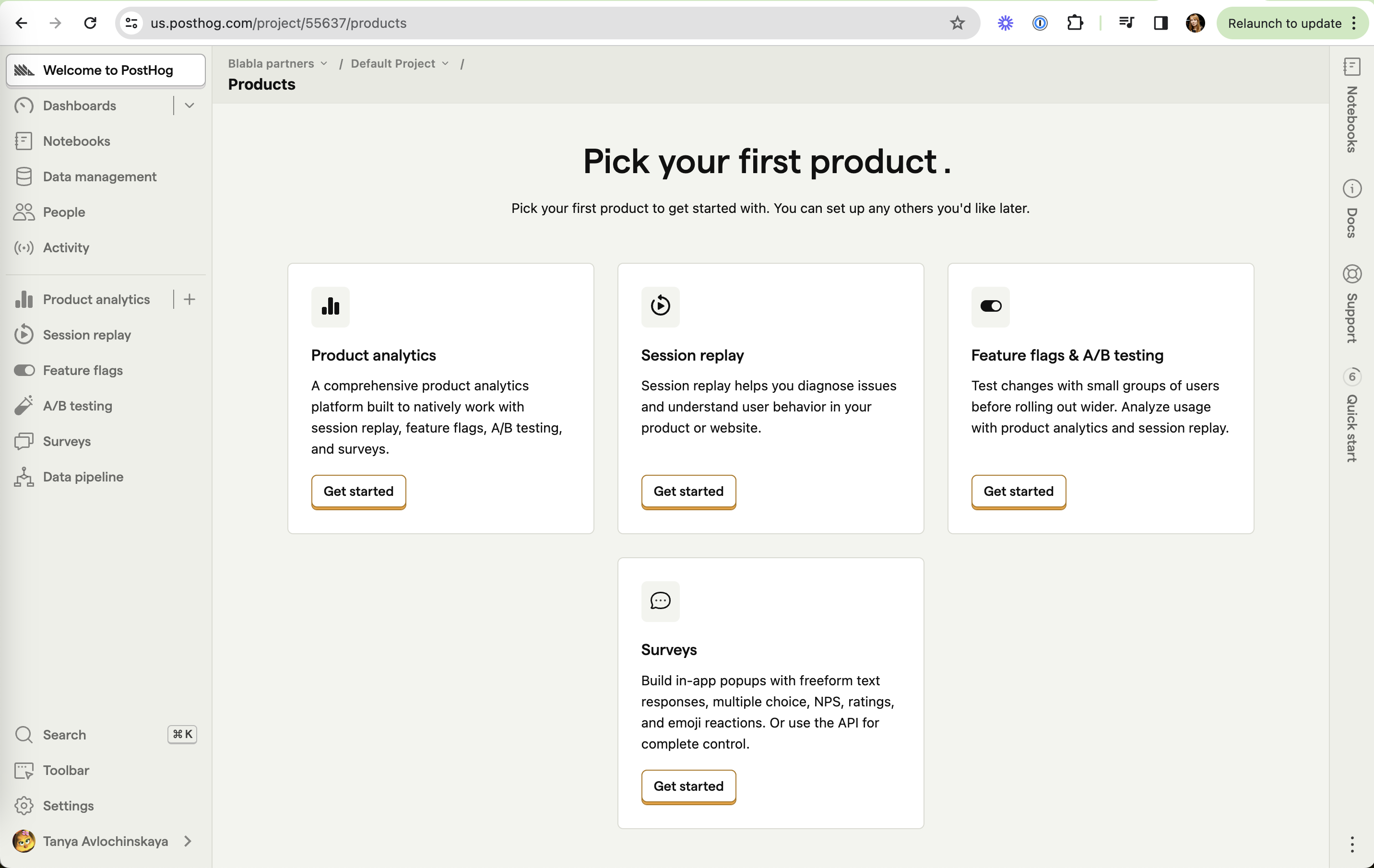
Pick your first product
Four product cards; the full product list already sits in the sidebar.
-
6
One product to start (working)
"You can set up any others later" lowers the cost of choosing.
-
7
Cross-sell in the copy (working)
Product analytics is "built to natively work with session replay, feature flags, A/B testing".
-
8
No recommended start (not working)
Four equal cards with identical "Get started" buttons, one orphaned on a second row.
-
9
Quick start counter (working)
A "6" badge on the right rail shows a checklist waiting.
Takeaways from PostHog
- Carry over what you already know into the next form, but keep personal data out of URLs.
- Let users start with one product and use each card's copy to point at the others.
- Highlight one recommended starting product for users who don't know where to begin.