Data-tool signup that branches on your warehouse
Lightdash verifies email, asks role and org, then routes you by warehouse and dbt setup, with a demo project and a teammate invite for anyone who gets stuck.
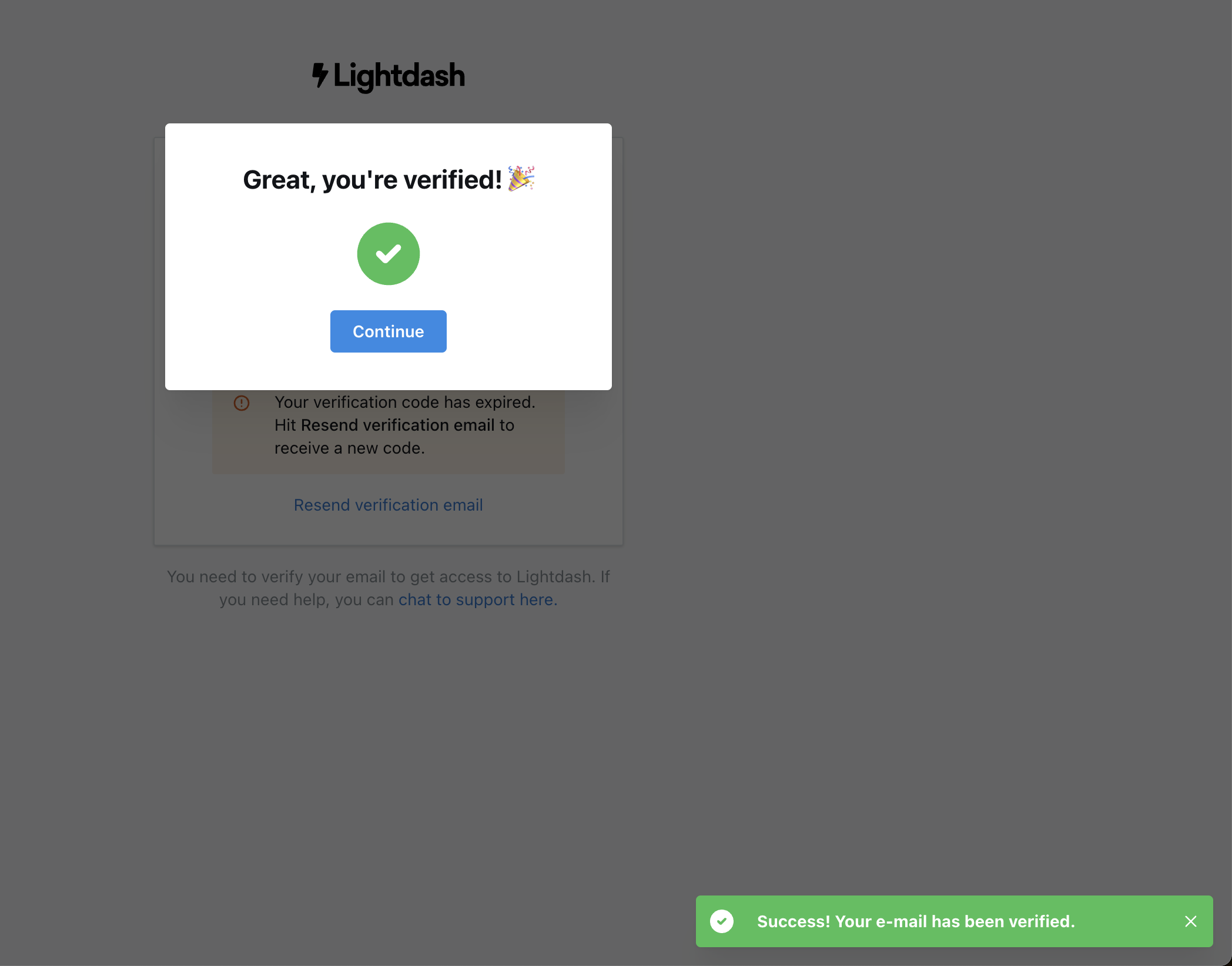
Great, you're verified!
The verification success modal opens on top of the screen that was showing an error.
-
1
Celebrates the small win (working)
A party emoji, a big green check and one Continue button.
-
2
Old error still visible (not working)
"Your verification code has expired" remains right under the success modal.
-
3
Support on the blocker (working)
"Chat to support here" sits on the page that gates access.
-
4
Three success signals (not working)
Modal, check icon and a green toast all say the same thing.
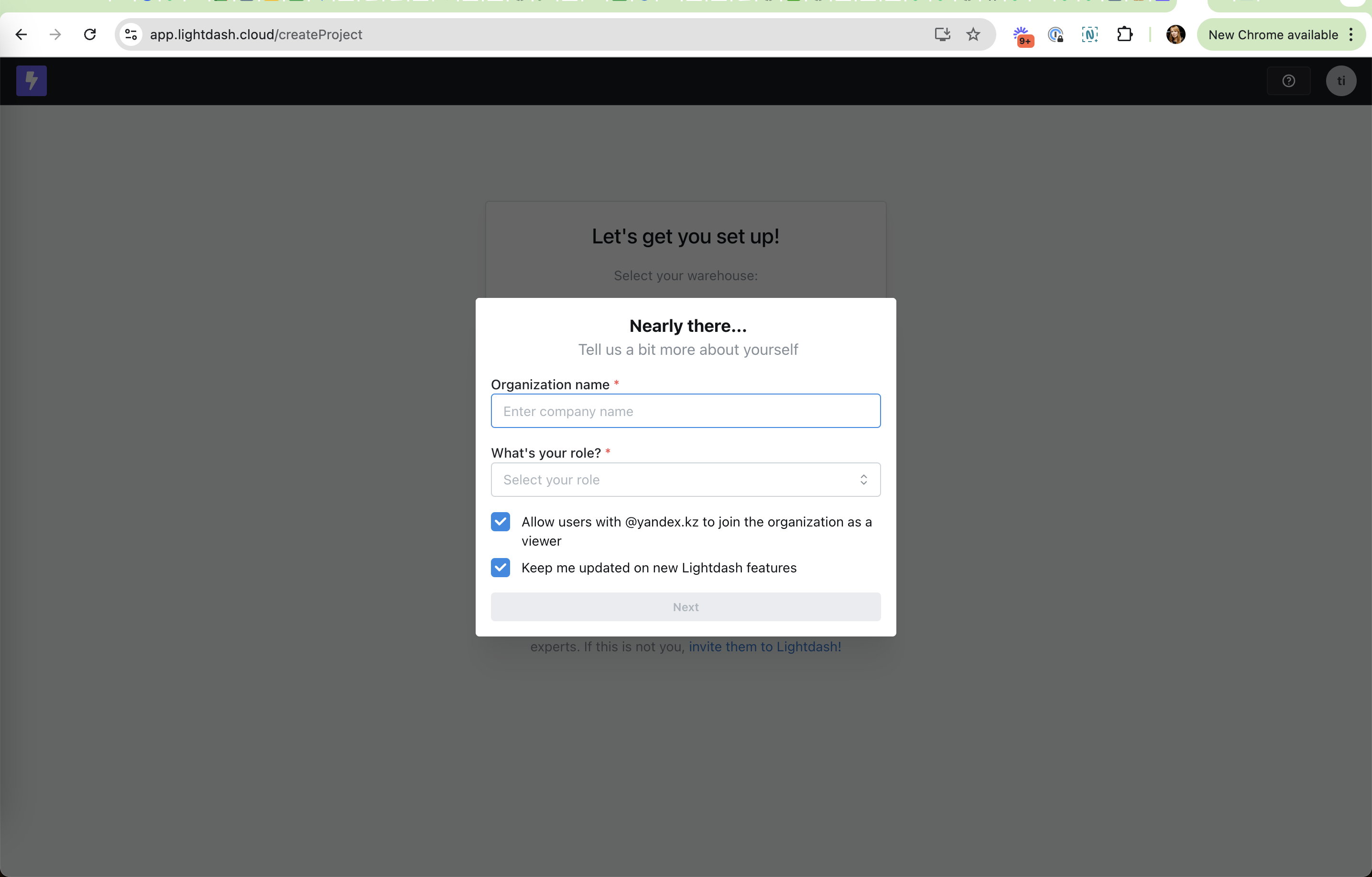
Nearly there
A short profile step before project setup.
- 5
-
6
Role question (working)
A required role dropdown lets Lightdash route and segment users.
-
7
Domain auto-join on (working)
"Allow users with @yandex.kz to join" is pre-ticked, so colleagues can find the org.
-
8
Pre-ticked newsletter (not working)
"Keep me updated on new Lightdash features" is ticked for you.
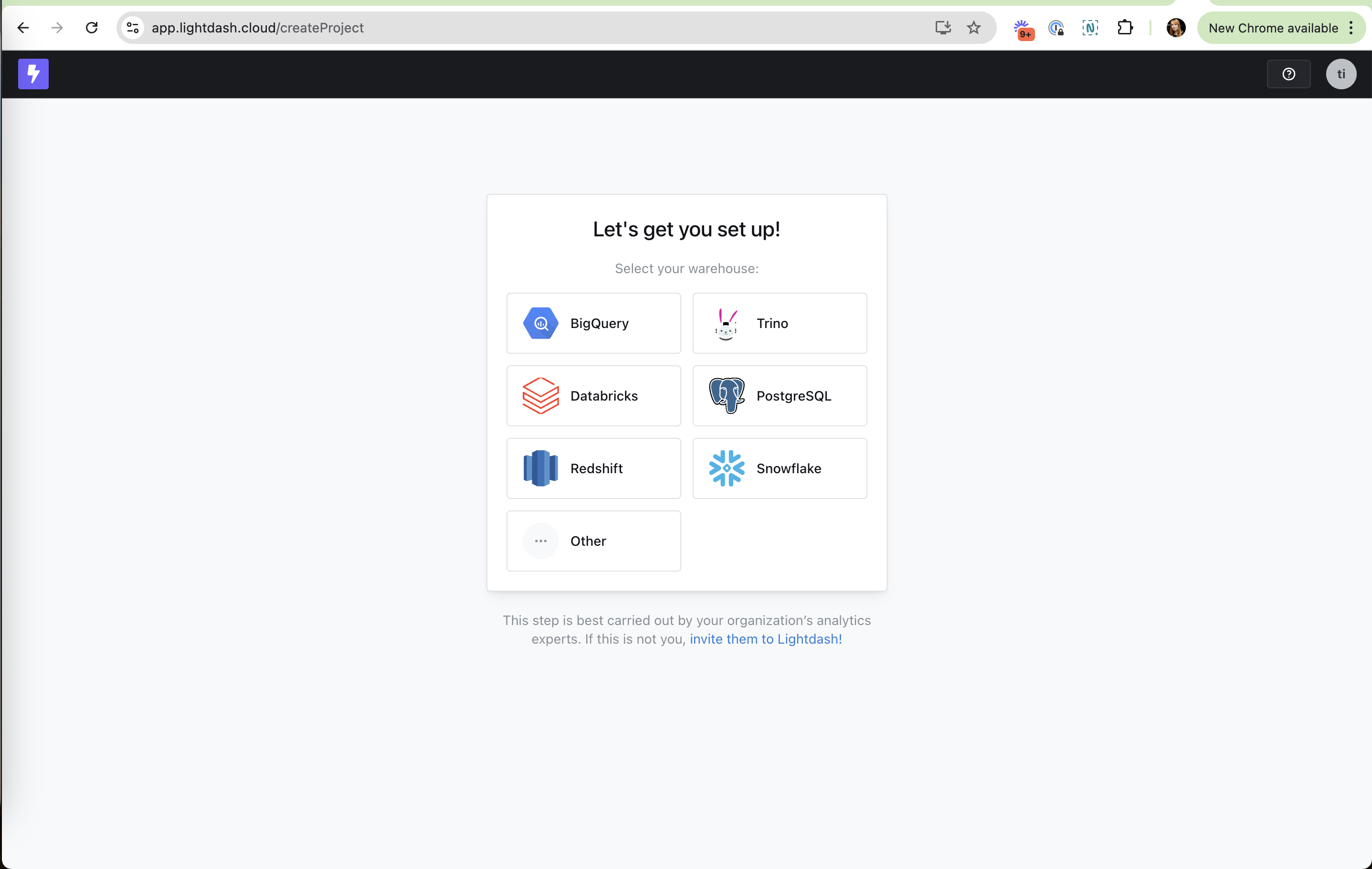
Select your warehouse
Setup starts with the one thing that decides the rest of the flow.
-
9
Logos, not a form (working)
Six warehouse tiles with familiar logos are quick to scan.
-
10
"Other" escape hatch (working)
Users with an unlisted warehouse still have somewhere to click.
-
11
Hand off to the expert (working)
"If this is not you, invite them to Lightdash!" turns a stuck user into an invite.
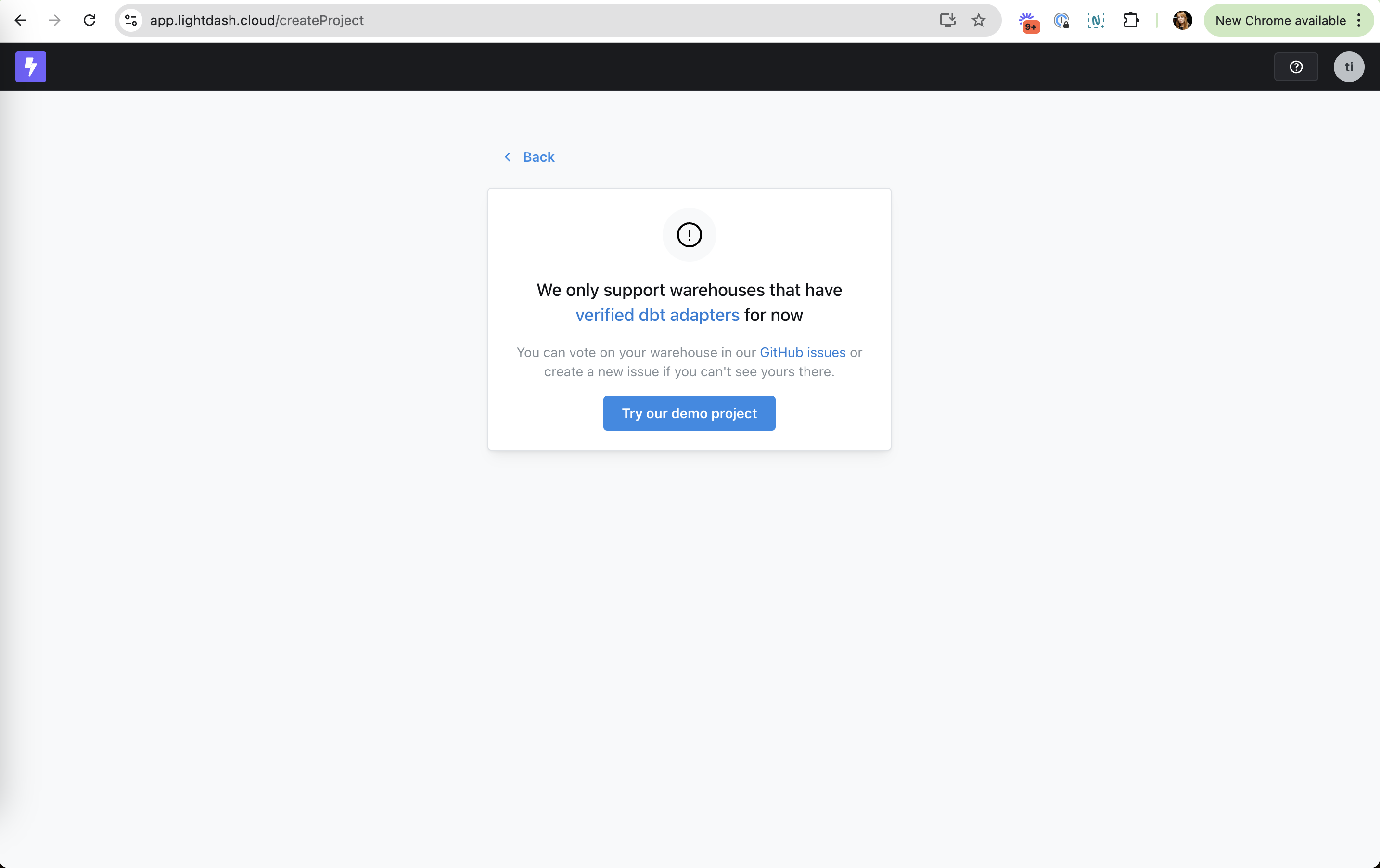
Warehouse not supported
Choosing Other leads to an honest dead end with two ways forward.
-
12
Honest about limits (working)
"We only support warehouses that have verified dbt adapters for now".
-
13
A no becomes a vote (working)
Vote on your warehouse in GitHub issues, so the request is captured.
-
14
Demo as fallback (working)
"Try our demo project" keeps the user exploring instead of leaving.
How to upload your dbt project
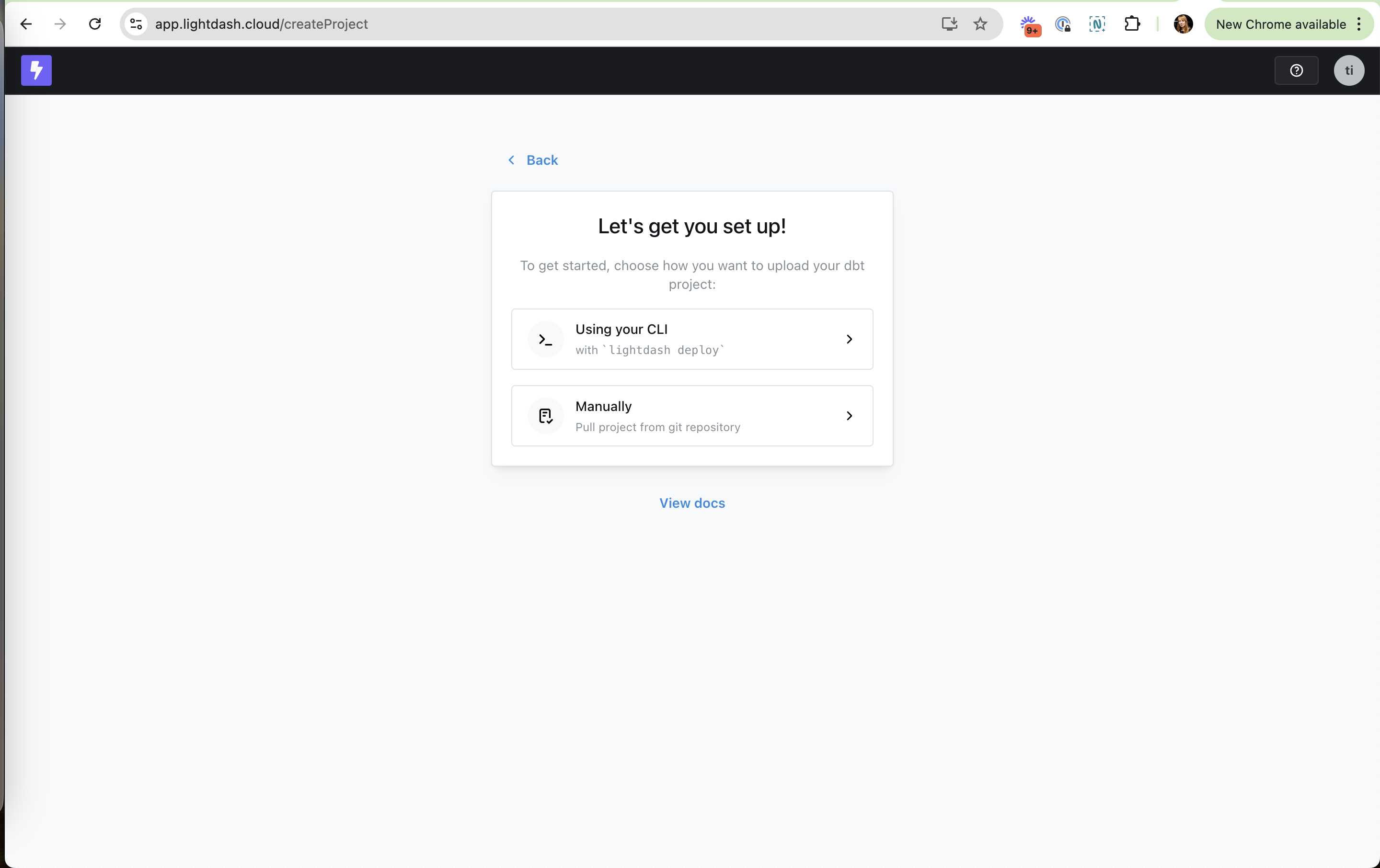
Two clear paths: the CLI or pulling from a git repository.
-
15
Assumes a dbt project (not working)
"Upload your dbt project" is a hard wall for anyone without one.
-
16
Two paths, one line each (working)
"Using your CLI" with the exact command, or "Manually" from git.
- 17
Define your columns
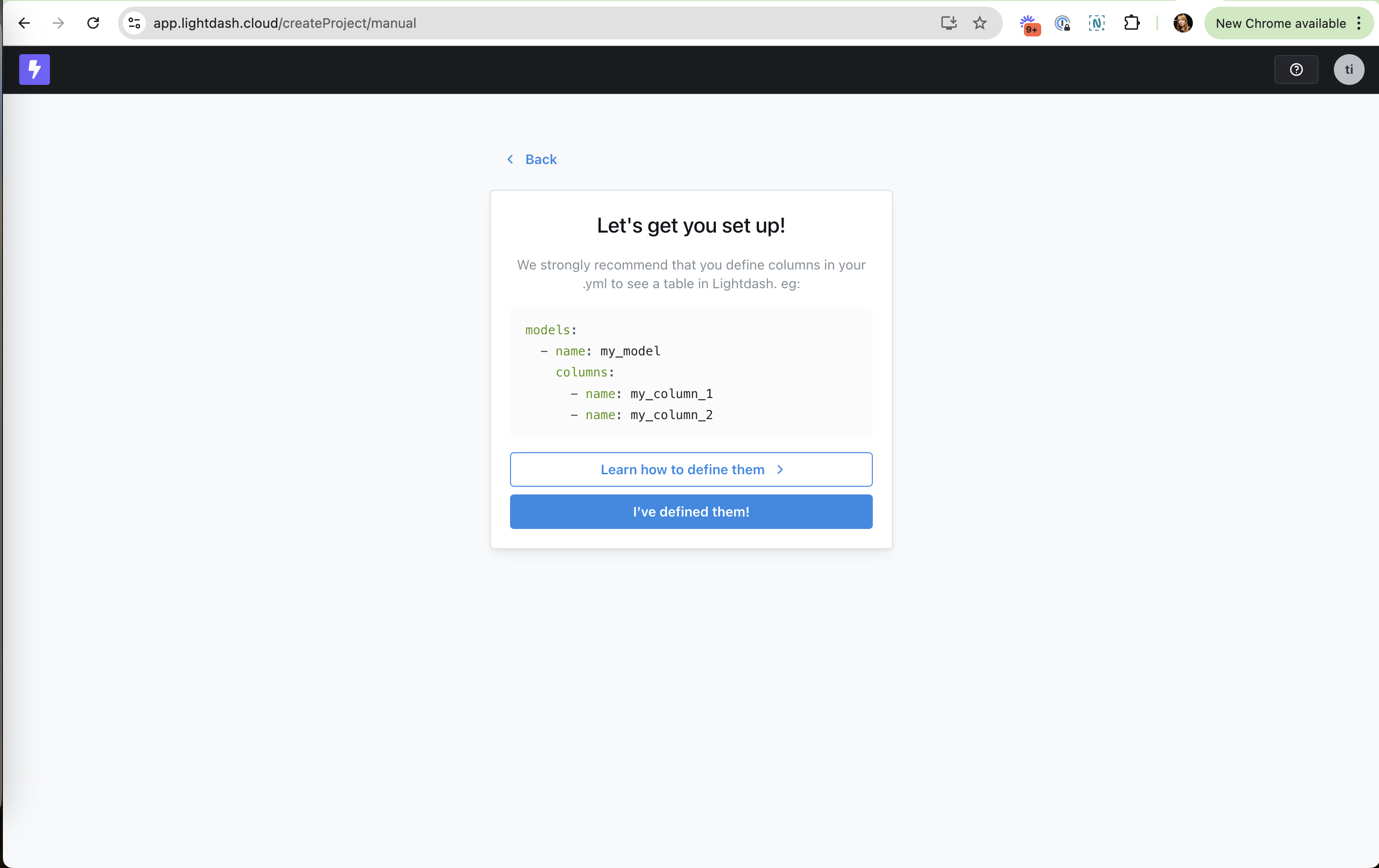
The manual path asks you to edit your dbt YAML before continuing.
-
18
Shows the exact YAML (working)
A copyable example of models and columns instead of a paragraph of docs.
-
19
Learn link as secondary (working)
"Learn how to define them" for those who need more.
-
20
Honor-system button (not working)
"I've defined them!" moves on without checking, so mistakes surface later.
Takeaways from Lightdash
- Branch setup on the one choice that decides the path (here, the warehouse) and ask it first.
- Give every dead end a next step: a demo project, a vote, or inviting the right colleague.
- Check the user's setup instead of asking them to confirm it.