A four-step wizard, then a checklist that splits setup from milestones
Orca asks how you work with agents, which agent, a theme and notifications, then hands over to a checklist for skills, integrations and repos. It also defaults to an agent you don't have, so the app opens on an error.
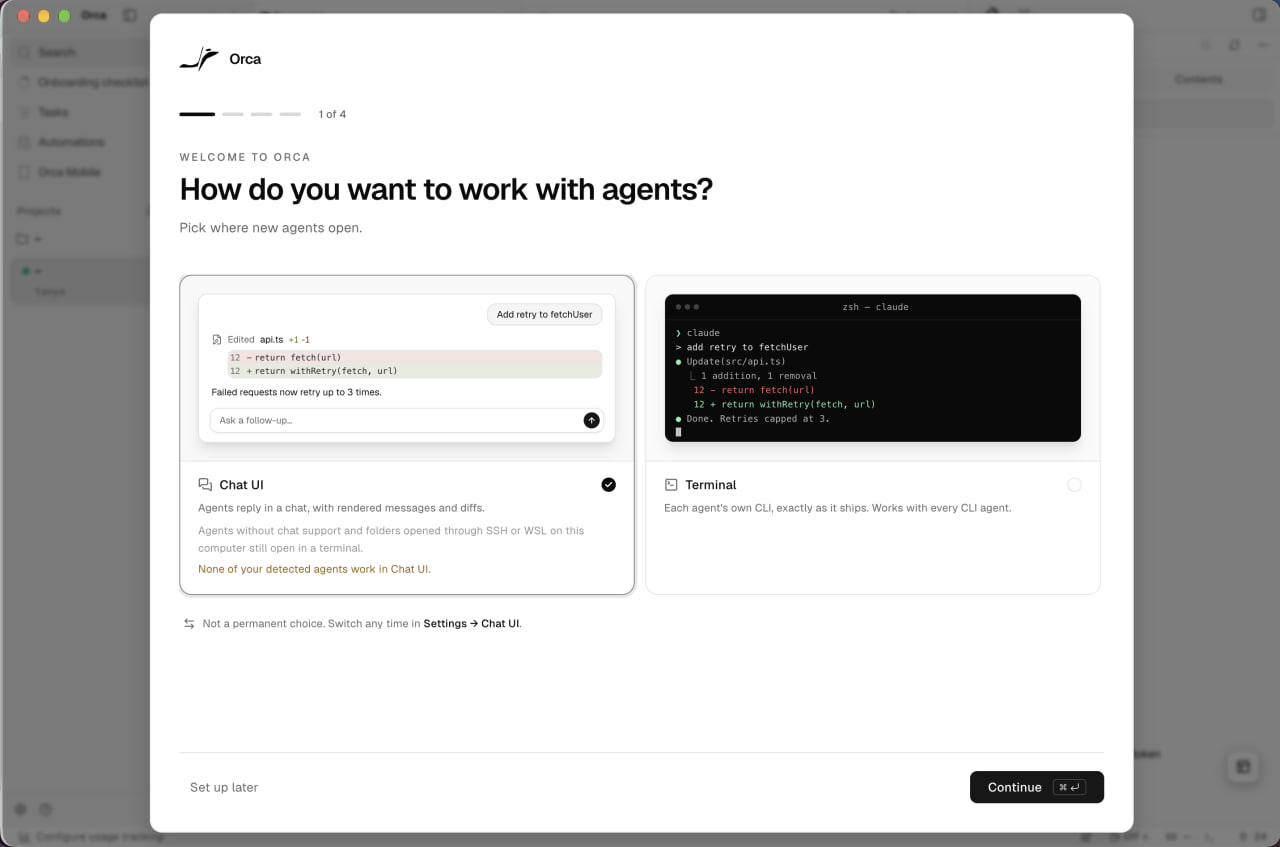
How do you want to work with agents?
Step 1 of 4 picks where new agents open: in a chat with rendered diffs, or in each agent's own terminal.
-
1
Progress and a way out (working)
Four dashes and "1 of 4" say how long setup takes, and "Set up later" is always there.
-
2
Two modes, shown not described (working)
Each card is a small preview of the same task in that mode, so you compare by looking.
-
3
Preselected, then disqualified (not working)
Chat UI comes ticked while its own card says none of your agents work in it.
-
4
Low stakes (working)
"Not a permanent choice" and where to change it make the pick easy.
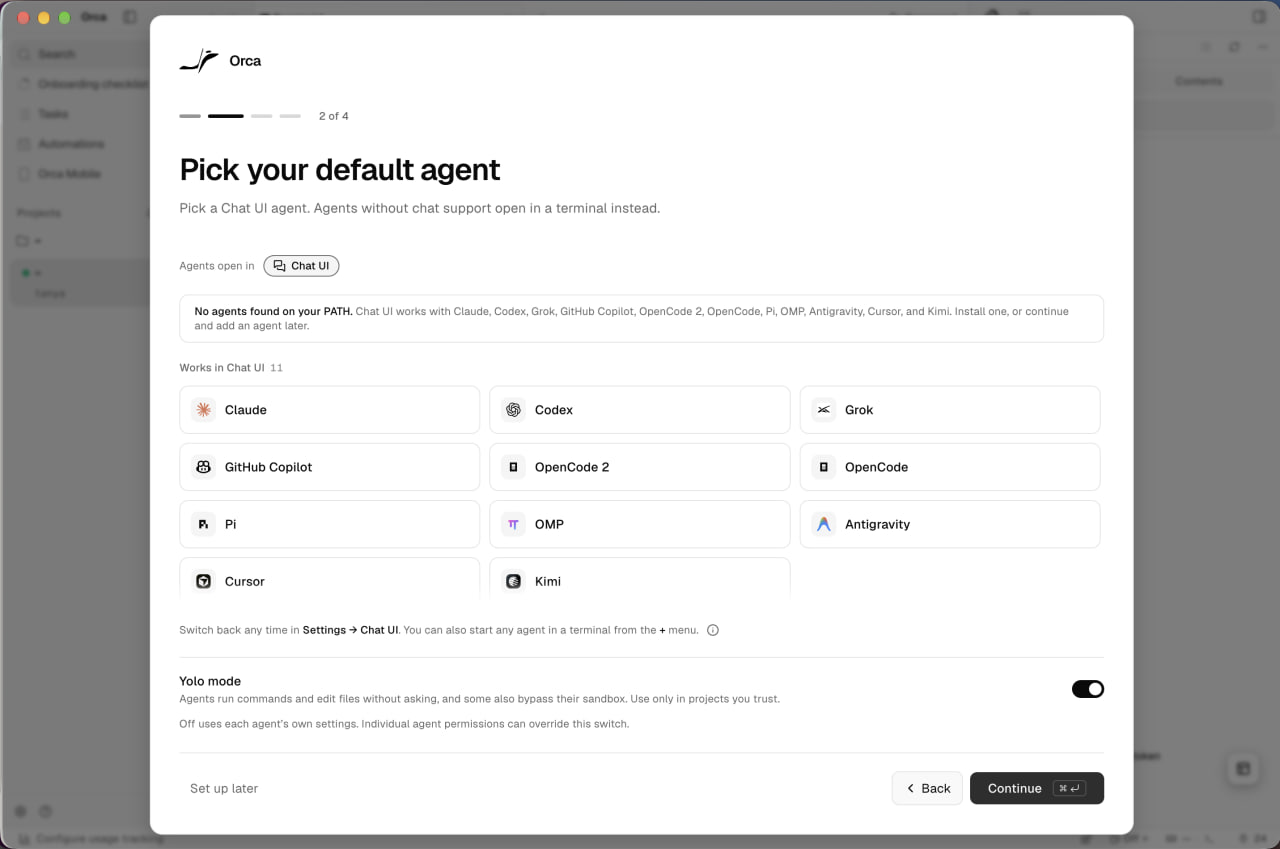
Pick your default agent
Step 2 of 4 lists the 11 agents that work in Chat UI, above a Yolo mode switch.
-
5
Carries the last answer (working)
"Agents open in Chat UI" keeps step 1 visible while you choose.
-
6
Says what it found (working)
"No agents found on your PATH" explains the empty state and both ways forward.
-
7
Eleven tiles, no install path (not working)
Nothing is installed, yet every tile looks the same, with no pick and no install link.
-
8
Yolo mode is on (not working)
Running commands and bypassing sandboxes is switched on before any agent or project exists.
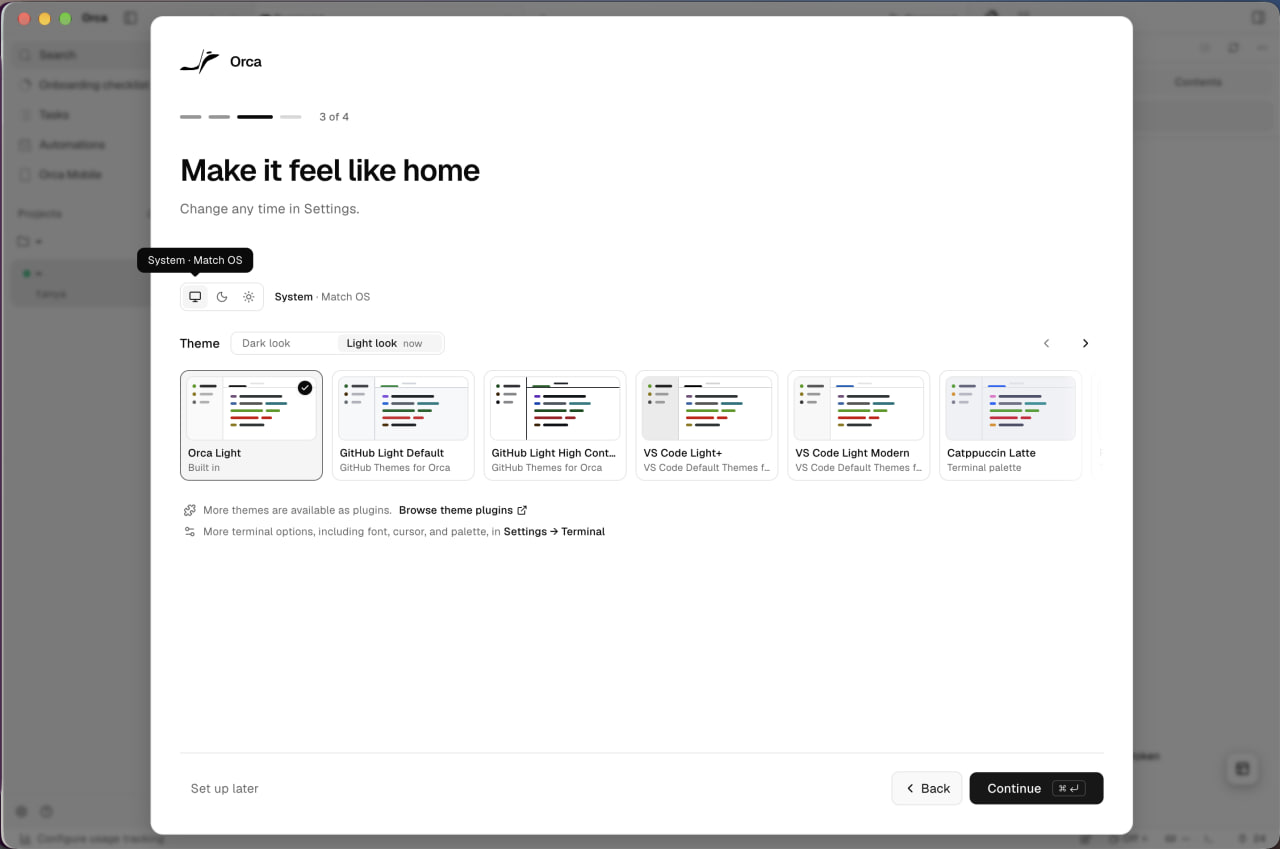
Make it feel like home
Step 3 of 4 is appearance: system, dark or light, and a theme.
-
9
Cosmetic step before any value (not working)
The page itself says it can change any time in Settings, so it delays the first agent.
- 10
-
11
Themes as previews (working)
Each card is a tiny editor in that palette, not a name in a list.
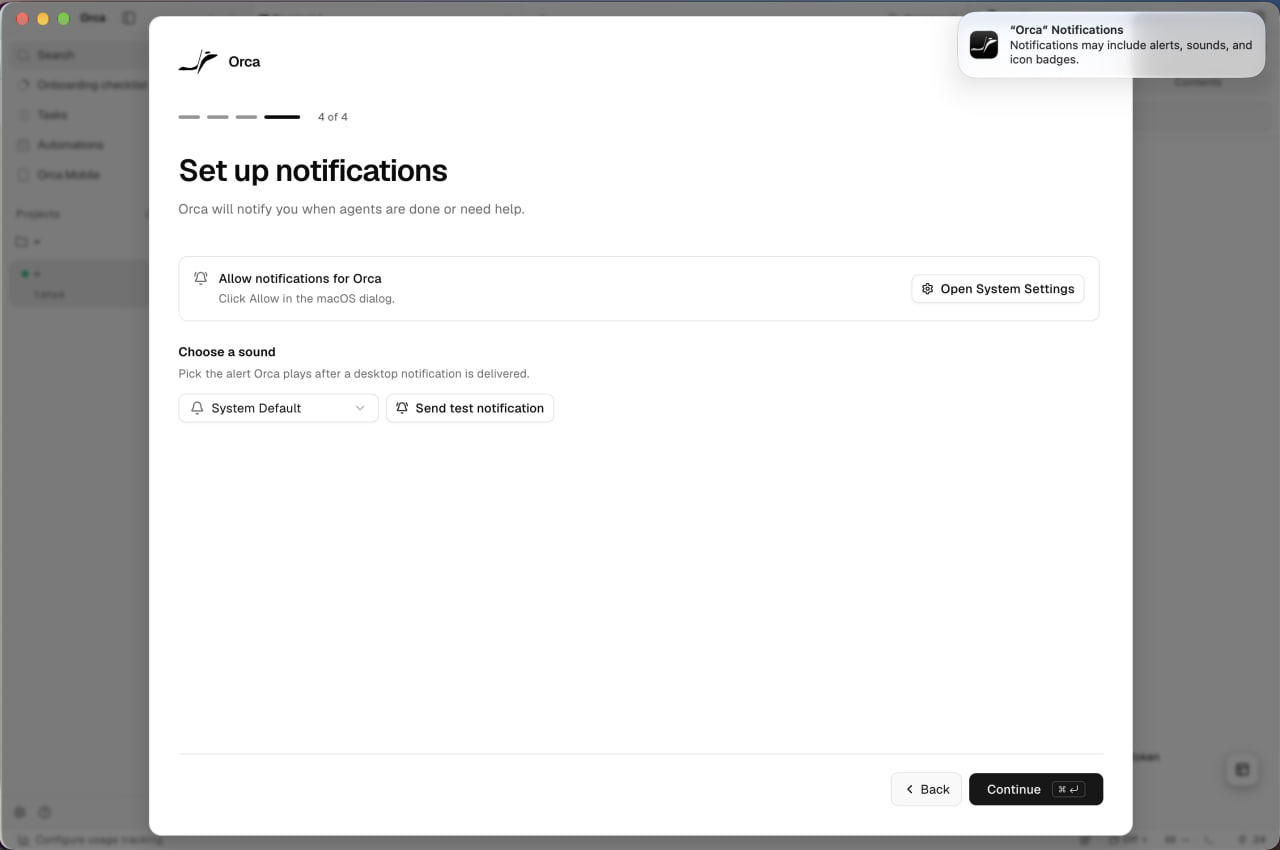
Set up notifications
Step 4 of 4 asks for macOS notifications and a sound, while the system prompt appears in the corner.
-
12
Why, before the ask (working)
"Orca will notify you when agents are done or need help" gives a reason to allow.
-
13
The prompt is elsewhere (not working)
"Click Allow in the macOS dialog" points to a banner in the screen's corner, away from the modal.
-
14
Test it now (working)
Send test notification proves the permission and the sound on the spot.
First screen after setup
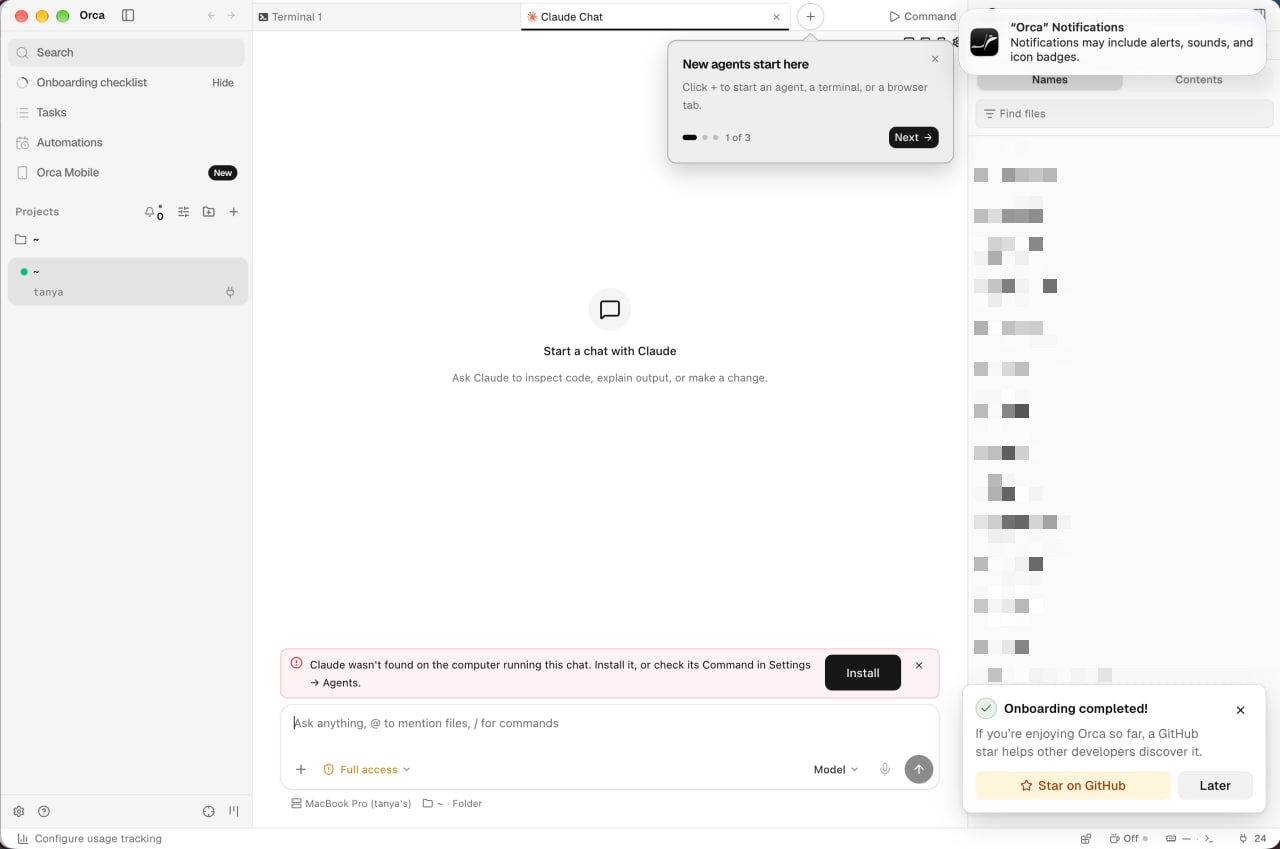
The wizard ends on an empty Claude chat, a product tour, an error and a request for a GitHub star.
-
15
Checklist stays in the sidebar (working)
"Onboarding checklist" with a progress ring keeps unfinished setup one click away.
-
16
Four things at once (not working)
Tour step 1 of 3, the macOS prompt, an error and a toast all land together.
-
17
First thing is an error (not working)
"Claude wasn't found": the default agent from step 2 was never installed.
- 18
-
19
Star before value (not working)
A GitHub star is requested before a single agent has run.
Getting started checklist
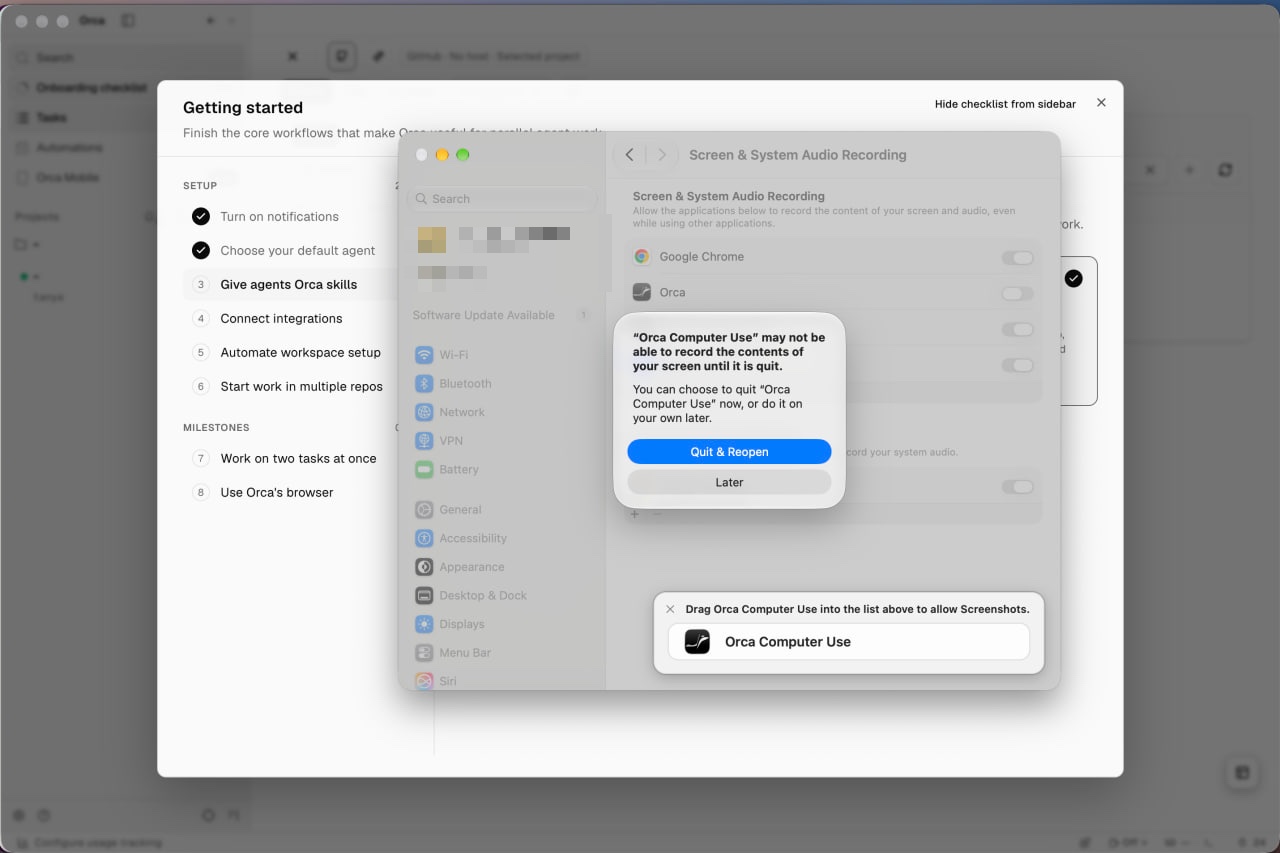
Six setup steps and two milestones; giving agents skills opens macOS Screen Recording settings.
-
20
Wizard answers already ticked (working)
Notifications and the default agent arrive checked, so the list starts part-done.
-
21
A restart nobody mentioned (not working)
macOS asks to quit and reopen Orca Computer Use, which the step never warned about.
-
22
Drag target, right there (working)
A floating card holds the app to drag into the macOS list, the hardest part of the step.
Give agents Orca skills
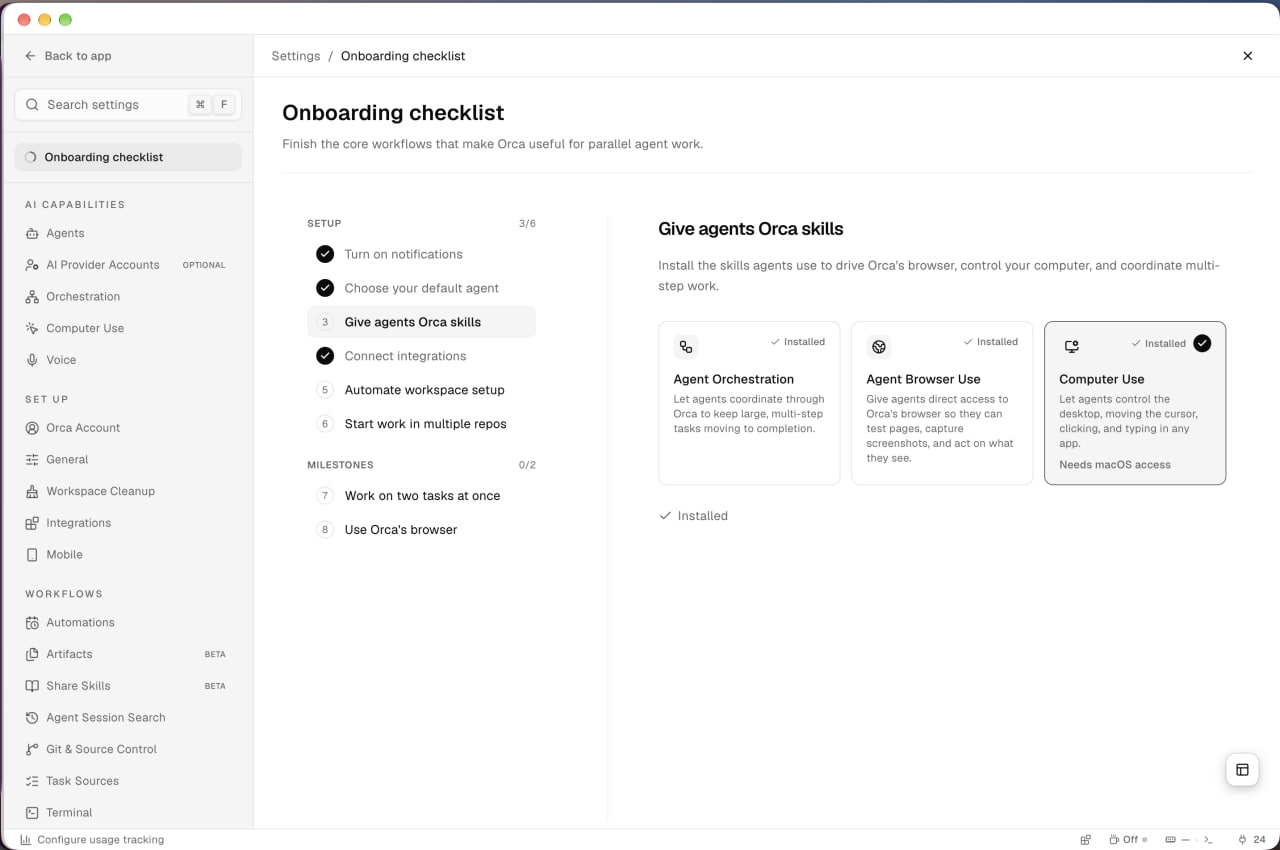
Three skills install in one step: orchestration, browser use and computer use.
-
23
Installed, not ticked (not working)
All three skills say Installed, yet step 3 stays open and setup reads 3/6.
-
24
One line per skill (working)
Each card says what agents will be able to do, not how it works.
-
25
Flags the permission (working)
"Needs macOS access" warns before you pick Computer Use.
Connect integrations
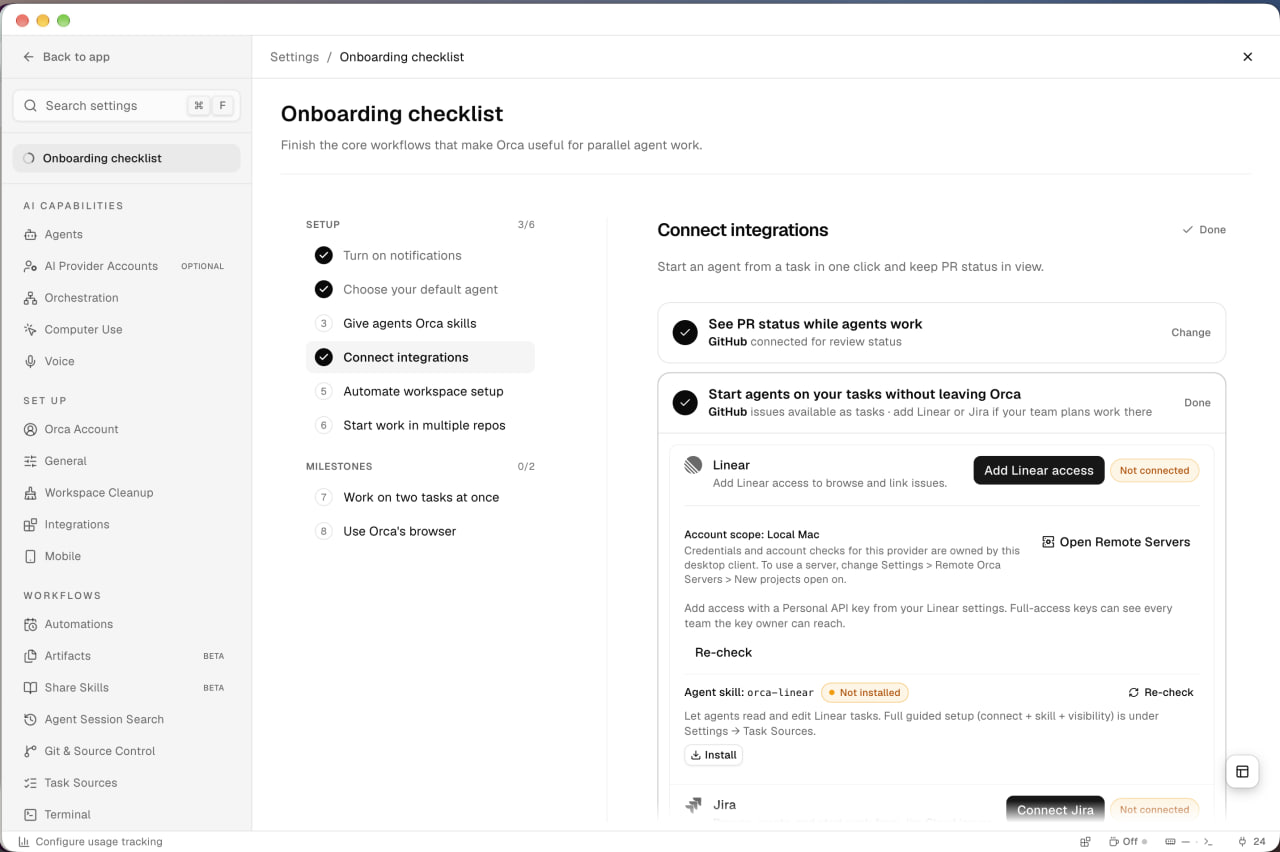
GitHub is detected and ticked; Linear and Jira are optional, with API keys and an agent skill each.
-
26
Why connect (working)
"Start an agent from a task in one click and keep PR status in view" sells the step.
-
27
Done from what's there (working)
GitHub was already connected, so both parts of the step are checked.
-
28
Optional step, heavy setup (not working)
Linear needs an API key, a note on account scope, Re-check and a separate skill install.
Automate workspace setup
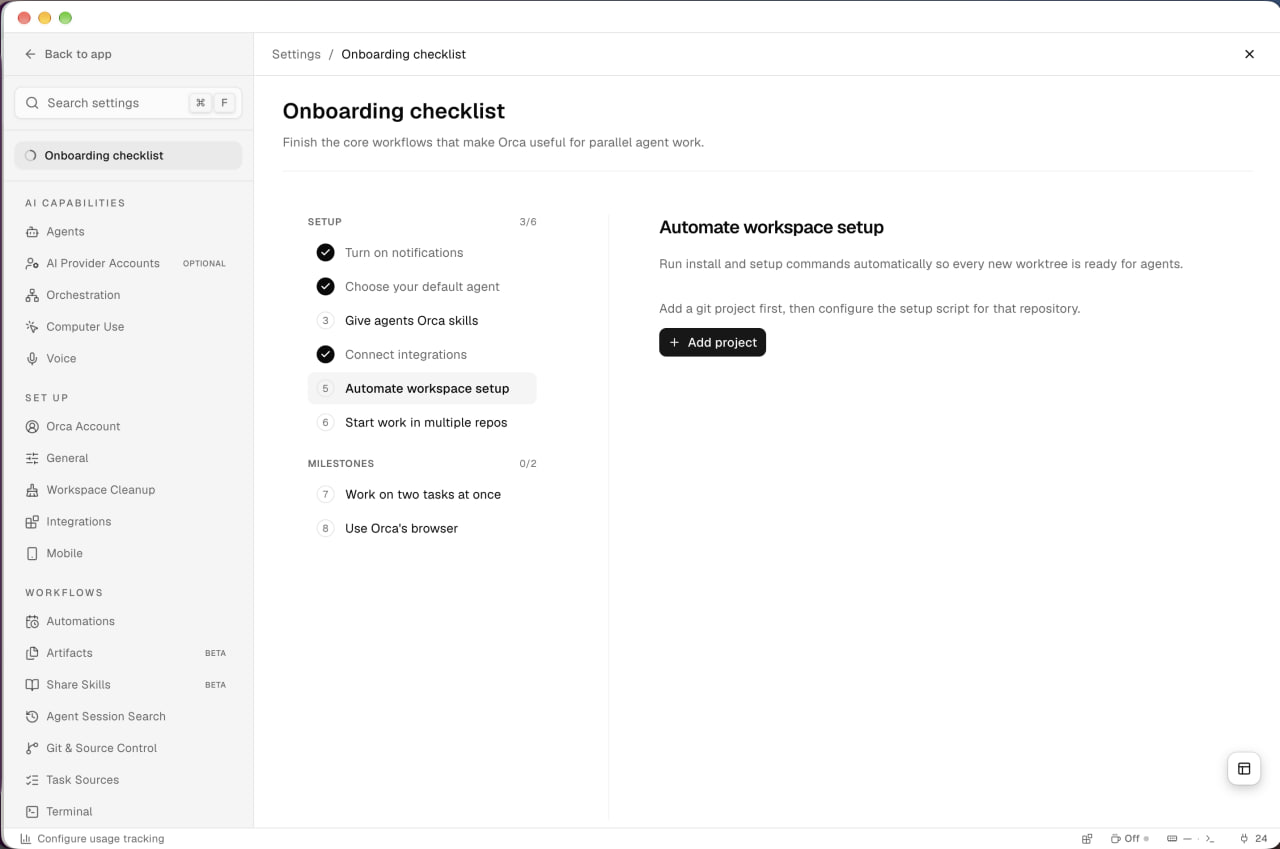
Run install commands for every new worktree, but only after a git project exists.
-
29
Says what it buys (working)
"So every new worktree is ready for agents" names the payoff.
-
30
Blocked by the next step (not working)
This step needs a project, which step 6 adds, so the order works against you.
- 31
Start work in multiple repos
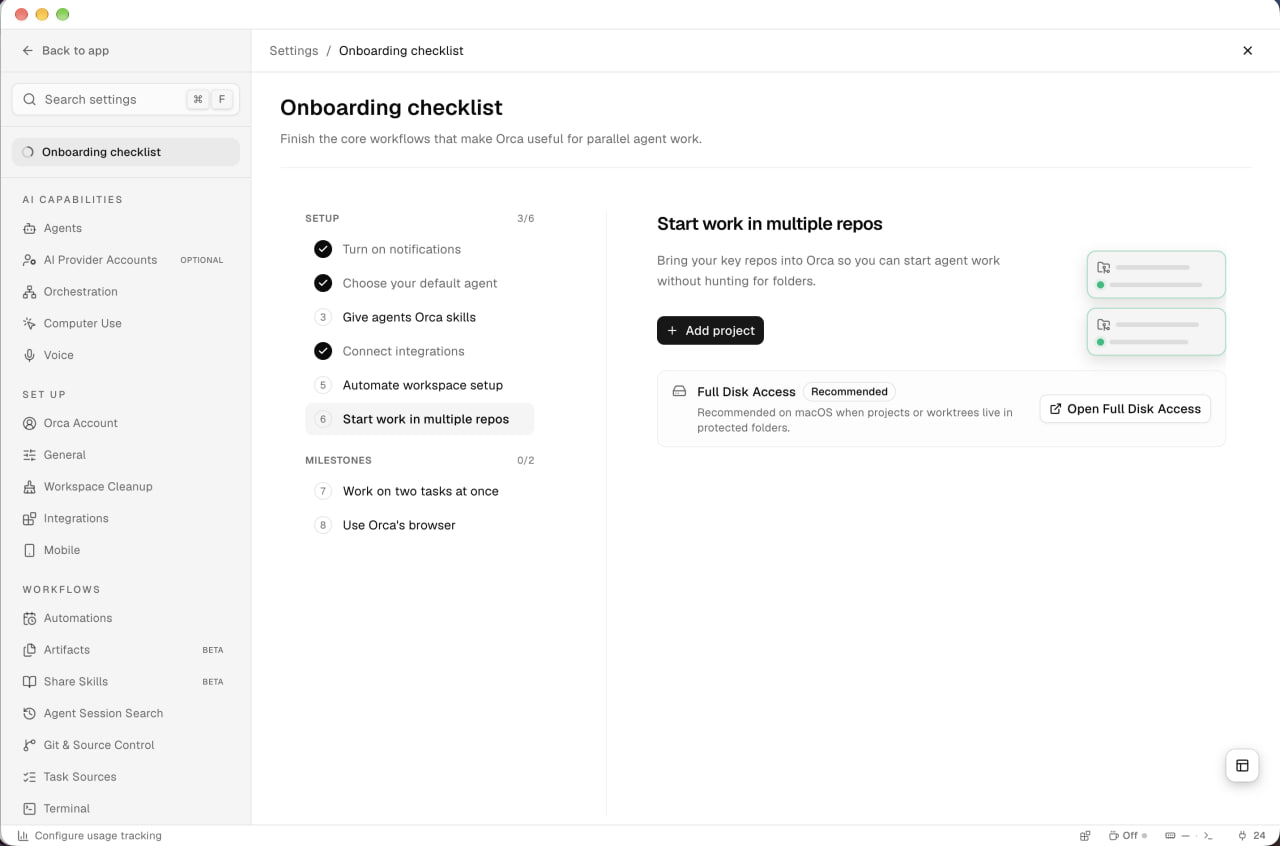
Add your repos, with Full Disk Access offered as a recommendation.
-
32
Same button as step 5 (not working)
Steps 5 and 6 both start with Add project and could be one step.
-
33
Picture of the outcome (working)
Two project cards with green dots show what you'll have.
-
34
Big permission, explained (working)
Full Disk Access is marked Recommended, with the one case where it matters.
Work on two tasks at once
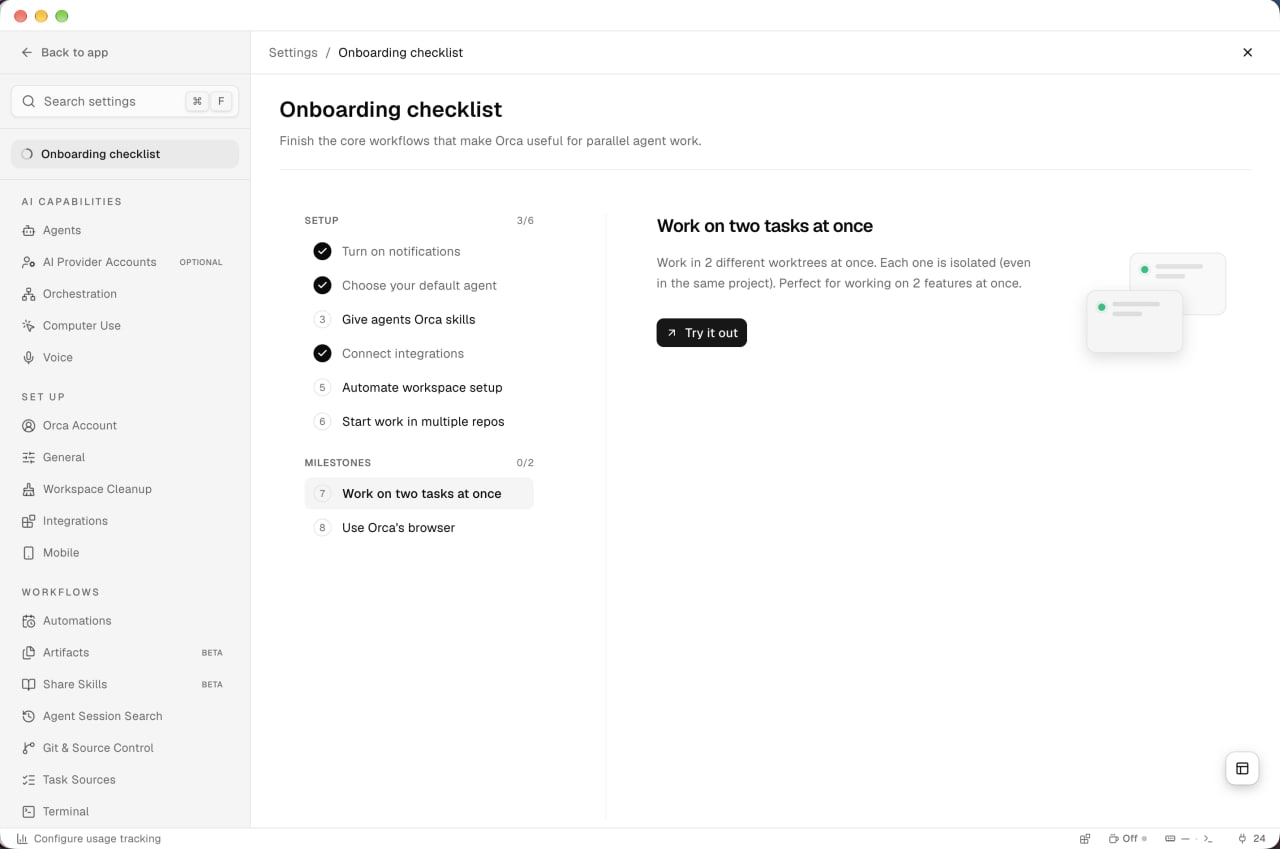
The first milestone: two isolated worktrees running side by side.
-
35
Milestones are usage, not settings (working)
"0/2 milestones" counts real use of the product, separate from setup.
-
36
Worktrees without the jargon (working)
"Each one is isolated (even in the same project)" explains the idea plainly.
- 37
Use Orca's browser
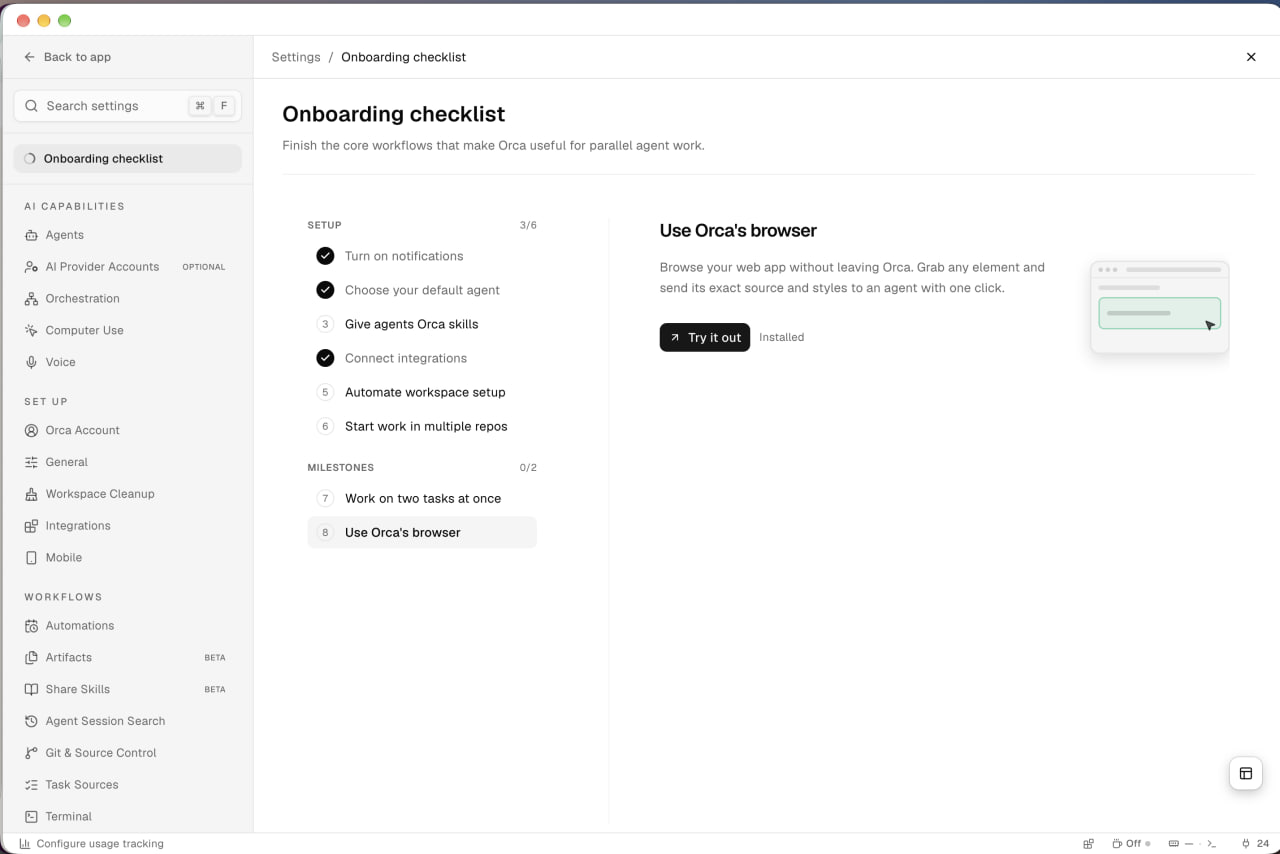
The second milestone: pick an element in the built-in browser and send it to an agent.
-
38
Concrete payoff (working)
"Send its exact source and styles to an agent with one click" says what you get.
-
39
"Installed" next to an open step (not working)
The label reads like done, while the milestone stays unchecked until you use it.
-
40
Shows the gesture (working)
A cursor grabbing a highlighted element shows the feature at a glance.
Takeaways from Orca
- Don't preselect what can't work yet: Orca defaulted to Chat UI and Claude with no agent installed, so the first screen after setup was an error.
- Hand the wizard's answers to the checklist and split setup from milestones, so the list starts part-done and points at real use.
- Space out the asks: a tour, a system prompt, an error and a GitHub star on one screen compete for the same moment.