Finch screenshots

A self-care app where you look after a pet bird by setting and ticking off your own daily goals.

Finch

A big scene and a goals sheet that pins the energy bar

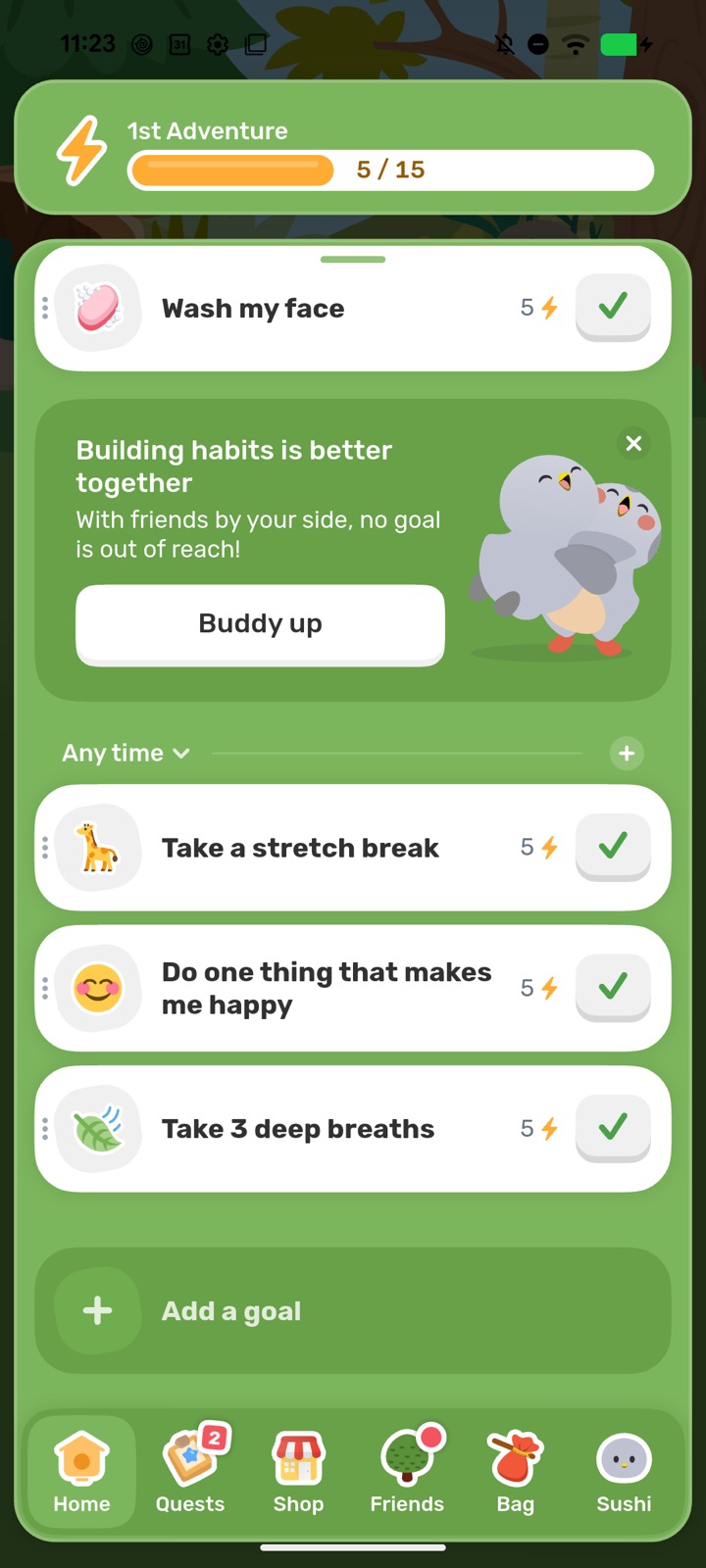
Finch's Home gives the bird's scene the top third and puts the goals in a draggable sheet. Pull it up and the scene goes, but the energy bar stays pinned at the top.

MobileB2CactivationretentionNov 2026

01

7 goals left for today!

Home at rest: the forest scene on top, the energy bar, then the goals sheet with three goals in view.
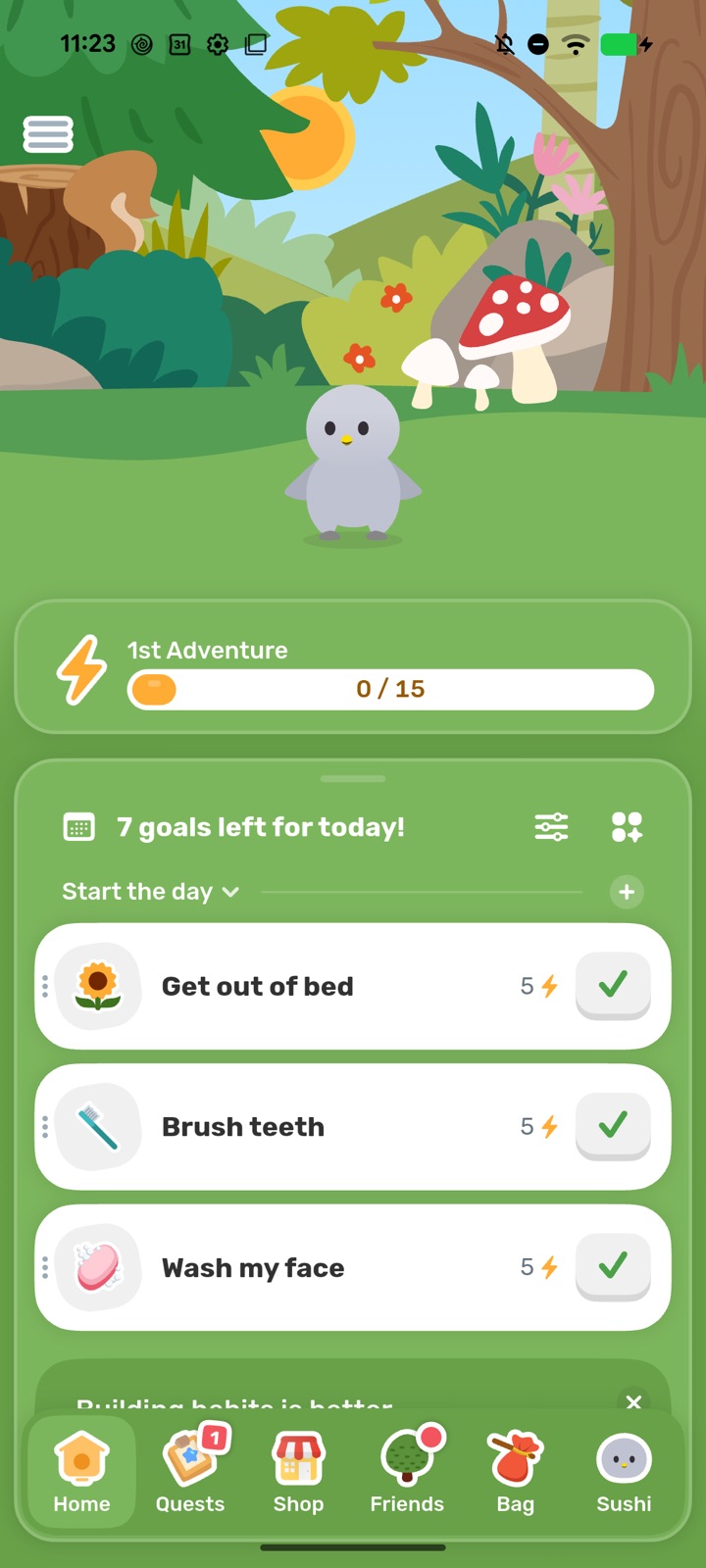
Finch: 7 goals left for today!
  1. 1

    The pet gets the stage (working)

    The scene with Sushi takes the top third, so opening the app means seeing the bird first.

    Aesthetic-usability effect

  2. 2

    A reachable target (working)

    1st Adventure needs 15 energy and each goal gives 5, so three of the seven goals fill it.

    Goal-gradient effect

  3. 3

    Reward on every row (working)

    Each goal shows 5 and a bolt, so you know what a tick is worth before tapping.

    Visibility of system status

  4. 4

    Grabber says drag (working)

    The handle on top of the sheet hints that it pulls up.

    Affordance

  5. 5

    Promo peeks under the list (not working)

    Only three goals fit; the next row is a Buddy up card, cut off above the tab bar.

    Discoverability

  6. 6

    Badges on day one (not working)

    Quests and Friends both carry red badges on the first visit, pulling attention from the goals.

    Signal vs noise

02

Goals sheet pulled up

Dragged up, the sheet covers the scene and the energy bar pins to the top.
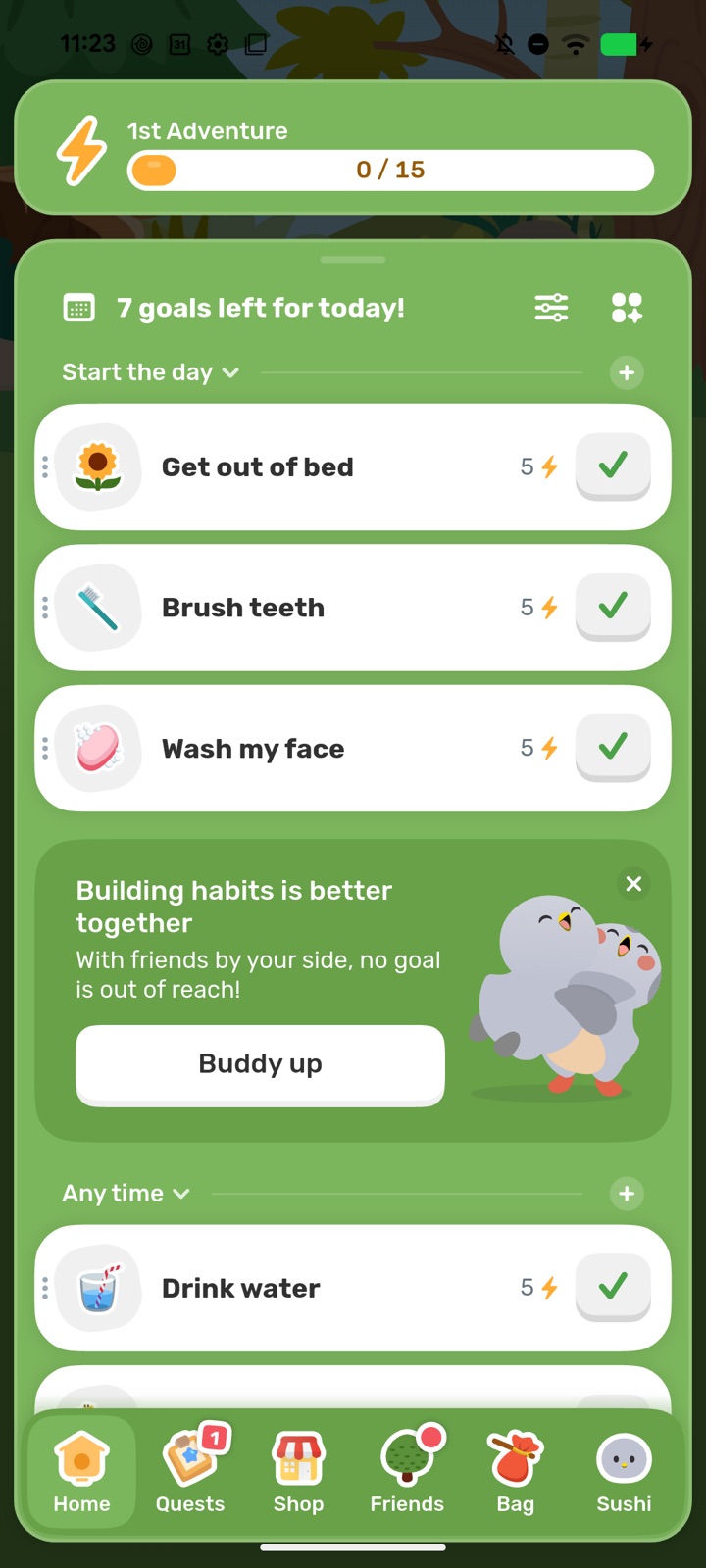
Finch: Goals sheet pulled up
  1. 7

    Progress stays in view (working)

    The energy bar moves to the top instead of scrolling away, so every tick still moves something you can see.

    Visibility of system status

  2. 8

    Grouped by time of day (working)

    Start the day and Any time split the list the way people plan a day.

    Mental models

  3. 9

    Drag to reorder (working)

    The dots on the left of each goal let people change the order.

    Flexibility and efficiency of use

  4. 10

    Promo between goals (not working)

    The Buddy up card sits between the morning goals and the rest, pushing Any time down the screen.

    Signal vs noise

  5. 11

    Closable (working)

    The card has an X, so it can be dismissed for good.

    User control and freedom

03

Any time goals

Scrolled down: the rest of the goals, and Add a goal at the end.
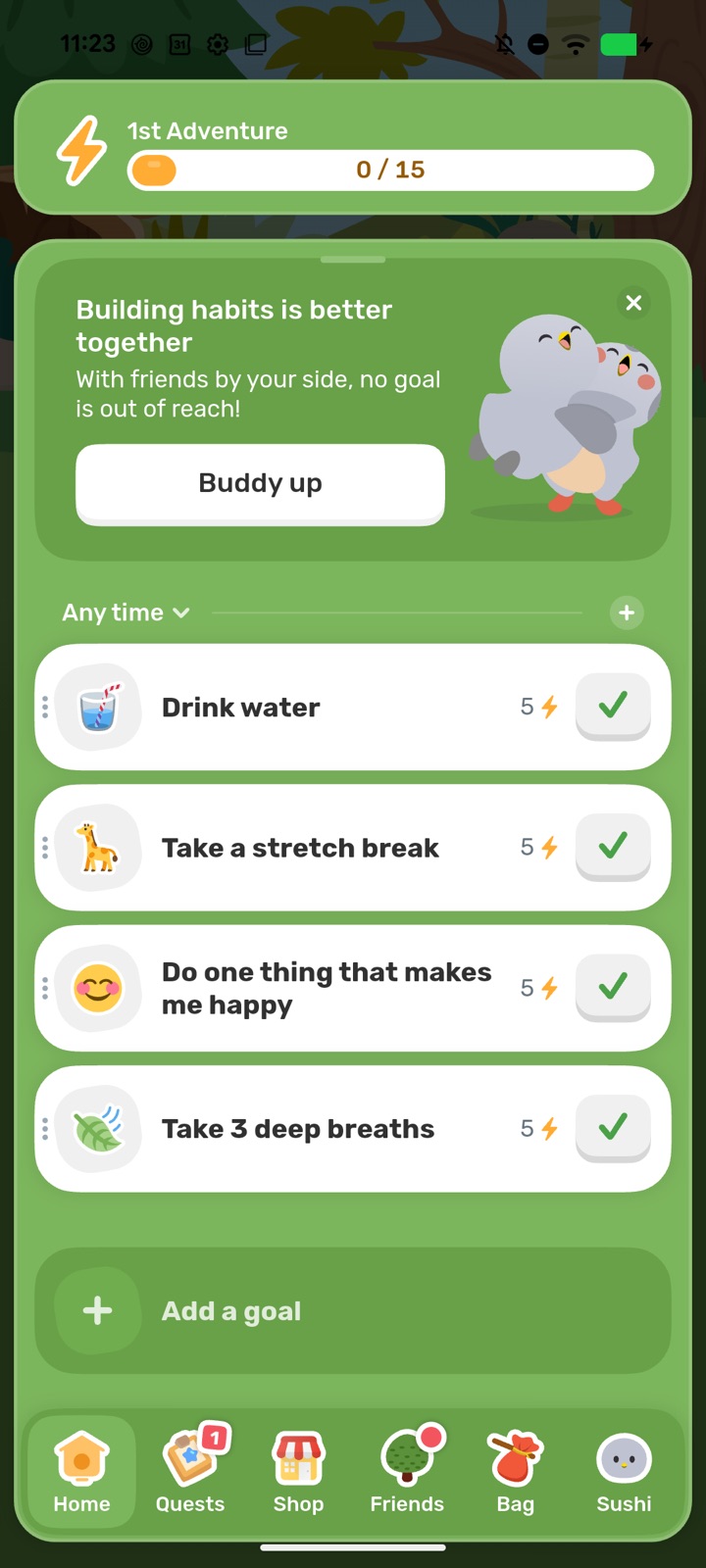
Finch: Any time goals
  1. 12

    Add a goal where the list ends (working)

    Add a goal comes after the last goal, right where you'd look for it.

    Discoverability

  2. 13

    A + per section (working)

    Each section has its own +, so a new goal lands in the right part of the day.

    Preserve context

  3. 14

    No clear done state (not working)

    "Do one thing that makes me happy" is hard to tick honestly, unlike drink water or stretch.

    Specificity

Takeaways from Finch

  1. Give the emotional part of the app the top of Home and put the work in a sheet: people see the pet first and can still reach every goal.
  2. When the sheet covers the scene, pin what connects the two. Finch keeps the energy bar on top, so ticks still move something.
  3. Keep promos out of the list: a Buddy up card between goal sections cuts the day in half.
Finch

Ticking a goal: confetti, bolts and a fuller bar

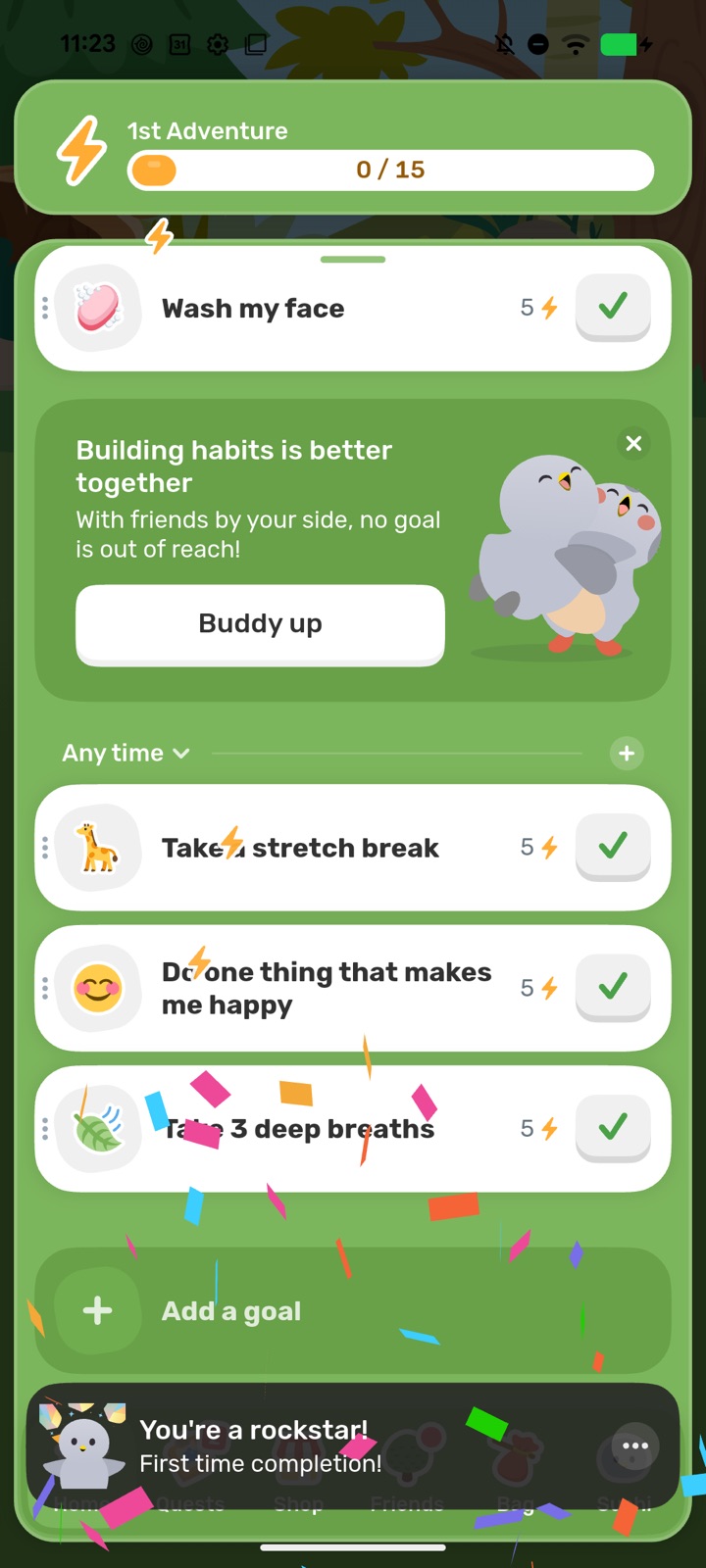
Ticking Drink water throws confetti, sends bolts flying up to the pinned energy bar and shows a first-time toast. The goal leaves the list and the bar reads 5/15.

MobileB2CactivationretentionNov 2026

01

You're a rockstar!

The moment of the tick: confetti, bolts flying up to the bar and a toast at the bottom.

Finch: You're a rockstar!
  1. 1

    The reward flies to the bar (working)

    Bolts travel from the goal up to the energy bar, so you see where the 5 energy goes.

    Visibility of system status

  2. 2

    A tick that feels big (working)

    Confetti over the list makes a small task feel like an event.

    Aesthetic-usability effect

  3. 3

    First tick celebrated (working)

    "You're a rockstar! First time completion!" marks the first goal ever, the moment the loop is learned.

    Habit formation

02

5 / 15

After the tick the bar reads 5/15 and Drink water is gone from the list.

Finch: 5 / 15
  1. 4

    A third of the way (working)

    5/15 after one goal: two more and Sushi's adventure starts.

    Goal-gradient effect

  2. 5

    Done goals vanish (not working)

    Drink water leaves Any time with no done section in view, so there's no record of the tick and no obvious undo.

    User control and freedom

  3. 6

    Another loop opens (working)

    The Quests badge goes from 1 to 2 right after the tick, giving the next thing to check.

    Zeigarnik effect

Takeaways from Finch

  1. Make the reward travel: bolts flying from the goal to the bar connect the tap to the progress without a word.
  2. Celebrate the first completion loudly and later ones lightly; the first tick is when the habit loop is learned.
  3. Keep finished goals visible, struck through or in a Done section, so the day shows what you did and a mis-tap is easy to undo.

Finch

App Store screenshots that sell friends first

Most of Finch's eight App Store screenshots are about friends: buddies, gifts and cheering each other on. Onboarding never mentions them; friends first appear as a Buddy up card on Home.

MobileB2ConboardingreferralNov 2026

01

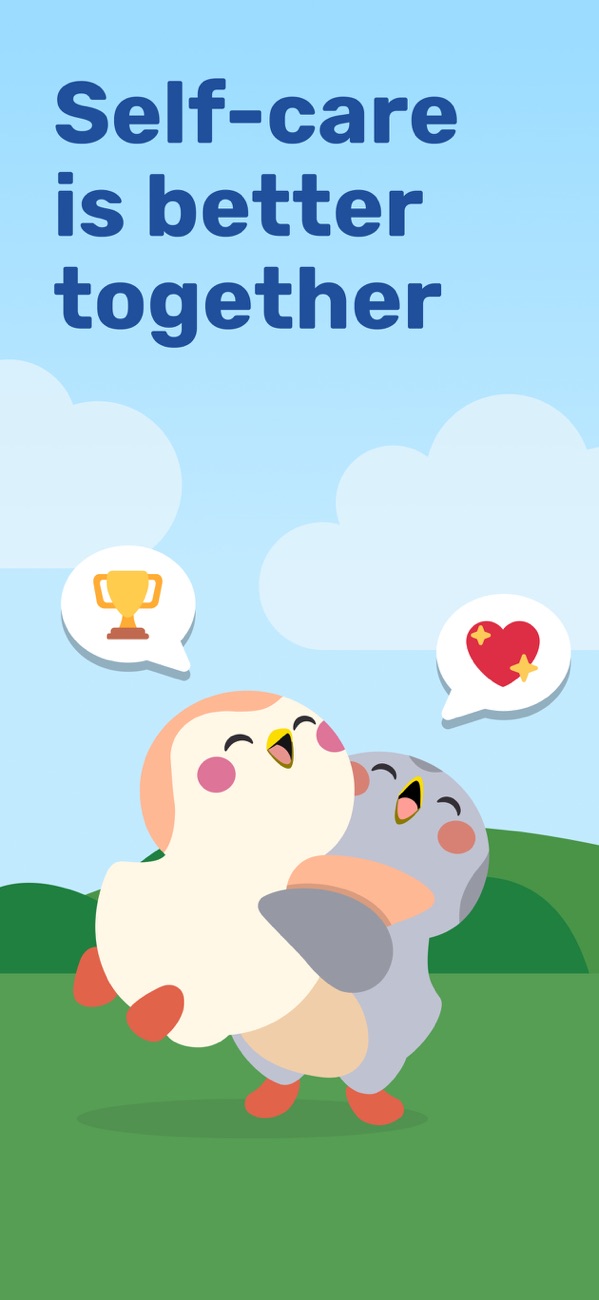
Self-care is better together

The first screenshot leads with friends, not the pet or the goals.

Finch: Self-care is better together
  1. 1

    Leads with what onboarding skips (not working)

    "Better together" is the first promise, but onboarding never brings up friends; they first appear as the Buddy up card on Home.

    Message match

  2. 2

    A feeling, no UI (working)

    Two birds hugging carry the mood without a single screen of the app.

    Show, don't tell

02

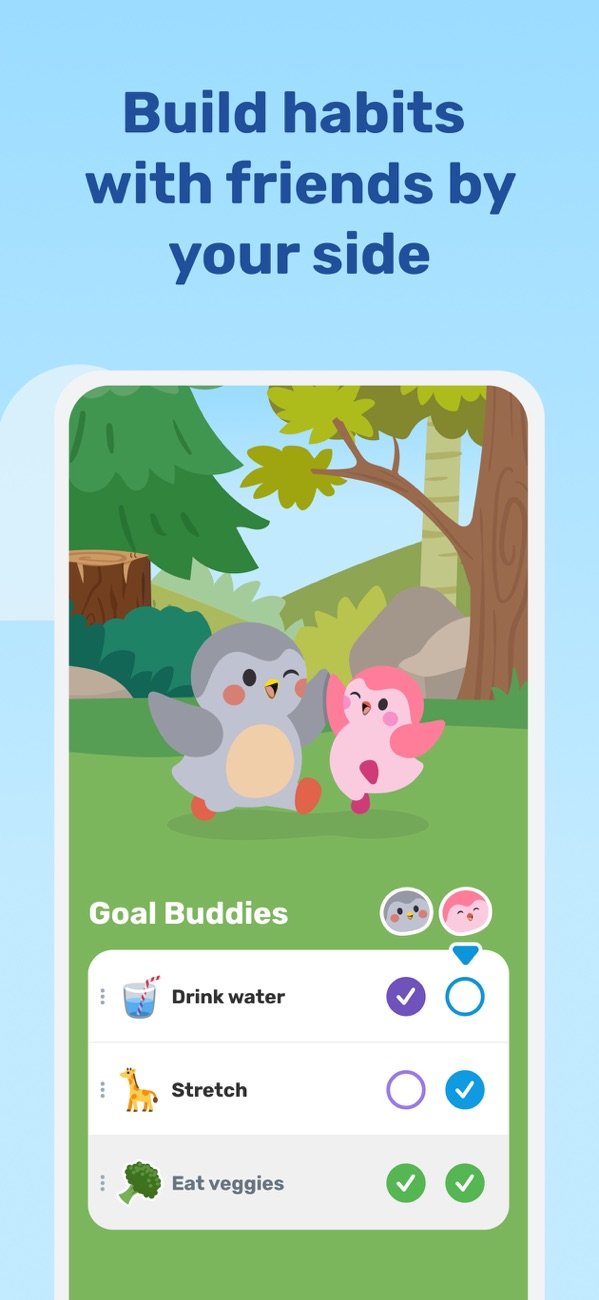
Build habits with friends by your side

Goal Buddies: two pets and a shared goal list with a check for each friend.

Finch: Build habits with friends by your side
  1. 3

    Real UI (working)

    The phone shows the actual Goal Buddies list, so the feature is clear at a glance.

    Show, don't tell

  2. 4

    Better with a friend (working)

    Two check columns, one per bird, show why the app is more useful with someone else in it.

    Network effects

03

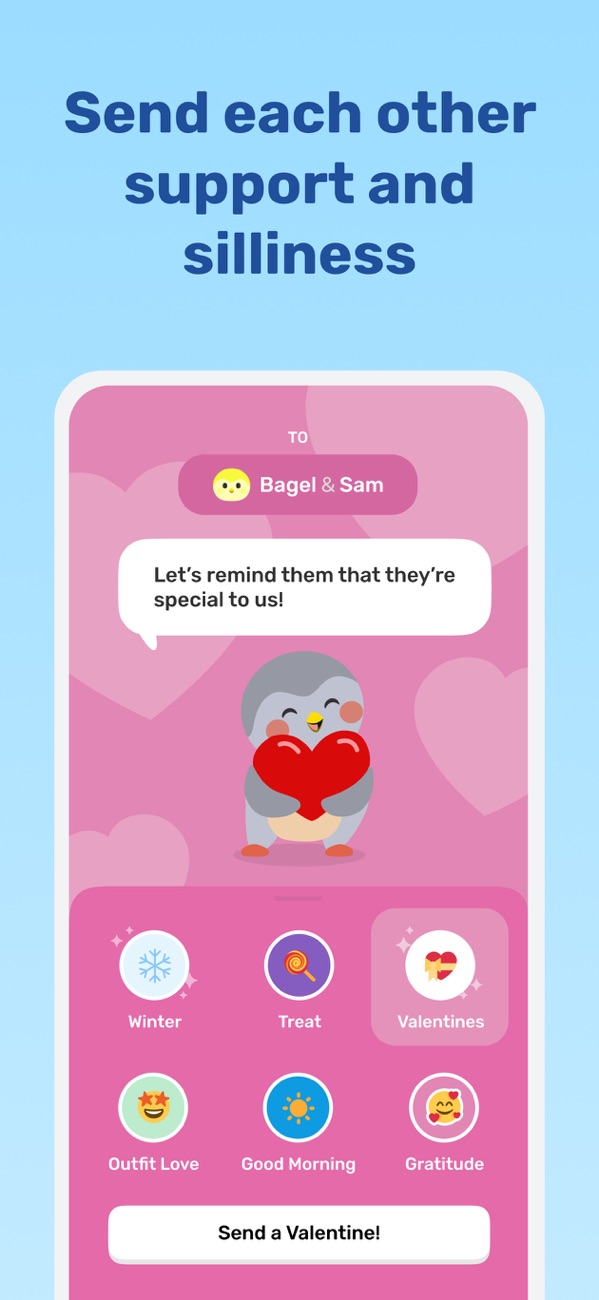
Send each other support and silliness

Gifts between friends: Winter, Treat, Valentines and more.

Finch: Send each other support and silliness
  1. 5

    Small social gestures (working)

    Sending a Valentine or a Good Morning is a low-effort way to stay in touch, the kind of thing that brings friends back.

    Network effects

  2. 6

    Seasonal screenshot (not working)

    A Valentine in a store listing reads oddly in any other month.

    Contextual timing

04

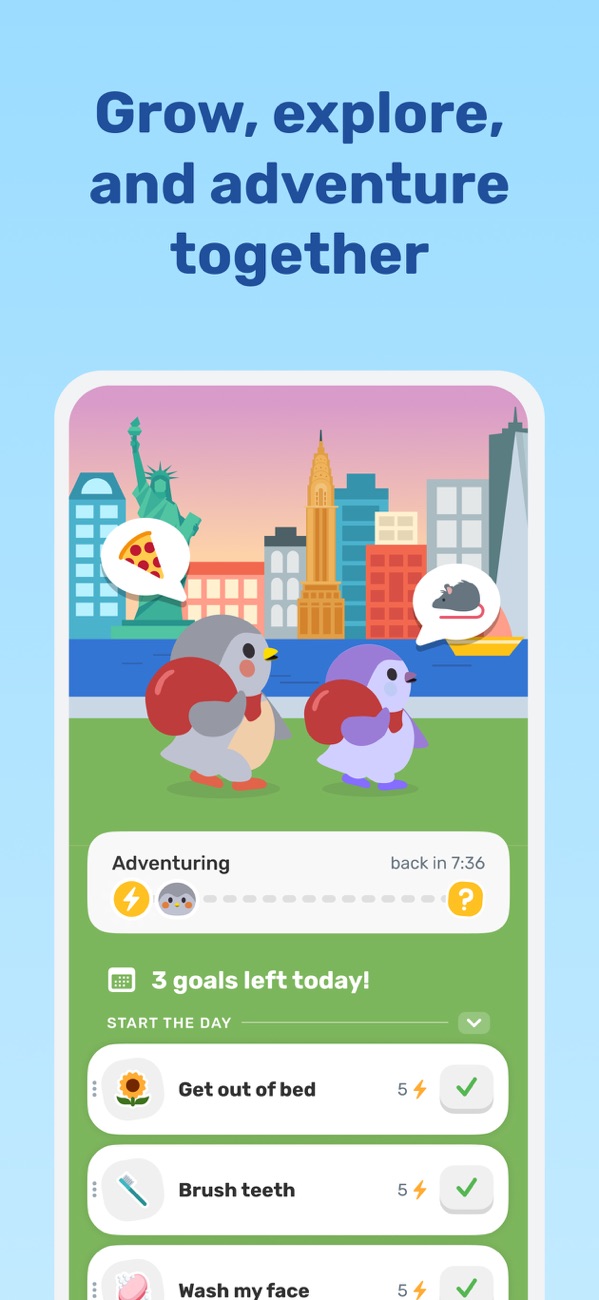
Grow, explore, and adventure together

The adventure the energy bar unlocks: two birds off to a city.

Finch: Grow, explore, and adventure together
  1. 7

    Shows the reward (working)

    Birds with backpacks in New York and "back in 7:36" show what full energy buys, which Home only hints at with 1st Adventure.

    Show, don't tell

  2. 8

    Same Home as the app (working)

    The goals list below matches the real Home, so the store sets accurate expectations.

    Message match

05

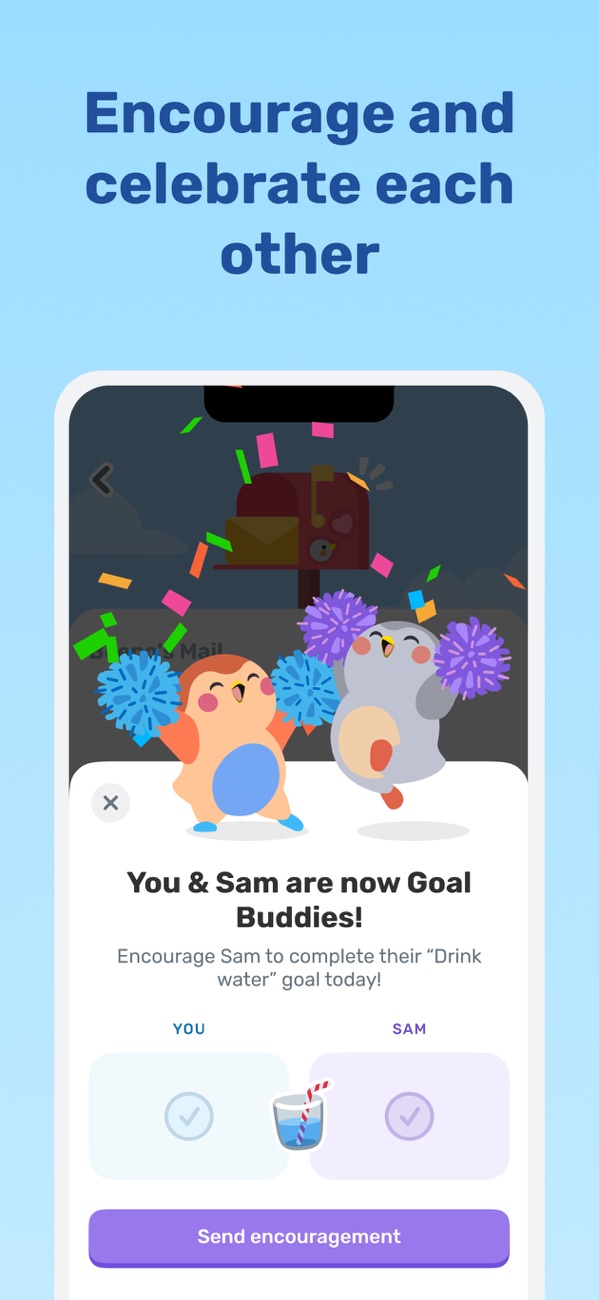
Encourage and celebrate each other

Becoming Goal Buddies, with a nudge to cheer the friend on.

Finch: Encourage and celebrate each other
  1. 9

    Next step built in (working)

    "Encourage Sam to complete their Drink water goal today!" turns a new connection into an action right away.

    Clear call to action

06

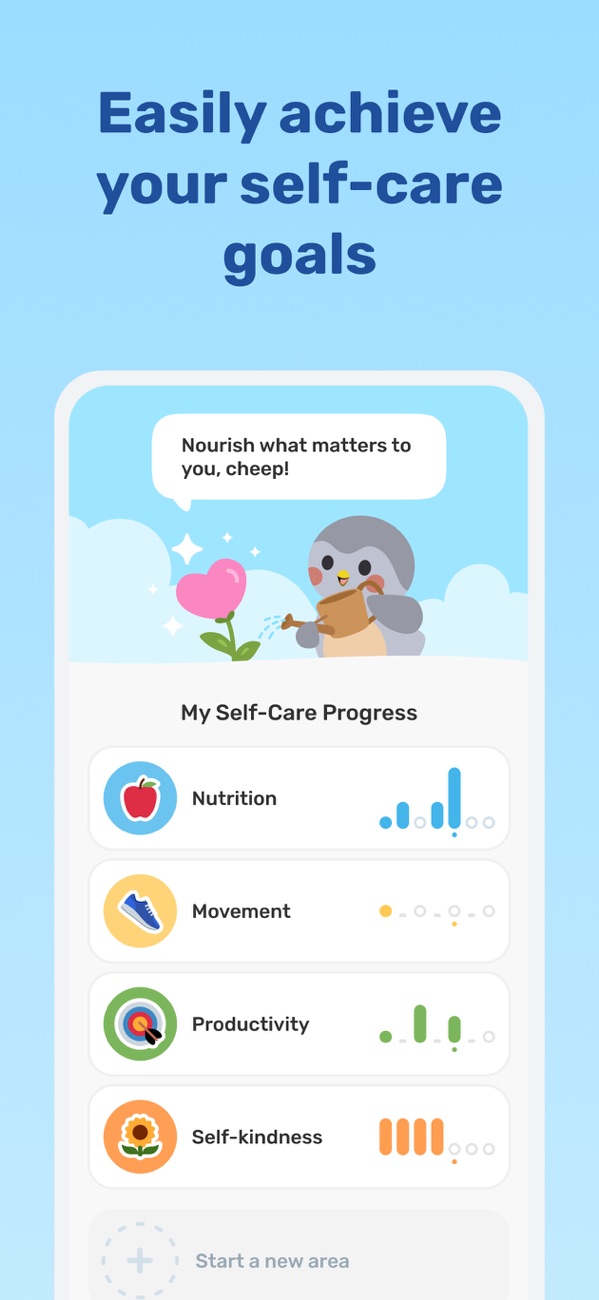
Easily achieve your self-care goals

Progress by area: nutrition, movement, productivity, self-kindness.

Finch: Easily achieve your self-care goals
  1. 10

    Progress by area (working)

    Bars per area show balance over time, a view the first day can't show yet.

    Visibility of system status

  2. 11

    Areas under other names (not working)

    Movement, Nutrition and Self-kindness map to onboarding's Be more active, healthy eating and self-acceptance, but under different names.

    Consistency and standards

07

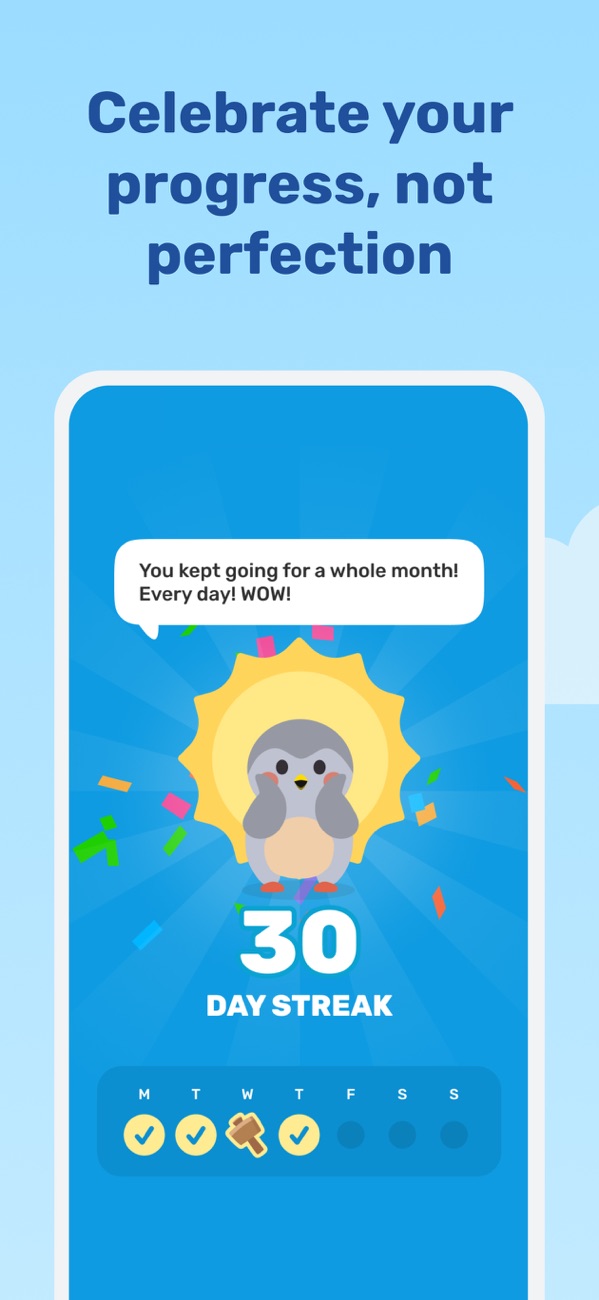
Celebrate your progress, not perfection

A 30-day streak, with an item instead of a check on one day.

Finch: Celebrate your progress, not perfection
  1. 12

    Progress, not perfection (working)

    The headline fits people who struggle with routines, and so does the item on Wednesday, which suggests a missed day can be saved.

    Framing

  2. 13

    Streak worth keeping (working)

    30 DAY STREAK with "You kept going for a whole month!" shows the long-term payoff of the 1-day streak from onboarding.

    Habit formation

08

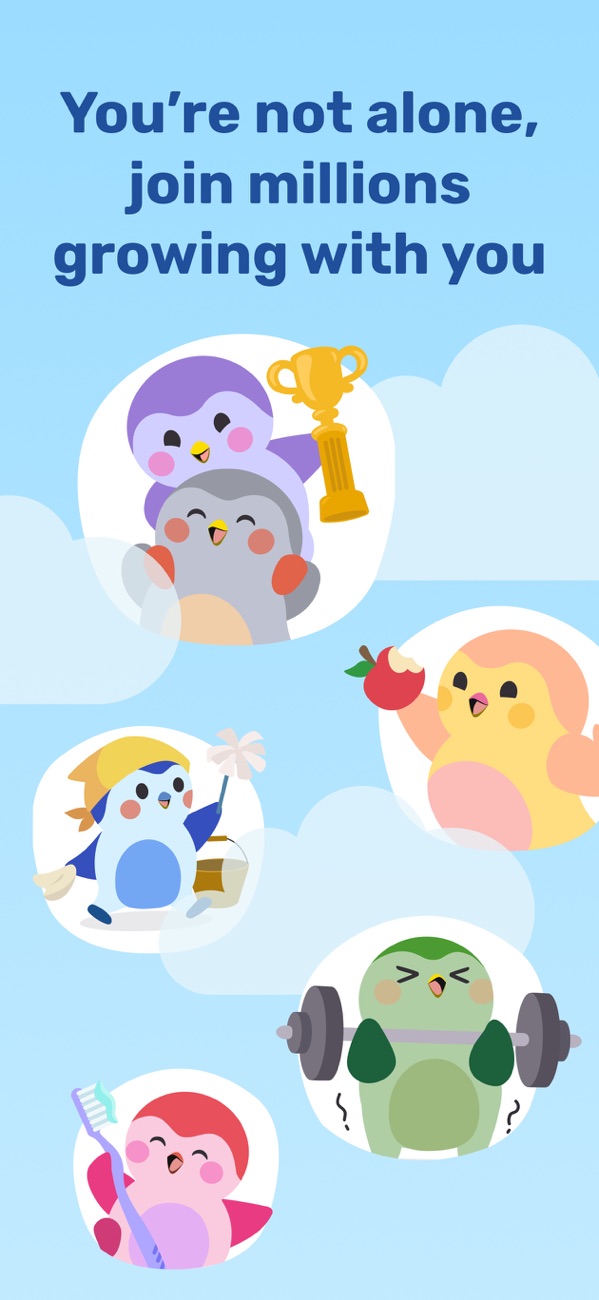
You're not alone, join millions growing with you

The last screenshot is social proof without a number.

Finch: You're not alone, join millions growing with you
  1. 14

    Belonging over numbers (working)

    "You're not alone" speaks to loneliness, which onboarding's support question also touches.

    Social proof

  2. 15

    Pets doing goals (working)

    Each bird is doing a goal: lifting weights, brushing teeth, eating an apple.

    Show, don't tell

Takeaways from Finch

  1. If the store sells friends, give onboarding a friend step, or at least say Goal Buddies is coming; otherwise the first promise goes unanswered until Home.
  2. Show the reward loop in the listing: the adventure screenshot explains the energy bar better than anything in the app's first session.
  3. Keep store screenshots season-neutral and name things the way the app does.