Connecting dbt to a BI canvas, with DuckDB to spare your database
Count lets you attach dbt Core or dbt Cloud metadata to a database connection with instructions beside the form, and offers DuckDB and caching toggles to reduce warehouse load.
dbt Core: two ways in
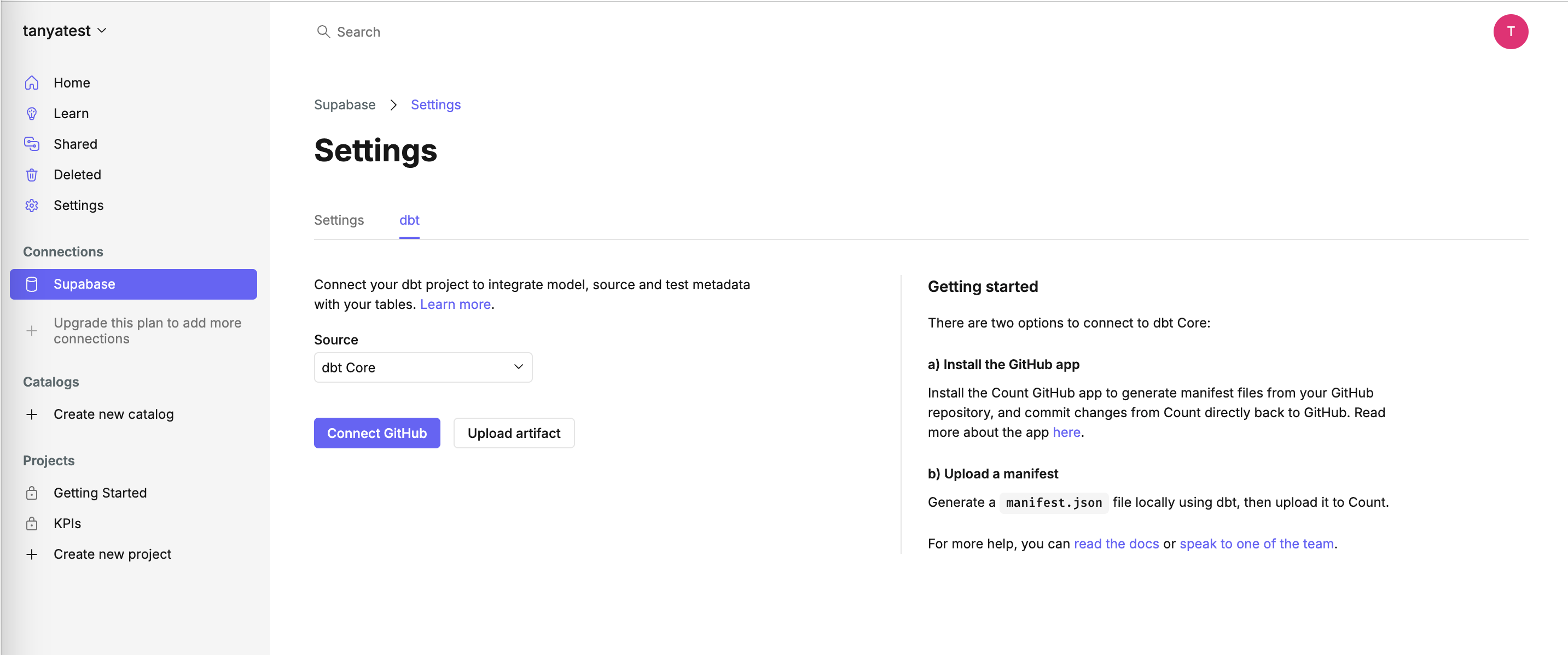
The dbt tab on a Supabase connection offers a GitHub app or a manifest upload, with a getting-started panel on the right.
-
1
Value in one line (working)
"Connect your dbt project to integrate model, source and test metadata with your tables" says what you gain.
-
2
Core or Cloud in one dropdown (working)
One Source picker switches the whole form between dbt Core and dbt Cloud.
-
3
GitHub or upload (working)
"Connect GitHub" is primary, "Upload artifact" is the fallback for teams that can't install apps.
-
4
Instructions beside the form (working)
Option a) and b) explain each button, with links to docs and "speak to one of the team".
-
5
Upsell where you add sources (working)
"Upgrade this plan to add more connections" sits in the Connections list, where the limit is felt.
dbt Cloud: URL and token
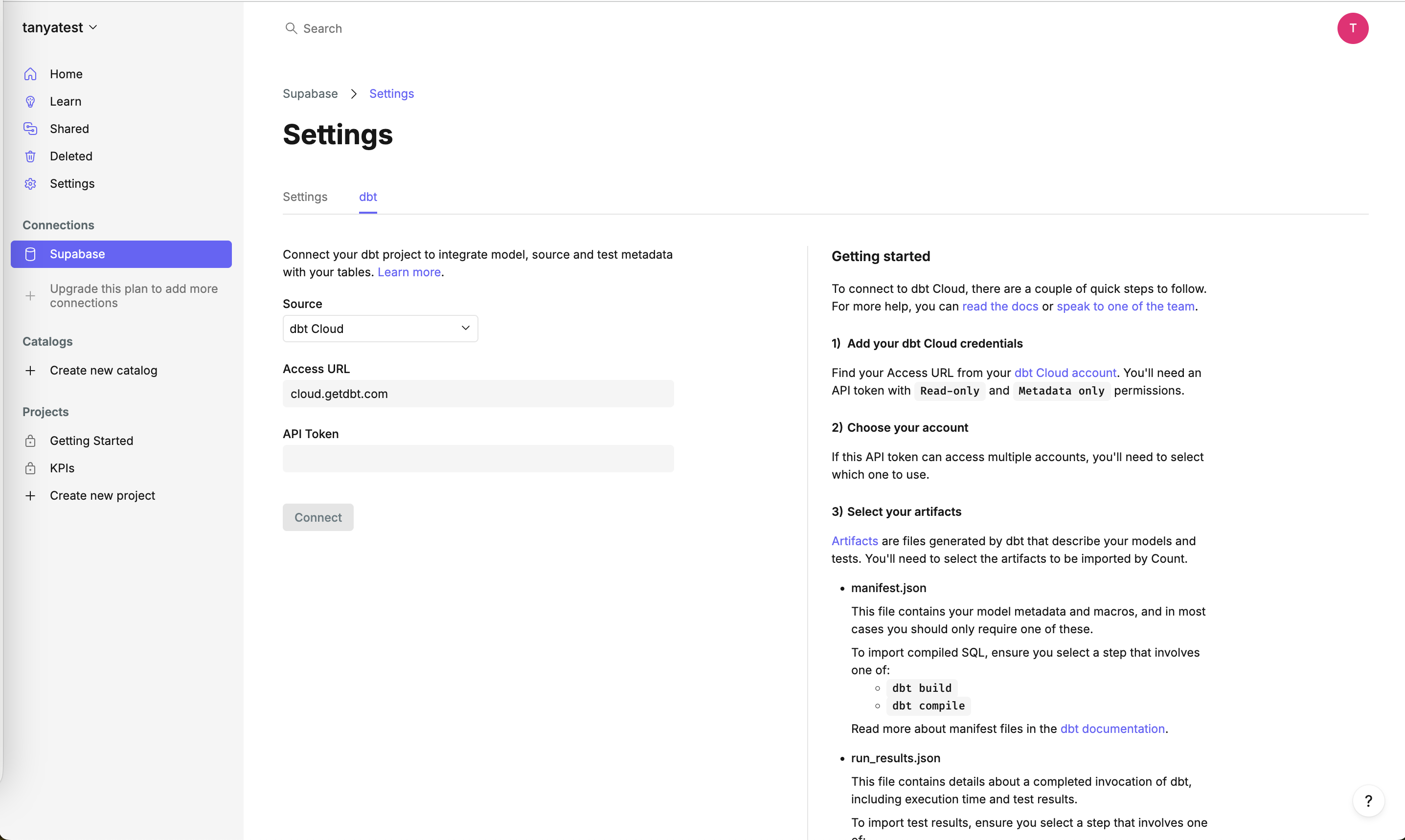
Switching the source to dbt Cloud shows two fields and a three-step guide that spells out token permissions.
-
6
Access URL prefilled (working)
"cloud.getdbt.com" is filled in, so most users only need the token.
-
7
One real input (working)
The API token is the only field left to fill, which keeps the form short.
-
8
Connect disabled until ready (working)
The greyed-out button signals the form isn't complete yet.
-
9
Least-privilege token (working)
"Read-only and Metadata only permissions" tells security-minded users exactly what to create.
-
10
Docs wall for later steps (not working)
Steps 2 and 3 describe account and artifact choices that aren't on screen yet, so you read about manifest.json before you need it.
Connection settings: DuckDB and caching
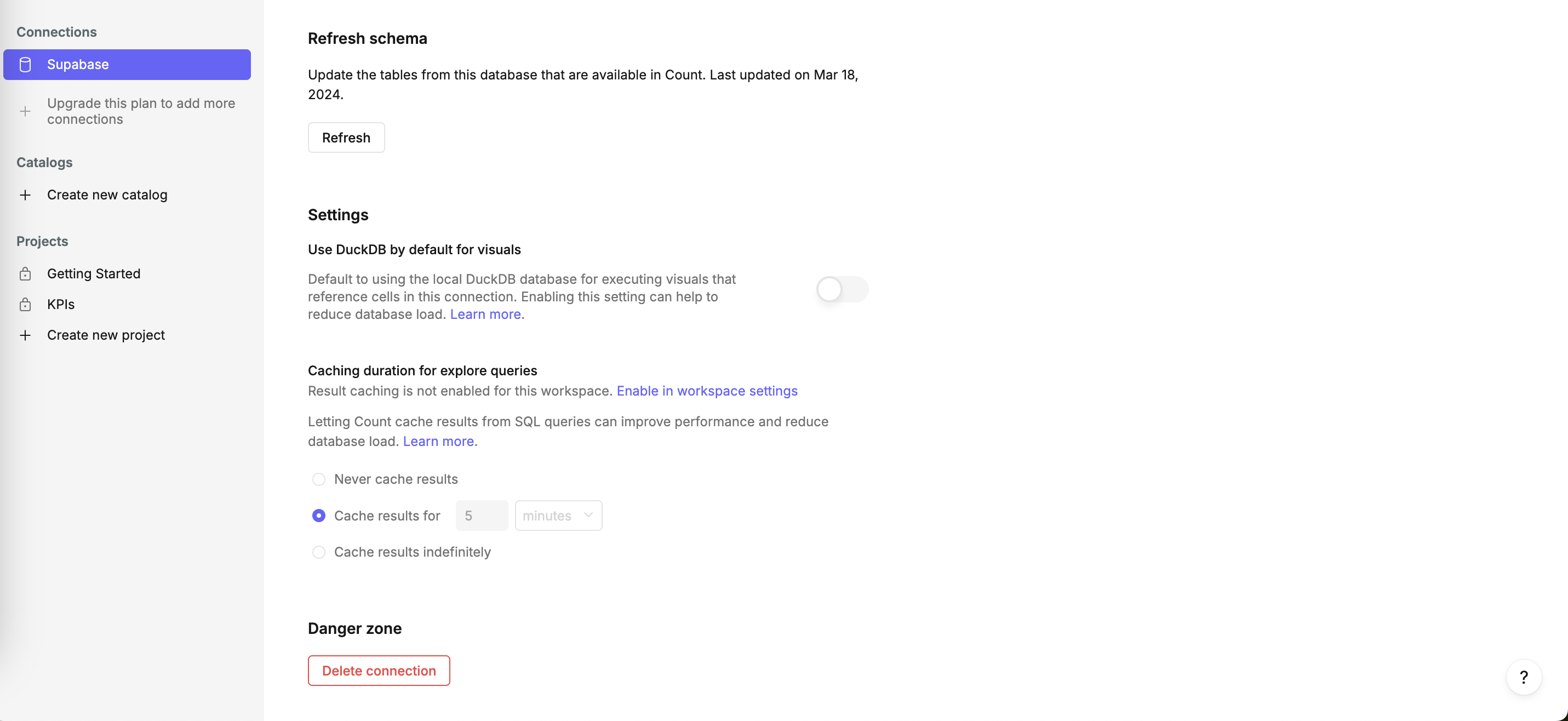
Further down the connection page, Count offers ways to cut load on your database.
-
11
Schema freshness shown (working)
"Last updated on Mar 18, 2024" next to Refresh tells you how stale the table list is.
-
12
Benefit-led setting (working)
"Enabling this setting can help to reduce database load" sells the DuckDB toggle in the description.
-
13
Off by default (not working)
The load-saving DuckDB option ships switched off, so most users never get the benefit.
-
14
Half-disabled caching (not working)
"Result caching is not enabled for this workspace" while "Cache results for 5 minutes" looks selected; it's unclear what is active.
-
15
Danger zone set apart (working)
"Delete connection" sits alone under its own heading in red outline.
Takeaways from Count
- Put setup instructions next to the form, one block per path, and name the exact token permissions needed.
- Prefill whatever is the same for most users (like the dbt Cloud URL) so the form shrinks to the one thing only they know.
- If a setting protects the customer's database, consider making it the default instead of a toggle they have to discover.