One-click partner trials from inside the warehouse
Snowflake Partner Connect creates a Sigma trial account and all the Snowflake objects it needs in one click, then hands off to Sigma to finish setup.
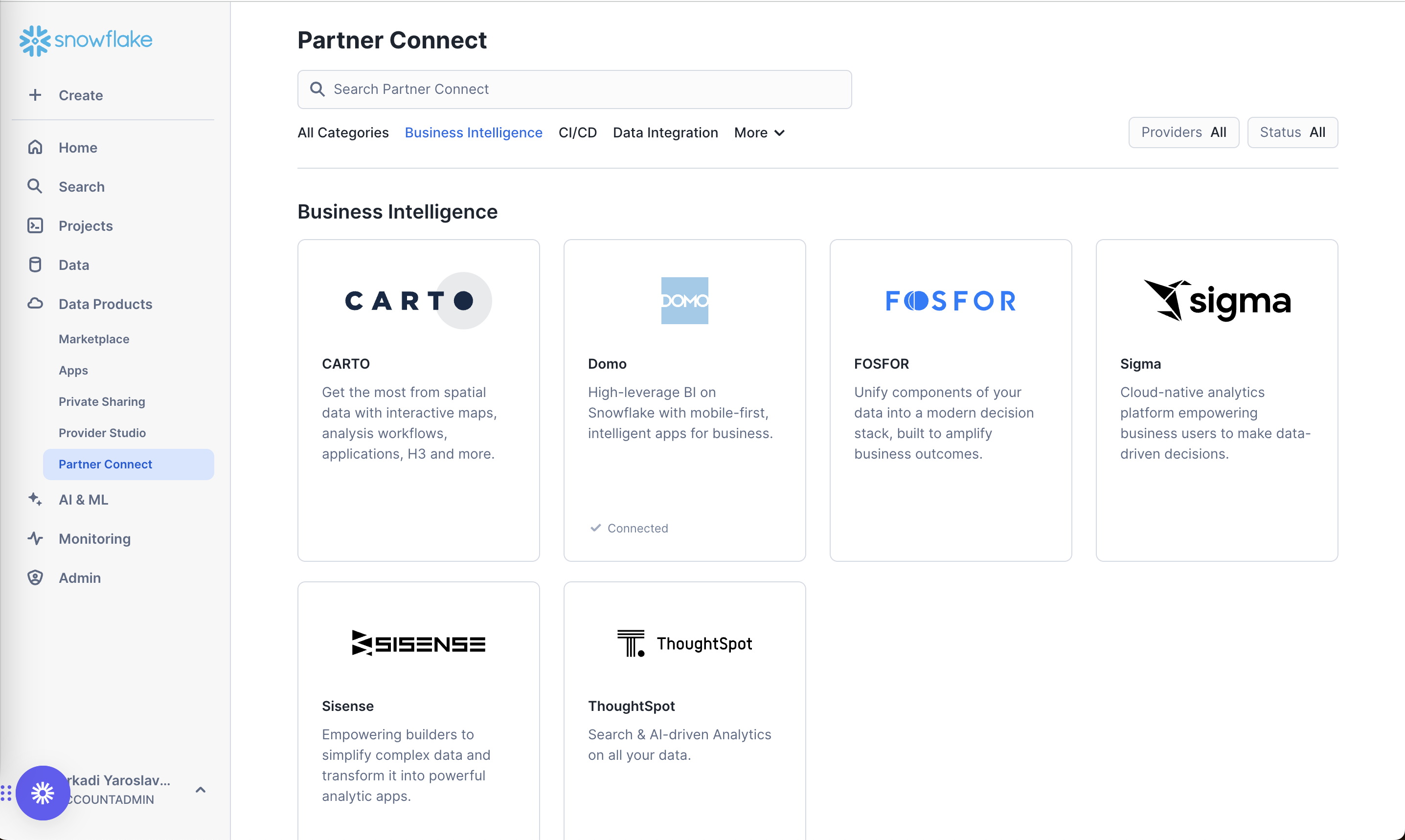
Partner Connect catalog
A partner catalog inside Snowsight, grouped by category, with connected partners marked on their cards.
-
1
In the main nav (working)
"Partner Connect" lives under Data Products, not in a marketing site.
-
2
Grouped by job (working)
Tabs like "Business Intelligence" and "Data Integration" let users browse by what they need.
-
3
Connected status (working)
A quiet "Connected" check on Domo shows what is already set up.
-
4
Vendor copy, no specifics (not working)
"Cloud-native analytics platform empowering business users" says nothing about trial length or what connecting creates.
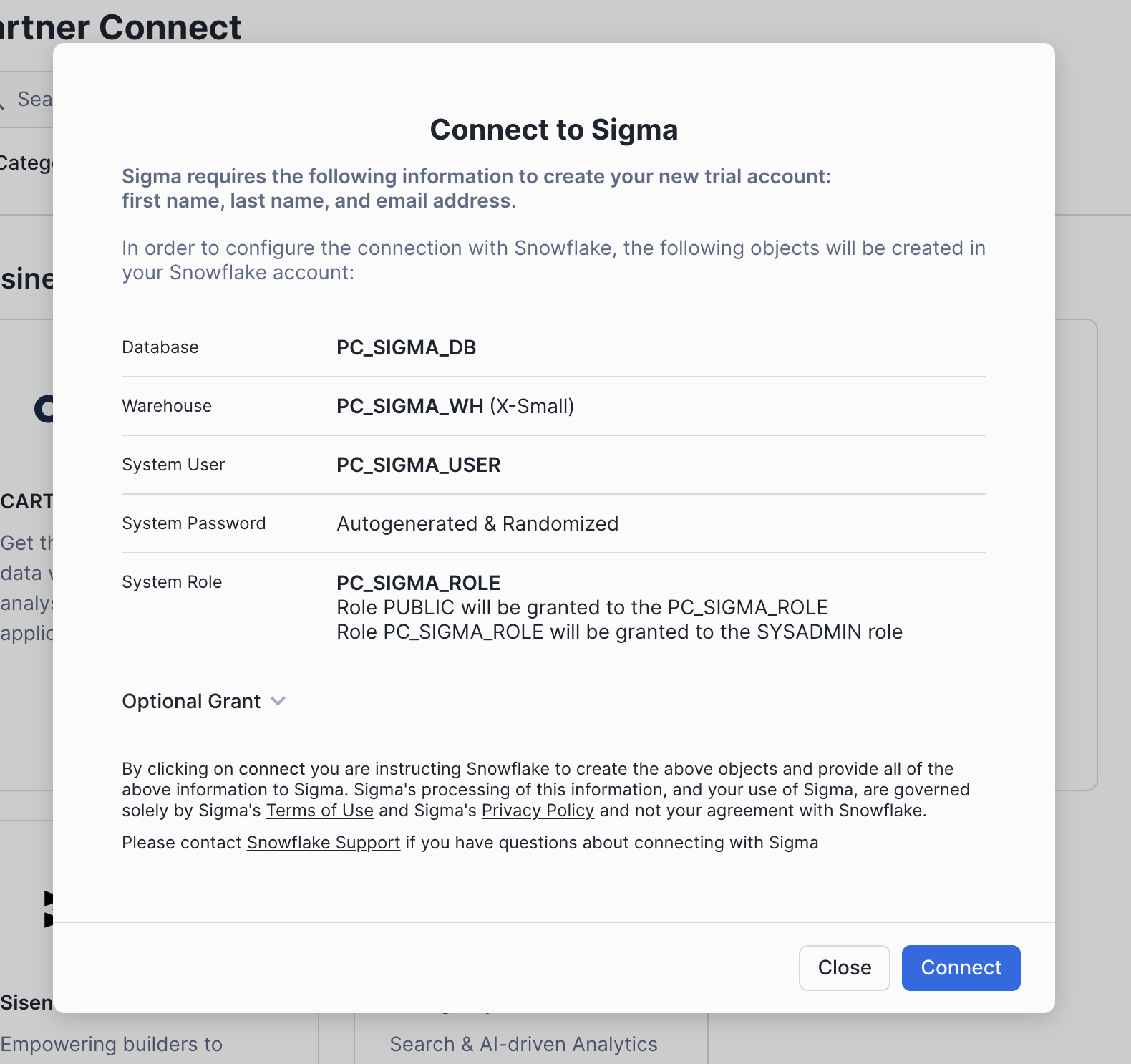
Connect to Sigma
A modal lists the personal data shared with Sigma and every object Snowflake will create before you click Connect.
-
5
No signup form (working)
Name and email are passed to Sigma automatically; the user types nothing.
-
6
Every object listed (working)
Database, warehouse, user, password and role are spelled out, so an admin knows what will change.
-
7
Optional grant folded (working)
Extra permissions stay collapsed until someone needs them.
-
8
Legal wall above the button (not working)
A dense paragraph on terms and data processing is the last thing users read before Connect.
-
9
One-click Connect (working)
A single primary button replaces a full partner signup and warehouse setup.
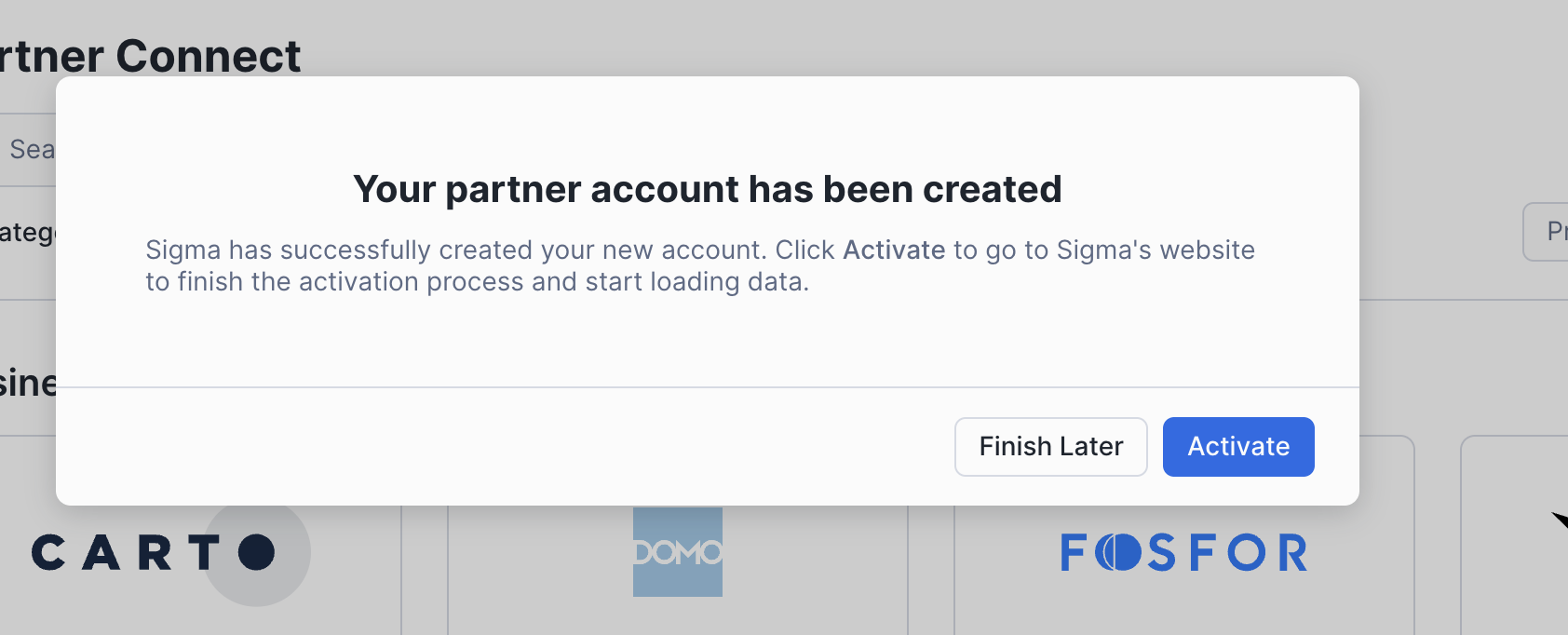
Partner account created
Confirmation that the Sigma account exists, with a choice to activate now or later.
-
10
Done, not pending (working)
"Your partner account has been created" confirms the work already happened.
-
11
Activation leaves Snowflake (not working)
"go to Sigma's website to finish the activation process" means the one-click promise ends here.
-
12
"Finish Later" is safe (working)
The account is saved, so users can come back instead of abandoning.
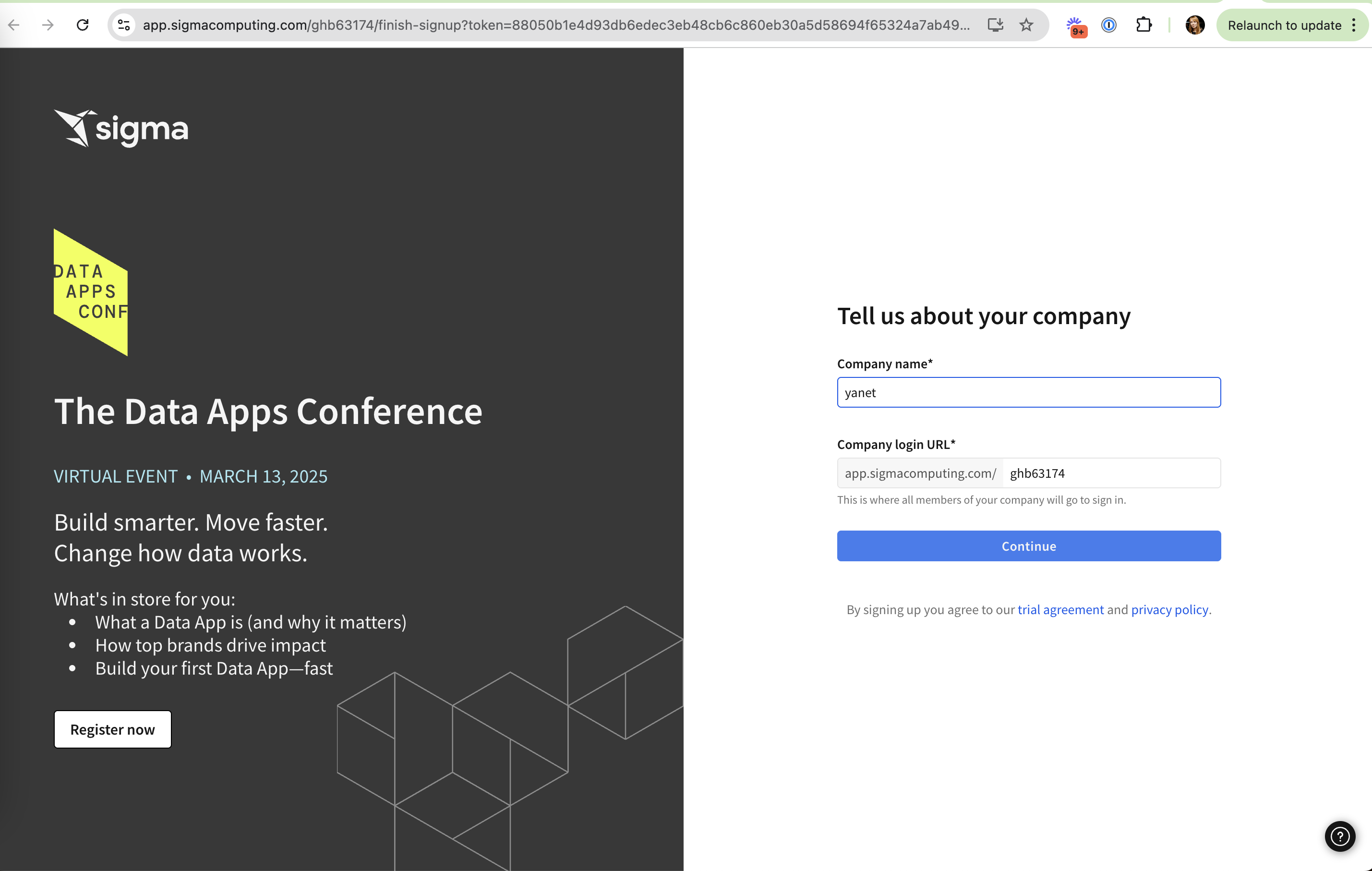
Sigma: tell us about your company
On Sigma's site, a short form asks for company name and login URL while the left side promotes a conference.
-
13
Only two fields (working)
Name and email came from Snowflake, so Sigma asks only about the company.
-
14
Random URL slug (not working)
The login URL is prefilled with "ghb63174" instead of something based on the company name.
-
15
Event ad mid-signup (not working)
A "Register now" pitch for The Data Apps Conference competes with finishing setup.
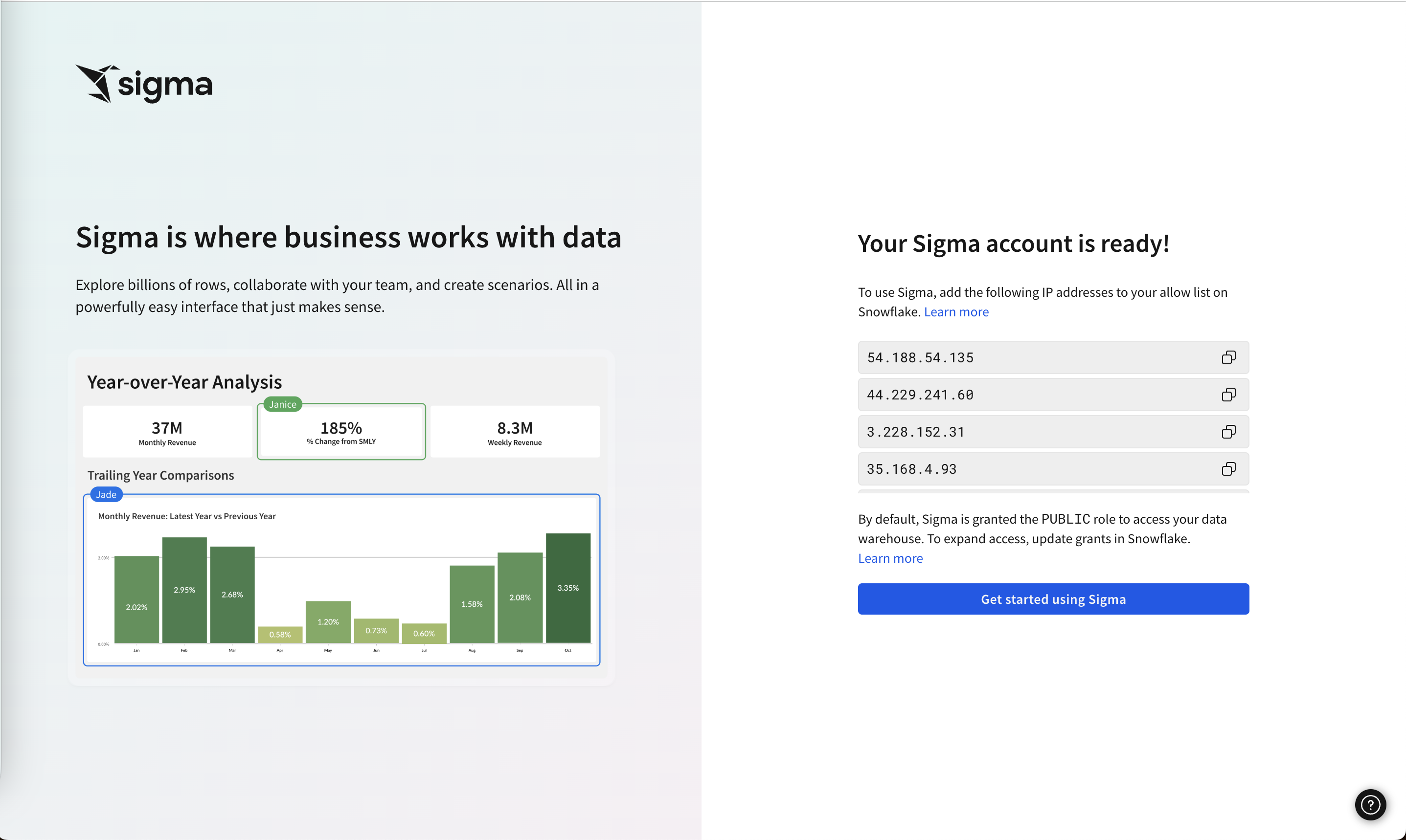
Your Sigma account is ready
The final screen asks for one more manual step in Snowflake, then sends users into Sigma.
-
16
"Ready", with homework (not working)
The headline says ready, but users still have to add IP addresses to a Snowflake allow list.
-
17
Copy buttons per IP (working)
Each address has its own copy icon, so the manual step is quick and typo-free.
-
18
Default access stated (working)
"By default, Sigma is granted the PUBLIC role" tells admins exactly what Sigma can see.
-
19
Product preview (working)
A dashboard with collaborator tags ("Janice", "Jade") shows what you're about to use.
Takeaways from Snowflake
- Let the platform create the trial account with data it already has, so the partner signup shrinks to a click.
- List every object and permission before connecting; admins trust what they can audit.
- Keep the handoff short: don't promote events or call an account ready while setup steps remain.