Quota alerts and help that sell the paid plan quietly
Supabase puts quota warnings with clear actions in an in-app inbox, and its help menu routes people to self-serve and community before support, noting that paid plans get faster answers.
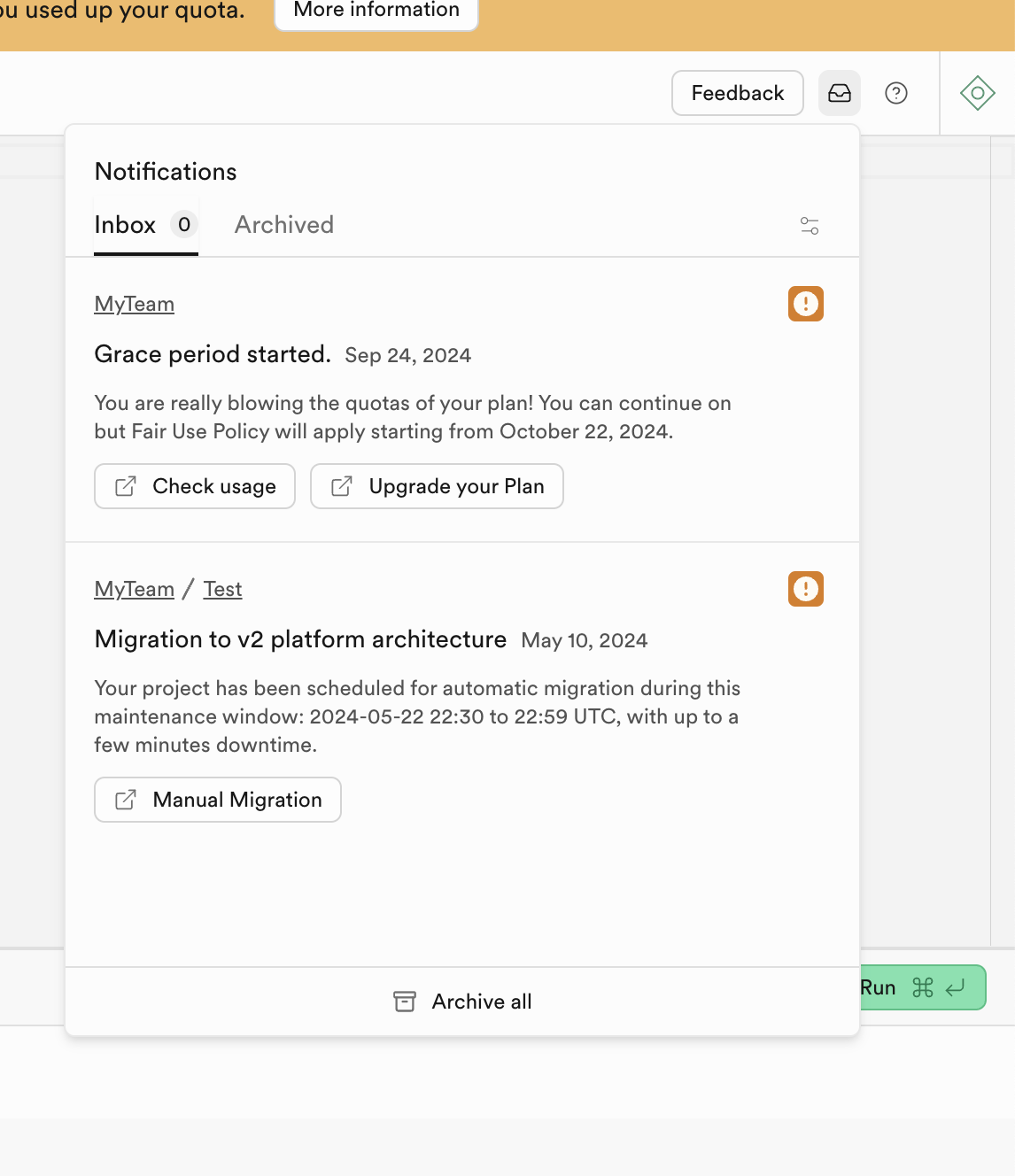
Notification inbox
A grace-period alert sits next to an old migration notice, each with its own action buttons.
-
1
Persistent quota banner (working)
The top bar keeps "you used up your quota" visible on every page, with "More information".
-
2
Inbox 0, two alerts (not working)
The badge says 0 while two orange alerts are listed, so the count can't be trusted.
-
3
Grace period, with a date (working)
"Fair Use Policy will apply starting from October 22" gives a concrete deadline instead of an instant cutoff.
-
4
Check usage or upgrade (working)
Two next steps: understand the overage first, or pay to remove it.
-
5
Do it yourself option (working)
"Manual Migration" lets teams pick their own time instead of the scheduled window.
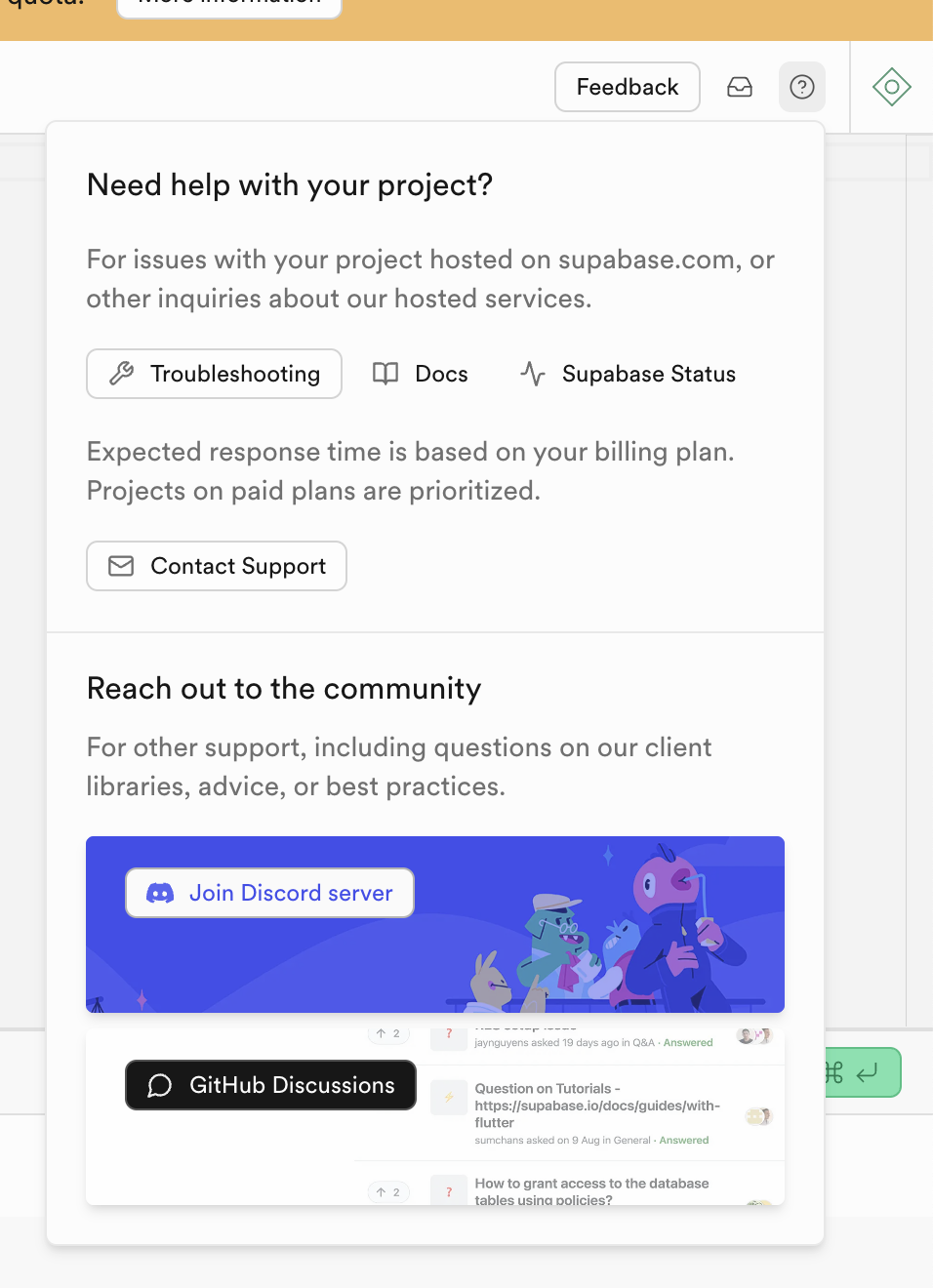
Need help with your project?
The help menu orders options from self-serve to human support to community.
-
6
Self-serve first (working)
Troubleshooting, Docs and Status come before any contact option.
-
7
Paid plans answered first (working)
"Projects on paid plans are prioritized" is a soft upgrade reason placed where people need help.
-
8
Contact Support still there (working)
A human route is one click away after the self-serve options.
-
9
Branded Discord card (working)
The illustrated card makes the community feel like part of the product.
-
10
Clipped discussion preview (not working)
GitHub threads are cut off at the top and bottom, so the "Answered" proof reads like a rendering glitch.
Takeaways from Supabase
- Give overages a grace period with a date and pair the warning with both "check usage" and "upgrade".
- Mention paid-plan support priority inside the help menu, where the need is felt.
- Order help from self-serve to human so support load stays low without hiding the contact option.