Three hooks before a Pro trial is gone
Canva's cancel flow shows the features you actually used, makes a one-time 50% offer, then asks for feedback once you have left.
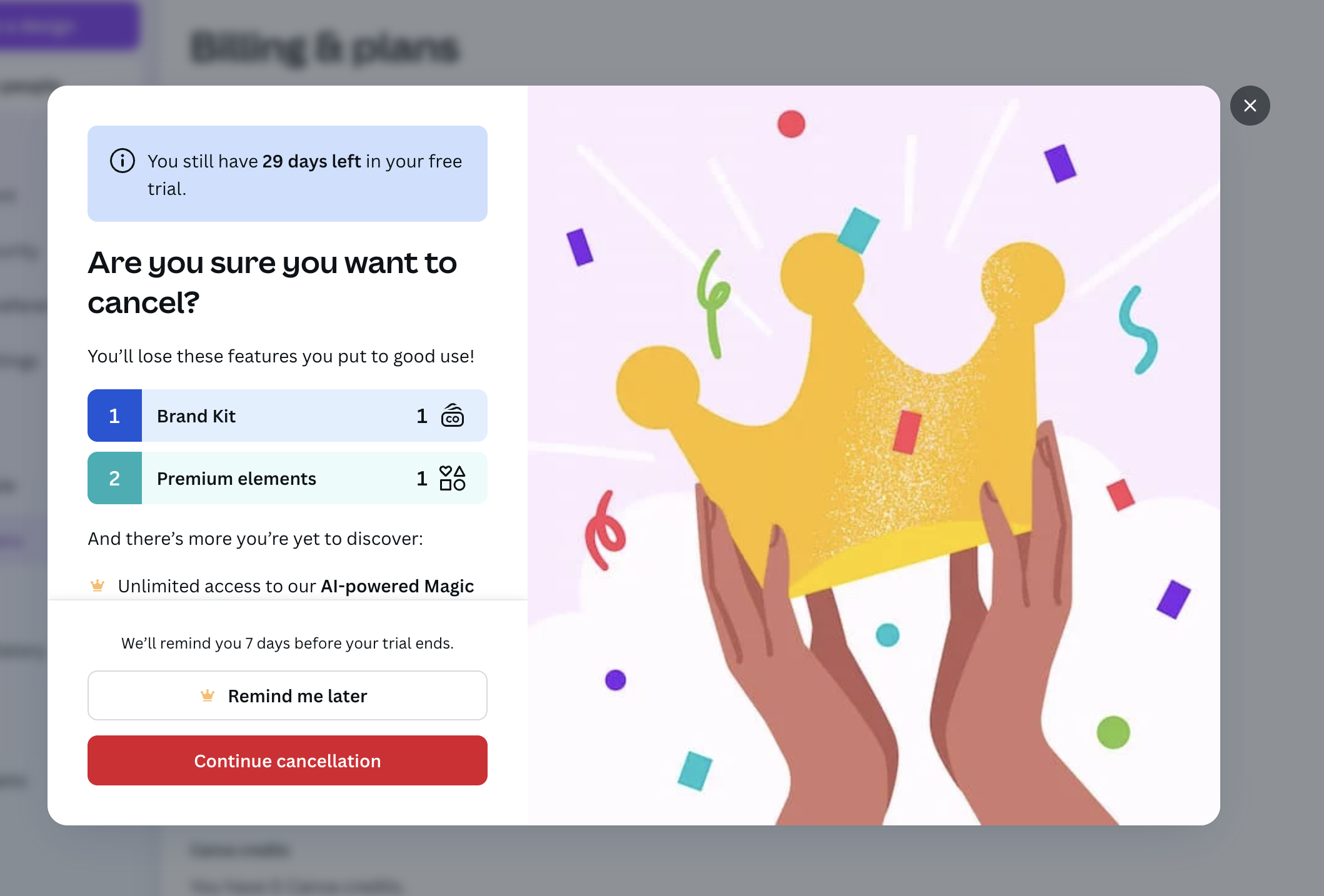
Are you sure you want to cancel?
The first stop reminds you how much trial is left and lists the Pro features you already used.
-
1
Trial days left (working)
"You still have 29 days left" tells you cancelling now costs you nothing extra yet.
-
2
Features you used (working)
"You'll lose these features you put to good use!" lists Brand Kit and Premium elements from your own usage.
-
3
Usage of 1 is weak (not working)
Each feature shows a count of 1, which makes the loss look small rather than painful.
-
4
Remind me later (working)
A soft exit with "We'll remind you 7 days before your trial ends" handles the fear of being charged.
-
5
Cancel stays clear (working)
"Continue cancellation" is easy to find, so the flow does not feel like a trap.
Get 50% off Canva Pro
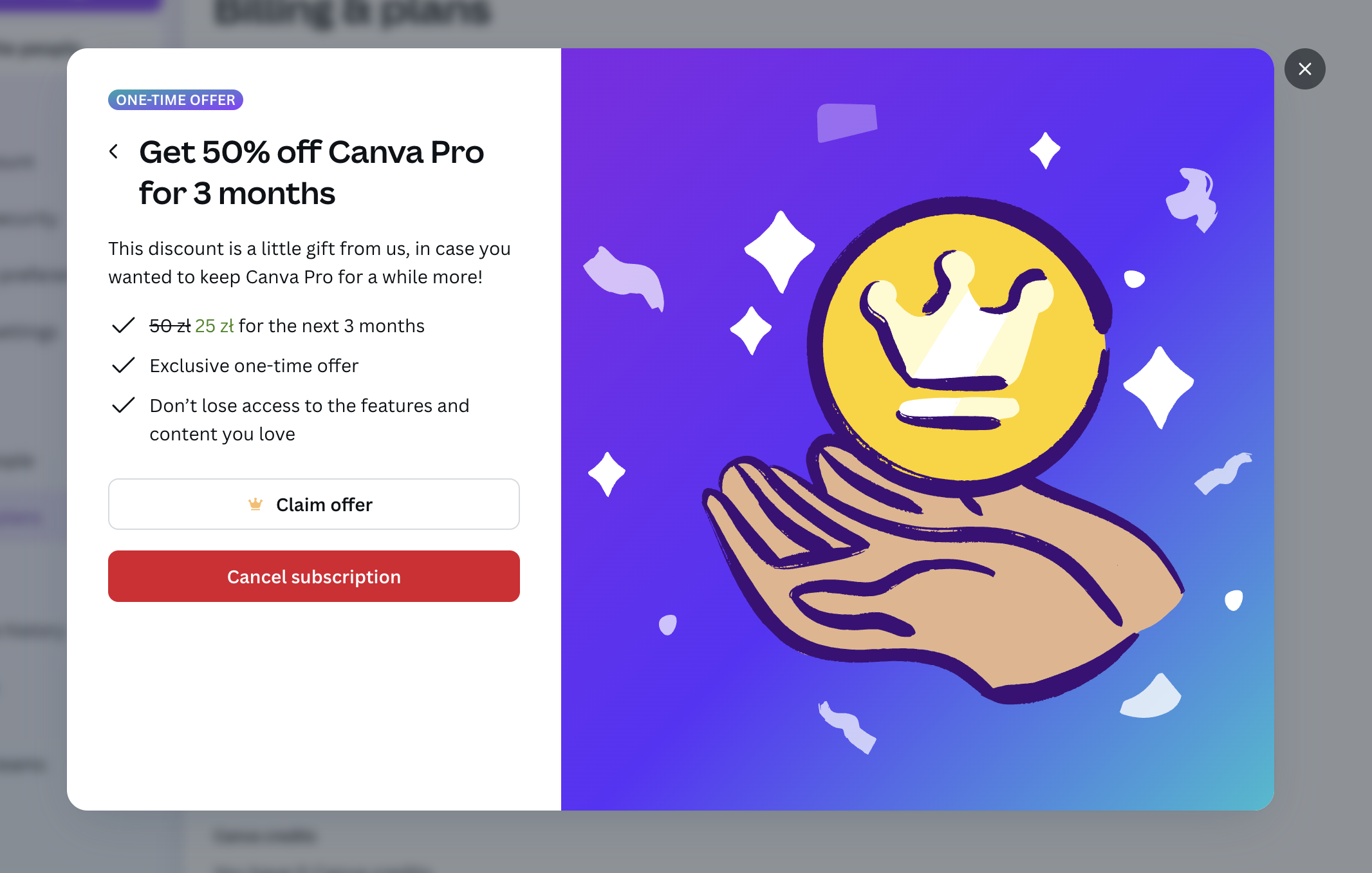
Continuing to cancel brings a one-time discount, framed as a gift rather than a save tactic.
-
6
One-time offer badge (working)
"ONE-TIME OFFER" makes it clear this price will not come back later.
-
7
Framed as a gift (working)
"A little gift from us" turns a retention discount into a friendly gesture.
-
8
Old price struck through (working)
"50 zł 25 zł for the next 3 months" shows the saving in local currency.
-
9
The offer is the weaker button (not working)
"Claim offer" is a white outline button while "Cancel subscription" is bold red, so the eye goes to cancelling.
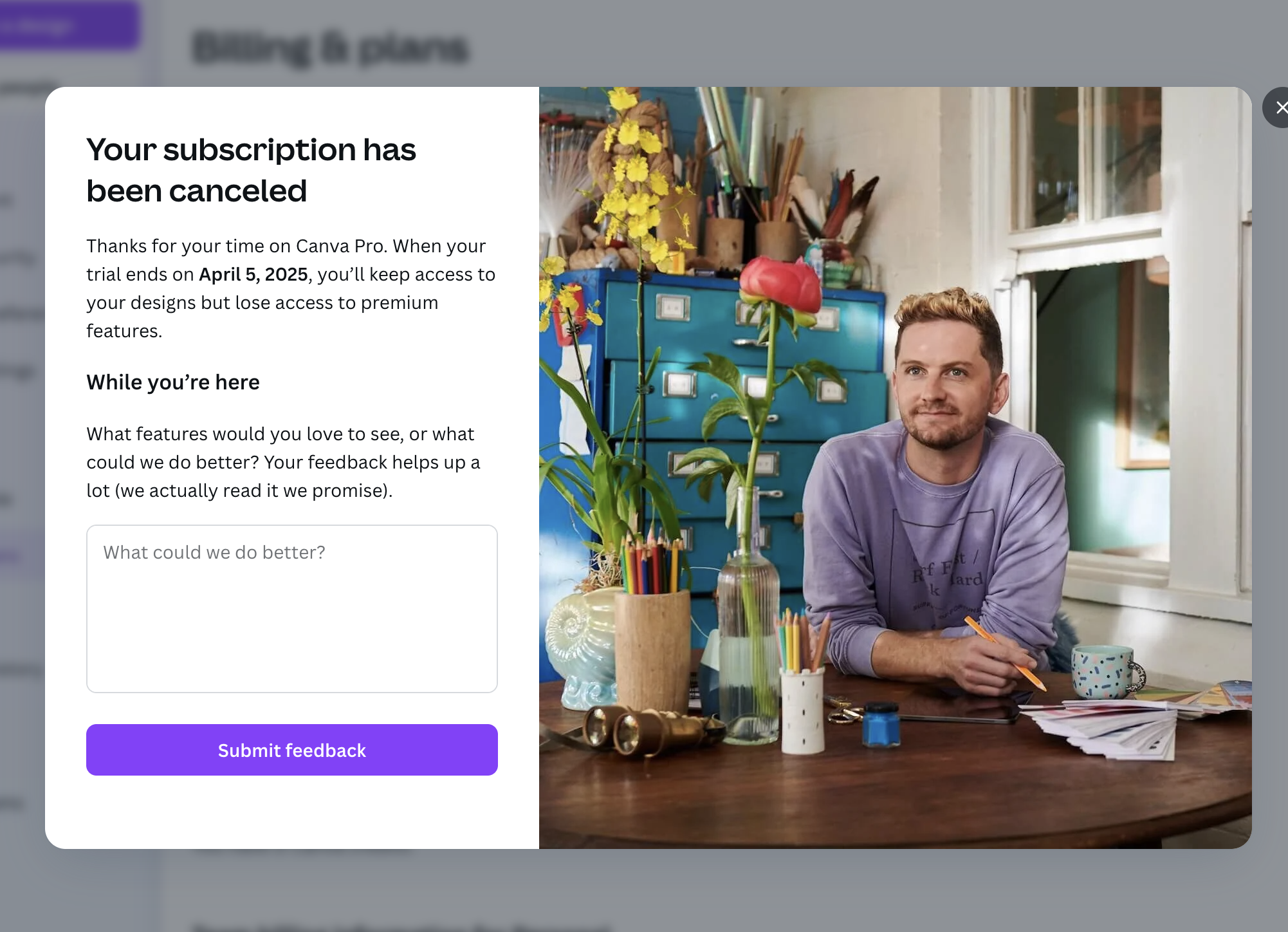
Your subscription has been canceled
After cancelling, Canva confirms what happens next and asks for open feedback.
- 10
-
11
What you keep (working)
Access runs until "April 5, 2025" and you keep your designs, which leaves the door open to come back.
-
12
Human ask (working)
"We actually read it we promise" makes the feedback request sound sincere.
-
13
Blank box, no reasons (not working)
Only an open text field and no reason chips, so most people will skip it and churn reasons go uncounted.
Takeaways from Canva
- Show users the paid features they actually used, and only when the numbers are strong enough to sting.
- If you make a save offer, give the offer the primary button, not the cancel.
- Ask for churn feedback with quick reason options first, then an optional text box.