An apple on the icon to say the AI got better
Notion marks its improved AI with a small apple on the assistant's face, then lists new abilities as starter prompts.
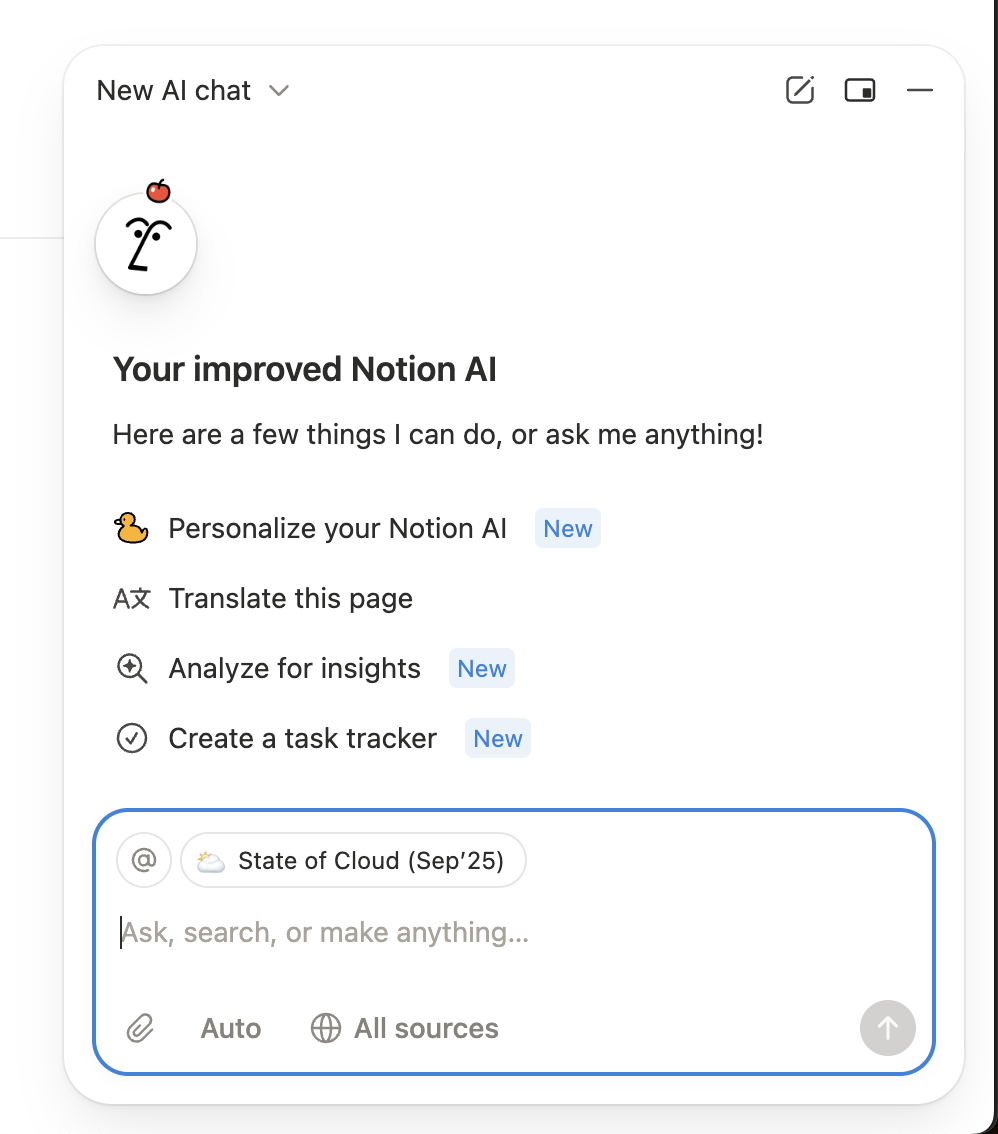
Your improved Notion AI
The opened AI chat repeats the apple and shows new things to try, tagged New.
-
1
Same face, one new detail (working)
The apple on the avatar signals an update without a banner or modal.
- 2
-
3
New abilities as prompts (working)
"Personalize", "Analyze for insights" and "Create a task tracker" carry New tags and are one click to try.
-
4
Current page as context (working)
"State of Cloud (Sep'25)" is attached automatically, so a first question works on real content.
The floating AI button
The always-visible AI entry point gets the apple too.

-
5
Badge on the entry point (working)
The apple sits where users already click, unlike a red notification dot.
-
6
Meaning isn't obvious (not working)
Without context, an apple on the face could be decoration rather than "new version".
Takeaways from Notion
- A small, on-brand change to a familiar icon can announce an update without interrupting anyone.
- Pair the visual cue with specific new actions once the user opens the feature.
- Say what improved, not just that it did.