Add-ons sold where the problem shows up
Supabase surfaces paid add-ons inside the screens where you hit the limit (IPv4 in the connect modal, custom domains in settings) and backs them with clear usage and spend-cap pages.
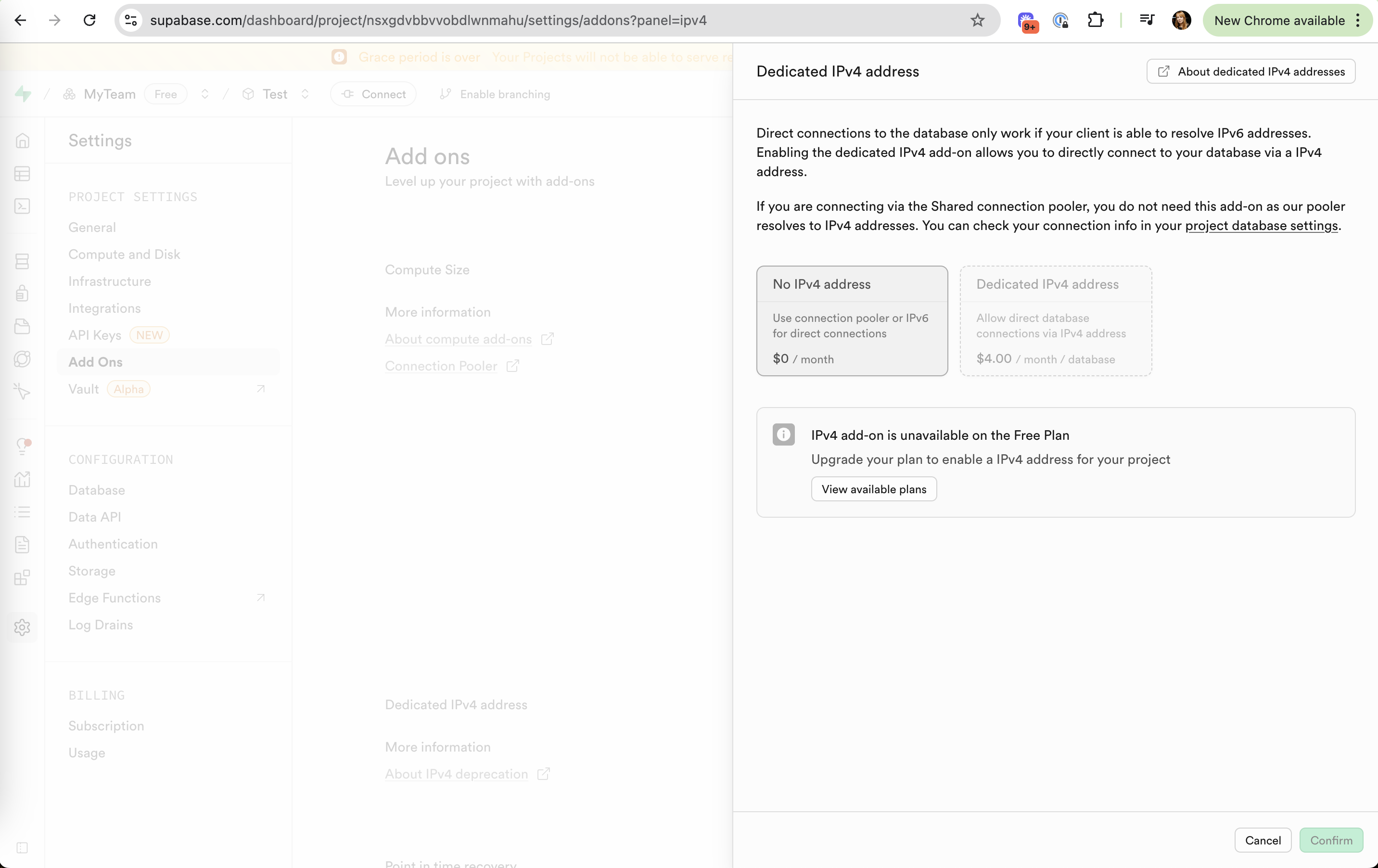
Dedicated IPv4 add-on panel
A side panel explains the IPv4 add-on, prices it per database, and tells Free users they need a plan upgrade first.
-
1
Honest about need (working)
"If you are connecting via the Shared connection pooler, you do not need this add-on" talks some users out of buying.
-
2
$0 vs $4.00 side by side (working)
Two option cards show the free path and the paid one with "/ month / database" pricing.
-
3
Two purchases in one (not working)
The $4 add-on is "unavailable on the Free Plan", so the real cost is a plan upgrade plus $4, and only the $4 is shown.
-
4
Docs one click away (working)
"About dedicated IPv4 addresses" links out for people who need more detail.
Connect to your project
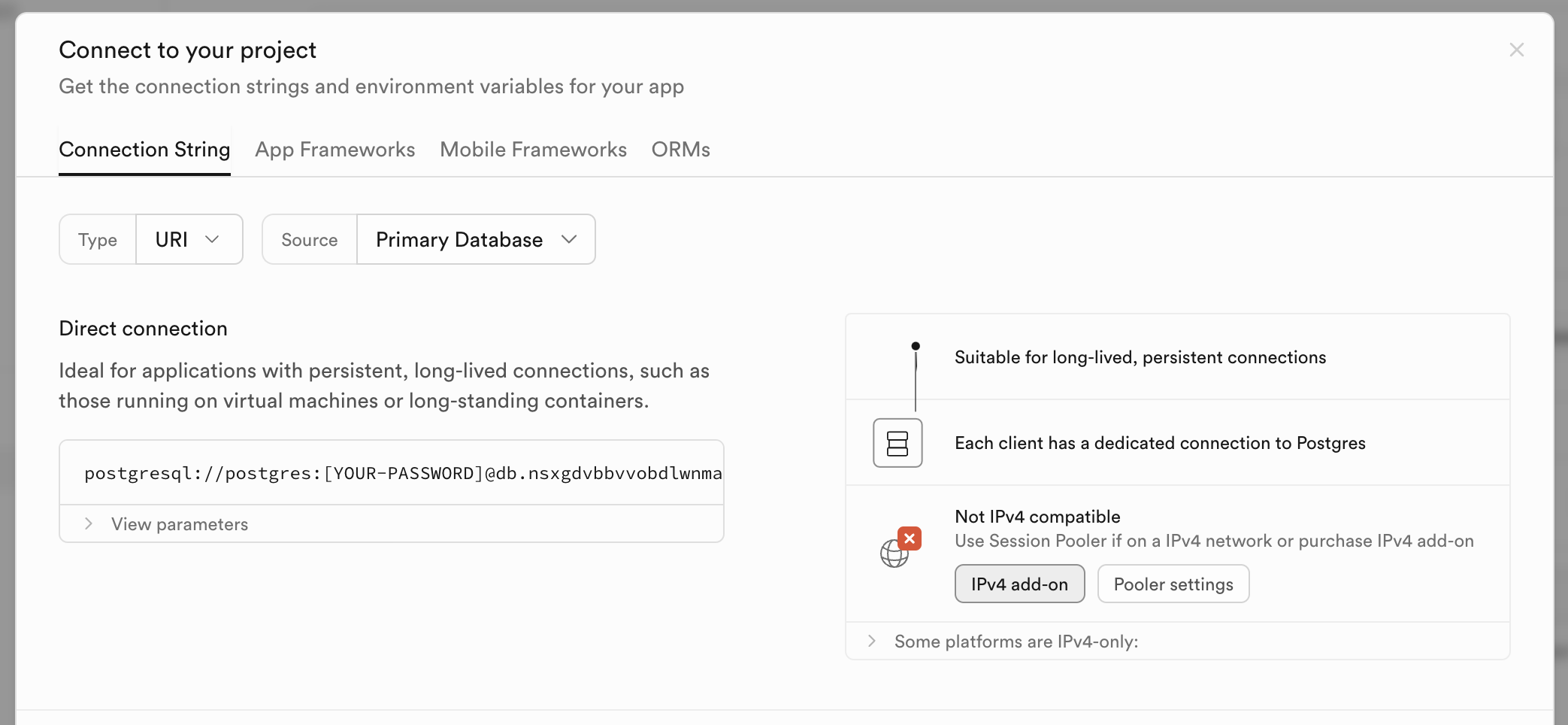
The connection modal flags that the direct connection is not IPv4 compatible and offers the add-on right there.
-
5
Problem flagged in context (working)
"Not IPv4 compatible" with a red icon appears next to the connection string you are about to copy.
-
6
Paid and free fix together (working)
"IPv4 add-on" sits next to "Pooler settings", so users choose instead of being pushed.
-
7
Moment of need (working)
The string users came for is right there, so the upsell meets an active task.
-
8
Detail folded away (working)
"Some platforms are IPv4-only" stays collapsed until someone needs it.
Custom domains in project settings
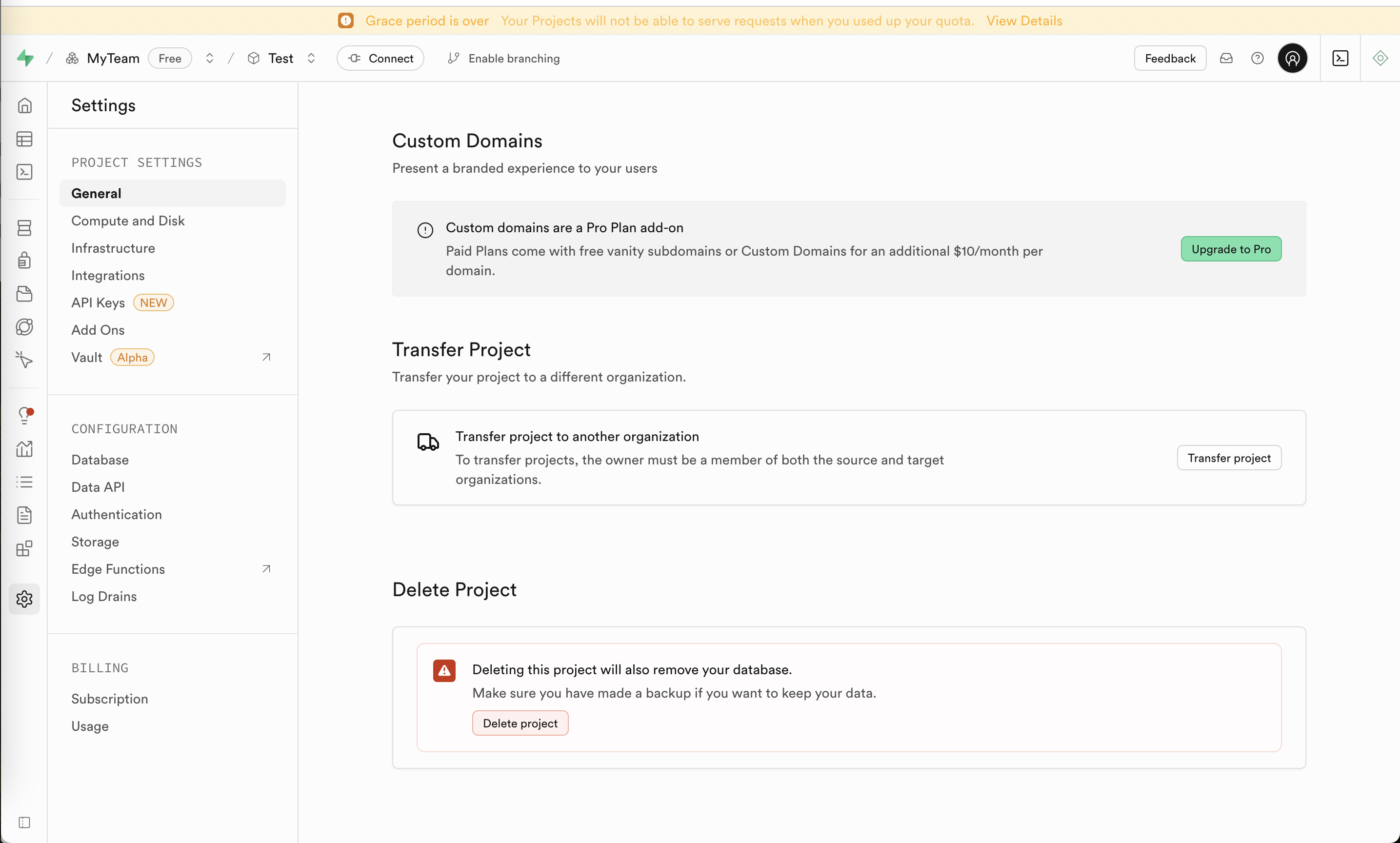
General settings mix a Pro-plan add-on card with transfer and delete actions, under a persistent grace-period banner.
-
9
Price in the copy (working)
"Custom Domains for an additional $10/month per domain" is stated before the upgrade click.
- 10
-
11
Faint warning banner (not working)
"Grace period is over" in pale amber on yellow is easy to read past, though it describes a service cutoff.
Billing: grace period and spend cap
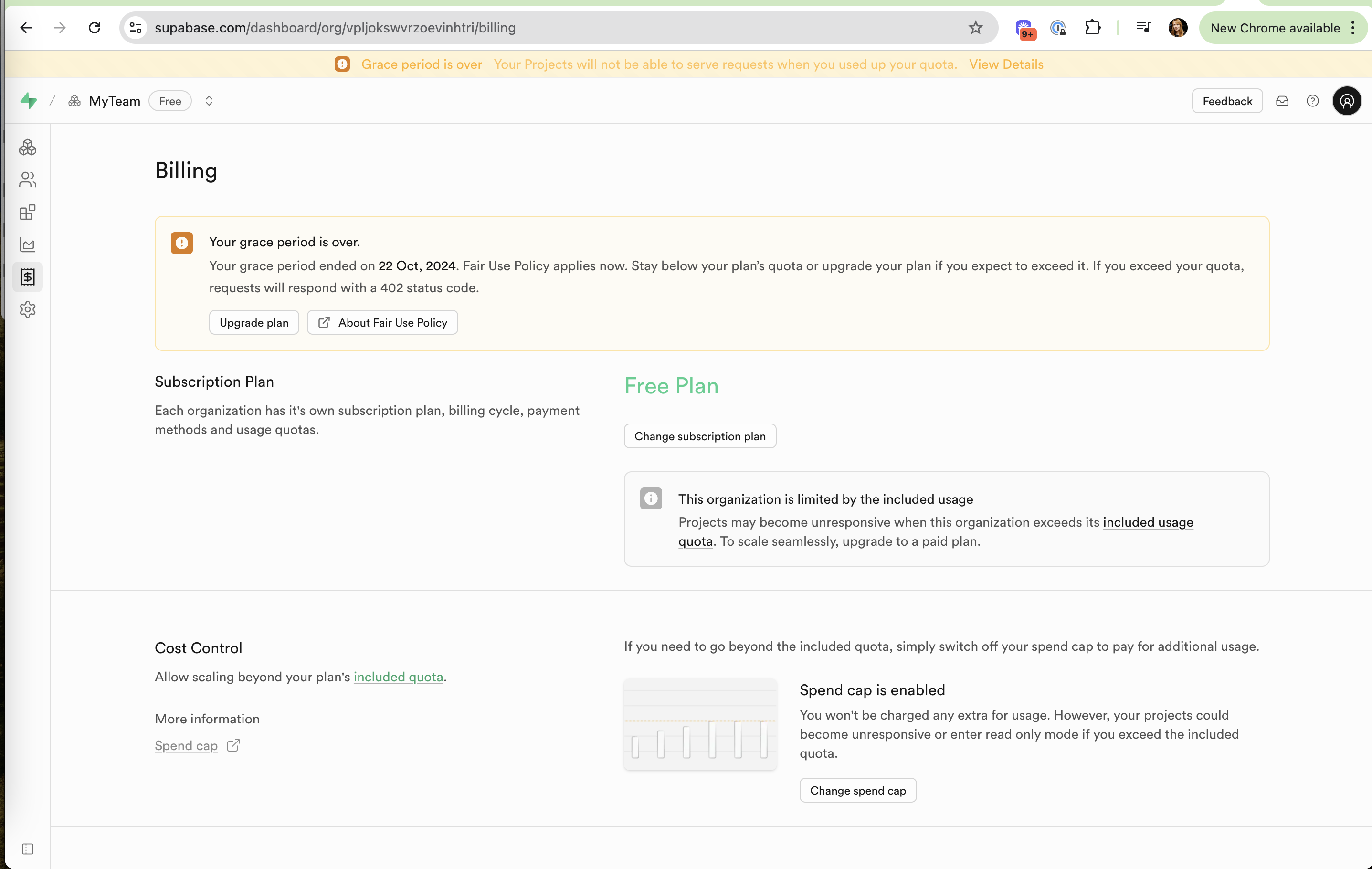
The billing page explains the end of the grace period, the current Free plan and how the spend cap works.
-
12
Date and consequence (working)
"ended on 22 Oct, 2024" and "requests will respond with a 402 status code" are concrete for developers.
-
13
Same warning, again (not working)
The banner, the grace box and "This organization is limited by the included usage" repeat one message three times.
-
14
Spend cap explained (working)
"You won't be charged any extra for usage" plus what happens instead removes fear of a surprise bill.
-
15
Plan is visible (working)
"Free Plan" in green with "Change subscription plan" right below makes the current state obvious.
Takeaways from Supabase
- Offer an add-on in the screen where the user hits the problem, next to any free workaround.
- State the add-on price in the copy, and say when a plan upgrade is also required.
- Say a warning once, clearly, instead of stacking banners that all say the same thing.