Buying API credits with auto-recharge and budget alerts
OpenAI's platform takes you from a $10 credit purchase with optional auto-recharge to a limits page with budget alerts and clear rules for the next usage tier.
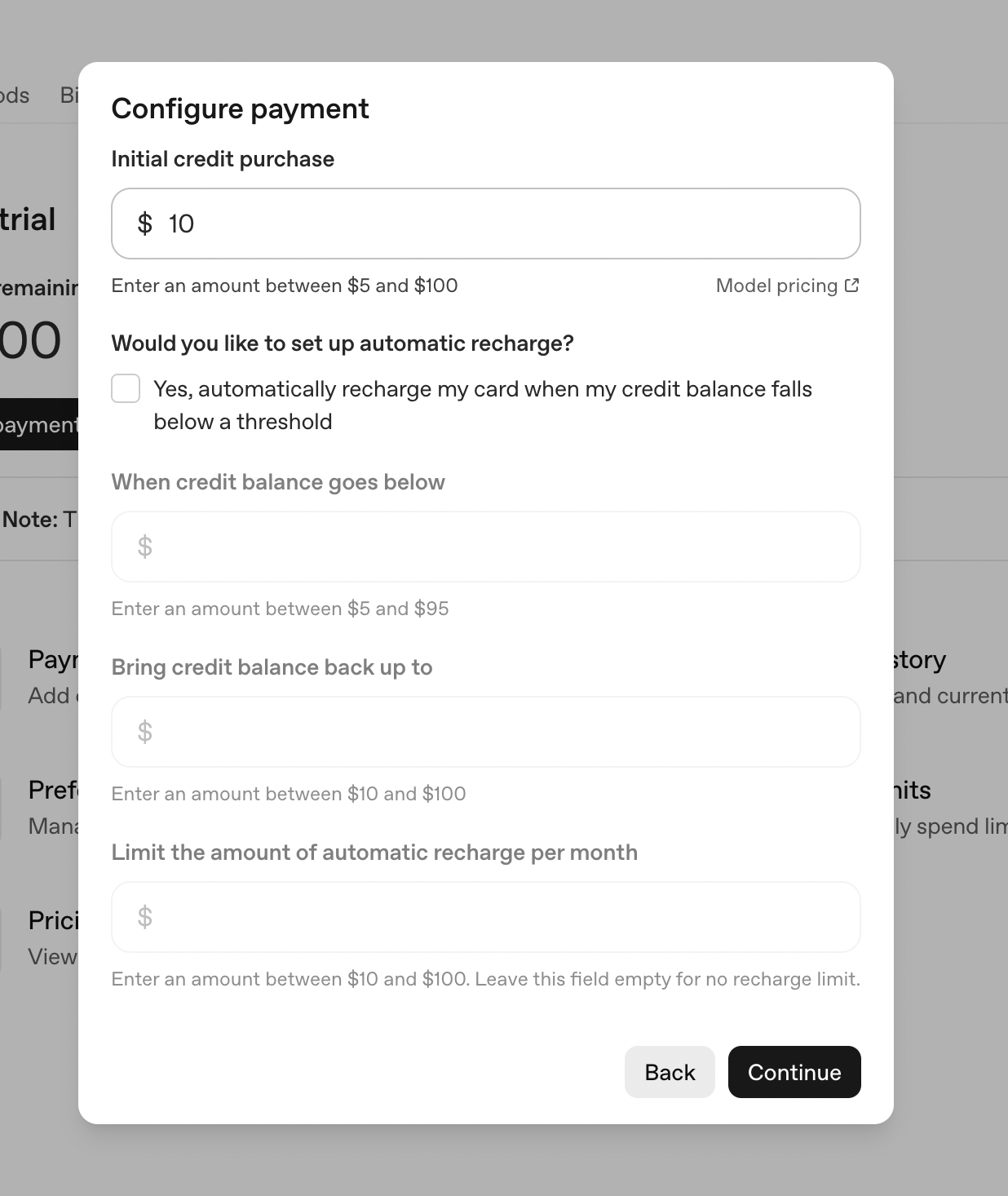
Configure payment
A small first purchase, then an optional auto-recharge with threshold, top-up amount and a monthly cap.
-
1
Small default amount (working)
$10 is prefilled, low enough to try without thinking twice.
-
2
Pricing one click away (working)
"Model pricing" link sits next to the amount so you can sanity-check what $10 buys.
-
3
Auto-recharge is opt-in (working)
The checkbox is unchecked by default and says exactly when the card is charged.
-
4
Greyed fields make it long (not working)
Three disabled inputs show before you opt in, so a one-field purchase looks like a long form.
-
5
Empty means no cap (not working)
"Leave this field empty for no recharge limit" makes unlimited the default.
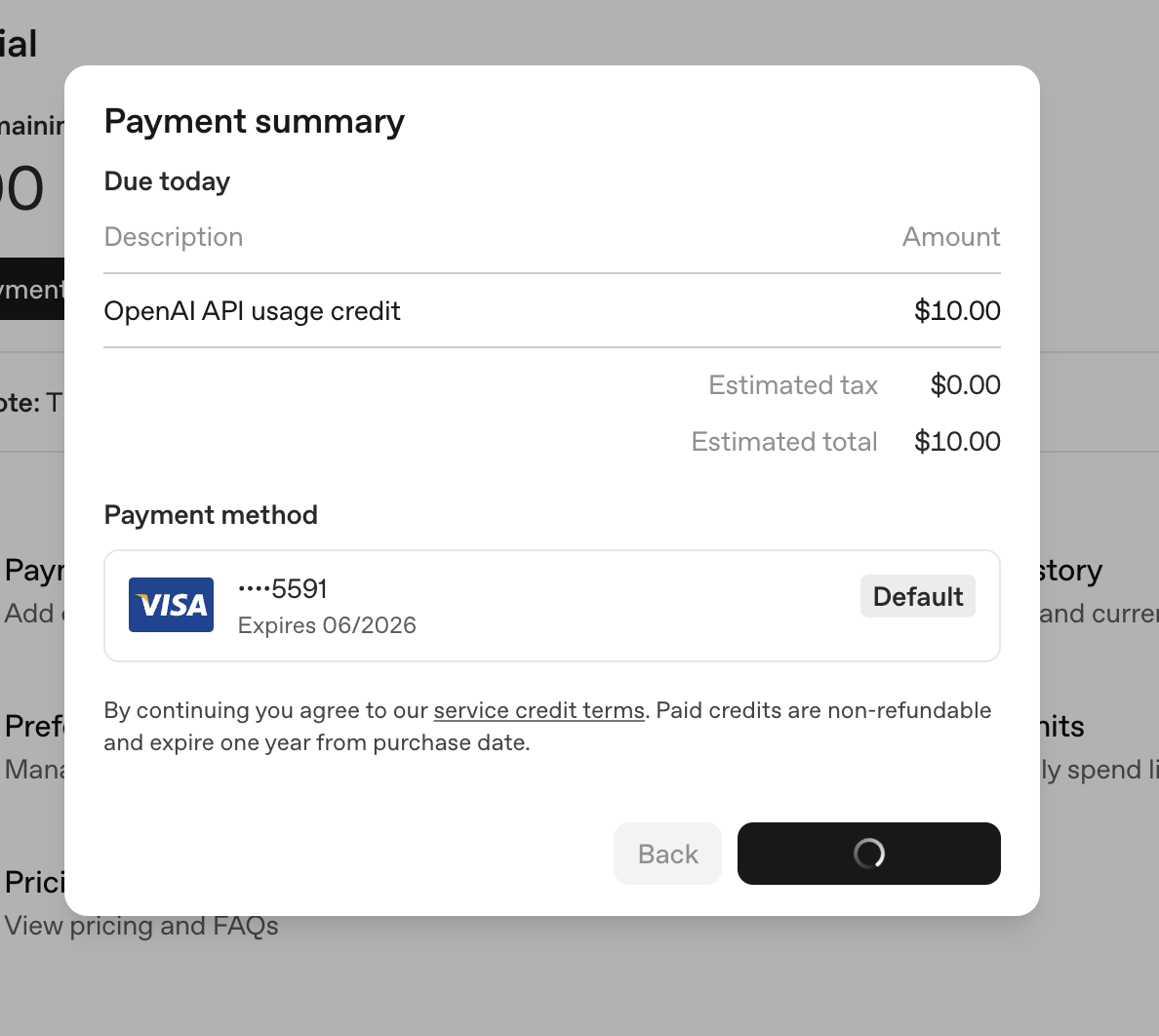
Payment summary
A receipt-style confirmation with tax, saved card and the credit terms.
-
6
Receipt before paying (working)
"Due today" with item, tax and total leaves no doubt about the charge.
-
7
Saved card reused (working)
The default Visa is preselected, so there's nothing to type.
-
8
Expiry in the fine print (not working)
"Non-refundable and expire one year from purchase" is grey small text under the card.
-
9
Button shows progress (working)
The confirm button turns into a spinner, so there's no double charge from a second click.
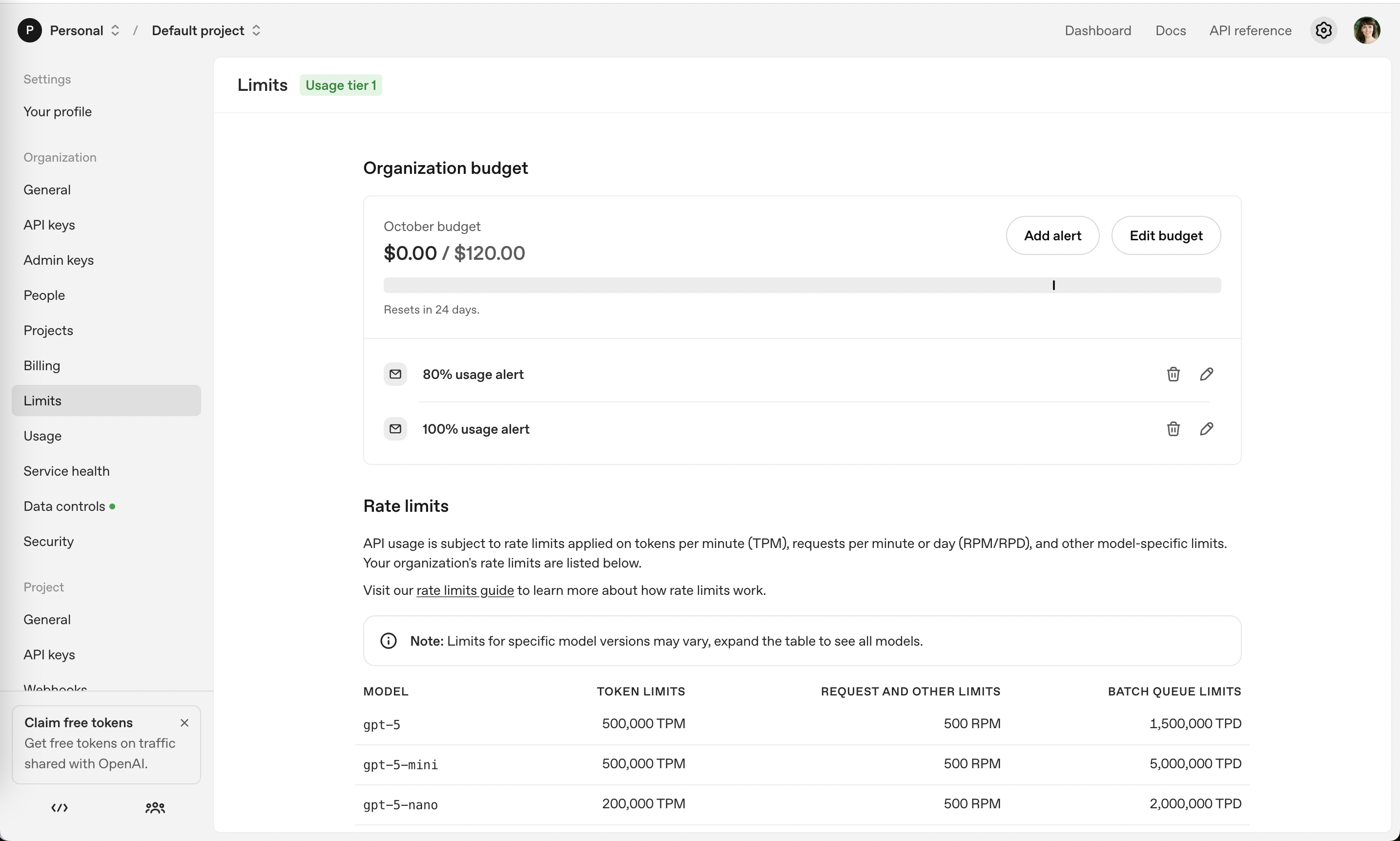
Limits: organization budget
A monthly budget bar with email alerts at 80% and 100%, above the per-model rate limits.
-
10
Budget as spent vs cap (working)
"$0.00 / $120.00" with the October label shows the period and the ceiling.
-
11
Unlabeled marker (not working)
A tick on the bar near 80% has no label, so you have to guess it's the alert.
-
12
Alerts set up already (working)
"80% usage alert" and "100% usage alert" are there by default.
-
13
Free tokens for data (working)
"Claim free tokens" offers credit in exchange for sharing traffic.
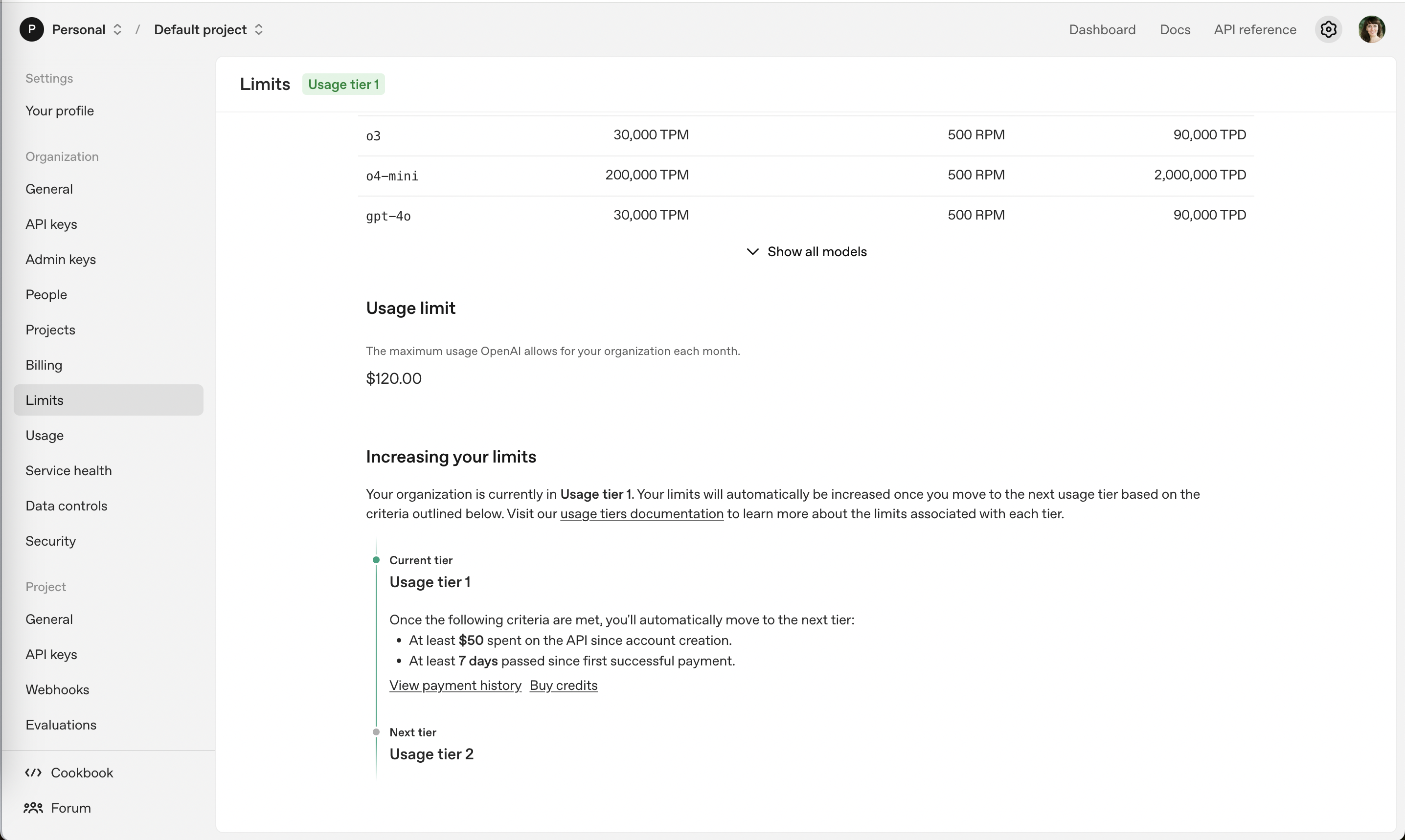
Increasing your limits
Further down, the page explains the usage-tier ladder and what it takes to move up.
-
14
Long list collapsed (working)
"Show all models" keeps the rate-limit table short.
-
15
Second $120 number (not working)
"Usage limit" repeats $120 right below the budget, without saying how the two differ.
-
16
Concrete criteria (working)
"At least $50 spent" and "At least 7 days" make the next tier a clear goal.
-
17
Action next to the goal (working)
"Buy credits" sits right under the spend criterion.
-
18
Next tier, no payoff (not working)
"Usage tier 2" is named but its higher limits aren't shown here.
Takeaways from OpenAI API
- Start credit purchases small and make auto-recharge an explicit opt-in.
- Ship budgets with default alerts so customers feel safe spending more.
- When limits grow with spend, show the criteria and what the next tier unlocks.