Printer app
Weekly plan preselected behind a five-star review
A printer app sells breadth on a skippable intro card, then lands on a paywall that defaults to $9.99 a week and hides the trial behind a vague toggle.
Print on Any Printer
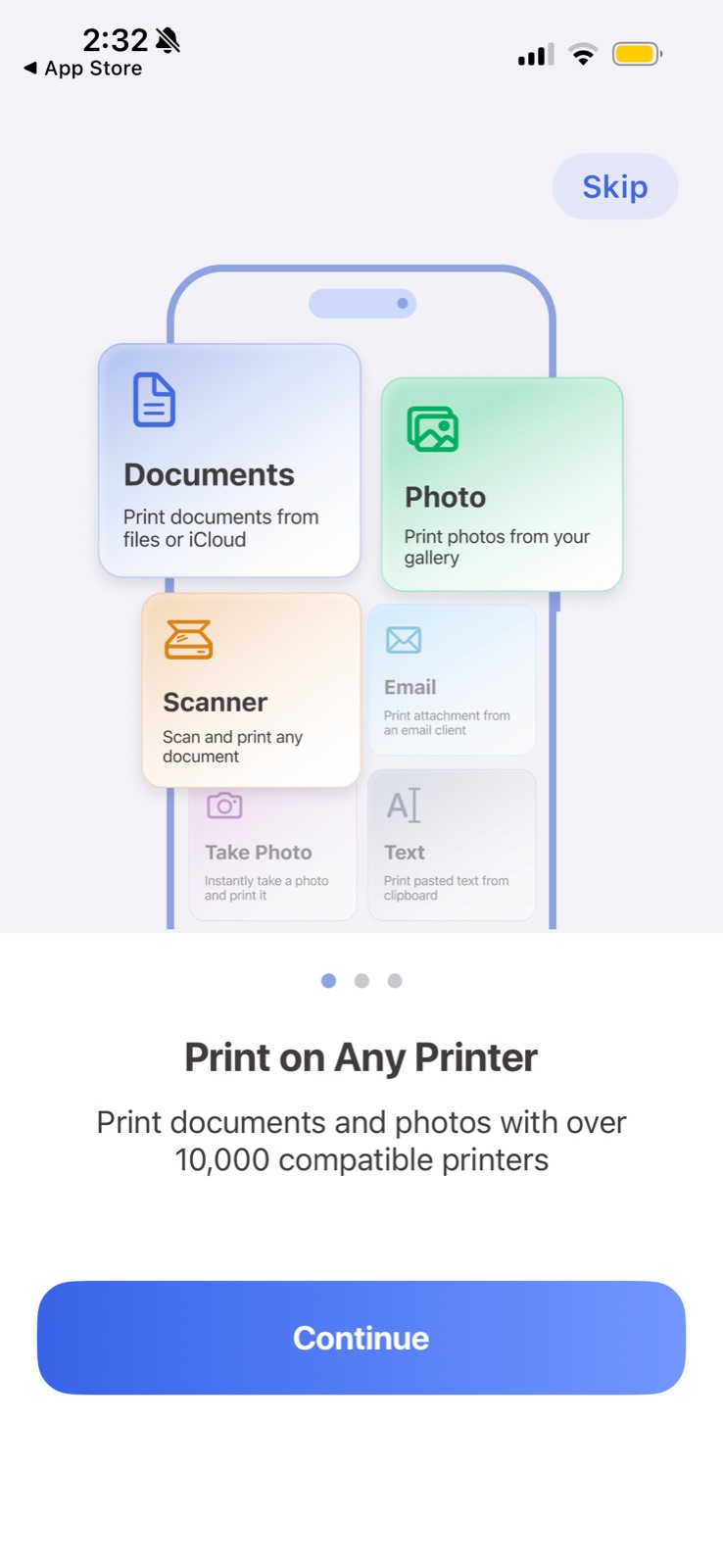
The first of three intro cards shows every print source at once and answers the main doubt: will it work with my printer.
-
1
Skip from card one (working)
Users who already know what they want can jump past the carousel.
-
2
Use cases as cards (working)
Documents, Photo and Scanner tiles show what you can print before any copy explains it.
-
3
Faded tiles unreadable (not working)
"Take Photo" and "Text" descriptions are tiny and washed out, so half the mockup is noise.
-
4
Three dots (working)
A short, visible carousel tells you the intro will be over soon.
-
5
Answers the real doubt (working)
"Over 10,000 compatible printers" handles the compatibility objection with a number.
Unlimited Access paywall
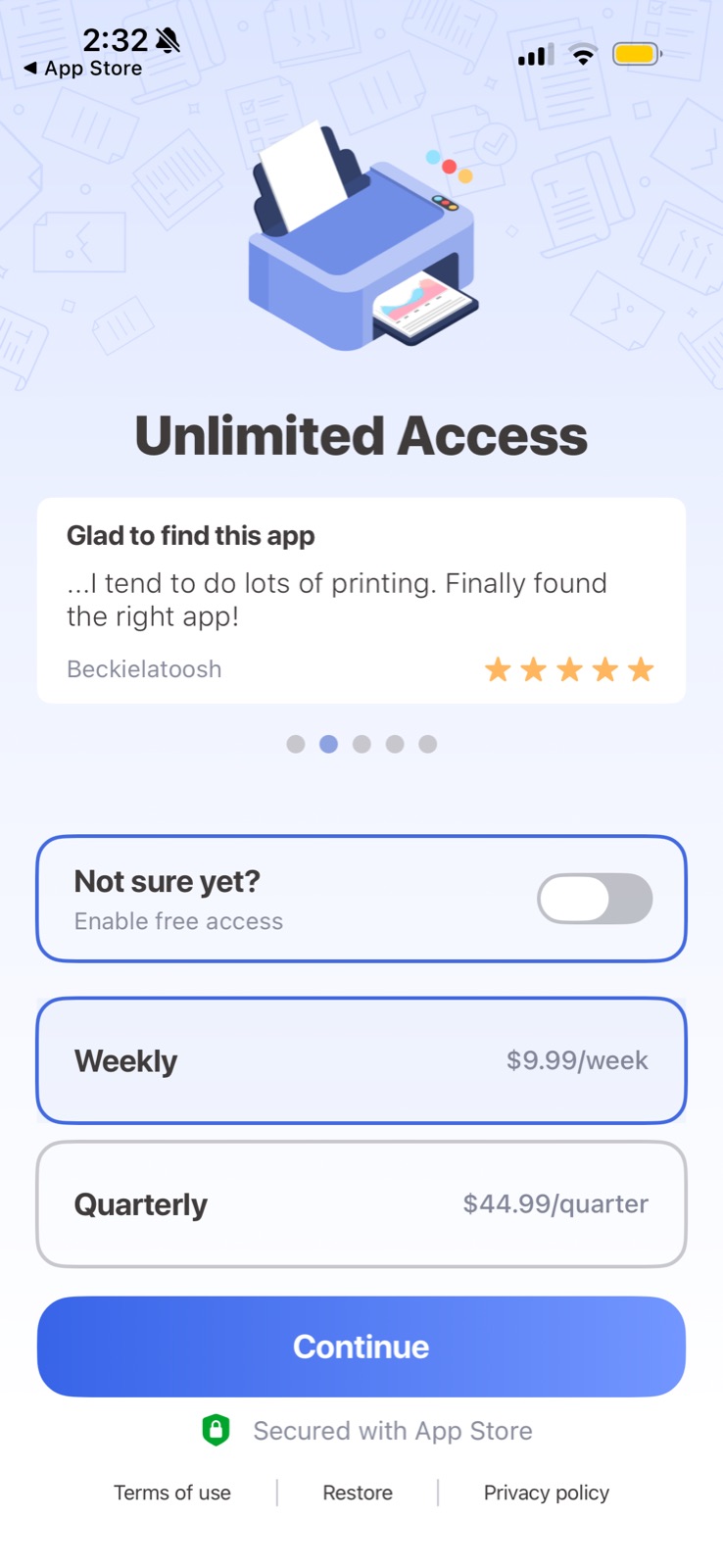
The paywall leads with a user review, then offers a free-access toggle and two plans with weekly preselected.
-
6
Review as the hook (working)
"Finally found the right app!" with five stars sits above the prices, in a rotating carousel.
-
7
Vague "free access" (not working)
"Not sure yet? Enable free access" doesn't say how long it lasts or what it turns into.
-
8
Weekly default, no comparison (not working)
$9.99/week is preselected while Quarterly ($44.99, about $3.46/week) shows no savings, so the cheaper plan looks more expensive.
-
9
Secured with App Store (working)
A shield and Apple's name borrow trust right under the button.
Takeaways from Printer app
- Use the first onboarding card to answer the biggest objection, here printer compatibility, with a concrete number.
- If a trial exists, say its length and the price it converts to on the toggle itself.
- Show a per-week price or savings badge on the longer plan, or the weekly default reads as the only sensible option.