Reminders on by default, then a price-first CTA
Math Zen ends onboarding with a reminder toggle that's already on, then shows a paywall whose button names the price and leaves the free trial to the small print.
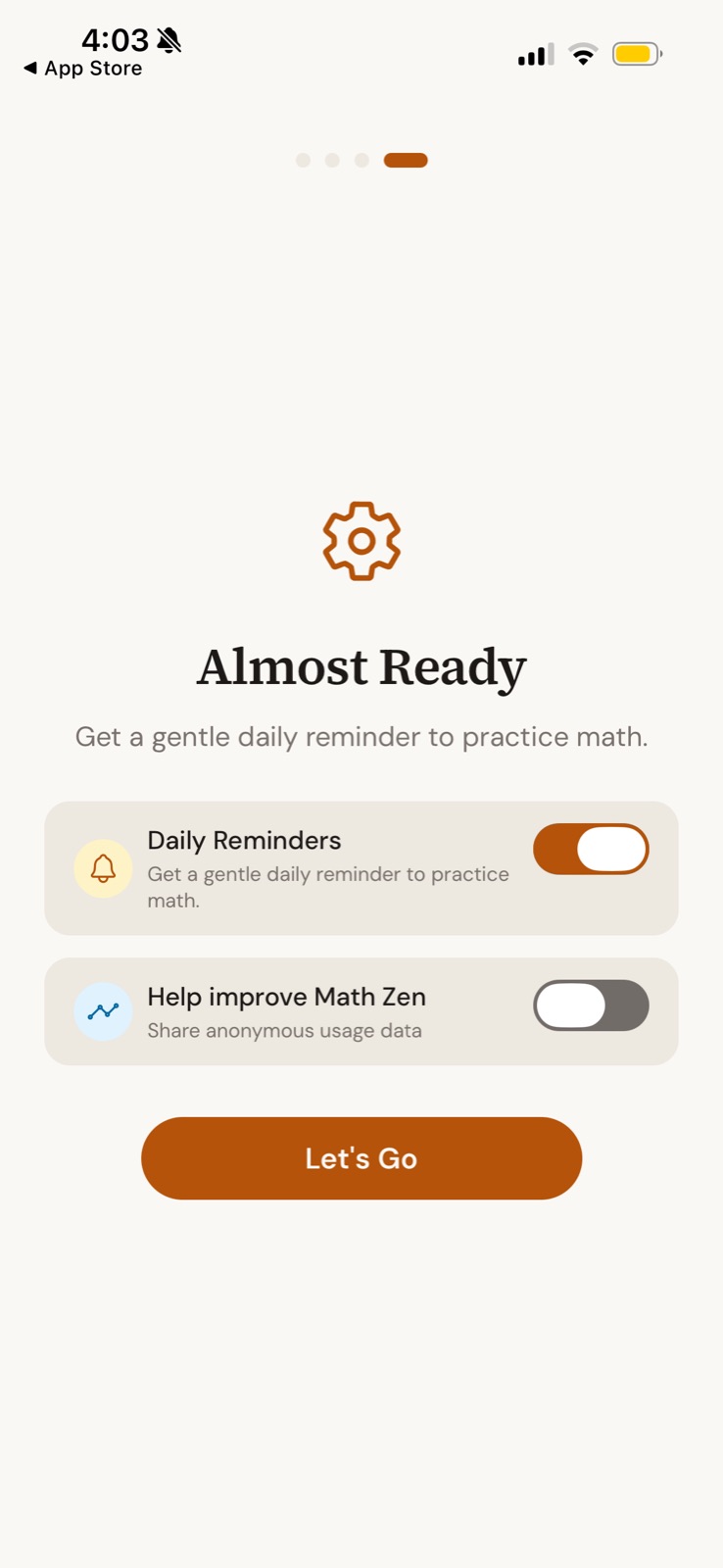
Almost Ready
The last onboarding step sets up reminders and data sharing in two toggles.
-
1
Last of four (working)
The final, longer dot plus "Almost Ready" signals the finish line.
-
2
Same line twice (not working)
"Get a gentle daily reminder to practice math" appears as subtitle and again inside the toggle.
-
3
Reminders on by default (working)
The habit loop is opt-out, and "gentle" softens the ask.
-
4
Tracking off by default (working)
Anonymous usage data is opt-in, which builds trust right before the paywall.
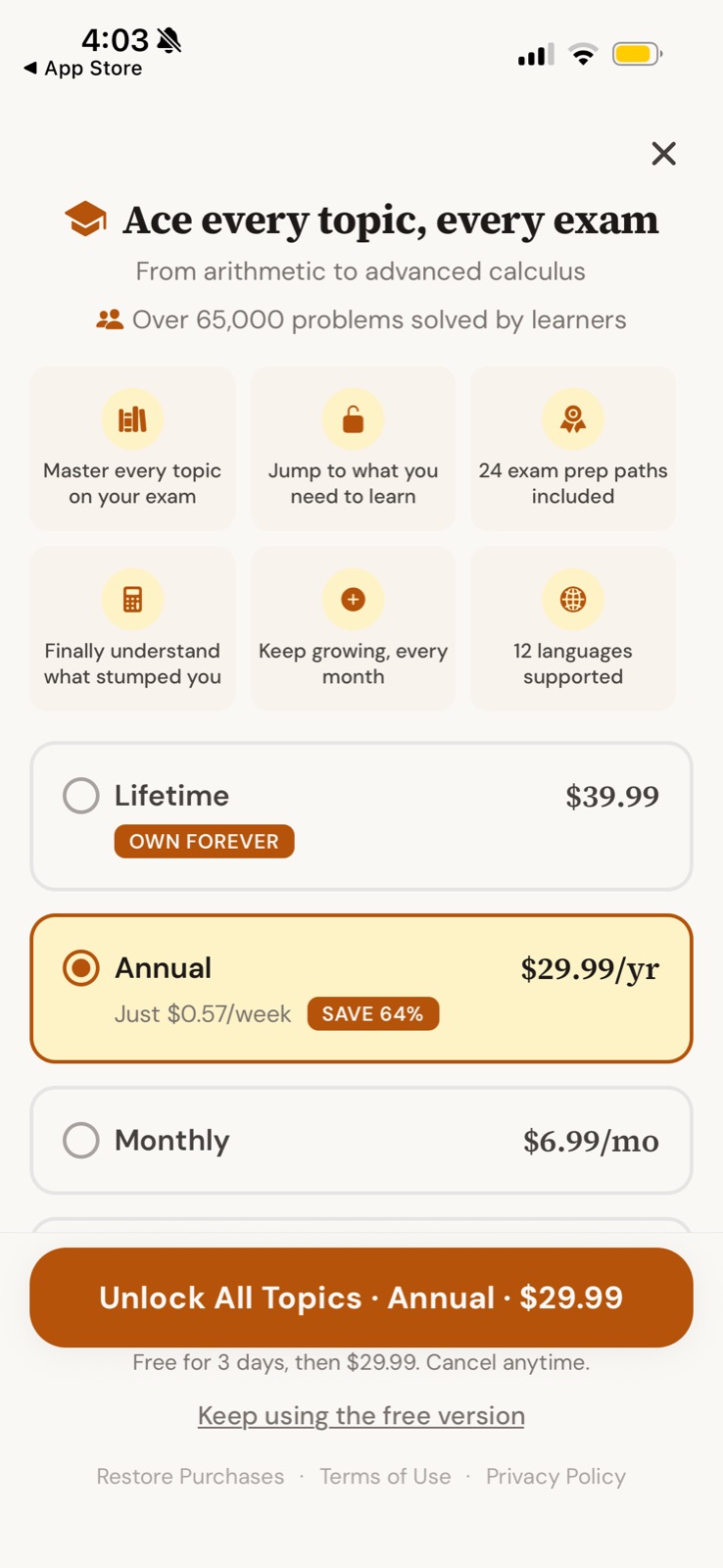
Ace every topic, every exam
A three-plan paywall with Annual preselected and a clear free-version exit.
-
5
Scope plus proof (working)
"From arithmetic to advanced calculus" and "Over 65,000 problems solved" in one glance.
-
6
Half the tiles are filler (not working)
"24 exam prep paths" is concrete, but "Keep growing, every month" says nothing.
-
7
Lifetime anchor (working)
$39.99 "Own forever" sits on top and makes the $29.99 Annual feel modest.
- 8
-
9
Button reads like a charge (not working)
"Unlock All Topics · Annual · $29.99" hides that this starts a 3-day free trial, mentioned only below.
-
10
Honest way out (working)
"Keep using the free version" is a visible, plain-language exit.
Takeaways from Math Zen
- Set the retention habit (reminders) as a default at the end of onboarding, and keep tracking opt-in.
- If there's a free trial, put it in the button; a price-first CTA wastes the risk reversal.
- Every feature tile should be as concrete as "24 exam prep paths".