A trial countdown pinned to the top bar
MotherDuck keeps the trial countdown in the header on every page and pairs it with a plain two-plan pricing table that spells out what happens when the trial ends.
Trial countdown in the header
A compact pill in the top bar shows days left and a Learn more button, on every page.

-
1
Countdown, always visible (working)
"30 days left in trial" sits next to Help in a calm light-blue pill, seen without being in the way.
-
2
"Learn more" instead of Upgrade (not working)
The button has an external-link icon rather than leading to plans, so the banner sells nothing.
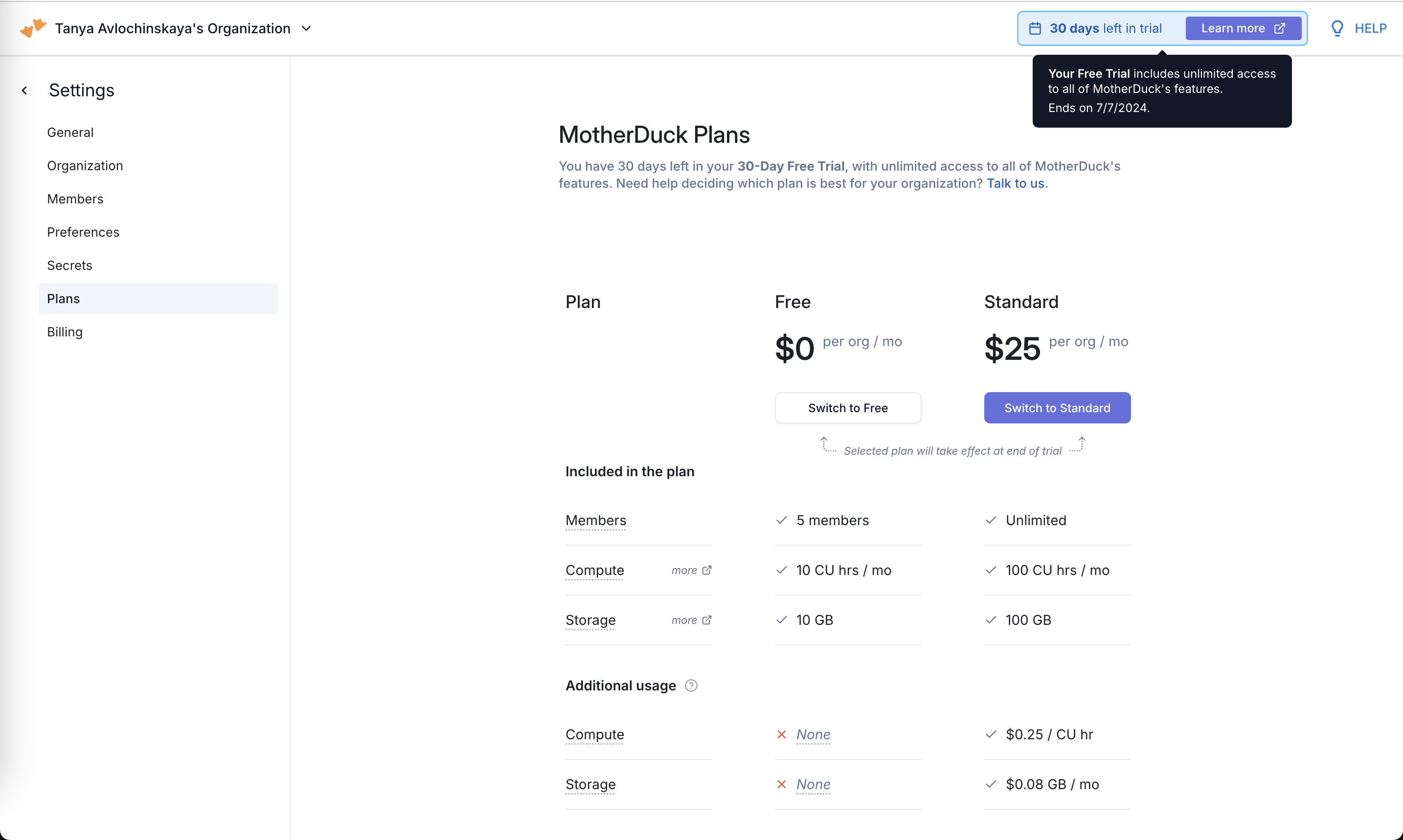
MotherDuck Plans
Settings > Plans compares Free and Standard side by side, with usage-based overage pricing below.
-
3
Hover explains the trial (working)
The tooltip says the trial includes "unlimited access" and ends on 7/7/2024.
-
4
Trial context in the header (working)
"You have 30 days left" plus a "Talk to us" link for teams that can't decide.
-
5
Choice takes effect later (working)
"Selected plan will take effect at end of trial" removes the fear of losing trial days by picking now.
-
6
Free vs Standard, two columns (working)
Members, compute and storage limits side by side with $0 vs $25 makes the jump easy to read.
-
7
Overage only on paid (not working)
Free shows "None" for extra compute and storage, so users only learn what overage costs once they pay.
Takeaways from MotherDuck
- Keep the trial countdown in persistent chrome, but make its button lead to plans, not docs.
- Tell trial users their plan choice only applies at trial end, so choosing early costs nothing.