Dazzle Alternatives: 5 Apps That Put Your Screenshots to Work
Dazzle, Marissa Mayer’s new AI assistant, starts from a bold idea: your camera roll knows more about you than your inbox, so let an AI read it and run your errands. It launched in September 2026 to a lot of attention and some unease. Most people who look for an alternative want part of the idea — do something useful with the screenshots I took — without handing an AI company their whole photo library. Here is what Dazzle does, and five apps that cover the same ground in narrower, more private ways.
By Tanya Aulachynskaya, maker of Nutstash · Updated 2026-11-19. Ratings, prices and privacy labels checked against each app’s US App Store listing.
Dazzle in short: an assistant that reads your whole camera roll
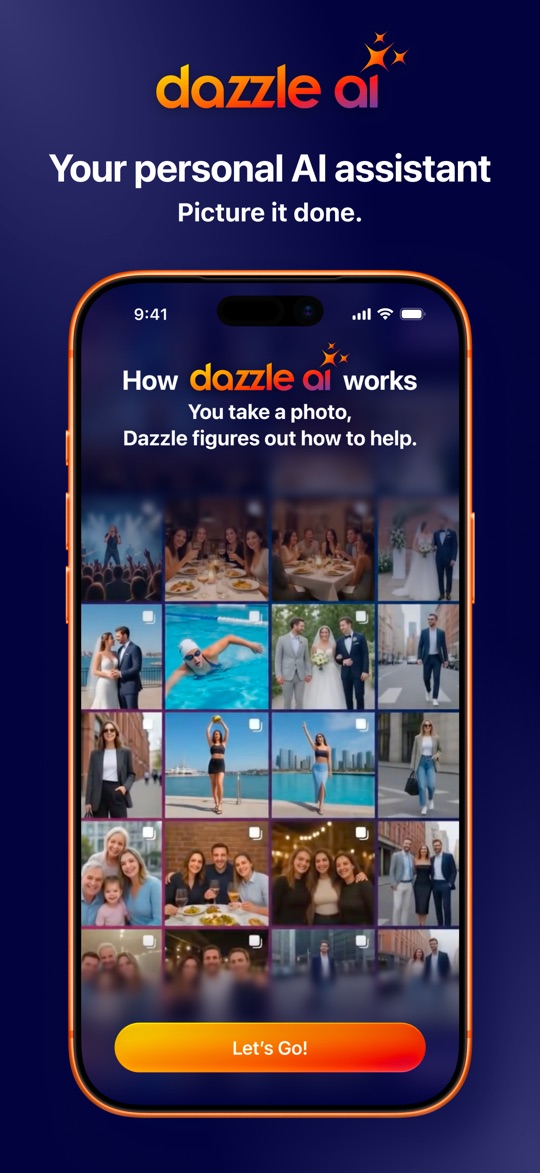
Dazzle, from Dazzle AI, Inc., learns from your photos and screenshots — your style, your hobbies, the people you care about — and suggests what to do next. Snap a jacket and it will find and buy it; photograph a flyer and it adds the date to your calendar; it recommends restaurants, concerts and trips from the places you have liked before, and you can chat with it like any AI assistant. It is free, needs iOS 26, and holds 4.9 stars from 104 ratings on the US App Store. At launch it was invite-only.
WebsiteApp StorePrivacy policy
What Dazzle gets right
- It acts, not just files. Shopping, booking a repair, adding an invitation to your calendar.
- Recommendations built on what your own photos say you like.
- Free, with no in-app purchases listed on the App Store.
- Also works by text message and on the web, not only in the app.
Why people look elsewhere
- Your photos go to AI partners. Dazzle’s privacy policy says it shares “data and photos with trusted vendors and AI partners (such as frontier models and cloud hosting services)”, and names OpenAI and Anthropic as examples.
- It wants the whole camera roll, not just screenshots: family photos, children, documents and all.
- Its App Store privacy label lists photos or videos, contacts and precise location among the data it may collect.
- Very new: launched on 29 September 2026, with about a hundred ratings.
- An assistant to talk to, not a place to browse what you saved.
If you want an AI that runs errands and you are comfortable with how it handles your photos, Dazzle is the most ambitious app here. If you mainly want your screenshots to stop disappearing, the apps below do that with far less access.
The alternatives at a glance
| App | Best for | Where your screenshots are processed | Price | App Store rating |
|---|---|---|---|---|
| Nutstash | Screenshots sorted into topics and to-try lists, privately | On your phone. Never uploaded | Free for your 20 newest. Pro $7.99/mo or $34.99/yr | New in November 2026 |
| Dazzle | An AI assistant that acts on your whole camera roll | Shared with AI partners such as OpenAI or Anthropic | Free; invite-only at launch | 4.9 from 104 |
| Albo | Saving reels, TikToks and links as well as screenshots | Not stated in its privacy policy; App Store label lists photos linked to you | Free. Pro $4.99/mo; yearly plans $29.99–$49.99 | 4.9 from 2,084 |
| Captr | A daily to-do list built from your screenshots | Third-party AI and product-search providers | Free; no in-app purchases listed | 4.8 from 151 |
| Apple Photos | Finding a screenshot by its text, no new app | On your phone (iCloud if you use it) | Built in | — |
| Google Photos | Backing up and auto-sorting a whole library | Google’s cloud, once backed up | Free up to 15 GB | 4.8 from 1.68 million |
1. Nutstash, the private way to turn screenshots into lists
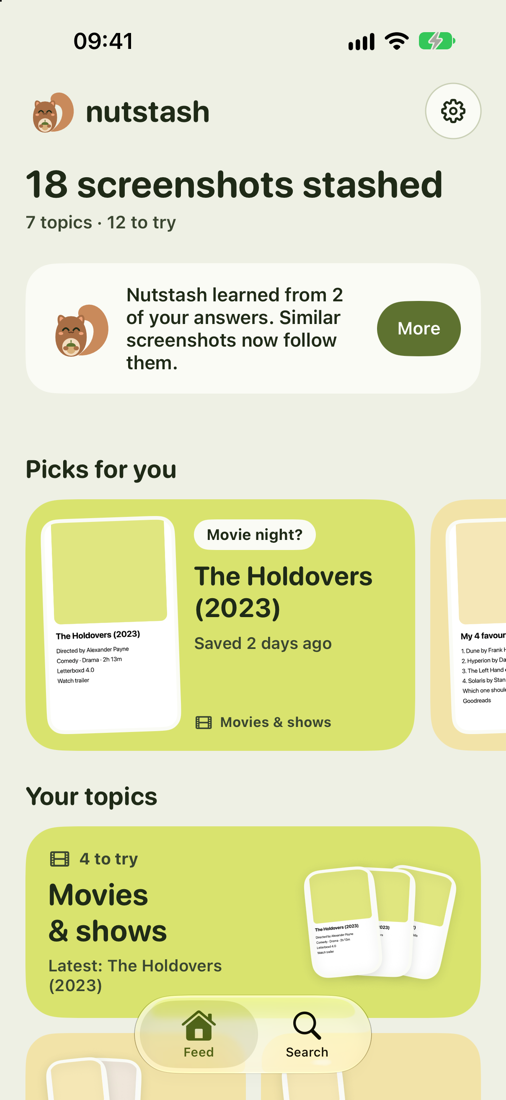
Nutstash takes the useful part of Dazzle’s idea — your screenshots say what you meant to do — and keeps it on the phone. It reads only your screenshots, sorts them into topics such as films, books, recipes, places and skincare, and turns each topic into a to-try list with a few picks each day. We make Nutstash, so read this entry with that in mind.
Where it beats Dazzle
- Nothing goes to an AI company. The AI runs on your phone: Apple Intelligence on iPhone, Gemini Nano on supported Android phones.
- Your screenshots never leave your phone. Reading, sorting and searching run on the device: Apple’s text recognition and Apple Intelligence on iPhone, Google’s on-device text recognition and Gemini Nano on Android. No account, no ads.
- It opens only your screenshots, never the rest of your photo library.
- A “Top 10 shows” screenshot becomes ten separate things to watch, and you swipe through each topic to tick off what you’ve watched, read, cooked or visited.
- Every word on every screenshot is searchable, in English, Polish, Russian and more.
Where Dazzle wins
- It sorts and reminds; it will not buy the jacket or book the repair for you.
- No chat assistant and no recommendations from outside your own saves.
- Brand new. It launched in November 2026, so there are no App Store ratings to go on yet.
- Needs iOS 26, and sorts best on iPhones with Apple Intelligence (iPhone 15 Pro and newer); other phones fall back to simpler keyword sorting.
- Free covers your 20 newest screenshots. Everything older needs Pro at $7.99 a month or $34.99 a year, after a 3-day trial.
2. Albo, if you want your saves turned into plans
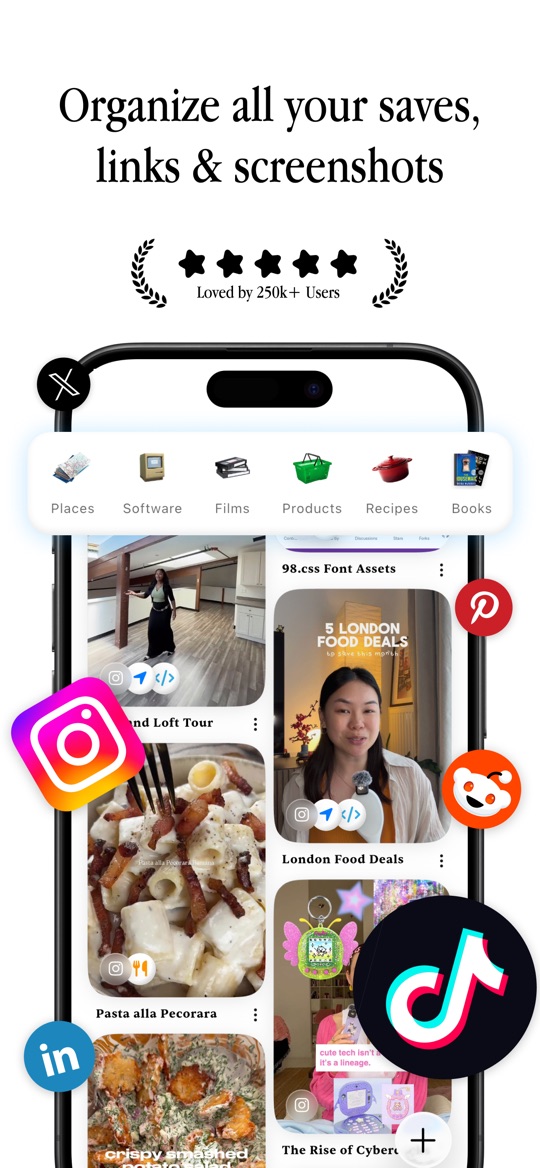
Albo is the most popular app for things you save: share a reel, TikTok, link or screenshot and it files it as a place, recipe, film, book or product. Like Dazzle it goes beyond filing — recipes out of videos, a weekly meal plan and shopping list, trip itineraries, a map of your places, and a “let Albo pick” button for what to watch or cook — but it only sees what you share to it, not your whole library.
WebsiteApp StorePrivacy policy
Good
- 4.9 stars from 2,084 ratings, the most in this niche.
- Plans, not just lists: meals, trips, a map.
- Only what you choose to share, rather than your entire camera roll.
Not so good
- Its privacy policy does not say where your saves are processed, and its App Store label lists identifiers and usage data as used to track you.
- Pro is $4.99 a month, with yearly plans listed from $29.99 to $49.99.
- Built around sharing saves in one by one; old screenshots stay where they are.
3. Captr, the closest to Dazzle’s “get it done” idea
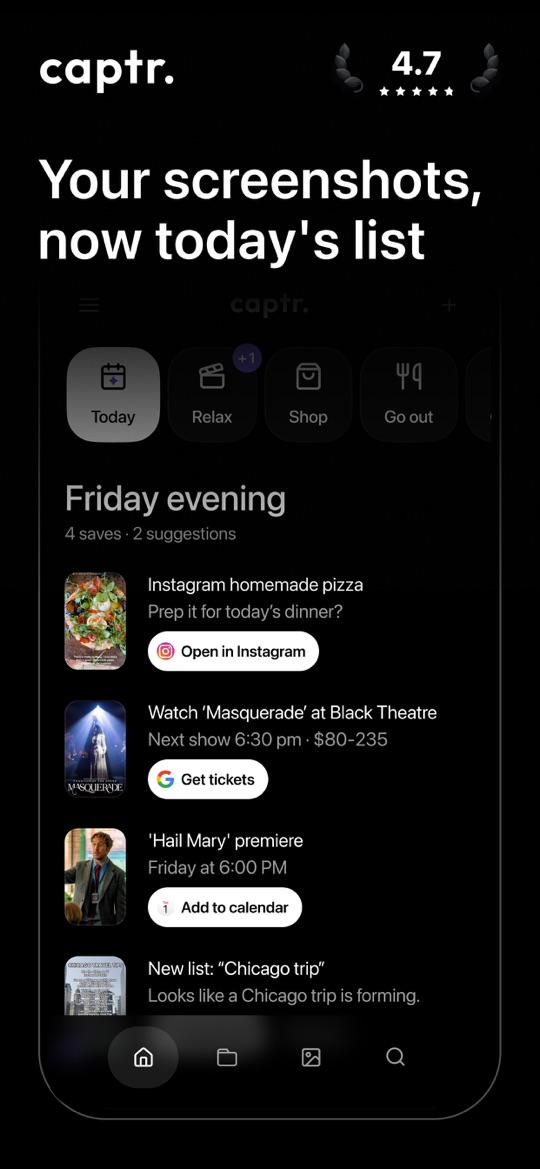
Captr reads every new screenshot and turns it into a daily list of things to act on: the restaurant ready to navigate to, the show ready to book, the product ready to buy. One tap adds an event to your calendar or a reminder, or jumps back to the original post. It looks at screenshots rather than your whole camera roll.
WebsiteApp StorePrivacy policy
Good
- Smart actions for calendar, reminders, directions and shopping.
- A morning list that comes to you, so nothing sits forgotten.
- Free, with no in-app purchases listed on the App Store.
Not so good
- Its privacy policy says its AI features run on third-party AI model providers and that images are sent to product search providers.
- Sign in with Google or Apple; its label lists contact info and usage data as used to track you.
- 151 ratings, English only.
4. Apple Photos, plus the AI already on your iPhone
Much of what Dazzle does with a photo, your iPhone can do on its own. Photos keeps screenshots together under Collections → Media Types and searches the text inside pictures, so a café name or phone number finds the right screenshot. Live Text lets you tap a date, address or phone number on a screenshot to add it to your calendar, open it in Maps or call it.
Good
- Free, built in, and the search runs on your iPhone.
- Tap a date or address on a screenshot to act on it, no extra app.
- With Apple Intelligence on, describe a picture in plain words to find it.
Not so good
- You do the remembering: nothing suggests what to do with last week’s screenshots.
- No topics or to-try lists; screenshots stay one long mixed album.
5. Google Photos, if you already trust Google with your library
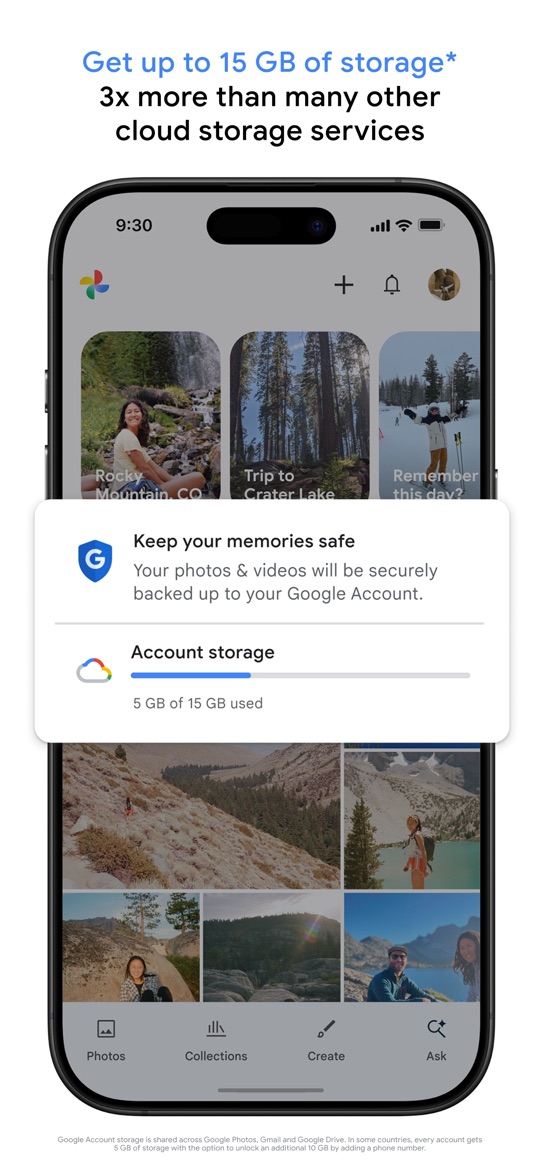
If you are happy for an AI company to see your photos, Google Photos already does a lot of what Dazzle promises across a backed-up library: AI search that understands descriptions, automatic albums for screenshots, receipts and IDs, and an option to archive screenshots out of your main grid. It is the most-rated app on this page, with about 1.68 million ratings.
Good
- Free up to 15 GB, on iPhone, Android and the web.
- Screenshots and documents sorted into albums automatically.
- Years of track record and very good search.
Not so good
- Your library is stored in Google’s cloud.
- It organises; it does not run errands or build to-try lists.
How to choose
- You want an AI that acts for you and accept the privacy trade: Dazzle.
- You want your screenshots sorted into lists, with nothing uploaded: Nutstash.
- You want social saves turned into meal plans and trips: Albo.
- You want a daily to-do list with one-tap actions: Captr.
- You want no new app at all: Apple Photos search and Live Text, or Google Photos if you back up to Google.
More comparisons: Albo alternatives, Captr alternatives and Tote alternatives.
Ratings, prices and privacy labels are from each app’s US App Store listing, checked on 2026-11-19. What happens to your screenshots is quoted from each developer’s own privacy policy; where a policy does not say, we say so rather than guess. Screenshots are each app’s own App Store images and belong to their publishers. Nutstash is our app, so weigh our verdicts accordingly.
Try Nutstash on your own screenshots
Nutstash sorts your screenshots into topics and to-try lists on your phone: films to watch, books to read, places and recipes. Nothing is uploaded, and your 20 newest screenshots are sorted for free.


Questions
Is Dazzle safe to use with my photos?
That depends on what you are comfortable sharing. Dazzle’s privacy policy says it shares data and photos with AI partners such as frontier model and cloud hosting providers, naming OpenAI and Anthropic as examples, and the app learns from your whole camera roll. If you would rather keep photos on your phone, Nutstash reads only your screenshots and does all its AI work on the device.
Who makes Dazzle?
Dazzle AI, Inc., the company Marissa Mayer, the former Yahoo chief executive, set up from the assets of her earlier startup Sunshine. The Dazzle app launched on 29 September 2026 and was invite-only at first.
Is Dazzle free?
Yes. The US App Store lists no in-app purchases for Dazzle. Albo has a paid Pro tier, Captr is also free, and Nutstash sorts your 20 newest screenshots free, with Pro at $7.99 a month or $34.99 a year for all of them.
Is there an AI screenshot organizer that works offline?
Nutstash does its reading, sorting and searching on the phone: Apple’s text recognition and Apple Intelligence on iPhone, Google’s on-device text recognition and Gemini Nano on supported Android phones. Clutter also says photos are processed on the device, but there you sort screenshots into folders by hand. Apple Photos’ own search runs on the iPhone too.