 Houseful
The Shared Household To-Do List: How to Run a Home Together
Every home already runs on a to-do list. Usually it lives in one person’s head, a few messages in the group chat and a sticky note that fell behind the fridge. A shared household to-do list puts all of it in one place that everyone can see, so nobody has to be the one who remembers, reminds and keeps score.
What a shared household list is (and isn’t)
A shared household to-do list is one list of everything that keeps a home running, which everyone who lives there can see and tick off. It is different from a personal to-do app with a “share” button in three ways:
- It has an owner per task, not per list. “Clean the bathroom” belongs to someone this week. A task that belongs to “everyone” belongs to whoever cares most, and that person ends up doing it.
- Most of it repeats. Dishes every day, bins on Tuesday, bed sheets on Sunday. A good household list is mostly a schedule, with a few one-off jobs on top.
- It is about fairness as much as memory. The point isn’t only that the bins go out. It is that the same person doesn’t take them out every week while quietly resenting it.
Why the group chat and the whiteboard stop working
Most homes try one of three things first. Each fails in a predictable way.
| What people try | Where it breaks |
|---|---|
| The group chat | Requests scroll away under memes and dinner plans. There is no record of who agreed to what, and asking twice feels like nagging. |
| A whiteboard or printed chore chart | It only works for people standing in the kitchen. Nobody updates it after the first fortnight, and it can’t remind anyone. |
| One person’s notes app | It works perfectly for that one person, who now manages the house. Everyone else waits to be told. This is the mental load problem in its purest form. |
What these have in common: the list isn’t where the people are, and it doesn’t say whose turn it is. A shared list fixes both. It lives on everyone’s phone, and every task has a name on it.
What goes on the list
Start wider than you think. The visible chores are the easy part. The ones that cause arguments are the jobs nobody sees until they are not done.
- Daily: dishes or the dishwasher, wiping the counters, a ten-minute tidy, feeding pets, cooking if you cook most nights.
- Weekly: bins and recycling (on collection day), the bathroom, vacuuming and mopping, laundry, changing the sheets, groceries, clearing out the fridge.
- Invisible but real: planning the week’s meals, restocking toilet paper and soap, paying and checking bills, booking repairs, remembering birthdays, noticing that the shower drain is slow.
- One-offs: “call the landlord about the boiler”, “return the parcel”, “buy a birthday present for Mum”.
We keep a full household chores list for adults, with how often each job needs doing and how much effort it takes. It is the same list Houseful builds a home’s first list from.
How to set one up in six steps
- Write down everything the home needs. Walk room by room. Ask everyone what they do that others might not notice; the answers are usually surprising.
- Give each job a rhythm. Daily, weekdays, weekly on a named day, or one-off. “Weekly” without a day quietly becomes “when someone snaps”.
- Weigh the effort. Score each task from 1 (two minutes) to 4 (an hour of scrubbing). Counting tasks instead of effort is the most common reason a split that looks equal doesn’t feel equal.
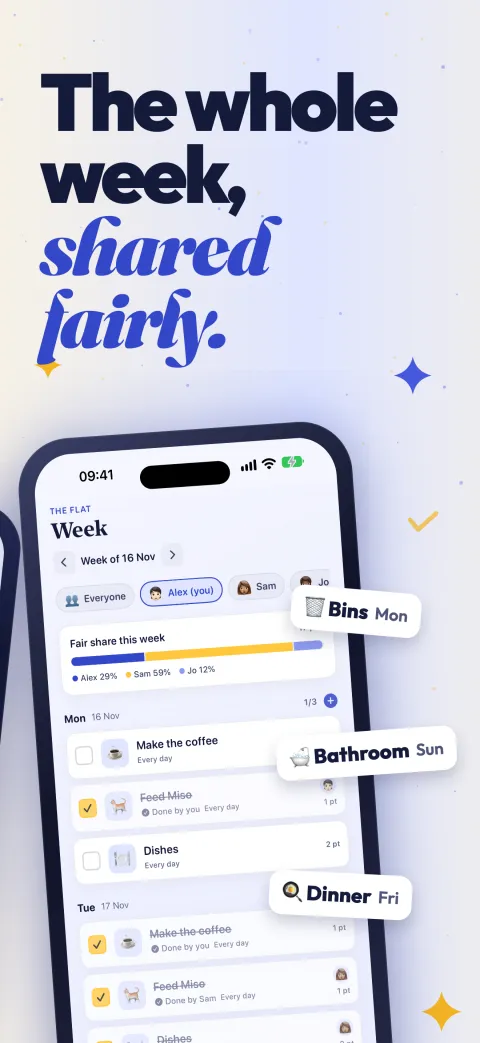
- Split it so the effort is even. Hand out the heaviest weekly jobs first, each to whoever has the least effort so far, then fill in with the small ones. Let people swap for jobs they mind less. A rough target: each person’s weekly points within about 10% of each other.
- Put it where everyone sees it. On every phone, with each person’s jobs for today at the top. If someone has to open a spreadsheet to find out what they’re doing, they won’t.
- Check in once a week. Five minutes, same time every week. What slipped? What feels unfair? Move tasks instead of arguing about them.
The one rule that matters most: no task without a name on it. “Anyone” is fine for a job that genuinely doesn’t matter who does it, like making coffee. For everything else, “anyone” means the person with the lowest tolerance for mess.
Splitting it fairly: roommates, couples, families
The same six steps work in every home, but what “fair” means changes with who lives there.
Roommates and flatmates
Between roommates, fair usually means equal: everyone uses the kitchen and the bathroom, so everyone does a share. The shared spaces are what matter; bedrooms are each person’s own business. A rotation works well here because nobody wants the bathroom every week. Read how to split chores with roommates for a template, or what to do when a roommate won’t clean.
Couples
Between partners, fair is rarely 50/50 by hours, because work hours, commutes and energy differ. What matters is that the split is agreed out loud rather than drifted into, and that the planning counts as work too. See how to split chores with your partner and the mental load checklist.
Families
In a family, fair means in proportion: adults carry the most, teenagers carry real jobs, younger children do small ones that grow with them. The adults still need an even split between themselves first. See how to divide household chores in a family.
Keeping it going after week two
Almost every household system works for a week. The ones that last do a few things differently:
- Each person sees their own day. A list of 40 household tasks is overwhelming. “Your three things today” is not.
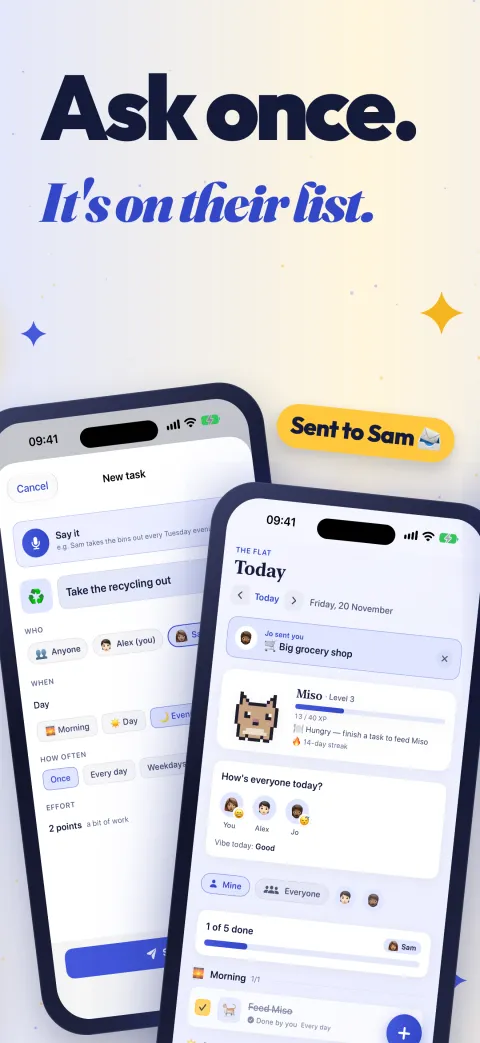
- Asking is one tap, not a conversation. When the bins need to go out tonight, sending the task to someone is less loaded than a text that starts “Can you please…”.
- The load is visible. When everyone can see that one person did 60% of the effort this week, the conversation becomes about numbers instead of feelings.
- Heavy jobs take turns. A rotating chore chart stops anyone owning the worst job forever.
- Done things feel done. Ticking something off where others can see it is a small, real reward. A little bit of fun goes a long way.
Which tool to use
Any tool works if it is on everyone’s phone and every task has a name on it. Shared notes and reminders apps are free and fine for two tidy people. Dedicated chore apps add rotation, effort and fairness tracking. We compared the main options, including where each one falls short, in the best chore apps for couples and roommates.
We built Houseful because we wanted all of the above in one place, on every platform:
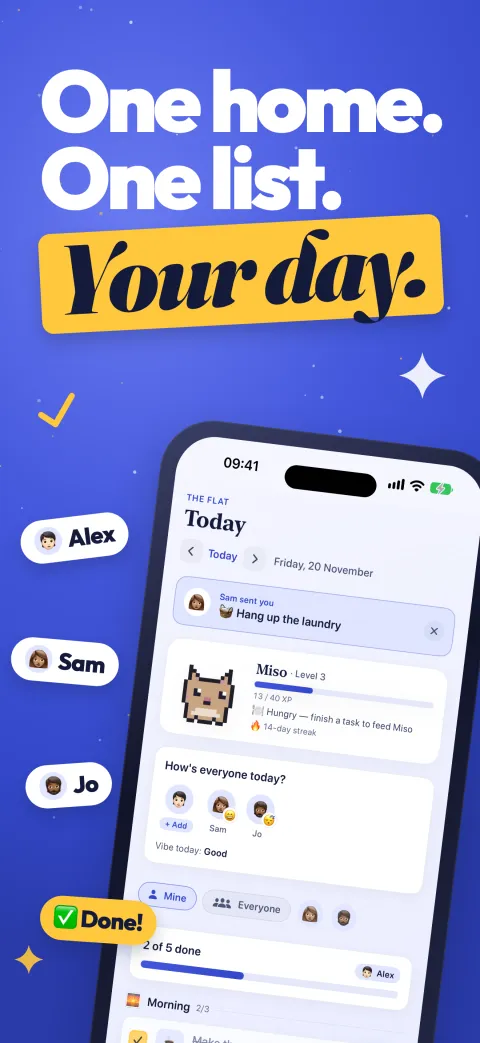
- One list, everyone’s own day. The household shares one list; each person opens the app to their own day, week and month.
- A first list in a minute. Answer a few questions about your home (who lives there, pets, a dishwasher, how often you cook) and Houseful suggests a starting list with effort points. You keep what fits.
- Split between us. Turn it on and the first tasks are shared out so the effort comes out even.
- Send a task in one tap. Their phone buzzes; no message to word carefully.
- Everyone on their own phone, no accounts. Share the household code or QR, each person joins and taps their name.
- A pet for the whole house. Every finished task feeds it, so it grows as your home keeps on top of things.
The free plan covers two people with one-off and daily tasks. Houseful Pro covers the whole household with one purchase: everyone you live with, weekly and weekday tasks, every ready-made list, the month calendar, and the fair-share history.
Put the list where everyone can see it
Houseful is one shared to-do list for everyone you live with. Chores take turns, each person sees their own day, and anyone can send a task to someone else in one tap. Everyone joins with a household code: no accounts, no passwords.

iPhone app coming soon. Until then, iPhone users can use the web app, which syncs with Android.
Questions people ask
What is the best shared to-do list app for a household?
The best one is the one everyone actually opens. For two people who already use iPhones, a shared list in Apple Reminders can be enough. Once you need recurring chores, a name on every task, and some way to see whether the split is fair, a household app such as Houseful, Flatastic or Nipto does more. See our comparison.
Is there a free shared to-do list for couples?
Yes. Apple Reminders and Google Keep both let you share a list for free, and Houseful’s free plan covers two people with one-off and daily tasks. Paid plans in household apps usually add weekly schedules, more people and fairness tracking.
Can a shared to-do list work across iPhone and Android?
Only if the app runs on both. Apple Reminders is Apple-only and Google Keep works best inside Google’s world. Houseful runs on Android and in any browser, and the whole household shares one list whatever phone each person has.
How many chores should be on a household list?
A typical home of two to four adults ends up with 15 to 30 recurring tasks once the invisible jobs (planning, restocking, bills) are included. If your list is much shorter, some of the work is still living in someone’s head.